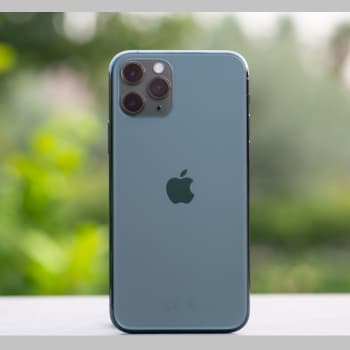
If you're looking for the best cleaning apps for your iPhone, we have a suggestion for you. When Steve Jobs launched the iPhone in 2007, it was a technological revolution . But today, there's still a lot to do in the smartphone industry.
Smartphones can be considered small, powerful computers, and the iPhone is no exception. But storage space is a major issue for these tiny devices.
Even if you have a high-end iPhone with plenty of storage space, it can still become full of unwanted files created by various operations.
In addition, junk files affect memory and processor performance and slow down the iPhone. In this case, a cleaning app can help. These apps can intelligently scan the system and detect unwanted files that need to be removed.
You can also read: 10 Excellent Free Antivirus Software to Download
Why is it important to clean your iPad?
The first question you'll likely ask yourself when it comes to iPad cleaning apps is whether cleaning is really important. The answer is quite simple. You may have noticed that your iPad sometimes runs slowly or exhibits similar symptoms:
- iPad starts up slowly.
- Your applications take too long to start.
- iPad suddenly freezes.
- Freezes for unknown reasons.
- An update cannot be completed.
- And much more.
While you might think it's normal, your storage actually plays a significant role , and fixing it can solve your problem. Many aspects of storage have a significant impact on iPad performance, such as browser data, app data, and system data.
Since this data is very sensitive, especially the system data, it should not be taken lightly. That's why it's important to find a reliable app to clean your iPad, rather than doing it yourself. And that brings us to our first post about the best iPad cleaning app.
10 Best Apps To Clean Your iPhone
There are many tools in the AppStore called cleaning apps. But unfortunately, not all of these apps are real. Some of them are just garbage and serve no purpose other than giving you some mental satisfaction.
But I've used a few cleaning apps over the years, and some have surprised me. They work really well , just like desktop cleaning apps. So here's a list of the best iPhone cleaning apps you can use without hesitation.
1. Smart Cleaner
Smart Cleaner is probably the most popular app for cleaning iPhone storage. As its name suggests, this app cleans your storage intelligently and efficiently. BPMobile is the creator of Smart Cleaner, and its developers regularly release new updates for the app.
The most interesting thing about this app is that you can use voice commands to perform cleaning tasks. The app is free to download, but you'll have to pay extra to use the advanced features.
Important features
- This app can also detect similar and duplicate photos to free up storage space.
- It has a nice storage widget that shows the status on the home screen.
- You can delete photos in bulk based on various criteria like location, type, etc.
- There is an awesome photo hiding feature.
- You can save and delete unnecessary contacts to clear the clutter.
Advantages: The app's interface is very user-friendly and easy to use. Even the free version offers many features.
Disadvantages: It cannot erase your iPhone's memory, which is a drawback.
2. Boost Cleaner
Boost Cleaner was developed by Sharp Forks Limited and has become very popular over the years. The container is quite small and works wonderfully. The user interface is minimalist and straightforward.
You'll find all the features you need on the home screen. You can use it to manage photos, videos, contacts, and other files that clog up your memory. While this app is free , you can opt for a subscription to access full functionality.
Key features
- This tool allows you to organize your media files so you can easily find the one you want.
- You can filter your photos by various parameters to find duplicates.
- Contact phone numbers and email addresses can be easily merged and deleted.
- Large videos that take up a lot of memory space can be deleted.
- With this app you can view a detailed cleaning history at any time.
Advantages: The app is well-suited to iPads with large screens. The workflow is also fast and smooth.
Disadvantages: The free version displays a lot of intrusive ads, which is a big problem.
3 Clean Doctor
Clean Doctor is a powerful one-tap app for cleaning your iPhone. It uses advanced algorithms to detect unwanted and duplicate files. You can also manually scan for unwanted files with this app. This app saves both disk space and your valuable time.
You can subscribe to the Pro version on a monthly or yearly basis. It is a bit expensive, but I think the performance fully justifies the price. The tool also offers some additional tools, which is very nice.
Key features
- It can detect duplicate GIFs, screenshots and live photos.
- A built-in photo organizer lets you organize your photos.
- You can delete overdue reminders and calendar events, a unique feature.
- You can add your own cleaning widget to your home screen for quick access.
- The tool is compatible with the dark mode, just like native applications iOS 14.
Advantages: Clean Doctor is powered by artificial intelligence and has additional features such as a memory monitor and a sound generator.
Disadvantages: Most features require a Pro subscription, which is a bit expensive.
4. Clean My Storage
Clean My Storage is a simple yet useful application for organizing storage space. Its functions are quite straightforward , and even people without technical knowledge can use this tool.
What I like most is the storage monitoring feature. The tool has a series of widgets on the home screen that give you an idea of how much storage space you're using. The free version displays ads , which can be annoying, but you can easily remove them by spending a few euros.
Key features
- The program can detect blurry photos that you can delete to save storage space.
- Searching for contacts without names or contact details can make your phone cleaner.
- You can get a memory overview to see which applications are using up memory.
- A network tester is included, which is a great added value.
- The colorful UI with gradient effects goes well with the Retina display.
Advantages : There is an option to back up your contacts, which is useful for those who don't want to rely on iCloud for backups.
Disadvantages : The size of the application itself is enormous and takes up a lot of disk space.
5. iCleaner
This app is not particularly popular on the AppStore. Therefore, I was a bit skeptical about the app's performance. However, after using it for a while, I found that it works like a champ.
The app doesn't have as many features as some other similar apps. But it's very easy to use . Plus, the Pro subscription is very affordable, and I think it's a must-have app for your iPhone.
Key features
- This tool can sort photos and videos by size and space used.
- With this application, it is easy to delete multiple files at the same time.
- You can view the metadata of files to prevent accidental deletion.
- The application has a powerful contact manager.
- You can display the storage status in a pie chart.
Advantages: At only 20 MB in size, this application is an excellent example of a well-coded and effortless application.
Disadvantages: It does not offer additional options for deleting temporary files and application data.
6. Phone Cleaner for iPhone, iPad
The developers have used a rather generic name for this iPhone cleaning app, which sounds a bit like spam. However, in practice, this app works perfectly.
Many users use this app regularly, and I haven't found any serious complaints about it. The app works the same way as most iPhone cleaning apps.
Access your storage and its advanced scanner will detect unnecessary files so you can permanently delete them. You can subscribe to weekly and annual plans to purchase an app subscription.
Key features
- The app is designed specifically for the iPad, but it also works well on the iPhone.
- It has four different cleaning modes that are very easy to use.
- You can do a lot of things with your contacts, such as merge them, delete them, etc.
- The file filtering option is very advanced and has many settings.
- You can also use Web Cleaner to remove unwanted files from your browser.
Advantages : You can set a custom reminder to clean, and the app will notify you when it's time to delete unwanted files.
Disadvantages : The pop-up windows asking you to upgrade to the Pro version are very annoying and should be taken into account.
7. Phone Cleaner-Clean Storage
This is another iPhone cleaning app with a huge user base. It offers some useful features that will change your mind about these cleaning apps.
I was quite surprised by how effective this tool is , although there are some limitations imposed by the operating system on third-party cleaning applications. If you're a regular user, the free version of the application will be sufficient for you. However, we recommend the Pro version, which offers excellent value for money.
Important features
- The battery and memory widget can be placed on the home screen.
- For duplicate photos, there is a one-click delete feature.
- The media organization function in this tool is well thought out.
- There is an option to cancel the cleaning process, which is very convenient.
- You can place your photos as widgets on your home screen to decorate it.
Advantages : This app can recover your accidentally deleted photos and videos, which is a lifesaver for many of us.
Disadvantages : Sometimes the duplicate search doesn't work properly, which can be a problem.
8. Gemini Photos
Don't let the name of this app fool you. It's not just a photo viewer. On the contrary, this tool, developed by MacPaw, is a powerful gallery cleaner for your iPhone.
On iPhones, photos and videos take up a lot of storage space. This is because these devices can't use expandable SD cards. This special app can intelligently identify unwanted photos from your camera roll. It can also delete photos from iCloud , which is a nice feature.
Key features
- This tool can detect photos with bad cropping, closed eyes, and blurry foregrounds.
- You can quickly delete screenshots and annotated photos with a simple tap.
- The camera's PhotoRadar feature monitors your camera roll and prevents memory overflow.
- The UI design follows the iOS 14 design language, which is minimalist and clean.
- The organization of the photos is also a nice feature.
Advantages : There's a convenient one-time purchase option that removes ads, and you don't have to see the annoying pop-ups to upgrade to the Pro version.
Disadvantages : This tool doesn't work with video, which is a shame, especially for those who record a lot of video.
9. Cleaner - Clean Duplicate Item
This is a handy iPhone cleaning app from Brain Craft Ltd. This tool can perform many tasks beyond basic memory cleaning. In addition, some smart features can indirectly save a lot of memory . I also like this tool because it has preventative features that will keep your storage from running out.
This version of the tool can perform some automatic deletions and backups. But you can be completely satisfied with the powerful free version of this application.
Important features
- The most interesting feature of this tool is the smart erase feature.
- You can easily merge and delete unnecessary contacts using the contact merge feature.
- This tool also works as a backup tool that can be used to clear up clutter.
- The application has a powerful photo and video compression mechanism.
- You can move important contacts and files before permanently deleting them.
Advantages : I think most people will prefer this program to others because of its video compression feature. Videos on the iPhone take up a lot of space, and this feature can be very useful.
Disadvantages : The user interface is well designed, but the overall experience and workflow are a bit complicated for new users.
10.Super Cleaner
Super Cleaner has become very popular with millions of active users. It is a one-stop solution for cleaning iPhones and iPads. It is rare to find such a powerful tool that offers all types of cleaning in one package. That is what Super Cleaner does.
The functions are well organized by category on the home page. This app's home screen also features a system monitor that gives you an overview of your system.
Key features
- Preview photos and videos before permanently deleting them.
- Automatically filter contacts with incomplete data and sort them by category.
- Categorized photos and videos can be saved in a personal folder.
- Overdue calendar events can also be deleted with this powerful tool.
- Super Cleaner is also great for compressing photos and videos to save memory space.
Advantages: The application is small and compatible even with older iPhone and iPad devices with limited memory.
Disadvantages: The media hiding function doesn't seem to be very reliable.
Clean iPhone without an app: tips and tricks
As mentioned at the beginning, sometimes you don't need to download an app to clean your iPhone. If you stay in cleaning mode, your memory won't overflow and your phone won't run out of power, allowing you to keep all the information you need.
If you need our advice and tips, grab a pen and paper!
1. Delete all photos, videos and files that you no longer use.
This is our first piece of advice. Although it seems simple, we often forget it. Review everything you've saved and delete what you don't need . Pay special attention to Live Photos, as they take up much more space than regular photos.
2. Store your files in the cloud
If you have photos or documents on your device that you don't use daily, you're wasting storage space unnecessarily. The solution? Upload all your files to the cloud . You can use iCloud, Dropbox, Google Drive, or any other service of your choice.
You can access them whenever you want, and since they are not stored locally, you save space. It is also a great way to save and view your document from any device.
3. Free up memory by deleting applications
Are you using all the apps you've downloaded? Probably not, although you know they take up memory and slow down your device. If you want to free up RAM on your iPhone, one of the best ideas is to uninstall the apps you don't use.
To delete them, press and hold the app icon for a few seconds and tap the X that appears over it. However, iOS also gives you the option to do it yourself.
Under “Storage” you will find the “Delete unused apps” feature. If you enable this feature, apps that you have not used for some time will be automatically deleted.
4. Check the battery status
If your iOS device is several years old, the battery is likely damaged. This not only affects battery life but also slows down your device's performance.
To check the battery status, go to Settings > Battery > Battery Health. Check the maximum capacity – if it is less than 50%, it is time to replace it with a new one.
5. Delete files from messaging apps like WhatsApp
WhatsApp is one of the most widely used messaging apps. We send not only text messages, but also photos, videos, audio, and more.
WhatsApp also shows all the files you've shared in a conversation so you can delete them. Just go to "Storage" in the app , open any conversation, and delete what you want.
6. Delete everything in the “Other” section.
What does iOS consider "other"? The truth is, you can find just about anything in this storage. From here, you can delete temporary files and history, and learn how to delete cookies on your iPhone. We don't want you to lose all your information.
7. If all else fails… iPhone Recovery
If you've followed all our recommendations, tried iPhone cleaning apps, and haven't gotten good results, it's time to restore your device! Remember to back up your data first so you can recover it later.
Conclusion
I know that cleaning apps are very concerned about your iPhone's privacy. We have personally checked all the apps and have not found anything suspicious. So I think you can trust them with your device.
I hope this article has helped you find the best cleaning app for your iPhone. If so, please share it with your friends and colleagues.
You can also read: 10 Best Apps to Clean and Optimize Your Phone

My name is Javier Chirinos and I am passionate about technology. Ever since I can remember, I have been interested in computers and video games, and that passion has turned into a job.
I have been publishing about technology and gadgets on the Internet for over 15 years, especially in mundobytes.com
I am also an expert in online marketing and communication and have knowledge in WordPress development.