- AOD This is AMD's proposal to expose Ryzen firmware settings on Linux using WMI and sysfs, with PPT, TDC, EDC, SMT and memory reading, but it is still under review and without an official graphical panel.
- The full experience depends on kernel acceptance, board compatibility, and the explicit application support; it does not automatically equate to Ryzen Master.
- Overclocking AMD GPUs on Linux relies on the driver amdgpu, the pp_od_clk_voltage interface and monitoring tools, with clear risks and a need for persistence.

When someone is looking for Overclocking on Linux with AMD It encounters two realities that sometimes overlap: AMD's official proposal to control certain processor parameters from the kernel and homemade guides for overclocking graphics cards by modifying kernel files. sysfsThe acronym that has become popular is AOD, not OADAlthough in some texts it appears written backwards. The confusion is understandable because AOD sounds like something new, official, and huge, while GPU overclocking in Linux is still somewhat of a DIY endeavor, involving commands, permissions, and reboots.
In this article, we'll put the pieces together: what AMD has proposed, what "official" means in the kernel world, the role of motherboards and applications, and how to overclock an AMD GPU on Linux using amdgpu, ppfeaturemask, and pp_od_clk_voltage . We'll also discuss sensors, fans, persistence with systemd, and warnings you shouldn't ignore. The idea is to explain it without promising miracles and without presenting something still under review as a finished product.
AOD: AMD's official bet on modifying firmware from Linux
AMD has released a series of patches for the Linux kernel that introduce AOD (AMD Overclocking)A controller designed to manage clocks and power consumption from within the operating system. The engineer responsible for presenting the work was [name missing]. Shyam Sundar SKThe initial proposal uses a WMI controller interface to communicate directly with the platform firmware—that is, the motherboard software that initializes and configures the hardware. This is done via the standard interface. sysfsUsers and developers could view and modify several key parameters of the processor's behavior.
Among the main adjustments in the first draft are the power and current limits: Package Power Tracking (PPT), Thermal Design Current (TDC) and Electrical Design Current (EDC)There is also talk of reading current RAM frequencies and the possibility of enabling or disabling Simultaneous Hyper-Threading (SMT) at the platform level, which would offer a cleaner alternative to the traditional parameter. nosmt From the outset. However, it's advisable to separate from the beginning. read a value write a valueThe fact that AOD can display the memory clock does not in itself prove that it allows changing its frequency, latencies, or voltage.
There is an important detail that is often overlooked: changes in these energy parameters are not applied in real time, but rather They need to restart the computer to take effect. AMD has focused solely on the kernel layer and has not released any official graphical interface for the end user. As with its Radeon graphics card drivers, the company will leave it to independent developers and desktop environments to create their own visual interfaces by leveraging the controls of sysfsThe initial firmware version supports more commands than are currently enabled, so The potential exists, but it's not all been unlocked..
The arrival of AOD represents a positive step in AMD's commitment to improving support for its processors on open-source systems. Even so, it's important not to mistake the announcement of patches for a ready-to-use experience for the average user. This proposal initiates a review process ; it doesn't complete the release of a consumer suite. A name related to overclocking doesn't guarantee voltage adjustment, individual core tuning, or automatic optimization: each capability requires its own implementation and documented behavior.
There's also the absence of a Linux version of Ryzen Master. Windows users have a well-established desktop application for system tuning, while Linux gets a proposed framework for applications to build controls on top of. That doesn't mean Ryzen Master will magically appear on Linux or that AOD will inherit all its features. AMD backing both efforts doesn't make their feature lists, timelines, or compatibility identical. The comparison is useful as an expectation, but not a promise.
The practical value begins with clearer accountability. Application developers can evaluate a proposal from the vendor and discuss its behavior through the kernel review process. Users gain a more concrete development effort to follow. It's easier to develop around a hardware feature when its manufacturer is involved in defining the operating system interface. However, the existence of such an interface leaves open questions about compatibility, bugs, and presentation.
What does "official" mean and what does it not mean in the kernel
Phoronix reported on the proposal on October 21, 2026, and identified Shyam Sundar SK as its author. The report describes an AOD driver that communicates with the platform's firmware using WMI, a Linux-compatible firmware management interface. AMD's specific step is the release of a patch that opens a kernel revision , not the immediate public release of a utility. That distinction is what separates interesting news from a feature you can use on your desktop today.
The initial controls reported cover processor power and current limits, compatible tuning ranges, simultaneous multithreading configuration, and memory clock readings. SMT allows a single processor core to execute multiple software threads, so its platform-level configuration is complex. Even so, the name of an overclocking controller doesn't guarantee parity with all the features available in other environments. Nor does it establish that each exposed control will behave the same on all motherboards. Each capability requires implementation, documentation, and testing.
According to the information reviewed, the patches were still under review. Therefore, the reader should distinguish between submission, acceptance in the upstream kernel, and availability via a distribution update. These are three separate milestones , and an announcement about the first does not determine the others. It's one thing for the code to be submitted; another for the reviewers to accept it; and yet another for your distribution to package it and deliver it to you smoothly.
The proposal comes from AMD, not an independent developer trying to rebuild an interface. That strengthens the effort, but it doesn't mean all Ryzen systems will immediately gain access. Consider a developer who maintains a Linux workstation for software builds. A compliant way to inspect the available limits would help determine what the machine is actually exposing, but it wouldn't automatically identify the best settings for a specific project. Access provides an opportunity to measure and configure hardware; performance remains an outcome that requires testing.
The presentation also gives reviewers the opportunity to examine the boundary between software requests and firmware behavior. This boundary matters whenever an application can request changes that affect the entire machine. A clear interface should make it easier to describe the consequences before users encounter them . Changing a desktop preference is not the same as requesting a power limit that affects the processor package and requires a reboot to take effect.
The desktop experience is left to the applications.
An official driver reduces a development hurdle but makes the remaining integration work more visible. AMD's proposal raises an important question for desktop utility developers: how should these controls appear to users? A clear label requires more than simply translating a firmware parameter into a slider. The application must explain what changes, when it changes, and what remains unchanged. Simply translating a parameter is insufficient if the user doesn't understand the scope of what they're adjusting.
A settings window should also differentiate between available and unsupported controls. Otherwise, users may mistake the absence of a firmware feature for an application defect. Clear detection becomes part of the product experience. Unsupported controls should be inaccessible or, at the very least, accompanied by a clear explanation. The absence of a feature should not appear to be a temporary glitch or a broken button.
Motherboard support is part of the same conversation. Since the proposed driver communicates with the platform's firmware, the processor brand alone cannot guarantee compatibility. Potential users need testing across their entire system configuration. This creates a different kind of pressure than a typical application release: AMD can offer the kernel interface, but the experience depends on multiple participants completing their part. No single announcement resolves all the dependencies.
For application developers, moderation would be valuable. A utility that exposes a smaller, verified set of features can better serve users than one that suggests broad compatibility. The workload goes beyond visual design: you have to decide how an application reports a rejected request, how it presents available ranges, and how it handles interrupted operations. These behaviors determine whether users trust the controls. Verified features are often worth more than seemingly comprehensive ones.
A practical example is a workstation shared between development and multimedia processing. Its owner might want different operating boundaries for different tasks. An interface would need to communicate whether changing profiles affects the current session or a future startup. This example is a possible application scenario , not a test of an already available AOD product. It illustrates why access and usability require separate evaluations, and why the same distinction applies to command-line utilities and desktop applications.
The announcement also impacts expectations surrounding AMD's Windows software. Users familiar with Ryzen Master will naturally compare any tuning efforts on Linux to that application. AMD describes Ryzen Master's controls for automatic overclocking and processor tuning, including adjustments managed via software or firmware. The Linux offering shouldn't inherit that feature set simply because AMD supports both efforts. A polished interface would need honest scope : clearly indicating which capabilities come from AOD and which belong to other components.
Intel provides useful context on the established desktop utility model. Its Extreme Tuning Utility combines processor tuning with monitoring and stress testing capabilities on compatible hardware, and requires Windows operating systems. This comparison isn't a competition of Linux features between AMD and Intel; it illustrates why desktop users typically expect hardware controls to be integrated within an application. AMD's approach starts at a lower level of the software stack. For a good experience, accuracy must take precedence over aesthetics , whether in a terminal or a graphical interface.
For Linux users, this makes release notes especially useful. The relevant question then becomes whether a utility explicitly supports the driver interface accepted in a documented configuration. A screenshot alone provides little evidence. Furthermore, performance claims should be kept separate from availability claims. It's one thing for the control to exist, and another for it to have improved an actual workload . Without context about the processor, motherboard, firmware, kernel, application, and modified configuration, a claimed improvement is difficult to interpret.
AOD versus amd-pstate and other Linux layers
AOD must also be kept distinct from amd-pstateThe Linux driver for processor performance scaling. Performance scaling adjusts operating behavior as workloads change, while a firmware tuning interface occupies a separate part of the system. AMD's kernel documentation on performance scaling describes performance indicators, operating modes, and power preferences. These existing controls demonstrate that Linux already manages the behavior of Ryzen processors. AOD does not mark the beginning of all energy management of Ryzen.
This distinction helps avoid confusing comparisons. A desktop performance preference and a firmware power limit can both affect the user experience, but they represent different requests. An application should explain their relationship rather than presenting interchangeable labels. The same is true for memory information: the visibility of a clock value can help describe a configuration, but it doesn't grant permission to change the memory frequency, timings, or voltage through the same interface. Seeing a piece of data is not the same as being able to modify it.
The proposed mechanism provides the software with a path to certain firmware settings without eliminating the role of the firmware itself. The controller exposes controls through sysfsThe Linux file-based interface provides access to certain kernel information and settings. For applications, it offers an entry point into the operating system, but it doesn't translate every underlying hardware operation into an immediate change. Phoronix reports that initial power settings take effect after a reboot. This is a key limitation for those hoping for interactive experimentation: changing a requested value and observing a different operating limit. They are separate events.
PPT describes a processor package power limit; TDC refers to sustained current, and EDC to maximum current. These controls define operational constraints rather than directly specifying an application's execution speed. A future interface should make this distinction visible: a higher allowable limit is a configuration change, not a guaranteed increase in useful work. The restart requirement also creates a state management problem for application designers because a requested configuration may differ from the one in effect. Displaying only the requested value would leave users uncertain about what their machine is doing. Active state and pending request should be distinguished whenever the interface allows for verification.
Overclocking AMD GPUs on Linux: the system file method
For years, one thing that was missed when switching from Windows to Linux was the ease of adjusting GPU clock speeds and voltages. Linux typically lacks the sophisticated "gaming" applications found in Windows, including many GPU management utilities. As a result, overclocking AMD cards is more complicated than simply dragging a slider. For AMD card owners, the necessary utilities are included in the drivers they already have installed, but they aren't easily accessible through a graphical tool: you have to modify configuration files and carefully tinker with the system.
First things first: the kernel must be at least version 4.17, verifiable with uname -aHowever, it is recommended to update to the latest version for stability, bug fixes, and new features. For example, Hawaii overclocking support was introduced in version 4.20. The driver must be amdgpunot the owner amdgpu-proOn Ubuntu, it is suggested to install the latest mesa and amdgpu from the PPA. ppa:paulo-miguel-dias/mesaHowever, this may not even be a necessary step, and it's unclear how it will work in other distributions. In practice, it's advisable to use amdgpu, not amdgpu-proand ensure that Mesa and the kernel haven't fallen behind.
sudo add-apt-repository ppa:paulo-miguel-dias/mesa
sudo apt update
sudo apt upgrade
Then you need to add the parameter amdgpu.ppfeaturemask=0xffffffff to the GRUB configuration. To do this, edit /etc/default/grub as root and add the parameter between the quotation marks of GRUB_CMDLINE_LINUX_DEFAULTIt is saved, it is executed sudo update-grub2 o sudo grub-mkconfig -o /boot/grub/grub.cfg depending on the distribution, and then it restarts. If you're using a boot manager other than GRUB, you'll need to check the corresponding Arch Wiki page. This step is crucial because without the correct parameter The overclocking files may not appear or may not be editable.
Version limitations must also be considered. Vega GPUs are not supported from kernel 4.20.2 onwards, as noted in the guide, and a workaround has been proposed by user u/whatsaspecialusername. In other words, simply having an AMD card and the desire to work with it isn't enough: the combination of kernel, driver, and GPU generation matters—a lot. To locate the directory containing the GPU's clock speeds and voltages, you can run readlink -f /sys/class/drm/card0/deviceIn the example from the guide, the route was /sys/devices/pci0000:00/0000:00:01.0/0000:01:00.0/But it can vary. The file you're working with is called pp_od_clk_voltage. The exact route dictatesSo it's better to check it than to copy blindly.
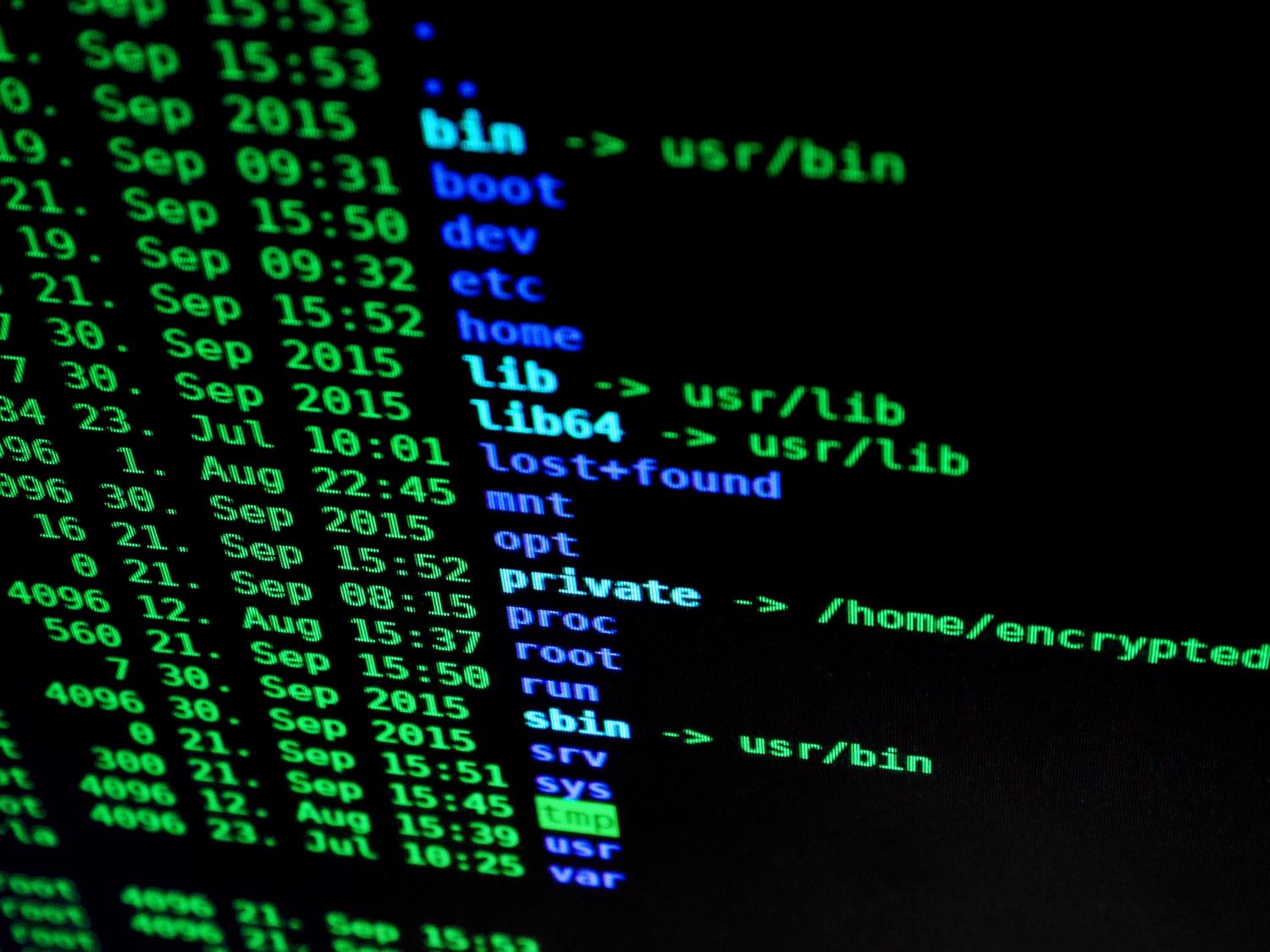
The example used was a Sapphire RX 580 Nitro+ 4GB, whose file showed several P-states for the core and VRAM, as well as the allowed ranges. The values were as follows:
OD_SCLK:
0: 300MHz 750mV
1: 600MHz 769mV
2: 900MHz 887mV
3: 1145MHz 1100mV
4: 1215MHz 1181mV
5: 1257MHz 1150mV
6: 1300MHz 1150mV
7: 1411MHz 1150mV
OD_MCLK:
0: 300MHz 750mV
1: 1000MHz 800mV
2: 1750MHz 950mV
OD_RANGE:
SCLK: 300MHz 2000MHz
MCLK: 300MHz 2250MHz
VDDC: 750mV 1200mV
The idea is to edit P-state number 7 for the core and number 2 for the VRAM, as these are the values at which the GPU typically operates under load. On Windows, the author's optimal values were 1450 MHz for the core and 2065 MHz for the memory. For the core, the command was this:
sudo sh -c "echo 's 7 1450 1150' > /sys/devices/pci0000:00/0000:00:01.0/0000:01:00.0/pp_od_clk_voltage"Where s This means that the kernel values are being edited. 7 It is the seventh P-state, 1450 is the desired speed in MHz and 1150 It's the voltage in mV. Be careful when running sudo echo and redirect directly to the file as shown in some examples on Arch Wiki, because the redirection is done by the shell and might throw an error without applying the changes. It might work if you log in as root with sudo suBut it's not recommended for safety reasons. The way to sudo sh -c avoid that mess in most cases.
The same applies to VRAM:
sudo sh -c "echo 'm 2 2065 950' > /sys/devices/pci0000:00/0000:00:01.0/0000:01:00.0/pp_od_clk_voltage"After these two commands, the file should be the same except for the two lines of edited P-states. You can verify this by running cat /sys/devices/pci0000:00/0000:00:01.0/0000:01:00.0/pp_od_clk_voltageThe author didn't adjust the voltages because he was already satisfied with the results and was very paranoid about damaging the GPU; if you do, be extremely careful because you can cause fatal damage to the card. Once the adjustments are complete, apply the changes with:
sudo sh -c "echo 'c' > /sys/devices/pci0000:00/0000:00:01.0/0000:01:00.0/pp_od_clk_voltage"At that point, the GPU will start running at the new frequencies under load. Although initially no way to actively monitor clock speeds in the style of MSI Afterburner was found, a later edit of the text indicates that one does exist, with a comment from u/AlienOverlordXenu. The fact is, a sudden FPS increase was observed in Heaven Benchmark after applying the new clock speeds: with the camera in free-motion mode, to prevent movement, the FPS jumped from 55-56 to 60-61. The ArchWiki guide also includes a command to change the maximum power consumption in watts, but the author didn't use it because they weren't sure what a safe value was. A real-world test is worth more than a blind adjustment.
The problem is that the clocks are reset every time the PC restarts. To keep them, assuming the distribution uses systemd, a service can be created to run the three commands at startup. If systemd is not present, other steps are required. First, a script is created, for example, overclock, /usr/bin/with this content:
#!/bin/sh
sudo sh -c "echo 's 7 1450 1150' > /sys/devices/pci0000:00/0000:00:01.0/0000:01:00.0/pp_od_clk_voltage"
sudo sh -c "echo 'm 2 2065 950' > /sys/devices/pci0000:00/0000:00:01.0/0000:01:00.0/pp_od_clk_voltage"
sudo sh -c "echo 'c' > /sys/devices/pci0000:00/0000:00:01.0/0000:01:00.0/pp_od_clk_voltage"
Then a file is created in /etc/systemd/system/ with extension .serviceIn the example it was called overclock.service And it looked like this:
[Unit]
Description=Increase GPU core and memory clocks
[Service]
Type=oneshot
ExecStart=/usr/bin/overclock
[Install]
WantedBy=multi-user.target
With sudo systemctl enable overclock.service The service is enabled. After restarting, it should automatically overclock the GPU. You can verify this by running cat /sys/devices/pci0000:00/0000:00:01.0/0000:01:00.0/pp_od_clk_voltageThe author also created a script that restores the GPU to its original speeds, although he didn't create a service for it: he simply placed it in his Documents folder. He warns that it may not work on every AMD GPU; in fact, he couldn't find a way to do it on his Ryzen+Vega laptop, perhaps due to the power-saving mode. Even so, It's always worth trying, but with caution.It was his first "real" guidebook and he was asking for feedback.
Sensors, fans, and tests before giving the green light
Since overclocking is being performed, a way to monitor the card's temperature is needed. This functionality is included in the kernel, but monitoring software must be installed. Run the sensor scan, accept the default values, save the configuration, restart the service, and check the output. If the card appears, it's working. You can view the output from a terminal with watch sensors or use a utility like gkrellm or conky. Have the temperature at sight It is not optional if you are going to upload watches.
Manually configuring the fan speed is optional. The card uses a PWM configuration to automatically control the speed based on temperature, so there's no urgent reason to adjust it. However, if you're serious about overclocking, you might want to control it manually. The file that controls the PWM state is... /sys/class/drm/card0/device/hwmon/hwmon0/pwm1_enableThe card number and hwmon value may change, so you should verify them. The default value is usually 2, which enables PWM controls. To switch to manual mode, change it to 1. In the guide, it appears as sudo echo "1" > .../pwm1_enableHowever, if the redirection causes problems, it's advisable to use sudo sh -cThen you can set the speed as a percentage in /sys/class/drm/card0/device/hwmon/hwmon0/pwm1For example, 50. It's a optional manual controlbut useful in demanding tests.
With the fans configured and temperature monitoring enabled, you can begin overclocking. AMD's settings are based on percentages: the default value is 0, and when changed to a positive number, the card increases its frequency by that percentage above its default clock. Entering 5 applies a 5% overclock. The first file to modify is /sys/class/drm/card0/device/pp_sclk_odwhich controls the GPU speed. It's probably not a good idea to go above 10 to start; you can always adjust it while testing. Memory speed is increased similarly with pp_mclk_odIt's also advisable there start gently and not to push too hard at first.
To test the overclock, open a terminal with the monitoring command, launch a game or a benchmark like Unigine, and check the output. You should see that both the clock speed and memory are running above their factory specifications. Keep an eye on the temperature, especially when the card is at 100% load. The maximum temperature varies greatly depending on the model, so you'll need to find the maximum temperature for your card. If unreasonable temperatures appear, roll back the overclock and/or increase the fan speed. Always proceed with caution: there is a real risk of damaging the hardware. Also, the overclock may not persist after a reboot; the easiest way to manage this is with a script that runs at startup and resets the values. Stress testing and persistence are just as important as the command that increases the clock speed.
Compatibility, warranty, and realistic expectations
Manufacturer involvement strengthens the development effort, but it doesn't guarantee secure configurations, universal hardware support, or measurable speed improvements. The issue of compatibility deserves more attention than the headline suggests. A helpful support statement should identify which systems expose the required firmware interface; "Ryzen support" is too broad to answer that question on its own. Readers should avoid inferring support for every desktop, laptop, handheld, or workstation bearing the brand. Those categories describe different systems with distinct firmware implementations. Official support is not a universal guarantee.
The same caution applies to the exact scope of SMT behavior. Reports describe a platform-level configuration, but users shouldn't generalize it to all possible runtime thread management functions. Implementation details need confirmation in accepted documentation and hardware testing. It's also unwise to conflate a compatible tuning range with a recommended configuration: an interface might expose values that the firmware accepts without selecting the best option for a user. Applications should preserve that distinction. Don't generalize what hasn't yet been tested.
Performance claims require a standard of independent evidence. A driver can correctly expose a configuration without improving a specific workload. For a developer, a successful build matters along with the time taken; for a media professional, completing an export matters along with the accuracy of the output. A faster result loses practical value when reliability deteriorates. A meaningful evaluation would identify the processor, motherboard, firmware, kernel, and application under test, in addition to the modified configuration. Without that context, a claimed improvement is difficult to interpret. In the end, the work completed matters more than a single maximum read.
AMD's own overclocking warnings describe potential instabilities, hardware damage, and data loss from operating outside of published specifications. The company also states that resulting damage is not covered under its product warranty. An official driver does not eliminate these stated risks. The existence of a driver does not mean that every interaction will cause damage; it means that the manufacturer's involvement does not make all available configurations approved for use. For production workstations, the relevant benefit might end up being clearer configuration management rather than aggressive overclocking. Out of warranty means exactly that.
Maintaining logs also improves future testing. A useful log connects a configuration change to the workload, observed behavior, and recovery steps. Teams organizing these materials can use a searchable knowledge base to preserve the context behind the results. The evidence available today supports a cautious assessment: AMD has proposed an infrastructure that deserves attention, but compatibility, reliability, and performance still need further testing. Traceability is as valuable a tool as any slider.
Signs to watch out for before touching a workstation
The next significant milestones relate to accepted code, verified systems, and applications that deliberately support the resulting interface. The first sign is kernel acceptance. Readers should look for the final interface and documentation, rather than assuming the original submission remains unchanged. The revision may clarify behavior or require modifications before integration. Acceptance would reinforce the idea that AOD is becoming a maintainable part of Linux support; ongoing revisions would show that the interface is still under development. Neither outcome should be mistaken for immediate availability in all distributions. Accepted code is the first serious step.
A distribution release is an additional practical milestone. Users need the relevant kernel code in the software they actually run. An upstream development announcement alone cannot answer that deployment question. The second signal is reproducible hardware testing. Reports should identify system configurations and verify that requested changes take effect as documented. General claims about compatibility are less useful than specific, repeatable observations. It's also important to distinguish between correct detection and correct operation: loading a driver does not guarantee that all exposed features will behave correctly. Actual availability and repeatable testing go hand in hand.
The third sign is explicit application support. A utility release should indicate the interface it uses and document its supported capabilities. Speculation about potential adopters doesn't provide the same evidence. Good application support would explain reboot requirements, distinguish pending configurations, and clearly report unsupported operations. Such details demonstrate progress from hardware access to a reliable desktop experience. Their absence leaves much of the integration work unfinished. Over the next few months, these signs offer a more useful framework than predicting a complete Ryzen Master replacement. Explicit support, not rumors.
Before changing a workstation's configuration, follow the driver revision, check your system's documented compatibility, and look for application versions that explicitly support it. Keep the original configuration and compare completed workloads after any compatible changes. Record both performance and reliability, as either can determine whether an adjustment is worthwhile. Don't tinker blindly or mistake an experiment for a production feature. Measuring, documenting, and being able to roll back is the sensible approach.
At this point, AMD overclocking on Linux is more of a work in progress than a finished product: AOD provides an official method for certain firmware adjustments, but it still depends on kernel revisions, motherboard compatibility, and application functionality. GPU overclocking, meanwhile, remains possible with amdgpu, pp_od_clk_voltagesensors and starting services, always with temperature, stability, and rollback tests. The practical conclusion is simple: there is real progress and room for experimentation, but Not everything is available to everyone, nor is it wise to rely entirely on a command without a safety net.Follow the milestones, keep a copy of your setup, and judge the results by the work you complete, not by the promise of a headline.

Passionate writer about the world of bytes and technology in general. I love sharing my knowledge through writing, and that's what I'll do on this blog, show you all the most interesting things about gadgets, software, hardware, tech trends, and more. My goal is to help you navigate the digital world in a simple and entertaining way.