- The accounts of streaming They are hacked mainly through phishing, weak and reused passwords, and unofficial applications that steal credentials.
- The clearest signs of intrusion are changes in history, unknown devices connected, plan modifications, and problems logging in.
- To regain control, you need to change passwords, log out of all devices, review payment details, and contact official support.
- The best prevention combines unique passwords, password managers, MFA, apps official documents, updated antivirus software, and plenty of common sense when dealing with suspicious emails.
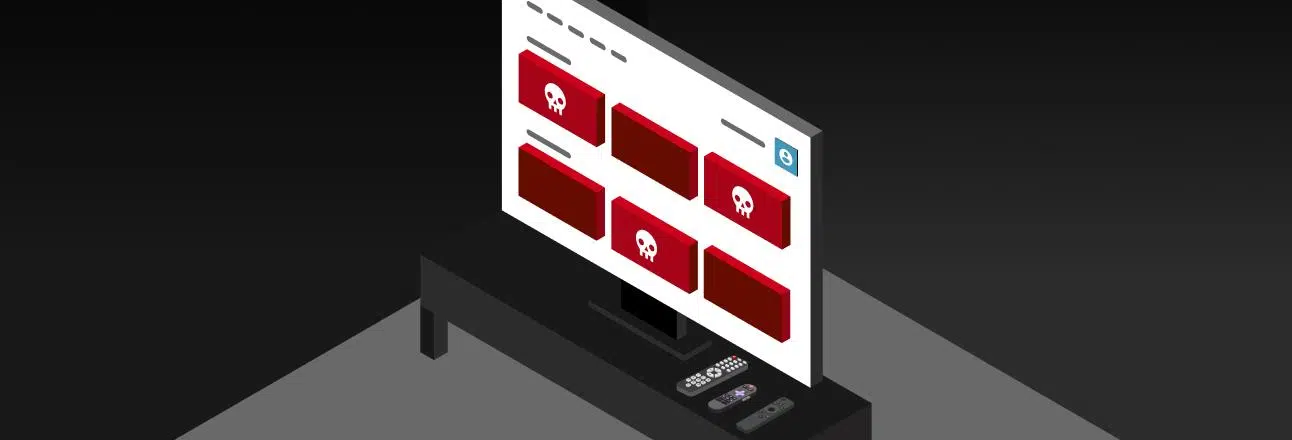
If you try to watch your favorite show one day and find you can't log into your Netflix , Disney+, Prime Video, Spotify , or other platform account , it's very likely someone has broken in without permission. It's not just that they're watching movies or listening to music for free at your expense: they can also change your information, access your bank card details, or even resell your account on the Dark Web.
Furthermore, these attacks are rarely isolated incidents. Cybercriminals exploit security flaws, weak passwords, and lapses in attention to steal credentials, test them on other services, and, in many cases, take complete control of your streaming subscriptions. Fortunately, if you can spot the warning signs early and act quickly, you can regain control and secure your accounts to prevent it from happening again.
How streaming accounts are typically hacked
In most cases, the attack begins with phishing and the theft of usernames and passwords . Criminals send emails or messages that appear to be official from Netflix, Spotify, or other services, with subject lines such as "suspicious activity on your account" or "payment issue," and a link to "verify" your information.
When you click on that link, you're taken to a fake page that perfectly mimics the real website . You enter your email and password, thinking it's legitimate… but in reality, you've just handed it over to the attacker, who can use it on your streaming account and, if you reuse that password, on other accounts as well.
Many users receive so many fraudulent emails that they become indifferent to the warnings . This saturation works in favor of hackers: they rely on you to also ignore legitimate emails from Netflix, Spotify, or Disney+ that warn of a strange login in another country or a new connected device.
In more sophisticated attacks, the intruder doesn't take control all at once, but gradually . They access the account, check your information, sometimes add their own card or change minor details, wait for you to get used to the alerts, and when they see you're not reacting, they modify your email, password, and phone number to lock you out.
On the digital black market, streaming service accounts are sold for just a few euros or dollars , especially Netflix or Spotify Premium accounts, which allow unlimited or ad-free streaming, or those with family plans. They are also used to inflate streams of obscure songs or to display political messages from artists' accounts.
Signs that your Netflix, Disney+, Prime Video or similar account has been hacked
One of the most obvious warning signs is that when you try to log in with your usual credentials, the platform says the password is invalid . If you're sure you haven't changed it, it's likely that someone has modified the credentials to block your access.
Another very clear clue is the content. If you check your Watch History, Recent Activity, or sections like "Continue Watching" or "Watch Again" and see series, movies, or documentaries you've never played, it's very possible that intruders are using your account without your knowledge.
On platforms like Disney+, you can access the Recent Activity and Connected Devices list . If you see phones, TVs, or locations you don't recognize, it's a strong indication that someone has accessed your account from elsewhere, sometimes after your credentials have been sold on the Dark Web.
Netflix, for its part, has a section that displays streaming activity and recently logged-in devices . Keep in mind that this information may take up to 48 hours to update, but it's useful for identifying suspicious activity and remotely closing sessions.
On shared accounts (very common on Netflix), it's also possible that someone has shared the password with more people than allowed, resulting in more users connected than permitted. This causes "too many devices playing" errors and, furthermore, leaves your personal information exposed to people you don't even know.
How to tell if your Spotify account or other music platform has been compromised
Spotify is a prime target because it offers Premium accounts with advanced features and supports numerous connected devices . Hackers can use your subscription to listen to music without paying, sell the account, or manipulate the playback of specific artists by looping certain tracks.
Sometimes, the intruder doesn't even block you: they let you keep logging in while they use your account in parallel . They change playlists, add music you don't want, or modify your subscription plan. In other cases, they change your password, upgrade your plan, and may even access your payment information.
There are certain very typical signs of hacking on Spotify: playlists deleted or modified without your permission, strange songs in "Recently Played" , tracks that play on their own or skip tracks that you don't control, notifications of strange activity, or subscription changes that you don't remember making.
You should also be suspicious if you see associated social media accounts in the settings that you don't recognize , if you've been logged out of all devices at once, or if your usual credentials simply stop working because someone has changed them from another location.
Another common tactic is the use of unofficial or modified Spotify apps , supposedly offering free Premium features. Many of these are simply lures designed to trick you into entering your username and password into a modified client that sends that information to the attacker or installs malware on your device.
What to do if your Netflix account has been hacked
The first thing to do if you suspect unauthorized access is to enter the Netflix address directly into your browser , never through links in emails, SMS messages, or private messages. This will prevent you from falling for a fake website again.
If you can still log in with your current password, go to your account settings immediately and change it to a new, long, and complex password , using uppercase and lowercase letters, numbers, and symbols . Do not use a variation of your old password or reuse passwords from other services.
Netflix allows you to select an option to force all devices to log in again with the new password . This option is crucial because it forces the login of any unauthorized users who might still be connected via an app or Smart TV.
If you still have access, carefully review the payment methods and billing information section . Many attackers add their own card as an alternative method to "validate" the account with Netflix support, or even upgrade to a more expensive plan. Remove any card or payment information that isn't yours, and if you notice anything suspicious with your own card, consider contacting your bank to block it or request a new one.
As soon as you have solid evidence of a hack, contact Netflix support , whether you can still access your account or if your email and password have already been changed. Explain that you suspect unauthorized access, indicate which warning emails you've received and what changes you've noticed; they can help you revert the changes, restore your correct email address, and regain control.
What to do if someone is using your Disney+, Prime Video, or other video service account
On Disney+, Prime Video, and similar platforms, the first step is to log out of all devices that aren't yours . Almost all of these services include a feature to eject all active sessions, forcing any intruder to re-enter their username and password.
Immediately afterward, it's essential to change your password to a new, strong one . It's pointless to kick the intruders out if they keep the same password they stole, because they'll be able to break in again and again. When creating your new password, avoid personal information, dates of birth, your mobile number, or obvious formulas like "12345678".
Don't forget to carefully review your account details: associated email, recovery phone number, bank card, billing address, and any plan changes . If you see a card you don't recognize, a different email address, or a higher-tier plan you didn't subscribe to, the attack is likely more advanced, and you should contact the platform's official support.
A key step that many people overlook is investigating how the password was obtained . Perhaps you recently installed a dubious program, logged in on a public computer, used an unsecured open Wi-Fi network, or fell for a phishing email that impersonated the service. Understanding the source of the breach is vital to prevent the same mistake from happening again.
While you're fixing the problem, it's highly recommended that you keep a close eye on your bank or credit card activity . If your payment information has been exposed, it could be used for fraudulent online purchases, to sign up for additional services, or to make transactions on other websites using your account number and personal details.
What to do if your Spotify account has been hacked
If you still have access to your Spotify account, the most urgent step is to reset your password from the official recovery page . Enter your username or email address, wait for the reset link, and choose a unique password that you don't use anywhere else.
If you also use the same Spotify password for your email, social media, or other services, take this opportunity to update those passwords with different ones . This will prevent a credential stuffing attack (trying the same combination on many websites) from creating a chain reaction of breaches across all your accounts.
Once you have your new password, log in to your profile on the website and locate the "Sign out everywhere" option . This will force any device playing music with your account to disconnect and request your credentials again; the process may take up to an hour to complete.
Take a moment to review the section for connected apps and social networks, and revoke access for any apps or accounts you don't recognize or no longer use . Once you've cleared these connections, you can relink only the services you actually need, preferably after changing their passwords as well.
If the damage is more extensive and your email address, username, or plan has been changed without permission, you'll need to contact Spotify's official support directly . They may ask for additional documentation to verify that you are the legitimate account holder (for example, proof of payment), but once they verify this, they can restore your access and help you recover deleted playlists using the "Restore Deleted Playlists" option.
How to protect your passwords and prevent future hacks
The most important step in securing your accounts is to use unique, long, and difficult-to-guess passwords for each service. Combine uppercase and lowercase letters, numbers, and symbols, and avoid dictionary words, significant dates, or information that could be easily linked to you with a simple search.
Since it's nearly impossible to remember a different, complex password for every service, it makes perfect sense to use a reliable password manager or check out services like Google Smart Lock . These tools store all your passwords encrypted, automatically generate strong passwords, and let you log in without having to memorize them all.
For services that offer it, enable two-step or multi-factor authentication (MFA) . This way, even if someone steals your password, they'll still need a second factor (a code in an app, an SMS, or a physical key) to log in. Not all streaming services offer this, but when the option is available, it's highly recommended to enable it.
Another key principle is to always use only official apps and clients . Download Netflix, Disney+, Prime Video, Spotify, and other services from their websites or from recognized app stores like Google Play or the App Store, avoiding third-party websites that may offer modified versions or dubious "extras."
Criminals can manipulate seemingly harmless programs to steal credentials, spy on your activity, or sneak malware onto your system. While some third-party apps may promise free "premium" features, they almost always pose a significant risk to your data and security.
Strengthen the security of your devices and stay alert
Having strong passwords is of little use if your device is infected. That's why it's essential to have a good antivirus or security suite that detects malware, attempts to block phishing attacks, and warns you about suspicious programs that install themselves without permission.
It doesn't matter if you use Windows , macOS, Android , iOS , or a Smart TV: all systems can have vulnerabilities , and there are variants of malware designed to capture what you type or to spy on your sessions, including those of streaming services.
In addition to antivirus software, it's crucial to keep everything updated : operating system, browsers, official apps like Netflix, Spotify, Disney+, etc. Many updates fix security vulnerabilities that attackers exploit to access data or take control of the application.
On systems like Windows, you can go to the update settings to install the latest available patches . The same applies to streaming apps on mobile devices and TVs: it's a good idea to check periodically for new versions that need to be installed.
Ultimately, the best defense remains common sense when browsing and managing your accounts ; for more on best practices, see our account protection tips . Be wary of emails that feel urgent, include unexpected attachments, or contain links to "verify your account," and if you have any doubts, don't click on them: log in yourself by typing the platform's address into your browser or using its official app.
If you notice unusual content in your lists, extra charges on your bill, or notifications of logins from other countries, don't ignore it or assume it's just a one-off glitch . Immediately review your security, change passwords, log out of your accounts, and, if necessary, contact support and your bank to address any potential issues early.
With a combination of strong passwords, security tools, up-to-date updates, and a healthy dose of skepticism towards suspicious emails and apps, it's much harder for someone to take control of your streaming accounts or personal data . And if an intruder does manage to sneak in, you'll know exactly what steps to take to expel them and regain control.


Passionate writer about the world of bytes and technology in general. I love sharing my knowledge through writing, and that's what I'll do on this blog, show you all the most interesting things about gadgets, software, hardware, tech trends, and more. My goal is to help you navigate the digital world in a simple and entertaining way.
Table of Contents
- 1 How streaming accounts are typically hacked
- 2 Signs that your Netflix, Disney+, Prime Video or similar account has been hacked
- 3 How to tell if your Spotify account or other music platform has been compromised
- 4 What to do if your Netflix account has been hacked
- 5 What to do if someone is using your Disney+, Prime Video, or other video service account
- 6 What to do if your Spotify account has been hacked
- 7 How to protect your passwords and prevent future hacks
- 8 Strengthen the security of your devices and stay alert