- Keyboards and mice can harbor more bacteria than a toilet, highlighting the importance of cleaning them.
- Bacteria such as Staphylococcus aureus and E. coli are common and can cause infections if hygiene measures are not taken.
- Regular cleaning with appropriate products and good personal hygiene habits are key to minimizing risks.
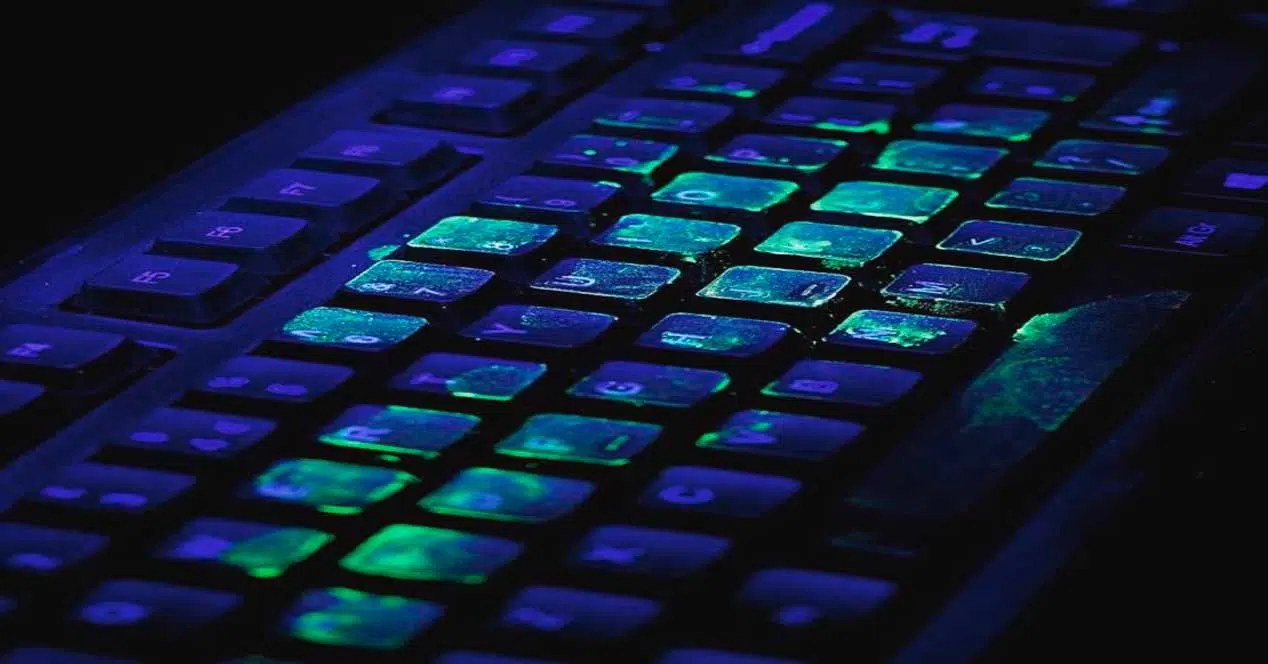
Have you ever stopped to think about the number of bacteria and pathogens lurking between the keys of your keyboard or on the buttons of your mouse? Although these devices are an essential part of our daily lives, they often go unnoticed when it comes to cleaning. However, various studies have shed light on the real risk of neglecting the hygiene of these peripherals, even comparing the dirtiness of a keyboard or mouse to that of a public toilet seat. From the office to home, wherever you use a computer, your health could be at risk if you don't take precautions.
This article compiles the most relevant and up-to-date information on which bacteria and viruses can live on keyboards and mice, how they get there, what risks they pose, and the most effective tips for keeping them clean . Discover everything you need to know to protect yourself against these invisible threats and learn how to properly disinfect these devices, which, although they seem harmless, can be a veritable breeding ground for microbes.
An alarming glimpse: How many bacteria and germs are on keyboards and mice?
Several scientific studies have shown that a computer keyboard can harbor, on average, between 33.000 and 400 times more bacteria than a toilet seat . This figure may seem like an exaggeration, but it reflects a disturbing reality: the lack of frequent cleaning , continuous contact with hands , and exposure to food scraps, dust, and fluids turn these peripherals into veritable reservoirs of microorganisms.
For example, research conducted by Pegasus Lab concluded that there are approximately 33.000 bacteria per square centimeter on a keyboard . Another British publication, Which? Computing Magazine, even noted that the keyboards they analyzed were much dirtier than a toilet seat . Meanwhile, the University of Arizona found that a typical desk—including keyboard and mouse—can be up to 400 times more contaminated than the office toilet itself.
This accumulation of bacteria is aggravated when equipment is shared, whether at home, at work, in public establishments or even hospitals, places where use is intense and cleaning is often more sporadic than recommended.

What bacteria and pathogens can be found?
Your computer keyboard and mouse can harbor a variety of bacteria and pathogens, some completely harmless and others potentially dangerous, depending on your health or the presence of small cuts or wounds on your hands . Among the most common microorganisms are:
- Staphylococcus aureus: This is one of the most common bacteria found on keyboards and mice. They can cause mild skin infections to more serious illnesses such as pneumonia, meningitis, or even sepsis. In addition, there are strains such as MRSA (methicillin-resistant) that can survive on surfaces for long periods of time.
- Escherichia coli (E. coli): Commonly associated with gastrointestinal infections, gastroenteritis and, in more severe cases, food poisoning.
- Enterobacteriaceae: Group of bacteria related to poisoning and various diseases of the digestive system.
- Pseudomonas aeruginosa: It can cause infections in immunosuppressed or hospitalized people, with the ability to survive in humid and dry environments.
- Acinetobacter baumannii: Relevant in hospital settings, known for its resistance to some antibiotics and a source of complicated infections.
- Enterococcus faecium: Bacteria that can survive for several hours on surfaces and is linked to serious infections in immunocompromised patients.
These microorganisms, mostly from the skin, mouth, or nose, reach the keyboard or mouse through several routes: touching the device without washing your hands, sneezing on it, not cleaning up food scraps, or sharing it without first sanitizing it.
Keyboards and mice in professional and hospital environments
The problem of microbial contamination is not limited to homes and offices. In hospital settings, it can reach serious proportions. A study in Taiwan examined 282 computers in hospitals and found that 17,4% were contaminated with opportunistic bacteria, such as S. aureus and Pseudomonas. Although the rates were lower than in other countries thanks to proper hygiene and frequent handwashing, the risk of transmitting hospital-acquired infections to vulnerable patients remains.
In British hospitals, the figures reached up to 50% of contaminated devices, highlighting the importance of adopting strict cleaning and disinfection protocols , especially in the face of outbreaks of resistant bacteria. Although computerization in healthcare settings is increasing, there is often no clear protocol for routinely cleaning keyboards and mice.
Comparison: Is a toilet more hygienic than a keyboard?
The idea that a keyboard or mouse is dirtier than a toilet seat may seem exaggerated, but studies support it. This is mainly because toilets are often cleaned several times a day with disinfectants, while computer peripherals can go weeks or months without a thorough cleaning.
The problem lies in poor hygiene habits : eating over the keyboard, leaving crumbs between the keys, not washing hands after using the bathroom, or sneezing on them. All of this encourages the proliferation of germs, which multiply even more due to the heat generated by continuous use.
Factors that favor the proliferation of bacteria
There are several reasons why keyboards and mice are especially vulnerable to the proliferation of microorganisms:
- Frequency of use and direct contact with hands: Both devices are in constant contact with the hands, where many microorganisms reside.
- Food and drinks: Eating on the keyboard promotes contamination, as crumbs feed bacteria and facilitate their growth.
- Shared environments: In offices or public places, user turnover transmits bacteria from one person to another.
- Lack of cleaning habits: Many people don't clean these devices regularly, with surveys indicating that one in ten never cleans their keyboard and one in twenty never cleans their mouse.
- Pets and minor accidents: Allowing animals to walk on the keyboard or spilling liquids on it makes matters worse.
What diseases can these microorganisms cause?
Most bacteria on keyboards and mice are harmless to healthy people, but they can cause illness in users with weakened immune systems or open wounds on their hands. Some common illnesses include:
- Skin infections: Folliculitis, furunculosis or cellulitis, mainly due to S. aureus.
- Gastroenteritis and diarrhea: Related to E. coli or enterobacteria.
- Food poisoning: Transfer of pathogens from the keyboard to the mouth.
- Respiratory diseases: In less frequent cases, bacteria survive in mucous membranes after contact with the face.
- Serious complications: Pneumonia, meningitis, or sepsis, especially in vulnerable individuals or in hospital settings.
The transmission of infections caused by insufficient cleaning and sharing of these objects represents a risk that should not be underestimated.
How to properly clean and disinfect keyboards and mice?
[amazon box=”B07SH9FY7G” image_size=”large” description_items=”0″ template=”widget”]
Keeping these peripherals clean is easier than it seems and can make a difference in a healthy environment. Experts recommend following these steps and using effective disinfection products:
- disconnect device before cleaning, especially if it is wired.
- Remove large debris: Turn the keyboard over to remove dust and crumbs, without hitting it hard to avoid damage.
- Use compressed air: For cleaning between keys and in mouse slots.
- surface cleaning: With a microfiber cloth moistened with isopropyl alcohol or disinfectant wipes, on the keys and surface of the keyboard and on the mouse.
- Do not apply excess liquid products: Avoid abrasive detergents, water, or liquids that can seep in and damage the circuits.
- Dry completely: Before using the devices again.
For shared items, cleaning should be done before and after each use . For personal use, it is recommended to perform this routine at least weekly, increasing the frequency if eating at the workstation, sharing devices, or if someone is ill or immunocompromised.

Passionate writer about the world of bytes and technology in general. I love sharing my knowledge through writing, and that's what I'll do on this blog, show you all the most interesting things about gadgets, software, hardware, tech trends, and more. My goal is to help you navigate the digital world in a simple and entertaining way.