- An old Android phone can be repurposed as an inexpensive security camera, taking advantage of its camera, microphone, and WiFi connection.
- Apps like Camy, Alfred, AtHome or Faceter allow live streaming, motion detection and, in some cases, facial recognition.
- Location, continuous power supply, good WiFi signal, and careful notification and privacy settings are key to a stable system.
- For intensive or outdoor surveillance, professional cameras are still more reliable, but a recycled mobile phone is an excellent complement.
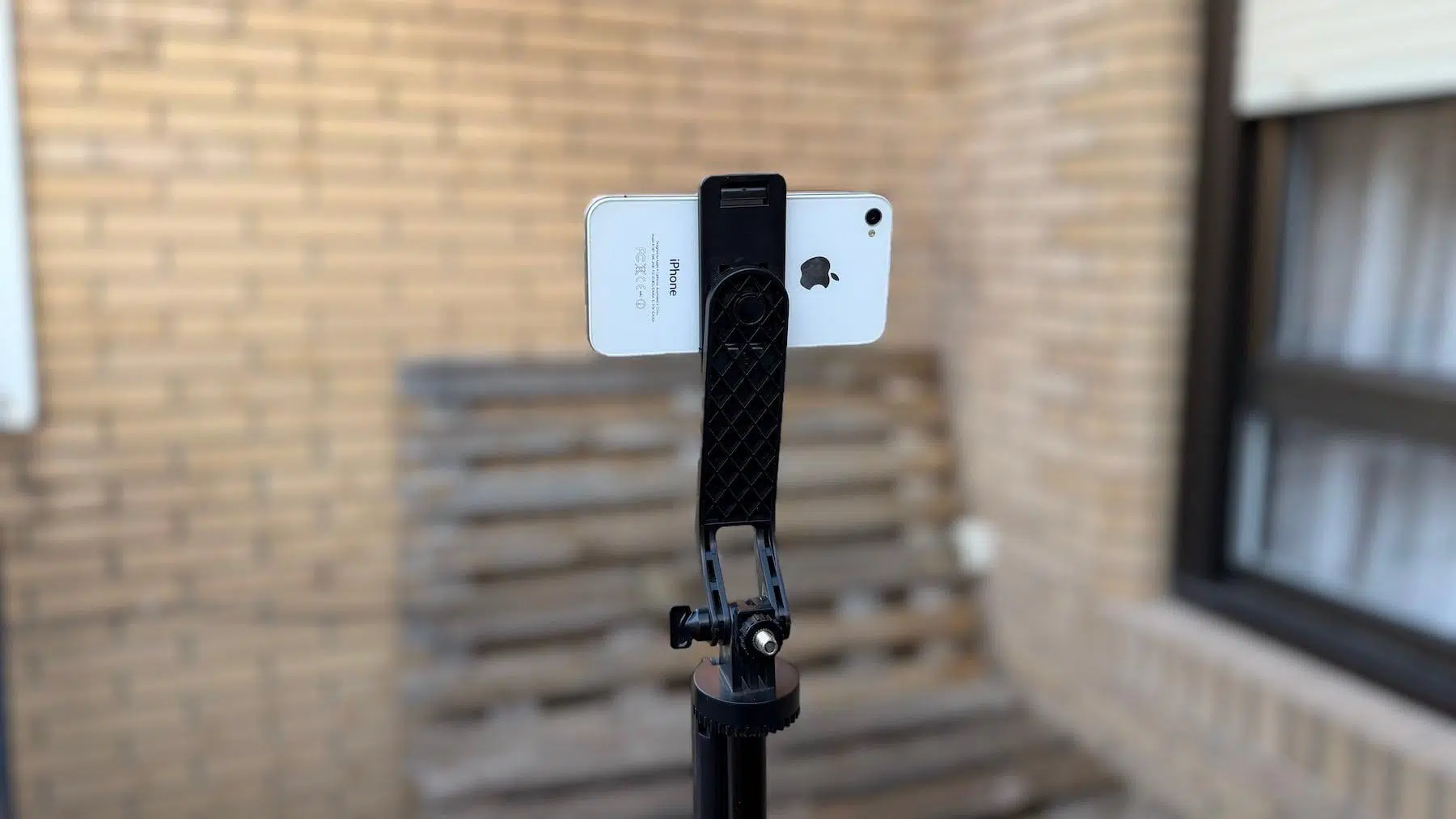
If you have a smartphone tucked away in a drawer that you no longer use, that seemingly useless device can become the heart of a very clever surveillance system. With a good app, a stable connection, and a little know-how, it's possible. Transform an old Android phone into a security camera with advanced features such as motion detection, two-way audio, and even facial recognition depending on the chosen application.
Far from being a simple geeky experiment, repurposing the phone that has been with you for years is a practical way to assemble a cheap, flexible and more sustainable 24/7 video surveillance systemIt will allow you to keep an eye on your front door, monitor your pet, use it as a baby monitor, or keep an eye on a room while you work or travel, all without having to buy a new IP camera.
Why it's worth recycling a mobile phone as a security camera
Behind that "obsolete" mobile phone, there is still a device with everything you need: camera, microphone, WiFi and an operating system capable of running surveillance appsAlthough it may be slow for using WhatsApp or playing games, it's usually more than enough for streaming video in a fixed position.
Converting it into a home IP camera allows you to save the cost of a dedicated security cameraWhile these devices aren't terribly expensive these days, they do represent an additional expense that you can avoid if you already have the hardware at home. For many everyday situations—monitoring the entrance, a bedroom, or the living room—the results are more than sufficient.
Furthermore, this reuse fits perfectly with an approach of responsible consumption and circular economyInstead of the phone ending up in a drawer or, worse yet, in the trash, you extend its useful life and reduce the generation of electronic waste, which often includes quite polluting materials and components.
On a practical level, a mobile phone converted into a surveillance camera allows you to Receive real-time alerts when motion or sound is detected, see the live image from wherever you are and, in many apps, hear what is happening on the other side or speak through the phone's speaker.
However, it's important to be realistic: An old smartphone doesn't offer the same robustness or range of functions as a professional security camera.Optical quality, night vision, resistance to heat or weathering, and long-term support are usually areas where a dedicated camera wins hands down.
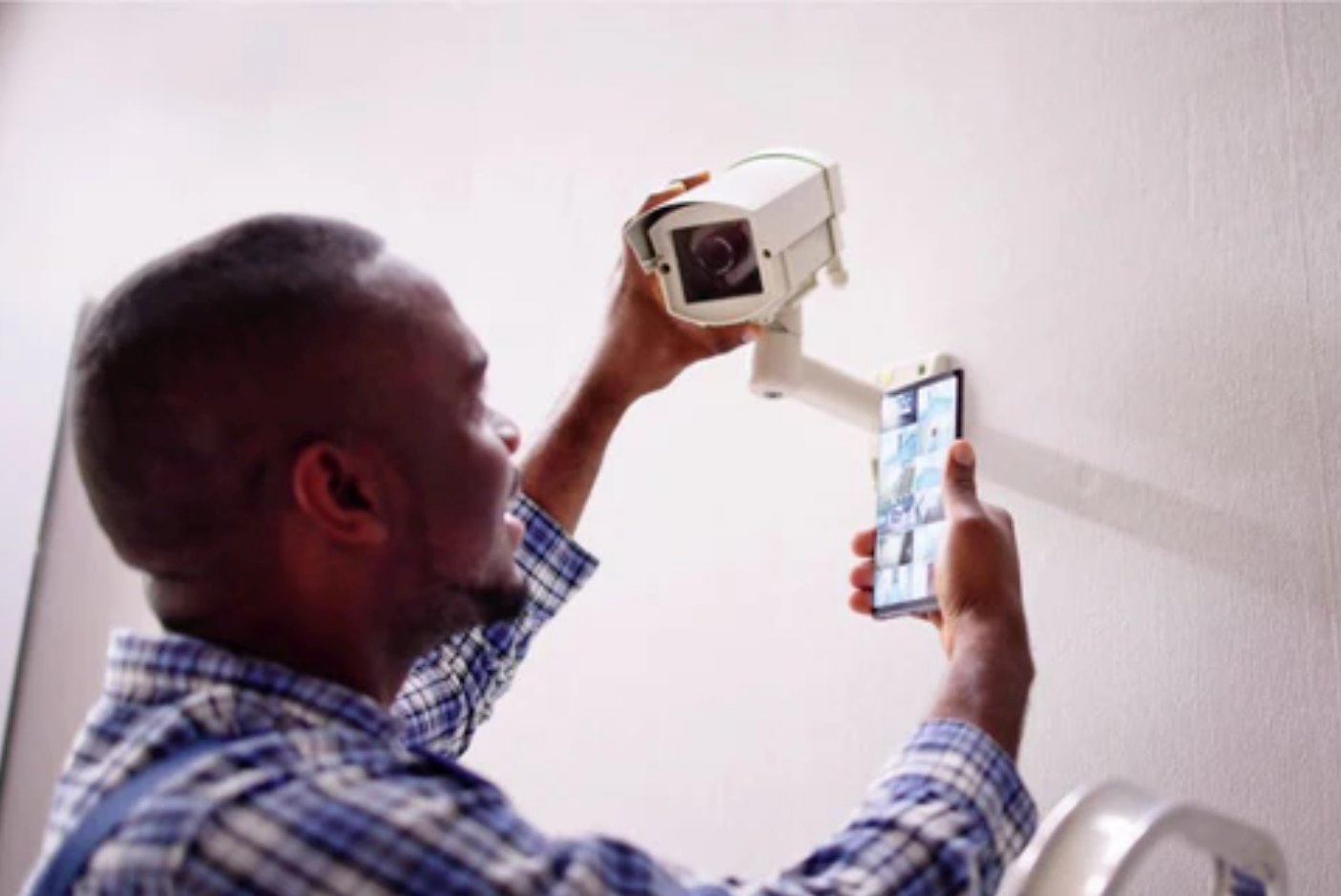
Choosing the perfect place to monitor with your mobile phone
Before you start downloading apps like crazy, the first step is to think carefully about where you're going to place your phone to act as a camera. The goal is that Point the rear camera at the area you want to monitor from the best possible angle.minimizing blind spots.
The ideal location is usually a high shelf, a high corner of the living room, a piece of furniture near the door, or a spot with a good view of a hallway or stairs. It's important to try make the mobile phone as discreet as possible so that it goes unnoticed, both for aesthetic reasons and to make it difficult for a potential intruder.
Don't forget about energy: these solutions rely on constantly streaming video, so You will need to keep your phone plugged into the power outlet permanently.Try to place it near a socket or, if you can't reach it, use a longer cable or even a power bank as backup for occasional use.
The connection is also key. Watch the live video from outside your home or receive notifications correctly, the The WiFi signal must be stable in the area where you place the mobile device.If the coverage is poor, consider moving the router, installing a WiFi repeater, or choosing a different location closer to the access point.
As an extra layer of security, some people buy a prepaid SIM card for the surveillance mobile phoneThus, if the power goes out and the router fails, the phone can continue sending video and alerts for a few minutes as long as the battery lasts, using the mobile data network as a backup.
How to prepare your old Android before turning it into a camera
If the device hasn't been turned on for months or years, the wisest course of action is to start with a quick tune-up to ensure the smoothest possible experience and prevent crashes. The idea is leave the phone clean, light and dedicated almost exclusively to its new role as a camera.
A good practice is to do a factory reset To delete old apps, files, and settings you no longer need, install only what's essential: the security camera app you'll be using and, at most, a system tool if you need it.
Don't forget to check the section on system security and privacyMake sure your mobile phone connects properly to your WiFi network, and that You have a strong password on the account you will use with the app and that remote access is well protected, especially if the application stores content in the cloud.
Finally, check that the The camera (rear and, if you're interested, front) works correctlythat the proximity sensor and microphone are working, and that the battery is not in such a critical state that it would cause the phone to suddenly shut down even when plugged in.
Apps to turn your mobile phone into a smart surveillance camera
The real trick to transforming an old Android phone into a security camera lies in the software. Today, there are many apps on Google Play and the App Store that allow you to do this. Use one mobile phone as an IP camera and another mobile phone, tablet or computer as a remote viewer, with more or less advanced features.
Almost all of them work with the same logic: the app is installed on the phone that will act as the camera and also on the device from which you will view the video, whether it another mobile phone, a tablet, or even your computer's browserThen, you link both devices using a user account or a QR code, and you're done.
These applications usually offer live streaming, local or cloud recording, motion and sound detection, sending notifications when something moves and, in some cases, two-way audio, low light filters or night vision using the phone's own flash.
It's important to understand that many of them follow a freemium model: The free version covers the basics, while more advanced options require a subscription. monthly or one-time payment. Even so, for simple home use, the free options are usually quite adequate.
Below we review the most outstanding alternatives, including specialized apps for facial recognition, general home video surveillance and more "techie" projects based on open source.
Camy: a simple and very handy surveillance camera
Camy is one of the apps that best fits when what you want is, literally, Take an old mobile phone and turn it into a security camera in a matter of minutes.The configuration is designed for non-technical users.
The process is convenient: You install Camy on the Android device that will act as the camera and also on the phone from which you will be monitoring.Once opened on both, a QR code is generated on the viewing device that you scan with the mobile camera, and they are automatically paired.
From there you will be able to Watch the live broadcast from anywhere Wherever you have a connection, as long as the monitoring phone is turned on and connected to the internet. Camy allows you to switch between the rear and front cameras, use a filter for low-light scenes, and even activate the flash remotely.
It also incorporates motion detection and video recording optionswhich you can activate according to your needs. It's not a professional security tool, but it's more than adequate for monitoring a room, a baby, or a pet.
The app can be downloaded for free on both Android and iOS. The free version includes ads and some limitations.While the paid subscription unlocks extras like 1080p streaming, it's still perfectly usable without paying.
Alfred Camera: the classic for monitoring your home, pets, or babies
Alfred Camera is probably one of the most famous and long-established video surveillance apps on mobile devices. It is available for Android and iOS and has gained a good reputation thanks to its simplicity and fairly solid performance even on older devices.
To get it up and running, you need two devices: the old one, which will stay put as the camera, and your current smartphone, which will be the viewfinder. On both, you must Install Alfred, log in with the same Google or Apple account, and choose the role for each device. (camera or viewfinder).
When Alfred is unlocked on the old mobile phone, You can connect from your main device and watch the live video instantly.In addition, it also transmits sound, which is very useful if you use it as a baby monitor or to keep an eye on your pet.
Among its extras, the following stand out: motion detection with real-time alerts, the low visibility mode like “night vision”, the option to switch between front and rear camera and, above all, the Walkie Talkie mode, which lets you talk through the speaker of the security guard's mobile phone.
Alfred follows a freemium model: the The free version allows basic video surveillance and limited cloud storage.While the paid subscription increases video quality (HD), reduces advertising, and unlocks advanced features such as more recording options or extended history.
Other notable apps: Manything, Faceter, AtHome, Cawice, and others
Beyond Camy and Alfred, the ecosystem of mobile surveillance apps is enormous, and some focus on very specific features such as facial recognition, granular configuration of movement zones, or access from multiple devices.
AtHome Camera is one of the most comprehensive solutions. With millions of downloads, it offers motion detection, a software-based "night vision" mode, and cloud storage with a resolution of up to 1280 x 720 pixels. The person recognition feature and two-way audio are reserved for the paid version.
Manything, for its part, is characterized by having very clear pricing plans and a free option that allows you to use a mobile phone as a camera and view one hour of streaming video.It supports motion and sound notifications and offers cloud storage starting at a small monthly fee.
Another interesting feature of Manything is the ability to define specific areas of the image for motion detectionso that alerts are only triggered when something happens in critical areas (for example, a door or window) and not across the entire frame.
Faceter is another highly rated app, with very high scores on Google Play and the App Store. It works like the others—one phone records, another views—but adds features like the option to save specific fragments of a video directly to your mobile phone and share the cameras with other people in a controlled manner.
Cawice, focused solely on Android, attracts attention because Its user-friendly interface and very quick setupSimply use the same Gmail account on both phones to pair them. Features include floating window mode, person detection with a custom area, alarms, flash usage, and two-way audio.
We must not forget other alternatives such as Presence, which in addition to being a camera acts as a "hub" for compatible home automation sensors, or DVR.Webcam, designed for those who want to integrate their mobile phone camera with other IP cameras and take advantage of iCloud storage in the case of the iPhone.
Facial recognition: when it makes sense and which apps offer it
The transition from a simple surveillance camera to an “intelligent” system occurs when the Facial recognition to distinguish between known people and strangersThis feature is not so common in free apps, but it is starting to appear in some advanced solutions.
A good example is AtHome (the AtHome Video Surveillance variant), which It features AI-powered facial recognition to reduce false alarmsThe idea is that the system learns the familiar faces in the house and acts differently when it detects an unknown presence.
Other business and professional platforms also include this feature, but they already require dedicated cameras or paid services with cloud analyticsIf your top priority is people identification and advanced event management, you might find IP cameras with integrated AI more worthwhile than a recycled mobile phone.
For those with programming knowledge, there is even the possibility of pursuing the "maker" route and create your own IP camera based on Android and embedded machine learning modelsThere are open source projects on GitHub that show how to capture frames, transmit them via HTTP (e.g., in MJPEG format), and run each image through a facial detection or recognition model.
In that more technical approach, the phone acts as IP server that serves image sequences and combines the camera with other sensors (microphone, proximity, etc.), and can even interact with physical mechanisms such as locks or motors to open doors when an authorized face is recognized.
Basic step-by-step guide to setting up your system with two mobile phones
Beyond the specific app you choose, the general process for setting up your system with an old phone is almost always the same. The idea is to use an old phone as a camera and your current smartphone as a monitor or control center.
The first step is to prepare both devices: check the old phone, restore it if necessary, and Leave it connected to the WiFi network and the power supply in a stable conditionThe phone you will use as a viewer will only need an internet connection and enough space to install the app.
Then download the chosen app on both your old and new phones. In most cases, you will need to Log in with the same account on both devices (Google, Apple, your own email or service account). If the app works with QR codes, simply scan the one displayed on the screen.
Once paired, verify that the old phone is explicitly configured as "Camera" and that your main phone remains in "Viewer" or similar mode. You'll be clear on which device records and which only receives the signal.
Next, place the phone-camera in the location you had planned, secure it with a stand or tripod to ensure the framing, and Try connecting to the live stream from your main mobile device.Take this opportunity to configure parameters such as motion detection sensitivity, video quality, recording time slots, or notifications.
If everything goes well, you will have a small home security system set up that you can control in real time, review recordings, talk through the speakerphone of your mobile phone, or receive alerts when something moves in the monitored area.
Placement, power, and notification tips to ensure it works well
Once the testing phase is over, it's worth polishing a few details to ensure a comfortable experience and prevent you from disabling the system out of boredom or due to false alarms. The first step is to take care of the camera angle and the phone's physical stability.
Whenever possible, use specific supports, small tripods or even wall mounts To securely hold your phone and prevent it from being knocked over by a bump, a draft, or a pet. The more firmly it's held, the more stable the image will be and the less risk of disconnections.
Regarding power consumption, remember that the phone will be on and transmitting for hours. This means that The battery will suffer more than normal and the device may overheat.especially if it's very old. Make sure it's in a well-ventilated place, out of direct sunlight and away from heat sources.
Regarding notifications, it is advisable to adjust the sensitivity and detection zones to not receiving constant alerts for any change in light or irrelevant movementSome apps allow you to mark specific areas of the frame or limit the time when alerts are activated.
For privacy reasons, it's a very good idea. Activate the surveillance system only when you are away from home or really need to.Even if the apps are secure, the less time the camera spends transmitting from inside your home unnecessarily, the better for your peace of mind.
Limitations and risks of using a mobile phone instead of a professional camera
Although recycling a mobile phone as a security camera is an attractive solution due to its price and flexibility, there are several drawbacks compared to professional installation. One of the most obvious is the battery life and thermal stress to which the device is subjected.
Keeping your phone plugged in and using the camera continuously can cause it to heat up and, over time, accelerate battery degradation. This can lead to unexpected shutdowns. need for frequent restarts and heavier maintenance with an IP camera designed for constant use.
Another weak point is image quality. Many older phones have cameras with low resolution or modest sensorswhich work acceptably at short distances but do not capture fine details or low-light scenes well, something key for identifying faces or license plates.
To this is added the lack of some advanced features typical of modern cameras, such as true IR night vision, water and dust resistance, tamper-proof systems, or deep integration with complex home automation ecosystems.
There is also a delicate aspect: information securityA mobile phone without updates, with known vulnerabilities, or with a misconfigured app can be an entry point for attackers or a source of leaked private imagesespecially if video is stored in the cloud without good password management.
When is it advisable to make the switch to professional security cameras?
If you're looking for a simple, cheap, and flexible system, a recycled mobile phone is ideal. But if your priority is to have stable surveillance, with high image quality and advanced AI featuresSooner or later, it's reasonable to consider dedicated cameras.
Indoor models like the eufy Indoor Cam S350 opt for much higher resolutions (up to 4K), 360-degree coverage through motorized movement and automatic AI target trackingThis allows the camera to track a moving person or follow a pet within the field of view.
For outdoor use, options like the eufy SoloCam S340 go a step further with integrated solar power, deterrent spotlight and weather resistanceSomething a conventional mobile phone cannot offer without risk. These are solutions designed to stay switched on for years, with minimal maintenance.
These professional cameras also incorporate More robust encryption systems, secure local storage, integration with voice assistants, and meticulously crafted proprietary appsTheir initial investment is higher, but in return they offer a level of reliability that an experiment with a smartphone cannot match.
Therefore, a sensible strategy is usually combine both worldsUse the old mobile phone as a temporary reinforcement indoors (for example to monitor a specific room) and rely on professional cameras to cover main entrances, exteriors and particularly sensitive areas.
Repurposing an old Android phone as a security camera with facial recognition and other smart features is one of those ideas that combines cost savings, sustainability, and technology in a very practical way. With two phones, a good video surveillance app, and careful configuration of location, power, and privacy settings, you can set up a surprisingly comprehensive remote monitoring system for your home, pets, or family members. And if you ever need more quality, reliability, or advanced features, you'll always have the option of using dedicated cameras and your old smartphone as a versatile addition to your home security ecosystem.

Passionate writer about the world of bytes and technology in general. I love sharing my knowledge through writing, and that's what I'll do on this blog, show you all the most interesting things about gadgets, software, hardware, tech trends, and more. My goal is to help you navigate the digital world in a simple and entertaining way.