- KDE Plasma 6.6 enhances customization, introduces global themes based on your settings, and improves accessibility and appearance.
- It includes the new Plasma Login Manager, networking improvements, a USB portal, and key advancements in Wayland, security, and performance.
- Spectacle adds OCR, optimizes screen recording, and polishes Discover, System Monitor, and numerous desktop widgets.
- This version comes with many bug fixes and a strong community push, paving the way for future 6.x versions.
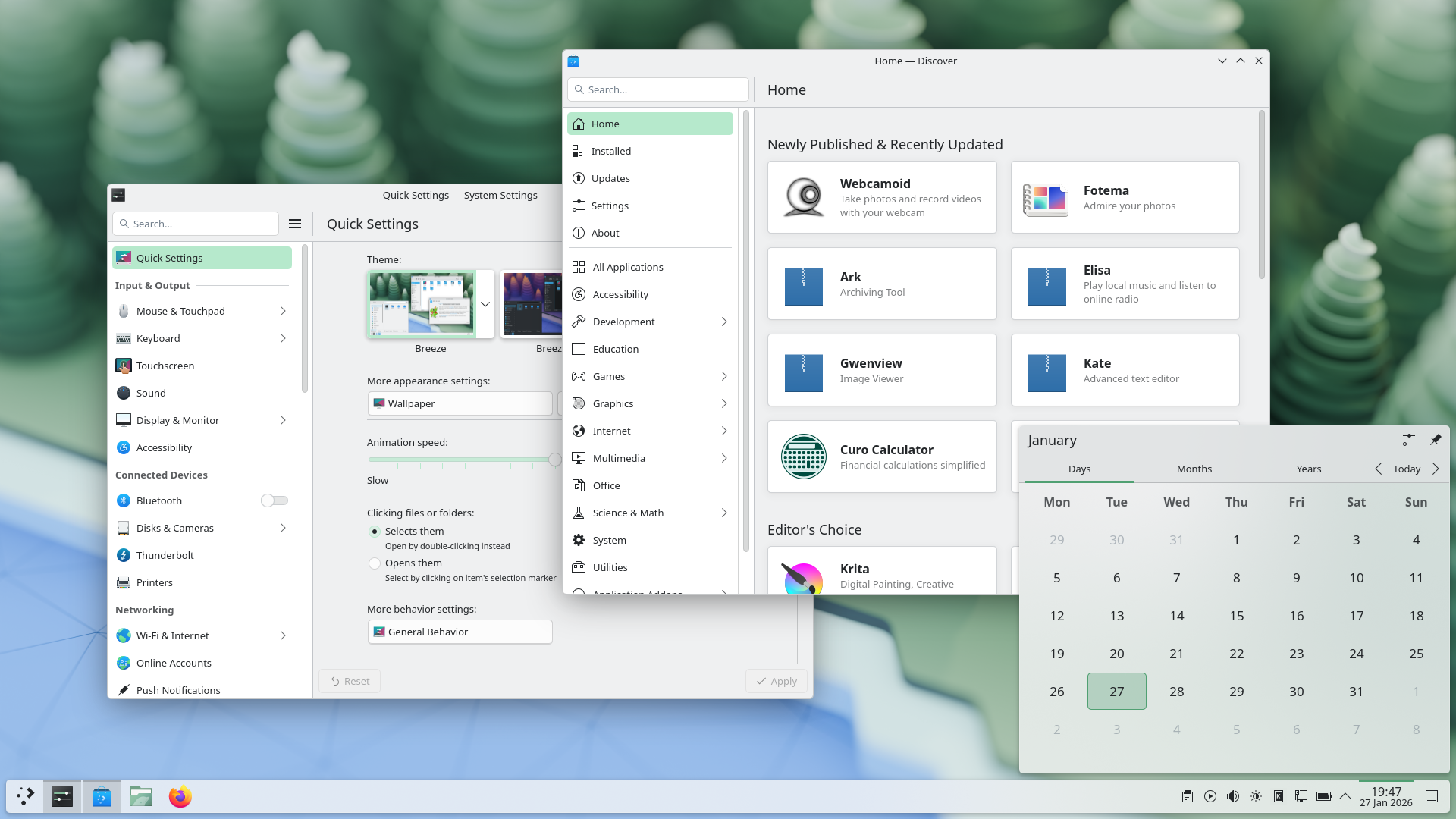
KDE Plasma 6.6 arrives as one of the major recent updates to the KDE desktopThis update focuses on refining the daily experience, strengthening Wayland, and further maximizing its already impressive customization capabilities. It's not a complete overhaul, but it's one of those versions that makes everything run a little smoother, more integrated, and includes subtle improvements that become noticeable within minutes of use.
In this version Aspects as varied as appearance, accessibility, performance, security, and integration with modern hardware have been carefully considered.In addition, a new, proprietary login manager is being launched, panel options are being expanded, Wi-Fi network management is being improved, and practical capabilities such as text recognition in screenshots and new screen recording options in Wayland are being added. Let's take a closer look because there's a lot to cover.
Visual customization and global themes in Plasma 6.6
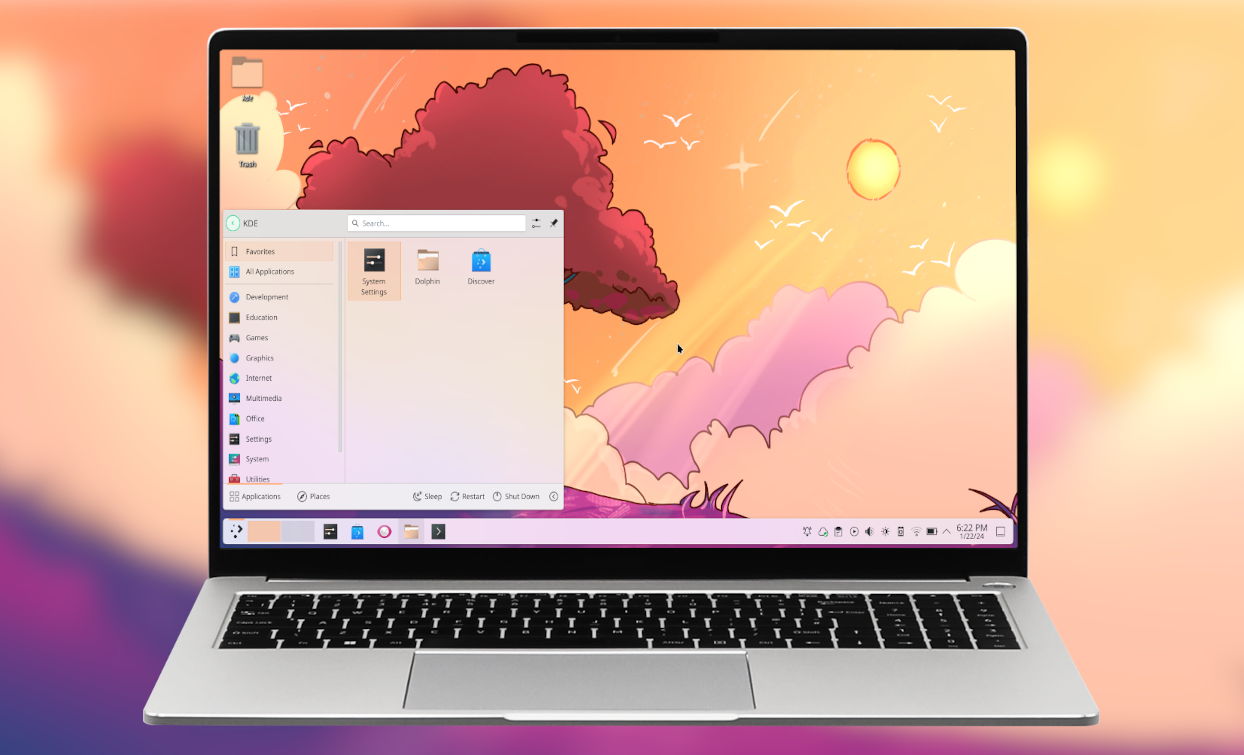
One of the most striking new features is that now You can convert your current desktop configuration into a reusable global themeIn other words, if you've spent time customizing the background, colors, panels, widgets, and everything else exactly to your liking, you can package it all as a global theme and save it with its own name and even a reference screenshot.
That A custom global theme can be integrated with the day/night mode switching function.This way, your "perfect" settings are automatically used depending on the time of day. This works really well for those who alternate between light and dark schemes but want to maintain a consistent style.
In addition to the themes, A specific control is added to adjust the contrast between different areas of the applications.This allows you to differentiate the blocks or sections of an app (for example, the side panel and content area) to a greater or lesser degree. While it may seem like a purely aesthetic option at first glance, it's actually designed to improve accessibility for people with visual impairments or those who need to better distinguish different areas of the interface.
In that same line, Plasma 6.6 brings improvements to color filters, zoom and magnifying tools, and Wayland accessibility options.This includes support for slow keys as part of the standard "Reduced Movement" profile. This helps both reduce animations and prevent accidental keystrokes when keys are held down longer than intended.
Another important visual element is that The on-screen keyboard has been completely rewrittenNow based on Qt Virtual Keyboard, the result is a more modern virtual keyboard, better integrated with the environment and more comfortable to use on touchscreens or convertible devices.
New practical features for everyday use
The KDE team has made it clear that one of the key goals of this version is streamline everyday workflowsThose small gestures we constantly repeat while using the desktop. That's why they've been refining details that, although they may seem minor, add up to a lot in real-world use.
To begin with, Connecting to a new Wi-Fi network is now faster if the router displays a QR code.If your device has a camera, simply scan the code from the environment itself and the connection details will be automatically filled in, without typing endless passwords.
Another very useful improvement is that You can adjust the volume of each application by placing the cursor over its icon in the task manager and moving the mouse wheel.There's no need to open a dedicated audio mixer anymore: you can control the sound of browsers, players, or games directly and independently from the taskbar.
in the widget Window List The option has been added to Open window views simply by hovering the mouse over them.Without clicking. You can adjust the delay time so it doesn't activate annoyingly, and you can now also filter windows that aren't on the current desktop or activity, which helps keep things tidy when working with multiple virtual desktops or activities.
The interaction with the desktop has also been refined: If you hold down the Alt key and double-click on a file or folder on the desktop, its properties window will open directly.It's a very handy shortcut for changing permissions, icons, or details without having to go through the context menu.
Desktop, Spectacle, and Screen Recording
Beyond the purely visual improvements, Plasma 6.6 brings some very interesting new features to the desktop tools themselves. The star of the show is, without a doubt, Spectacle, KDE's screen capture tool, now incorporates optical character recognition (OCR)Thanks to this, you can take a screenshot and directly extract the text that appears in the image, which is fantastic for technical documentation, notes, tutorials, or when you want to copy text from a window that doesn't allow selection.
This OCR integrates seamlessly with Spectacle's normal workflow, so that You can capture, review the image, and then extract the detected text without resorting to external tools.In addition, a new command-line option has been included. -release-capture, designed for automation: allows you to use the "accept capture on click and drop" mode from scripts or automation tools.
In the field of screen recording, Wayland gains a very useful feature: the ability to exclude specific windows from a screencastWhen recording a tutorial or sharing your desktop, you can choose to hide certain windows, either for privacy or to avoid distractions. This exclusion can also be configured using persistent window rules, predefining which applications should never appear in a recording.
In addition to this, from the context menu of each window (in the “More actions” section) Now you can select which windows you want to be part of a screen recordingIt's a very welcome extra control when working with multiple monitors or many applications open.
Plasma Login Manager and changes to the initial configuration
One of the components that has attracted the most attention in this version is Plasma Login Manager, a new login manager Developed specifically to integrate seamlessly with the KDE ecosystem, its aim is to offer a start screen consistent with the rest of the desktop, both in design and behavior, and to become increasingly prominent in distributions that heavily rely on Plasma.
This new manager, however, It depends on systemd, so it won't work on distributions that use other init systems.This makes it especially interesting for distributions like Fedora, CachyOS, EndeavourOS, and other systemd-based distributions that want a login fully aligned with KDE. In many of these, it could eventually replace solutions like SDDM.
Linked to the initial experience, A user setup wizard called Plasma Setup is introduced.which runs after system installation. The idea is to clearly separate the technical aspects (partitioning, operating system installation) from the steps that directly affect the user, such as creating an account, connecting to a network, or choosing basic settings.
This approach is especially useful in scenarios such as Equipment that comes pre-installed with Plasma, refurbished computers for NGOs, or machines that are to be sold or given away. Plasma is already installed, but without exposing the previous owner's data. The wizard allows the new user to make their own initial settings as if it were a brand new system.
In addition, the new Plasma Login Manager has received improvements for Avoid displaying system accounts that are not intended for interactive login.reducing confusion and keeping the home screen cleaner.
Wayland is more mature and has better technical integration.
Plasma 6.6 continues to push hard towards Wayland as the main and recommended sessionSeveral of the more technical new features are aimed at improving compatibility with older applications, graphics performance, and control over the visual experience.
On one hand, KWin now implements XRandr emulation in Wayland environmentsThis results in more correct behavior for applications that still rely on XWayland and expect to find certain classic X11 capabilities. Support is also added for color channels per DRM plane and to custom screen modes, improving the handling of monitors and non-standard configurations.
In the field of color and image, A source of visual glitches in some fade transitions when using ICC profiles has been eliminated.In addition, when the calculated scaling factor for a screen is very close to round values such as 100%, 200%, or 300%, it is now automatically rounded to prioritize fluidity and visual sharpness, avoiding slightly odd scaling that distorts edges or text.
Regarding accessibility in Wayland, in addition to what was mentioned before, Settings such as "Slow Keys" are incorporatedThese features are designed for users who need more time between keystrokes or who may press keys unintentionally. All of this reinforces KDE's commitment to a more inclusive desktop environment.
Work has also been done on the Improved activation between applications in Wayland sessionsThis helps make switching between windows and programs more consistent and respectful of the expectations of users coming from X11.
Security, networks and USB portal
In terms of security and device management, Plasma 6.6 introduces a couple of very significant changes. On the one hand, A USB port is added for isolated environments such as Flatpak or Snap.This portal allows sandboxed applications to request controlled access to USB devices, so the user can grant or deny permission without the application having free rein over all the hardware.
In the network section, the connections widget incorporates both visual and functional improvements. The Networks widget now displays a clearer icon when you turn off Wi-Fi.Something that seems small but helps a lot to understand at a glance what is happening with connectivity.
Furthermore, A QR code has been added to the network widget itself to share the Wi-Fi connection.This way, you can display the QR code on your screen and scan it from your mobile phone or other device to connect without having to manually enter the password. Ideal for home, the office, or for guests.
Regarding key storage, Plasma 6.6 allows you to save Wi-Fi passwords in a system (root) location to enhance securitypreventing them from being linked solely to the user profile and increasing control over where and how these credentials are stored.
More flexible application panel and menu
The KDE Plasma 6.6 application panel also gets a good overhaul. It can now adapt to the system's active color schemeSo, although it maintains a dark style by default, it is able to integrate better with light or custom themes so that the whole desktop feels coherent.
Another juicy improvement is that You can adjust the space between the Favorites section and the application listallowing you to rearrange the start menu to your liking. Plasma has always been famous for letting you tweak almost everything, and that philosophy continues here: if you want a more compact or more spacious panel, you can adjust it.
Beyond the menu, several parts of the desktop They adopt a more consistent use of terminology, for example by consistently using “UEFI firmware configuration”. to refer to the firmware adjustment tools. This avoids confusion, especially when following guides or documentation.
The behavior of Widget Explorer: its sidebar now appears on the screen where you have the pointer, instead of always forcing it to the left screen, something that was quite inconvenient in multi-monitor setups.
Power management, hardware, and gaming
On laptops and mobile devices, Plasma 6.6 strengthens battery management and support for modern hardwareAmong the most visible improvements is the ability to activate the Automatic screen brightness on devices with an ambient light sensorso the system adjusts the brightness to the environmental conditions.
Work has also been done on Improvements to screen mirroring and support for colorblind users, introducing adjustments that help to better distinguish certain interface elements and ensure that the visual experience is adequate even with limitations in color perception.
At the systems level, it is mentioned Improved OpenBSD support and compatibility with the secret service provider oo7, expanding the scope of Plasma beyond GNU/Linux and strengthening the credential and secret storage aspect.
For video game fans, Plasma 6.6 introduces A specific solution to improve the experience with Windows games that use HDR when running via Wine or Proton.The goal is to ensure that colors remain accurate and do not become distorted due to the system's color management, which is especially important on modern displays with high dynamic range.
Improvements to Discover, fonts, and System Monitor
Discover, the KDE software center, also receives significant improvements, especially in stability. Fixed an issue that could cause Discover to close when attempting to install updates, something critical in a tool as sensitive as the package and application manager.
On compatible operating systems, Discover can now manage font installation directlyThis greatly simplifies the work of those who use specific fonts for design, layout, or programming. It's no longer necessary to always resort to manual methods to add new fonts to the system.
For its part, the application and widgets of System monitors now respect the user's preference regarding the use of binary or decimal units.If you have configured yourself to view GB instead of GiB, that choice is taken into account for both files and memory or disk usage statistics.
Furthermore, The priority of processes can be adjusted from the System Monitor.giving more or less importance to certain tasks. This is useful for controlling which applications have CPU priority or for dealing with processes that become too resource-intensive.
Bug fixes and general polishing
As is often the case after a major version (in this case Plasma 6.6 and its subsequent 6.6.1), The list of bug fixes is extensive and covers many corners of the desktop.Although many of these corrections seem like minor details, together they result in a much more solid and enjoyable experience.
Among the most outstanding, KWin errors that could occur during intensive use of input methods are resolved or when waking the computer while using input sharing tools like Input Leap or Deskflow. It also fixes issues with notifications, system tray pop-ups, and settings dialogs that were misaligned or displayed unnecessary menus.
El Task manager receives several visual fixes: A regression that broke drag and drop on pinned icons has been fixed, the visibility of close buttons in the Alt+Tab task selector with thumbnails has been improved, and text clippings in tooltips and widgets such as the media player have been corrected.
Another important set of arrangements focuses on integration with GTK applications and the behavior of color schemesThis fixes a regression that prevented some GTK apps from detecting theme changes and activating dark mode correctly, helping the desktop look more consistent even when mixing apps from different toolkits.
It also improves Clipboard synchronization in Plasma remote desktop implementationIssues with brightness that could appear too low after logging in have been fixed, and weather widgets, icons, and progress bars have been polished to perform better in right-to-left languages and unusual configurations.
Performance, animations and technical aspects
In terms of performance, Plasma 6.6.1 It makes more intensive use of the Wayland Presentation Time protocol to improve the smoothness of animations.This is noticeable in smoother transitions, less lag when moving windows, and an overall feeling of a "lighter" desktop, especially on computers where the GPU is not particularly powerful.
They have also been refined Technical aspects related to desktop portals, data copying over remote connections, and color profile managementThanks to updates in KDE Frameworks (for example, versions 6.23 and 6.24) that serve as the basis for many of Plasma's visible functionalities.
Although these technical improvements are not always obvious at first glance, They contribute to a more stable long-term Plasma experience with fewer surprises.especially in corporate or professional environments where the desktop is a critical work tool.
Collaboration with KDE and development pace
One of the most striking aspects of the KDE ecosystem in recent years is the project's communication and transparency effortsDevelopers like Nate Graham have long been publishing weekly summaries of the most important new features, in the form of detailed articles and not just telegraphic notes.
Thanks to this work, The community can closely follow the development of Plasma 6.6 and the upcoming 6.7 branchUnderstanding what's being fixed, what's being prepared, and how the desktop is evolving is crucial. In many cases, these articles are translated into other languages (such as Spanish) using modern translation tools, making the information even more accessible to users who aren't fluent in English.
The project also notes that KDE exists and grows thanks to volunteers and contributors of all kindsYou don't need to be a programmer: there's room for anyone who wants to translate, test versions, report bugs, write documentation, help on social media, or even contribute financially to cover expenses such as infrastructure, travel, and salaries for part of the team.
For those curious to lend a hand, You are invited to join Matrix channels, mailing lists, or forums.where they can talk directly with developers and other users. At the same time, KDE encourages support for the project through its supporter membership initiative and one-time donations.
With all these new features—from the new Plasma Login Manager, bundling your configuration into global themes, and OCR in Spectacle, to improvements in Wayland, Wi-Fi networks, performance, accessibility, and gaming—Plasma 6.6 establishes itself as a very complete version that polishes the desktop on almost every front, reinforces its position as a reference environment in GNU/Linux, and paves the way for a 6.7 branch that promises to continue raising the bar.

Passionate writer about the world of bytes and technology in general. I love sharing my knowledge through writing, and that's what I'll do on this blog, show you all the most interesting things about gadgets, software, hardware, tech trends, and more. My goal is to help you navigate the digital world in a simple and entertaining way.