- Edge 146 removes key features such as custom master password, Collections, and Workspaces collaboration, in addition to unifying tracking prevention.
- The browser enhances privacy and security with new data deletion management, local network access control, private IP, and redesigned site permissions.
- Microsoft is boosting Edge for businesses with deeper Copilot integration, data protection with MIP, a protected clipboard, watermarks, and advanced management tools.
- The version incorporates numerous improvements to the web platform and APIs (CSS, WebAudio, WebGPU, origin trials), but migration can be problematic if you rely on older features.
Microsoft has been pushing hard with Edge for years to try and catch up with—and even surpass in some aspects—the all-powerful Chrome. Each stable version brings new features, internal tweaks, and also cuts to features that no longer fit with the browser's strategy, which is now heavily focused on security, privacy, and, of course, Copilot and artificial intelligence.
Microsoft Edge 146 marks one of those delicate turning points: the browser gains significant improvements in privacy, security, administration, and web platform, but in return, it removes or transforms beloved features such as Collections, Collaborative Workspaces, the custom primary password, and how tracking and data deletion are handled. If you use Edge daily, it's important to be very clear about what's changing before updating.
What's happening with Edge 146: a key and controversial version
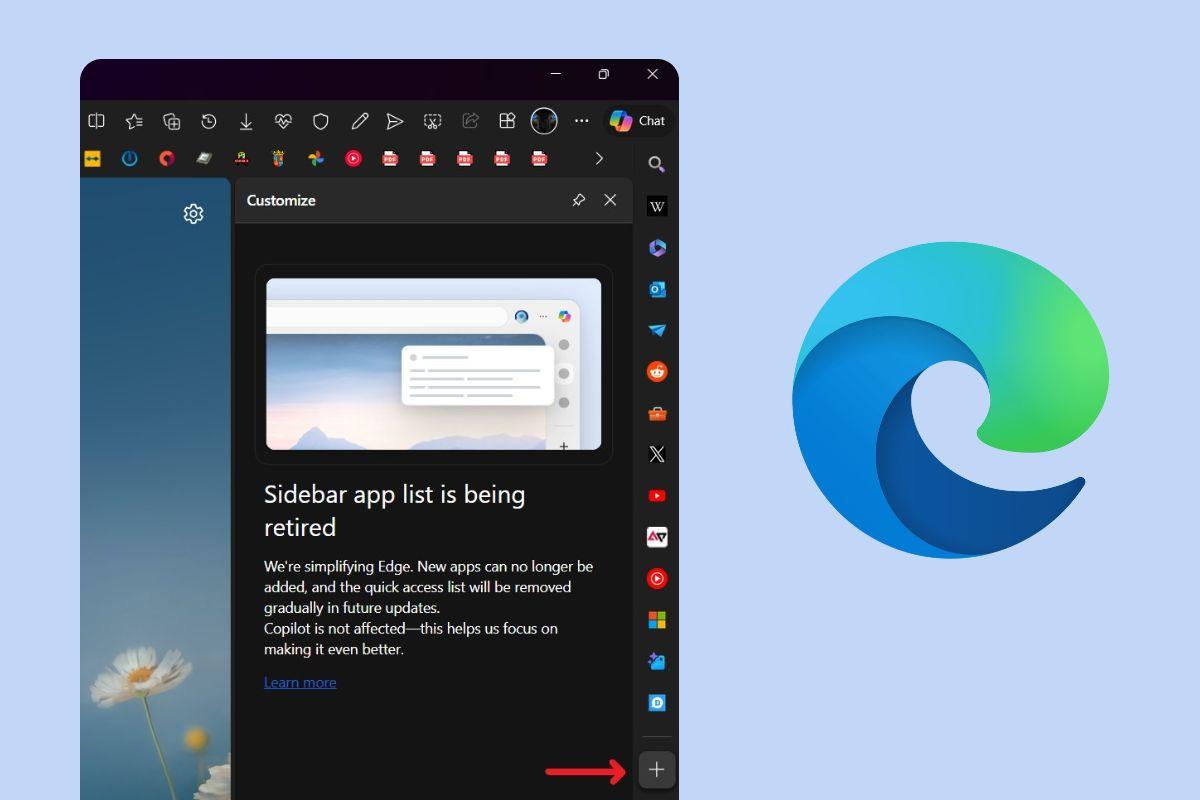
The stable version of Edge 146 is now reaching all users through the usual update channels, approximately one month after the previous major release. This release focuses on three main areas: removing features it considers redundant or problematic, strengthening browser security, and further developing Copilot and cloud-connected tools.
On a practical level, this means that several features are disappearing or changing significantly : goodbye to the custom master password, removal of passwords from the "Clear browsing data" panel, unification of tracking prevention between regular browsing and InPrivate browsing, and the gradual removal of Collections and collaboration in Workspaces. All of this is accompanied by technical improvements, new web APIs, and changes heavily geared towards businesses and administrators.
It's also worth noting that reverting to a previous version isn't straightforward. Some users who have tried to revert to version 145 have found that the browser doesn't properly recover tabs or workspaces because Microsoft has modified the internal architecture (especially in workspaces), and the data isn't fully backward compatible. If you take the risk, you could end up losing part of your work environment.
Therefore, before accepting the update without thinking, it's worth reviewing what it removes, what it adds, and what it means for your day-to-day life, especially if you depend on features like Collections, Shared Workspaces, or your main password.
Features that Microsoft Edge 146 removes or significantly changes

The most sensitive aspect of version 146 concerns features that are either removed or transformed so drastically that they cease to be what they were . This is where users are complaining the most, and rightly so, because it affects well-established workflows.
Goodbye to the custom master password
Until now, Edge allowed you to configure a Custom master password to protect your saved passwordsIt was an extra layer you had to enter before the browser would display or autofill passwords. With Edge 146, Microsoft no longer allows the creation of new custom primary passwords from that path. edge://settings/autofill/passwords/settings.
Those who already have it activated won't be left stranded overnight: Microsoft maintains compatibility until June 4, 2026From that date forward, all users who still have this feature enabled will be automatically migrated to device authentication (Windows PIN, fingerprint, facial recognition, etc.). Furthermore, the policy PrimaryPasswordSetting stop accepting the option WithCustomPrimaryPasswordwhich means that this model also disappears in managed environments.
The company argues that system-level authentication is more secure and consistent with the current state of Windows and other operating systems, but those who preferred to isolate passwords from the rest of the computer may see this as a step backward in granular control.
Passwords outside of “Clear browsing data”
Another significant change in Edge 146 is that Passwords disappear from the “Clear browsing data” section accessible in edge://settings/privacy/clearBrowsingDataYou will no longer see the "Passwords" box when you want to clear history, cookies, or cache.
There's a clear reason behind this: Microsoft discovered that many users were mistakenly deleting their saved passwords when selecting "clean" the browser, which resulted in headaches when trying to log back into services and websites. To avoid these problems, passwords are now excluded from this mass deletion.
That doesn't mean you can't manage them: Passwords can now be edited or deleted from edge://settings/autofill/passwordsThis separates browsing hygiene from conscious credential management. If you're used to "sweeping everything" every time you close your browser, this change forces you to review your routine.
Up to Edge 145, there was a toggle to apply the "strict" tracking prevention level only in InPrivate windows , maintaining a different level in standard browsing. That control disappears in Edge 146.
In practice, Microsoft decides that The tracking configuration is unique for the entire browser: what you configure in edge://settings/privacy/trackingPrevention This applies to both regular and private windows. The specific InPrivate toggle disappears from that page and also from the new InPrivate tab.
This has both positive and less favorable aspects. On the one hand, it simplifies the experience and avoids inconsistent settings; on the other, it reduces the possibility of having an "ultra-restrictive" mode only when browsing privately , which some interpret as a step backward in advanced privacy.
Gradual withdrawal of collections
Another victim of this wave of changes is the Collections feature in Microsoft Edge . Starting with Edge 146 (and even in some earlier builds), Microsoft began displaying a banner to users who use Collections, warning them that the feature was being removed.
The transition is quite clear: you can no longer add new items to Collections . Existing content will be retained, but users are encouraged to move saved pages to Favorites or export them before the feature is completely discontinued. In the release notes, Microsoft refers to the documentation for “Organize your ideas with Collections,” but makes it clear that this is its final removal.
In addition to this, another related cut is coming: the "Follow this creator" feature integrated into Collections and the address bar will also disappear. This tool allowed users to follow updates from content creators directly from Edge, but it was discovered that it sent all visited URLs to Bing, creating a serious privacy issue. Faced with this vulnerability, Microsoft has opted to phase it out of stable versions, first hiding it from the Collections settings and then removing it altogether.
Workspaces: from collaborative tool to individual use
Edge Workspaces have undergone one of the most profound changes with the move to the V2 architecture, which began to be deployed in version 145 and was consolidated in 146. This functionality allowed the creation of persistent tab "environments" that could even be shared with other people, ideal for team projects.
With the new architecture, Microsoft is migrating Workspaces data from OneDrive/SharePoint to the edge synchronization service . On paper, this improves performance and reliability, but it comes at a significant cost: the ability to share and collaborate within those workspaces is eliminated.
In practice, the model looks like this:
- Legacy workspaces (v1): They allowed shared tasks, real-time collaboration, user invitation, use of OneDrive, and the option to lock tabs.
- New workspaces (v2): geared towards individual use, without collaboration or invitations, without dependence on OneDrive and without the option to lock tabs.
In organizations with policy-disabled synchronization, v1 space data is still migrated , but new v2 spaces created after the migration are no longer synchronized across devices; they remain local to each computer. This has led to complaints from users who, after upgrading to version 146, have seen parts of their workspace "disappear" or be rearranged in a confusing way.
Some reported problems include partial loss of Workspaces, a chaotic order of recently used workspaces (they no longer always appear at the top), and a visually shorter list without a search function, forcing users to scroll extensively to find the necessary workspace. All of this, combined with the practical impossibility of reverting to version 145 without risking losing tabs, leads many to recommend against updating yet if you rely heavily on Workspaces.
Changes to privacy, data deletion, and security features
Although some features have been removed, Edge 146 also strengthens many aspects related to data protection and browsing security , both for home users and businesses.
In addition to removing passwords from the bulk deletion process, Edge follows a series of versions that have refined the management of data cleared upon closure . In previous versions, the "ClearOnClose" option had already removed passwords and autofill forms, retaining only history, downloads, cookies, cache, and permission information.
Meanwhile, Microsoft is Updating third-party storage partitioning policiesThe directives ThirdPartyStoragePartitioningBlockedForOrigins y DefaultThirdPartyStoragePartitioningSetting They fell out of use in Edge 140 and have become obsolete since 145. The recommendation is to use the method requestStorageAccess() of the Web API, thus aligning with the modern approach to cross-site cookie and storage control.
We are also working to clarify the wording of the third-party cookie options in Settings > Privacy, search and services > Cookies, to make it easier to understand what blocking them completely, allowing them, or using intermediate approaches entails. These textual changes are being rolled out gradually as part of a controlled process.
Redesign of site permissions and tracking management
To improve transparency, Edge 146 incorporates redesigned site permissions interfaces . The Page Info dialog (the lock/shield icon next to the address bar) and the Omnibox itself now feature a cleaner design, with permissions logically grouped and easier to review or revoke, such as the option to prevent sites from tracking your location.
In the site permissions settings section, navigation is more straightforward , so adjusting access to the camera, microphone, location, or notifications requires fewer steps. This is in addition to the selective permissions implemented on the web platform, which limits how third-party iframes and contexts can use these permissions, bringing the behavior closer to the user's actual intent.
All of this is complemented by other measures such as selective API-level permissions , new local network access restrictions, and improvements in how administrators are shown which sites and extensions are using sensitive resources on the organization's computers.
Access to the local network and specific policies
Microsoft is also strengthening control over access to local network resources from the browser. In previous branches (141, 142, and 143), a model was introduced where, when a web page attempts to communicate with a server on the local network, Edge displays a dialog requesting permission. The ability to request this permission is restricted to secure contexts (HTTPS).
Edge 146 adds new policies to mitigate specific cases involving iframes between origins , designed primarily for corporate environments that rely on LAN devices accessible from web applications. This is all part of a broader initiative to require secure contexts for most local network access and provide administrators with clear tools for managing exceptions.
Edge Secure Network and the new “Private IP”
An interesting addition in this area is the "Private IP" feature integrated into Edge Secure Network . Edge Secure Network functions as a kind of built-in VPN that redirects traffic through Microsoft servers to protect connections and hide some of the user's network information.
Private IP leverages Tracking Prevention blocklists to redirect traffic from known trackers through the secure network , preventing those trackers from seeing the user's real IP address. This feature is not yet available on managed devices and is being rolled out gradually as Microsoft validates its impact on performance and compatibility.
New features for businesses: Copilot, data protection, and advanced administration
A large part of the changes introduced around version 146 are clearly geared towards the business world . Edge for Business is already a central part of the Microsoft 365 ecosystem, and that's reflected in the types of improvements it includes.
Copilot more integrated into the new tab page and workflow
Edge incorporates the Copilot new tab page , available in public preview and manageable from the Edge management service in the Microsoft 365 admin center. This new NTP allows you to search, chat with Copilot, and receive suggestions based on work content to accelerate decision-making or information gathering.
Furthermore, Copilot is creeping into more corners of the browser: there are integrations to summarize pages from the address bar , "Summarize" and "Explain" actions in the PDF reader, and capabilities to understand what's open in multiple tabs at once, including OneDrive/SharePoint documents and YouTube videos, always respecting DLP policies and corporate privacy settings.
Visually, the Copilot icon is updated to include the “chat” label, and there are specific policies, such as Microsoft365CopilotChatIconEnabledThese features allow administrators to control its presence in the toolbar. The icon's visibility has also been improved, as well as the option to hide it from the context menu. unpin it from the taskbar.
Data protection: MIP, protected clipboard and watermarks
Edge 146 and subsequent versions strengthen support for Microsoft Purview Information Protection (MIP) , extending the application of data loss prevention (DLP) labels and controls beyond Word, Excel, and PowerPoint Online to also encompass Outlook on the web.
Tools such as the protected clipboard are added , which uses Purview's DLP directives to define trust boundaries between cloud applications; within these boundaries, protection is maintained even when the user copies and pastes content. Watermark protection is also introduced for sensitive documents , overlaying a visible seal on the content displayed in the browser.
In parallel, Edge incorporates a password membership service that groups related domains (for example, different Microsoft properties) so that autocomplete suggests relevant credentials among affiliated sites, always taking into account directives such as PasswordManagerEnabled y PrimaryPasswordSetting to completely disable saving and querying when the policy requires it.
Administration tools and preview versions
For IT teams, Microsoft is introducing or improving several key features: the extensions monitoring view in the Edge management service, which lets you see which extensions users have installed and manage requests for blocked extensions; the ability to configure policies across macOS, iOS, and Android from a single location; and the Enterprise Preview program , which makes it easy to test pre-builds of Edge directly from the stable installation.
Enterprise Preview integrates with the Microsoft 365 admin center, allowing you to define pilot populations, easily roll back between preview and stable channels, and receive personalized recommendations. All of this is designed to detect problems before a new version is rolled out to the entire organization.
Technical updates to the web platform and APIs in Edge 146
Beyond the visible changes, Edge 146 includes a good number of improvements to the web platform that are of particular interest to developers.
CSS, animations, and visual control
In terms of CSS, Edge integrates scroll-triggered animations , which allow you to control animations based on scroll position without resorting to JavaScript. By defining animations declaratively, the browser can optimize them and run them on dedicated threads, improving performance.
The property text-indent Adds support for keywords hanging y each-linegiving more control over complex indentations in blocks of text, while the property trigger-scope It allows you to delimit the scope of animation trigger names to avoid collisions in large stylesheets.
The metaelement is also introduced <meta name="text-scale" content="scale">, by which The default font size can be scaled with the system's text preferences. when the page is already designed with relative units such as rem o emIn this way, the browser can disable its own autoscaling mechanisms that could break the design.
Web APIs, WebAudio, WebGPU and more
In the chapter on web APIs, Edge 146 adds custom item records with scope using the constructor CustomElementRegistry()This makes it easier for several versions of components with the same label to coexist without overlapping.
The algorithm of Largest Contentful Paint (LCP) It's updated to only output candidates based on the content actually painted, aligning with the specification and offering metrics that more accurately reflect what the user sees. The Navigation API improves usability by allowing post-confirmation work to be logged from the pre-confirmation phase in events. navigate.
WebAudio wins ownership AudioContext.playbackStatsOffering detailed reproduction statistics (average latency, minimum and maximum variations, duration, and underrun count), very useful for debugging audio problems. The deprecated alias is also temporarily maintained. playoutStats for compatibility.
In the field of graphics, the WebGPU compatibility mode It introduces a subset of the API capable of mapping to older APIs like OpenGL or Direct3D 11, allowing access to hardware that doesn't support the modern interfaces WebGPU requires. Additionally, usage branding is incorporated. TRANSIENT_ATTACHMENT For textures, it makes it easier to create transient rendering attachments and reduce VRAM usage.
Other refinements include: preservation of MIME parameters in data URLsnew capabilities in Intl.Locale.prototype.variants, the method Iterator.concat() to combine iterators, conservation of value dropEffect between events dragover y drop in the drag and drop API, and the incorporation of the Sanitizer API to remove unsafe HTML and reduce XSS risks when displaying user-generated content.
Proof of origin and experimental APIs
Edge 146 continues the tradition of offering origin trials (source testing) for experimental APIs. These include the web installation API (navigator.install() so that a site can install other sites as PWAs), the digital credentials API for issuing credentials to digital wallets, WebAssembly custom descriptors, or the action prerender_until_script in the Speculation Rules API.
Tests are also available for WebNN (abstraction layer for ML acceleration), improvements to TextMetrics in Canvas, configurable quantum representation in WebAudio, the element <usermedia> to request camera/microphone in a semantic and clearer way for the user, and an experiment that It temporarily allows access to the local network from unsecured contexts. to facilitate the transition to safe environments.
These tests have specific expiration dates (for example, many expire in mid-2026) and are designed to allow developers to test them on real sites, gathering feedback before deciding on a final integration into the platform.
With all these changes, Edge 146 remains a complex transitional version: it cleans up features with privacy issues or low adoption, strengthens security, and enhances integration with Copilot and enterprise tools , but in return, it breaks the habits of many advanced users and makes more than one seriously consider when to upgrade.


Table of Contents
- 1 What's happening with Edge 146: a key and controversial version
- 2 Features that Microsoft Edge 146 removes or significantly changes
- 3 Changes to privacy, data deletion, and security features
- 4 New features for businesses: Copilot, data protection, and advanced administration
- 5 Technical updates to the web platform and APIs in Edge 146