- Implementation of a zero-knowledge encryption system and open-source architecture for maximum transparency.
- Use of two-factor authentication (2FA) and strong master keys as pillars of data protection.
- Multi-platform synchronization and auditing tools to detect compromised or weak credentials.
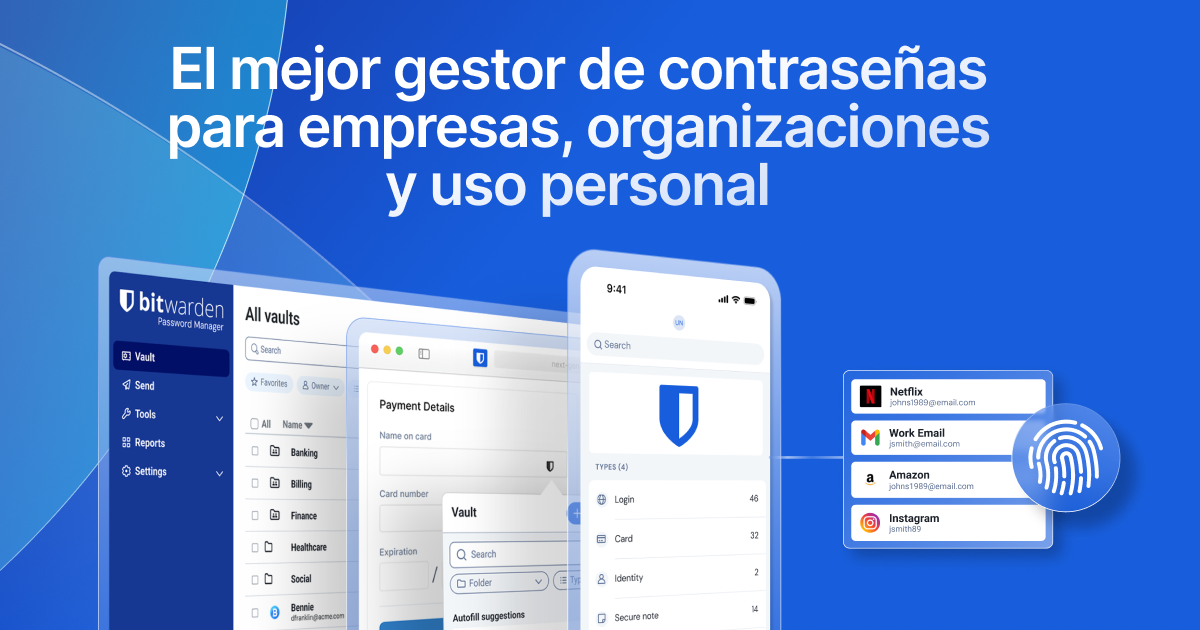
These days, with remote work and the sheer number of online accounts we create, trying to remember every password is a nightmare. Experts recommend using random, unique passwords for each service, but let's be honest, nobody can memorize a hundred complex codes. This is where a password manager comes in —a tool that not only saves your logins but also standardizes digital hygiene in any environment, whether personal or business.
If you use Windows 11, Bitwarden stands out as one of the most robust and versatile options. Unlike browser-based security managers, which often lack features, this software offers complete control over your vault and syncs in real time across your PC, mobile device, and the web. Let's take a detailed look at how it works and the steps you need to take to make your data virtually untouchable by hackers.

Bitwarden's security architecture
What makes Bitwarden special is its defense-in-depth approach . The system is designed on the zero-knowledge principle, meaning the Bitwarden team cannot see your secrets. The entire encryption and decryption process is performed locally on your device , using the 256-bit AES-CBC standard, salted hashing, and PBKDF2 SHA-256.
Furthermore, as an open-source platform hosted on GitHub , any security researcher can audit the code for flaws. This is a significant advantage over closed-source programs, since transparency is the best guarantee that there are no backdoors or hidden vulnerabilities.
In terms of infrastructure, Bitwarden relies on Microsoft Azure , leveraging its high availability services and automatic security patches. To prevent degradation attacks, they implement HTTP headers such as HSTS (Strict Transport Security) , forcing all communication to use TLS, thus preventing anyone from intercepting your data in transit.

The heart of your vault: The Master Password
All security rests on a single element: your master password. This is the token that unlocks your safe and, for security reasons, is never sent to Bitwarden's servers . If you lose it, there's no "recover password" button because the service doesn't have access to it; therefore, it's vital to write it down and store it in a secure physical location, such as a fireproof safe.
To create an account, the system uses PBKDF2 with 600.000 iterations to stretch the password, making brute-force attacks extremely difficult. Bitwarden includes a strength meter that will warn you if your chosen password is weak, encouraging you to use a robust combination that you haven't used elsewhere.
Securing your account with two-step verification (2FA)
Having a strong master password is great, but adding 2FA is what truly makes the difference. If an attacker manages to discover your password, the second factor will act as an impenetrable wall . Bitwarden offers multiple options depending on your plan:
- Free Plans: Authentication applications (such as 2FAS or Aegis), FIDO2 WebAuthn keys and codes via email.
- Premium Plans: Support for YubiKey, Duo Security and other advanced hardware methods.
An important detail is that, to avoid being locked out, you must keep your recovery codes safe . If you lose access to your second factor and don't have these codes, you could be locked out of your own account. Additionally, Bitwarden has implemented a measure where, if you log in from an unknown device without 2FA, they will send a verification code to your email to confirm your identity.

Advanced management and auditing tools
For those seeking a professional level of security, paid plans include safe health reports . These tools analyze your vault to audit passwords and improve hygiene by detecting if you have reused or weak passwords, or if any of your login credentials have appeared in a massive data breach (using the HIBP database).
In the business environment, the management is even more powerful. It allows you to create Organizations to securely share passwords across teams using RSA asymmetric encryption. This way, teams can access the secrets they need without the administrator having to send keys through insecure channels like chat or email, always maintaining the principle of least privilege.
Quick comparison with other managers in Windows 11
If we compare Bitwarden with other major password managers, we see that while 1Password stands out for its modern interface and additional secret key, Bitwarden wins in flexibility and cost , being free for individual users with full functionality. On the other hand, Dashlane is very intuitive but has abandoned its desktop application, forcing you to rely on the browser extension.
For purists of free software, there are options like KeePassXC , which is entirely local. However, Bitwarden offers the perfect balance between the convenience of the cloud and the security of open source, even allowing advanced users to install the server on their own infrastructure for complete control.
To maintain maximum security, it's essential to combine the use of the Windows 11 desktop application with the browser extension and the mobile app. By enabling credential autofill and generating random keys for each site, we drastically reduce the attack surface. Keeping your master password safe and 2FA enabled ensures that, even though the digital world is chaotic, your personal information remains fully encrypted and private.

