- Take advantage of official services such as Xbox Game Pass, PlayStation Plus and Nintendo Switch Online to legally access catalogs of classic games on current consoles.
- On PC, emulation with RetroArch and buying classic games on Steam GOG allows you to turn your computer into a universal retro gaming machine.
- To use original consoles on modern TVs, dedicated video scalers offer much better quality and reduced input lag compared to cheap HDMI adapters.
- Retro-style controllers and retro consoles portable They complete the ecosystem, providing authentic control and maximum convenience to enjoy nostalgia anywhere.
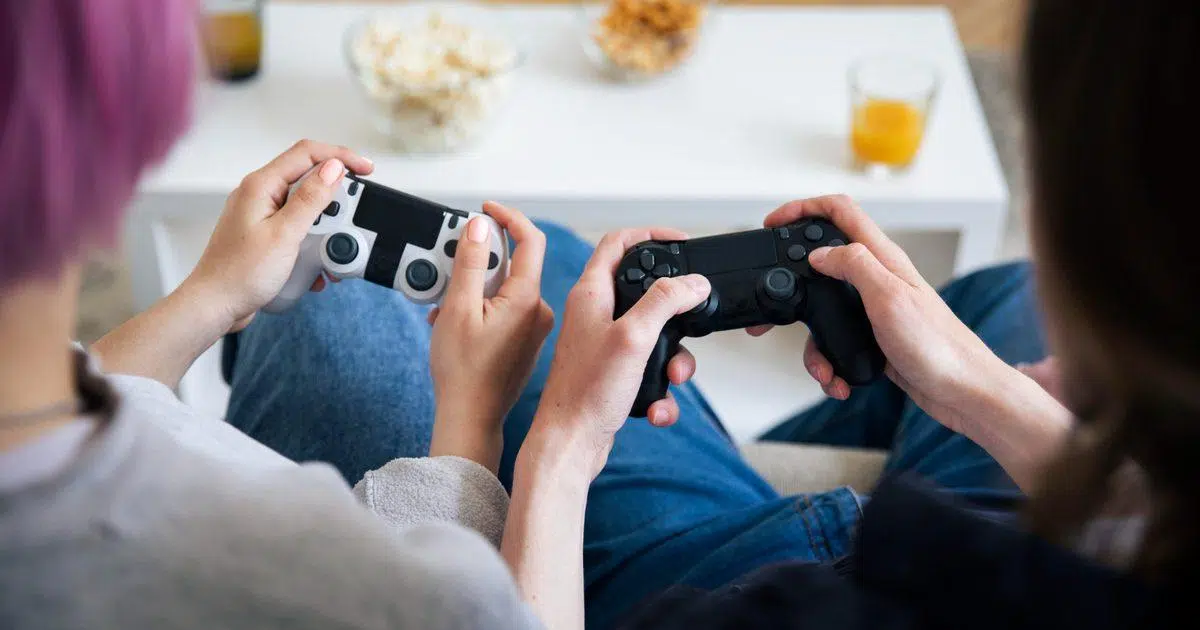
If you grew up blowing on cartridges, wrestling with the TV's SCART connector, and memorizing 8- and 16-bit tunes, chances are you still have a huge place in your heart for the classics. Modern consoles are amazing, but the magic of turning on a retro machine and seeing its giant pixels on screen remains something special that many of us want to recapture without having to create a museum at home.
The good news is that nowadays there are countless ways to revisit those games, whether you want to use your original consoles or prefer official services and emulation. From Xbox, PlayStation, and Nintendo Switch to PC, mini consoles, and video upscalers , you have plenty of options to enjoy gems from the NES, SNES, Mega Drive, PS2, Wii, N64, or even Atari on modern TVs and devices.
Play retro games on Xbox One and Xbox Series X|S
The Xbox ecosystem is one of the most comprehensive for those seeking classic games, combining subscriptions, digital purchases, and dedicated services. If you own an Xbox One or an Xbox Series X|S, you can legally and conveniently access a vast catalog of retro games without much hassle.
On one hand, Microsoft offers Antstream Arcade for Xbox , a classic gaming platform where you pay a subscription fee and get instant access to over 1.300 retro console and microcomputer titles. This service focuses on arcade and older systems, is expanded with new games fairly frequently, and typically offers an annual pass for around $29,99 and a lifetime pass for around $79,99. It's a very tempting option if you like to browse through many titles without having to buy them individually.
If you prefer more modern games, like those from the original Xbox and Xbox 360 , the most interesting option is Xbox Game Pass . This subscription gives you access to a catalog that typically exceeds one hundred games, including both current titles and true classics from previous generations, many of them backward compatible and with resolution or performance improvements on the latest consoles.
For console gaming, there are two main plans you'll want to consider: the Game Pass Console plan , which costs around $10,99 per month and offers over 100 games for your Xbox One or Series X|S, and the Game Pass Ultimate plan , for about $16,99, which adds cloud gaming, access on PC and mobile, online multiplayer , and other benefits. It's a very convenient way to mix new games with great classic titles from the back catalog without having to buy each game separately.
Beyond subscriptions, you can also buy backward-compatible games directly from the Xbox digital store. The Microsoft Store features Xbox and Xbox 360 titles that have been adapted to run better on current consoles, sometimes with improved resolution and other minor tweaks. Many of these appear in bundles or collections that bring together several installments of a legendary series.
PlayStation 4 and PlayStation 5: classics, remasters and retro catalog
In the case of Sony consoles, access to retro games combines digital purchases, subscriptions, and remasters. Both PS4 and PS5 offer several ways to revisit titles from PlayStation history (see the real reasons why PS4 doesn't offer backward compatibility ), from the original PSX to the PSP and PS2.
The basic option is to go to the PlayStation Store and download the classic games offered as digital downloads . Sony has been releasing adapted versions of PS1, PS2, and PSP titles over time so they can be played on modern consoles, often with small extras like trophies, graphic filters, or resolution improvements. It's a simple way to enjoy specific classics you want to replay without needing a subscription.
If you want something more comprehensive, PlayStation Plus comes into play . This service is organized into several tiers, and the most complete are those that include the so-called Classics catalog . In the top tier (called PS Plus Deluxe in some countries, Premium in others), you have access to a library of PS1, PS2, PS3, and PSP games , as well as some remasters originally designed for PS4. Thanks to this catalog, you can jump from a classic Tekken to a PS2 God of War or PSP titles on your PS5 without changing consoles.
This higher tier of PS Plus also adds features like cloud game streaming for some games, reducing the need to have everything installed. It's a good choice if you want to explore the entire PlayStation history without having to buy each retro title separately , although the game rotation may vary by region.
Another important aspect is remasters and compilations . Sony and other publishers have released collections for PS4 and PS5 that update classics with improved graphics, polished sound, and sometimes additional content. Examples like Crash Bandicoot N. Sane Trilogy or remasters of iconic franchises allow you to relive PS1 or PS2 games with a modern presentation, perfect for current televisions and without the usual signal problems of older consoles.
Nintendo Switch and the power of Nintendo Switch Online
Nintendo has always known how to leverage its own legacy, and with the Switch, they've focused on integrating many of their classic games through their online service. If you own a Nintendo Switch, the easiest way to play retro games is to subscribe to Nintendo Switch Online , and if you're interested in taking it a step further, you can add the Expansion Pack.
With a standard Nintendo Switch Online membership , you can access a catalog of NES, Super Nintendo, and Game Boy games that are updated regularly. The titles are played using dedicated apps (for example, the Super Nintendo app) and offer features such as quick saves, rewind, and visual filters to mimic the look of CRT monitors from that era.
If you purchase the Expansion Pack add-on , you unlock another level: here you have access to Nintendo 64, SEGA Mega Drive/Genesis, and Game Boy Advance games , plus some extra content for certain Switch titles. This means you can enjoy Super Mario World, Sonic 2, Ocarina of Time, or GBA titles on the same console without changing hardware . All this with integrated online features for cooperating or competing with other players —something we never even dreamed of back in the day.
In terms of pricing, a basic individual subscription typically costs around $3,99 per month, while an annual plan is around $19,99. The bundle that includes Nintendo Switch Online and the Expansion Pack usually costs around $49,99 per year for individual users, and there's also a family plan for multiple accounts. It's a fairly affordable option if you want a large and legal retro game library within the Nintendo ecosystem.
PC and emulation: your computer as a universal console
When it comes to retro gaming, the PC is probably the most flexible and powerful platform, especially if you don't mind spending some time configuring software. Emulation turns your computer into a kind of time machine capable of recreating almost any classic console , from 8-bit systems to sixth-generation machines like the PS2 or GameCube, depending on your computer's power.
The concept of emulation is simple: you install a program on your PC that mimics the hardware of a specific console, and that program runs games from digital files called ROMs or ISOs. There are several websites for downloading retro video games . There are specific emulators for NES, SNES, Mega Drive, PlayStation, Nintendo 64, PSP, and practically any system you can think of . The important thing, however, is to remember the legal aspect: in most jurisdictions, it's only acceptable to use copies of games that you physically own.
To get started on PC, you really only need three basic things: a reasonably modern computer (you don't need a beast of a machine for 8- and 16-bit consoles), the right emulators , and, highly recommended, a controller to avoid struggling with the keyboard. Many PCs from the last decade can handle classic consoles without problems, and with a little more power you can even access systems like the PS2, GameCube, Wii, or Dreamcast.
Setting up each emulator separately can be a bit chaotic, which is why RetroArch is one of the most highly regarded tools . It's not an emulator itself, but rather a kind of "launcher" that groups different emulation cores under a common interface. From RetroArch, you can download the SNES core, the Mega Drive core, the PS1 core, and so on, and manage all your games from a single application, which is very convenient to use with a keyboard and mouse or from the comfort of your couch with a controller.
Emulation isn't the only option on PC. Platforms like Steam and GOG (Good Old Games) sell official versions of many classic games adapted for modern operating systems . These titles often include patches to run on modern Windows, support for higher resolutions, achievements, and, in some cases, extras like soundtracks or digital manuals. Furthermore, tools like GOG Galaxy unify game libraries , making it easier to manage purchases and save data across platforms. It's a good option if you want something completely legal and without technical complications.
In addition, many companies have released collections and remasters for PC: from compilations of fighting and platforming series to HD remasters of classic JRPGs. Finally, if you're interested in combining consoles and PC, the Xbox Game Pass Ultimate plan lets you play a selection of titles on your computer, some of them from previous Xbox generations that work natively or via backward compatibility.
Mini consoles: nostalgia ready to plug in
If you don't feel like dealing with emulator setups or searching for original cartridges, a very popular solution is official mini consoles . These are miniature versions of legendary machines like the NES, Super Nintendo, original PlayStation, Mega Drive, or even the Atari 2600, manufactured by the companies themselves or under license. If you prefer something more DIY, you could also consider building a retro console with a Raspberry Pi as an alternative.
Models like the NES Classic Mini, SNES Classic Mini, PlayStation Classic, SEGA Genesis Mini, and Atari 2600+ come with a selection of pre-installed games, controllers inspired by the originals, and an HDMI output that makes them fully compatible with modern TVs. Simply plug them into a power outlet and the HDMI port, turn them on, and play. Their philosophy is 100% plug-and-play, perfect for hassle-free nostalgia sessions.
The quality of these mini consoles varies depending on the manufacturer. In general, Nintendo systems are highly regarded for their emulation capabilities and game selection, while the PlayStation Classic, for example, disappointed some members of the community due to certain catalog limitations and performance issues. Even so, they all share advantages such as save states, upscaling options, and CRT filters that help recreate the original look without sacrificing compatibility with modern televisions.
The biggest advantage is that you don't need to search for unusual cables, adapters, or upscalers: the console connects via HDMI and that's it. They're ideal if you want to create a small retro corner in your living room without dedicating too much space or time to setup , or if you're looking for a nostalgic gift that works right out of the box.
The problem with retro consoles on modern TVs
When we talk about using original hardware (your old SNES, Mega Drive, N64, PS2, or original Xbox) instead of official services or mini-consoles , things get complicated. These machines were designed for CRT televisions , not LCD or 4K OLED panels with digital image processing, so the experience of connecting them to a modern TV can be quite disappointing.
On a CRT, the image from a PS1 or an N64 can look surprisingly sharp and pleasing because the tube technology itself blurs the edges of the pixels and blends the colors naturally. In contrast, on a modern LCD TV, those same 240p or 480i resolutions are stretched to fill hundreds more lines, and the result is often bouncing pixels, a blurry image, strange edge detection, artifacts, and sometimes distorted colors . Many current televisions don't even handle older interlaced signals well or have significant processing delays.
To get by, we sometimes resort to cheap adapters like RCA to HDMI or SCART to HDMI . While tempting because of their price, they often introduce more problems than they solve: poor upscaling, washed-out colors, signal noise, and worst of all, input lag (the delay between what you do with the controller and what you see on screen). In fast-paced or precision-based games like fighting or platformers, this can completely ruin the experience.
Furthermore, many modern televisions no longer include a SCART connector , and component inputs are becoming increasingly rare. This leaves consoles that rely on these connections largely unavailable if you want to avoid complications. In countries like the UK, obtaining specific solutions such as RetroTINK or certain upscalers can be difficult or expensive, as they sell out quickly and prices skyrocket with shipping and handling.
For all these reasons, there's an ongoing debate about whether to keep a dedicated CRT for retro consoles or find a sleek system to integrate them into a single modern television. Nostalgia is a strong pull, but space and convenience also play a role , so it's worth carefully considering the available alternatives for improving image quality.
Video upscalers: the key to connecting old consoles to new TVs
In recent years, specialized devices have emerged that address precisely this problem: video upscalers or processors for retro consoles . Unlike cheap HDMI adapters, these devices take the low-resolution signal from the console, carefully process it, and convert it into a clean, stable image with very little latency for modern televisions.
Models like the OSSC, RetroTINK, and Framemeister have gained considerable popularity among enthusiasts. They aren't exactly cheap (the OSSC can cost around €170, and a RetroTINK 5X is significantly more expensive), but they offer features such as advanced upscaling, support for different signal types (SCART RGB, component, VGA), per-console profile configuration, scanline generation, and, above all, virtually nonexistent input lag.
There are also more affordable solutions, such as some versions of the GBS-C , a modified scaler that has become popular because, for around €70, it allows you to upscale classic signals to 1080p with very decent results. These types of devices usually accept VGA, component, and SCART inputs , and output the image via HDMI or VGA to a modern television, with options to adjust color, image position, resolution, and add effects like scanlines.
However, there are drawbacks: some models don't include a composite RCA input (the classic yellow cable), as they focus on higher-quality signals like component or RGB. This forces you to invest in better cables for your consoles : for example, component cables for PS2, original Xbox, or Wii, or good-quality RGB SCART cables for Super Nintendo and Mega Drive. The advantage is that the improvement in sharpness, color, and stability is enormous compared to standard composite cables.
The user experience with a good upscaler is usually very positive: little to no noticeable lag, accurate colors, sharp edges, and the ability to customize the image to your liking . Many have menus accessible from a small built-in screen or, even better, from web applications controlled with a mobile phone or PC, making it easy to adjust ideal presets for each console (one configuration for SNES, another for PS2, etc.).
Not everything is perfect. Some upscalers can be a bit tricky with certain consoles or resolution changes: for example, some users report that the PS2 signal is sometimes lost, requiring workarounds like turning HDMI inputs off and on or changing the output mode until the TV finally receives the signal. Furthermore, they aren't always plug-and-play devices : you plug them in and see the picture, yes, but if you want to get the most out of them, you'll have to fiddle with menus and save custom profiles that can be lost when the firmware is updated.
In terms of visual results, upscalers tend to shine especially brightly with 2D games featuring chunky pixels , such as SNES and Mega Drive classics, or the early Final Fantasy titles. Games like Super Mario Bros. 3, Tekken 3 on PS1, or football games like PES 4 on PS2 can look fantastic. In contrast, with the first wave of polygonal 3D games (PS1, N64, some PS2 titles), the improvement is noticeable but less spectacular, because the graphic style itself hasn't aged as well. Even so, there's still a significant difference compared to simple, cheap adapters.
The choice of upscaler will largely depend on your budget, the number of consoles you want to connect, and the types of games you enjoy most. If you have many 8-bit and 16-bit machines or if you love pure 2D, a good upscaler can transform your experience . If you prioritize total convenience and don't want any hassle, you might be better off opting for official solutions or emulation on your PC/TV.
Controllers and controls: why a retro USB controller makes all the difference
No matter how good the graphics are, the controls don't match. For many gamers, half the nostalgia lies in how the controller feels in their hands. While you can use modern Xbox or PlayStation controllers on PC, Smart TVs , or even some consoles for emulation, there's one key detail: the D-pad.
8-bit and 16-bit games were almost always designed to be played with a D-pad , not analog sticks. Platformers, fighting games, puzzles… they were all designed with that "click" precision in mind. Sticks work, yes, but making a pinpoint jump in Super Mario World or executing a combo in Street Fighter II feels much more natural with a classic-style D-pad.
That's why many enthusiasts agree that a retro-style USB controller is better for emulators than a generic modern controller . There are countless models inspired by the controllers of the NES, SNES, Mega Drive, or PlayStation, with USB or Bluetooth connections, that work on PCs, mobile phones, Android TVs , and, in some cases, even current consoles. The button layout, size, and shape evoke the muscle memory you had as a child, making that feeling of "coming home" much more powerful.
Investing in a good retro controller isn't usually expensive and enhances the experience in all scenarios: PC with RetroArch, Smart TVs with emulators, mini consoles, and even some cloud services. If you truly want to enjoy classic gaming as it was meant to be enjoyed, combining good visuals with controls faithful to the original is practically essential.
Portable retro consoles: hassle-free emulation
All this talk about PC emulators, subscription services, video upscalers, and SCART cables might seem like a real mess. If you're looking for something simple that you can turn on and play on the couch or on the train, then the portable retro console market is for you . If you're looking for reviews before buying, there are analyses like Retroid Pocket: Review and Opinion that can help you choose.
These machines are dedicated emulation devices that usually come with pre-installed and optimized emulators , an integrated screen, and physical controls. You simply copy your games to a microSD card (always respecting ROM copyright laws) and start playing. There are very basic models, ideal for 8-bit and 16-bit systems, and more advanced ones capable of running consoles like the Dreamcast, PSP, or some sixth-generation systems.
Some of these handheld consoles also allow you to connect them to your TV via HDMI , making them a kind of hybrid between a handheld and a retro desktop. You can play on the built-in screen and, when you want, plug it into the TV and continue the game on a larger screen, using its own controls or by syncing an external controller.
The biggest advantage of this option is convenience: you don't have to configure RetroArch from scratch, search for cores, or struggle with scaling profiles. You turn it on, choose your console, select a game, and you're good to go . If you want something very specific, you can tweak the menus, but the idea is that in five minutes you'll be enjoying your favorite classics anywhere.
In a landscape with so many options—Xbox, PlayStation, Switch, PC, mini consoles, upscalers, retro handhelds—the most important thing is to combine the ones that best suit your budget, your home space, and how much you want to get into the visuals and controls. Whether it's subscribing to official services, fine-tuning a PC with RetroArch, building a setup with an upscaler and original consoles, or carrying a portable retro console in your backpack , today it's easier than ever to relive those games that made you fall in love with video games without sacrificing the conveniences of modern consoles and televisions.

Table of Contents
- 1 Play retro games on Xbox One and Xbox Series X|S
- 2 PlayStation 4 and PlayStation 5: classics, remasters and retro catalog
- 3 Nintendo Switch and the power of Nintendo Switch Online
- 4 PC and emulation: your computer as a universal console
- 5 Mini consoles: nostalgia ready to plug in
- 6 The problem with retro consoles on modern TVs
- 7 Video upscalers: the key to connecting old consoles to new TVs
- 8 Controllers and controls: why a retro USB controller makes all the difference
- 9 Portable retro consoles: hassle-free emulation
