-
,
- Turning off your wet phone immediately and avoiding dangerous myths like using a hairdryer or rice drastically increases the chances of saving data.
- Cloud backups and account synchronization are the best insurance for recovering information without depending on the state of the device.
- Specialized technical services and laboratories can clean, repair, and, in extreme cases, directly read the memory chip to extract data.
- The time since immersion and subsequent ignition attempts are critical factors that determine the actual success of any recovery.

Having your phone end up in water is never part of the plan: dropping it in the toilet, an unexpected dip in the pool, a mishap at the beach, or getting caught in a downpour with your phone in your hand. Beyond the frustration of losing the device itself, what really hurts are the photos, videos, documents, chats, and browser tabs you could lose forever if you don't act wisely and take steps to protect your devices.
The good news is that, even if the phone seems dead, the data inside often remains intact and can be recovered if you follow a few logical steps and avoid the dangerous myths circulating online. This guide will show you what to do from the very beginning, what never to do, what realistic options you have for extracting information from a wet phone, and when it's best to leave the matter in the hands of professionals.
First few minutes with a wet phone: what makes the difference
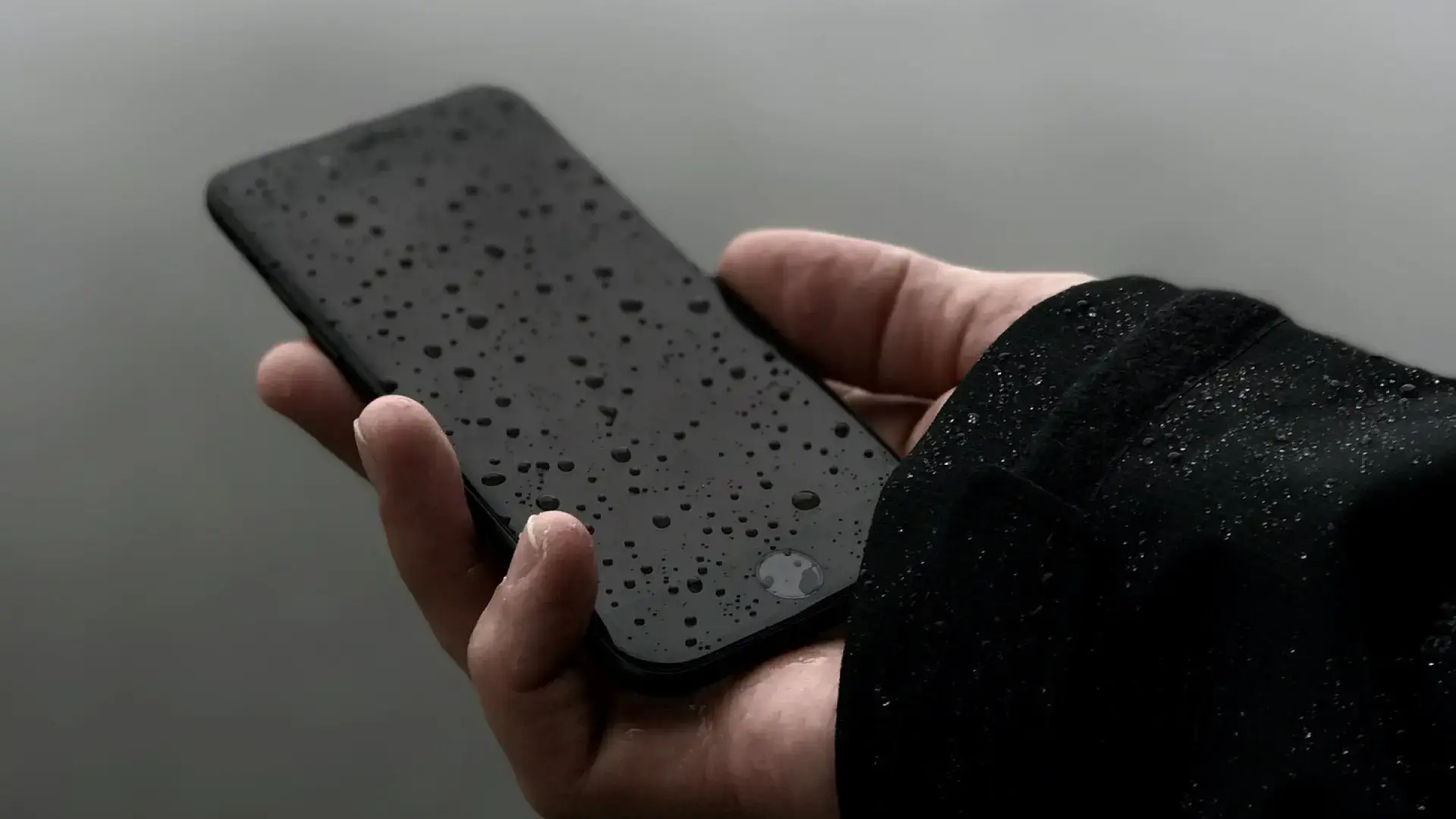
When a phone is submerged, the problem isn't just the water, but also the electrical current flowing through damp components . This combination causes short circuits that can destroy the memory chip or motherboard in a matter of seconds. That's why the first five minutes after the accident are critical if you want to save your files.
The first thing to do is get it out of the water as quickly as possible . Every extra second allows the liquid to seep further in through speakers, microphones, ports, and seals. If you were in the sea or a pool, the risk is even greater because salt and chlorine accelerate corrosion.
As soon as you have it in your hand, turn it off immediately . Don't check if the screen works, don't test any buttons , and don't mess around with it. If it's on, hold down the power button until it shuts down completely. If it has already turned off by itself, don't try to turn it on "just in case": that attempt could be the final straw that damages the motherboard.
Next, remove the case, SIM card, and microSD card (if applicable). The latter usually survives without issue if you remove and dry them with a paper towel or soft cloth. Tilt the phone and gently shake it upside down to allow any visible water to drain from ports and slots, avoiding any sudden movements that could push the liquid into more delicate areas.
Dry the outside of your phone with an absorbent material: kitchen paper, a towel, or even your t-shirt if you have nothing else. Do this carefully, without inserting cotton swabs or other objects into the connectors. Then, leave it upright in a dry, warm place, away from direct heat or sunlight.
What never to do with a wet mobile phone (even if you've read it a thousand times)
Forums and social media are constantly filled with supposed miracle tricks that, in practice, only serve to completely ruin your phone . It's crucial to be absolutely clear about what's strictly forbidden if you want to have any chance of recovering your data.
One of the biggest mistakes you can make is putting your phone in the microwave . Incredibly, some people try it "to dry it quickly." The result is disastrous: the electronics are destroyed in seconds, and the risk of fire is real. If you do this, you can forget about your phone and any data it contains forever.
Using a hairdryer or heat gun is also not a good idea . The pressurized air pushes the water further inside, and excessive heat can warp plastics, damage the battery, or desolder chips from the circuit board. The phone might even appear to come back to life only to die again a few hours later due to internal damage.
Another common mistake is plugging it in to charge as soon as it gets wet . Plugging in a phone that's still damp is the fastest way to cause a fatal short circuit. Similarly, mashing buttons, pressing the volume up and down, or repeatedly pressing the power button only activates circuits that might already be shorted.
It's also wise to be wary of using isopropyl alcohol at home without proper knowledge . In professional settings, it's used judiciously with appropriate equipment, and if you need to clean specific components like the microphone, consult a professional guide on how to clean it without damaging it . Pouring alcohol indiscriminately can damage seals, cameras, and delicate components without addressing the main problem, which is the moisture trapped under the chips.
The myth of rice and alternatives that do help
Putting your phone in a bowl of rice has become the go-to home remedy . It's repeated so often it seems like gospel, but the reality is that rice does less than people claim and, in some cases, even makes the problem worse.
Rice acts as a mild desiccant : it absorbs some moisture from the surrounding air, but it has virtually no capacity to remove the water that has already seeped into the motherboard and beneath the chips. While you leave it for 24 or 48 hours, corrosion will continue to spread along the metal traces and internal contacts.
Tests conducted by specialists have shown that leaving your phone turned off and exposed to air in a dry environment is as effective—or even more so—than burying it in rice. Furthermore, the starch dust can get into connectors and speakers, adding dirt where you least want it.
If you want to take it a step further at home, it's best to use silica gel packets , those small sachets that come with shoes or electronic devices. If you have several, you can put your phone, turned off, in a sealed bag with them for 24-48 hours. It's not a miracle cure, but it is more effective than rice.
In any case, even using silica gel, none of these home remedies replaces professional cleaning with ultrasonic equipment and specialized products. If your data is truly important to you, the sooner you get your phone to a specialized repair service, the better.
What to do when your mobile phone gets wet: logical steps to recover data
Once the phone is dry on the outside and a reasonable number of hours have passed without turning it on, it's time to consider how to back up the information it contains . Depending on whether the phone turns on or not, the options change considerably.
If, after drying, you find that it starts up normally, the best thing to do is connect it to your computer via USB cable without delay. In many cases, the PC will recognize it as a storage device, even if the screen is partially damaged. Ideally, you should copy photos, videos, documents, and anything else you consider important, without overloading the phone with too many simultaneous tasks.
It's best to focus first on files you don't have stored anywhere else : WhatsApp folders, voice recordings, downloaded documents, photos not in the cloud, etc. If the screen is unresponsive but the computer detects it, you can manage the content from your PC's file explorer.
If the phone fails to boot, another option is for a technician to try forcing special modes such as recovery mode, DFU mode, or download mode (depending on whether it's an iPhone or Android). Sometimes the system doesn't start normally, but the device still allows limited access that can be used to create a partial backup.
In addition, it's always a good idea to check if you had automatic backups enabled . On iPhones, iCloud can save practically everything: photos, contacts, messages, notes, app data, and more. On Android, Google's backup usually includes contacts, settings, and, if you used Google Photos, a good portion of your camera roll. Furthermore, some brands like Samsung, Huawei, and Xiaomi offer their own cloud services.
The cloud as the best insurance before (and after) a dip
When disaster strikes, you remember too late, but from then on, it becomes crystal clear that the cloud is the best digital lifeline . If you had backups enabled, you'll only need to log in on another device to recover most of your data without even touching your wet phone.
Services like Google Drive, iCloud, or each manufacturer's cloud storage allow you to back up documents, photos, and other important files remotely from your phone. This way, if your device dies, your memories or work information don't disappear with it.
On Android, your Google account typically saves contacts, settings, and some preferences automatically. If you also used Google Photos with unlimited or high-quality backups, you can find most of your images simply by accessing it through a browser on your computer.
In the Apple world, iCloud goes a step further: iPhone backups include apps, internal data, messages, photos (if you enabled iCloud Photos), and much more. With a new iPhone, you can restore that backup and have an almost identical experience to the one on the phone that got wet.
If you're currently in the middle of a crisis with a soaked phone and you see that the cloud isn't saving you, take this as a warning. Setting up proper backups now will greatly reduce the drama when the next accident happens, because sooner or later it always happens again.
Water resistance and IP68: why your "waterproof" phone can also fail
Many modern mobile phones advertise IP67 or IP68 certification , giving the impression that they can be used without worry in the pool or at the beach. This is where the misunderstandings arise: water-resistant does not mean "waterproof," much less indestructible in any situation.
The IP rating consists of two numbers: the first indicates protection against dust and solid particles , and the second, the level of resistance to liquids. A mobile phone with IP68, for example, is certified to withstand immersion in fresh water at a certain depth (usually around 1,5 meters) for a limited time under laboratory conditions.
These tests are performed with clean, fresh water, static immersion, and no impacts . They do not cover seawater, where salt is extremely corrosive; chlorinated pool water, which degrades seals over time; high-pressure jets such as showers or waterfalls; or depths or times exceeding those specified in the test.
In addition, rubber and silicone seals degrade over time due to heat and impacts. The protective glass (Gorilla Glass) also wears down and can lose its properties; more details about its manufacturing and performance can be found in the article " How Gorilla Glass is Made ." Therefore, manufacturers warn that water damage is not covered by the warranty, even for models with an IP68 rating.
If your "water-resistant" phone has gotten wet and won't turn on, don't assume you were safe just because it said so on the box. The same recommendations for immediate shutdown and careful drying apply, and if your data is important, you'll have to follow the same recovery procedures as with a non-water-resistant phone.
What can a basic repair service do with a wet mobile phone?
When you don't want to risk trying home remedies to fix your phone, the wisest course of action is to take it to a repair shop experienced in liquid damage as soon as possible. In many cases, it's possible to revive it or, at least, keep it working long enough to recover your data.
The first step is usually to completely disassemble the device . This involves removing the cover, screen, battery (when possible), camera modules, connectors, and everything else necessary until the motherboard is accessible. The more components that are treated separately, the better the treatment of moisture and corrosion.
Next , the motherboard undergoes chemical cleaning . In professional settings, ultrasonic cleaners combined with high-purity isopropyl alcohol are used. The motherboard is carefully submerged, and the equipment generates high-frequency vibrations that help remove traces of oxide, salts, and encrusted dirt.
The usual practice is to first apply a phase at lower power for a few minutes to
loosen the initial corrosion Then, increase the power and extend the exposure time to tackle the most stubborn dirt. Repeat this process as many times as necessary for all components showing signs of rust.
Chemical cleaning is usually followed by manual cleaning with soft brushes , inspecting each component under a magnifying glass or microscope to ensure no trace of dirt remains. Any mineral residue or corrosion can continue to damage traces and solder joints over time if not properly removed.
Professional drying and assembly of wet mobile phones
Once the components are clean, they need to be dried in a controlled manner. A specialized workshop doesn't use household dryers or radiators, but rather heating plates or specific drying equipment that allows the temperature to be maintained within a safe range (usually between 70 and 85 degrees Celsius) for the precise amount of time required.
The components are placed on this plate and left for several minutes until not a trace of moisture remains , not even in crevices or under integrated circuits. The key is to apply enough heat to evaporate the water without damaging plastics, adhesives, or solder joints.
Once everything is completely dry, the device is reassembled . The motherboard, connectors, cameras, and screen are reinstalled, and the phone is carefully closed, ensuring that all connections are secure and clean. At this point, it's time to see if the phone turns on.
If the power-on is successful, the priority is to back up as much data as possible before considering the case closed. Some phones, after water damage repair, work flawlessly for years, but others start experiencing intermittent problems over time, so it's best not to take anything for granted.
It's important to understand that even with professional repair, a 100% recovery is not guaranteed . If the motherboard has suffered extensive damage or the memory chip is physically compromised, the phone may be irreparable. Even so, in many cases, this intervention makes the difference between losing everything and at least recovering some of the data.
Forensic laboratories and advanced recovery techniques
When a mobile phone has been submerged for hours or days, especially in salt water, or when repairs have already been attempted unsuccessfully, the only realistic possibility of recovering data is through high-level data recovery laboratories . These are the same labs that collaborate in police investigations when it is necessary to extract critical information from a damaged device.
In these environments , ultrasonic baths with specific solutions are used to attack mineral deposits and corrosion adhered to the electronics. It's not simply a matter of placing the entire phone inside, but rather working on the motherboard and key components in a controlled manner to eliminate anything that might impede proper electrical function.
Next comes the inspection under high-resolution microscopes . Technicians identify lifted traces, corroded contacts, blown capacitors, and any shorted components that might be preventing the board from booting. Many of these faults are invisible to the naked eye.
When damaged or poorly soldered chips are detected, microsoldering and reballing techniques are used . This involves desoldering entire BGA integrated circuits, cleaning the contact surfaces, applying new solder microspheres, and precisely reassembling the component. It is an extremely delicate job that requires a steady hand and considerable experience.
In the most extreme cases, when the motherboard is beyond repair, a procedure called chip-off can be performed : physically removing the storage chip (eMMC, UFS, or NAND) and placing it in a specialized reader to directly dump its contents. This process requires expensive equipment and advanced knowledge, but it allows data recovery even from completely dead phones.
Wet iPhone vs. Wet Android: Key Differences
Although the situation is similar for the average user, recovering data from an iPhone is not the same as recovering data from an Android smartphone. The way each system manages encryption and storage access determines what can and cannot be done in a laboratory setting.
In the case of Apple, all modern iPhones have very robust encryption linked to the Secure Enclave . This means that even if you physically remove the memory chip, you won't be able to read its contents without the key associated with that specific processor. If the Secure Enclave is damaged, even removing the chip might not help.
The upside is that, if you had iCloud Backup properly configured , recovery is almost immediate: simply log in to another iPhone and restore the latest backup to get most of your data back. There's no need to touch the wet device at all.
On Android, the situation is more varied. There are numerous brands and models, each with different encryption and storage implementations . Many allow, if the phone is even minimally responsive, access to data using tools like ADB or download modes without the system fully booting, which facilitates data recovery in cases of partial damage.
Some Android devices also used, or still use, a microSD card for photos and files . If this is the case for you, you're in luck: simply remove the card and read it with an adapter in your computer to recover what was stored there, regardless of the phone's status.
Manufacturers like Samsung incorporate extra layers of security such as Knox in their high-end models , along with biometric systems ( fingerprint sensors ), which protect data but also complicate laboratory work when the device is severely damaged. The more advanced the encryption system, the more critical the physical integrity of the original circuit board becomes.
How much time do I have to save the data before it's too late?
One of the most common questions is whether, after a certain amount of time, it's no longer worth trying anything . The reality is that there's no absolute red line, but it's clear that the longer you wait to act, the worse things look due to corrosion.
If less than an hour has passed since the submersion and you turned off your phone immediately, internal corrosion is likely minimal and the chances of data recovery are very high. Between one hour and 24 hours, the situation remains favorable, but signs of rust will begin to appear on some contacts.
Within one to seven days , corrosion is usually visible to the naked eye on the circuit board and connectors. Even so, many laboratories achieve reasonable results within this window. Between one and four weeks, the internal damage is more severe, and success rates drop significantly.
When a phone has been dead and wet for more than a month , especially if it was exposed to salt water, the circuit board can be practically eaten away by rust. Even so, there have been cases where data has been recovered after months, so if the data is very important, it's always worth at least getting a professional evaluation.
There's one factor that worsens any scenario: repeatedly trying to turn the phone on after the accident. Each attempt with the circuit still wet can cause new short circuits and destroy components that were previously intact. That's why insisting on hoping it works is one of the worst things you can do.
What about open tabs in Chrome, WhatsApp, and other apps?
Besides photos and documents, many users are concerned about things like open browser tabs or specific chats in messaging apps. This is where synchronization systems and the type of account you used come into play.
In Chrome, for example, recent tabs only sync if you had syncing enabled with your Google account . If that option was disabled on the wet phone, when you log in on another device you'll see your bookmarks and perhaps your history, but not the tabs you were currently using. In that case, there's no easy way to reconstruct the session exactly if the phone doesn't restart.
With apps like WhatsApp or Telegram, things are different: WhatsApp allows backups to Google Drive or iCloud , while Telegram saves everything on its own servers. If you had backups properly configured, reinstalling on another phone will recover almost everything. Otherwise, only physical access to the phone's memory, by booting it or in a lab, might be able to recover those conversations.
The same applies to other cloud-based apps: the more you sync, the less you depend on your device . Email, notes, task managers, and photo platforms usually have some kind of online backup, but you should check and activate it before anything goes wrong.
In short, if you didn't have any synchronization settings configured and your phone is completely unresponsive, the only realistic option is advanced data recovery in a lab , with the associated costs and limitations. Even so, when years of memories are at stake, many users consider it worth a try.
Losing your phone in water is never pleasant, but knowing exactly what to do and what to avoid from the very beginning makes a huge difference in your chances of saving your data. Acting quickly, not turning on the device, forgetting myths like the rice trick, taking advantage of cloud backups, and calling in professionals when necessary are key to preventing a water accident from becoming a total loss of your digital life.

Passionate writer about the world of bytes and technology in general. I love sharing my knowledge through writing, and that's what I'll do on this blog, show you all the most interesting things about gadgets, software, hardware, tech trends, and more. My goal is to help you navigate the digital world in a simple and entertaining way.