- The Caesar cipher replaces each letter with another displaced a fixed number of positions, defined by a key.
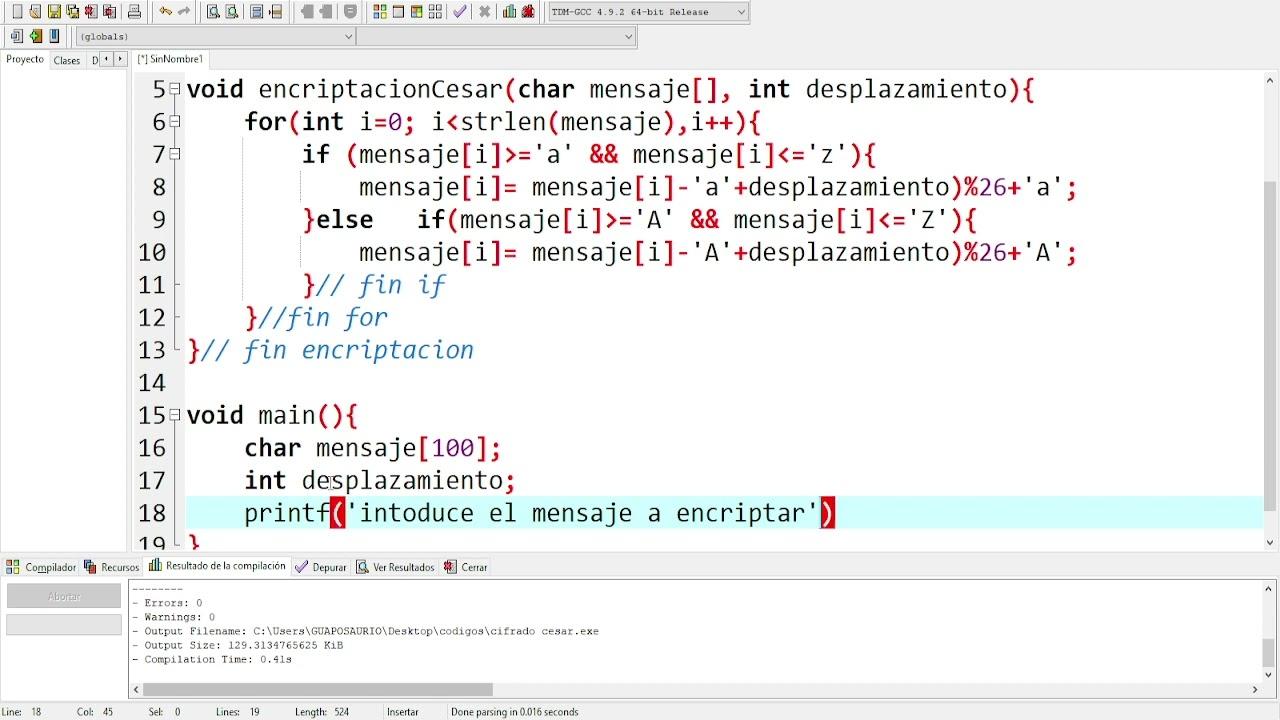
- In C it is implemented by converting letters to numeric codes, applying sums and modulo 26 and respecting uppercase and lowercase letters.
- Features such as isalpha, isupper, islower, strlen and a modular design facilitate an interactive program for encrypting, decrypting and brute-forcing.
- It is a historically relevant but cryptographically weak algorithm, ideal as an educational and learning exercise. programming.
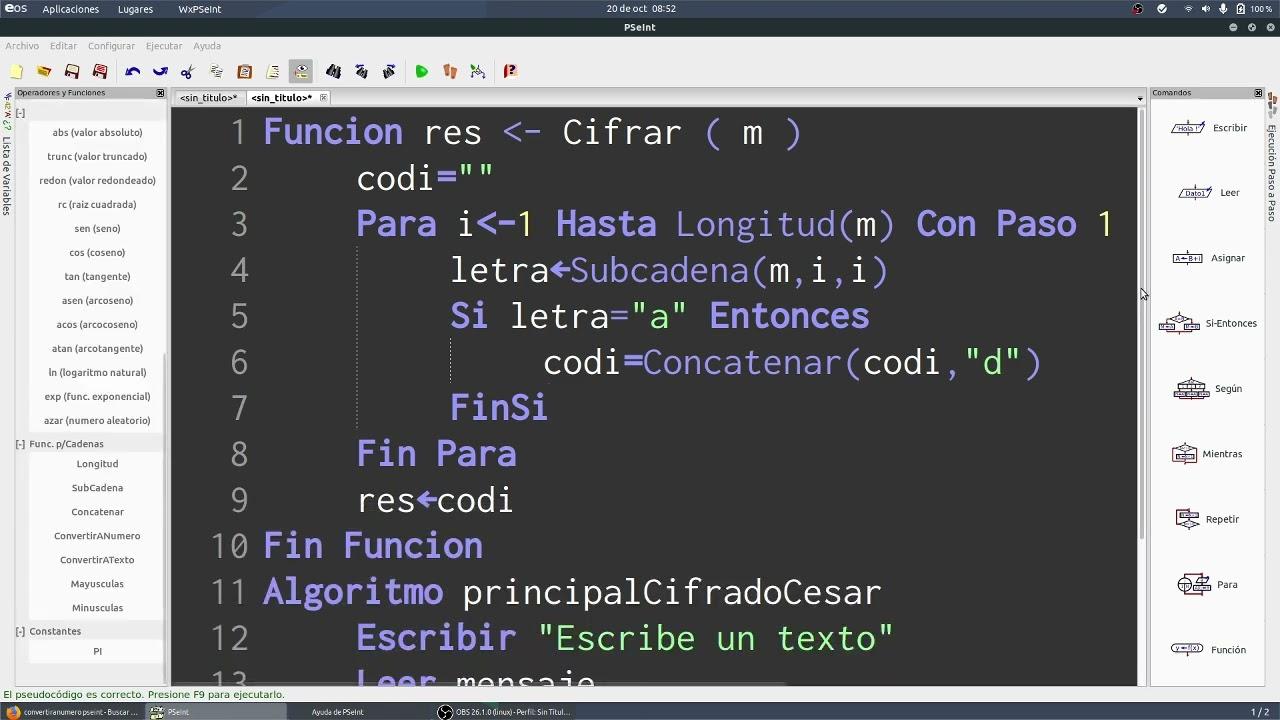
If you're new to C and want a practical project, creating a Caesar cipher encryption and decryption program is a perfect option. It's simple, it forces you to manipulate strings, work with characters, and think in mathematical terms, but without overwhelming you with complexity.
Besides serving as a programming exercise, the Caesar cipher is a fantastic entry point into the world of cryptography : you'll understand what a key is, why some systems are weak, and how a cipher can be attacked using brute force. We'll look at it step by step, with theory, examples, and several implementation approaches in C.
What is the Caesar cipher and where does it come from?
The Caesar cipher , also known as a shift cipher, is one of the oldest cryptographic systems in existence. Its name comes from Julius Caesar , who is said to have used it to send disguised military messages to his generals, so that if someone intercepted the text, they would not be able to understand it at first glance.
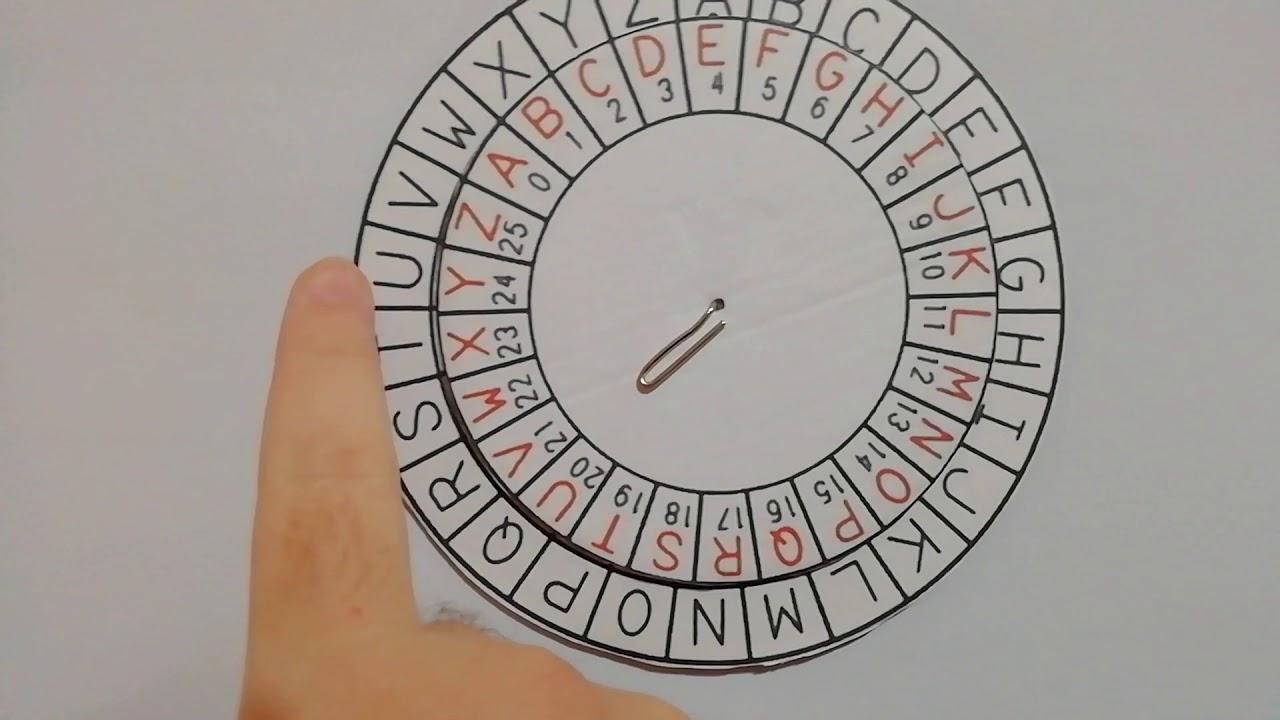
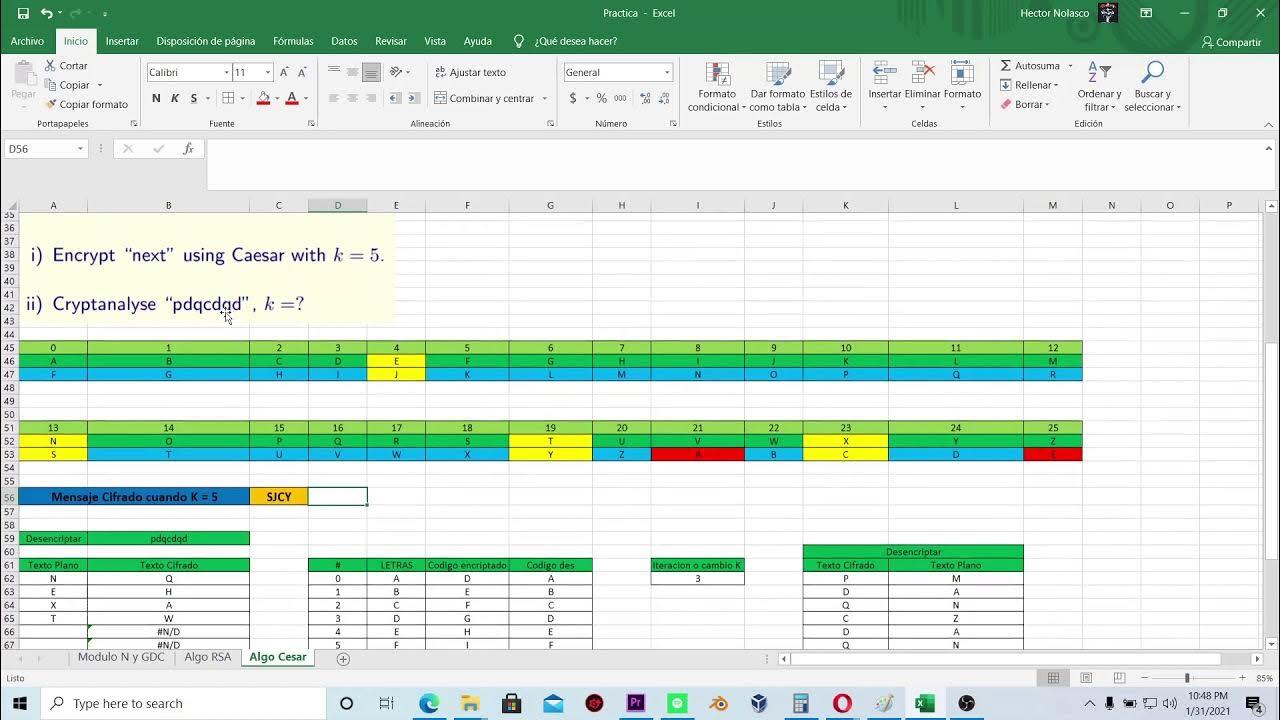
The idea is very simple: each letter of the original message is replaced by another that is a fixed number of positions further forward or backward in the alphabet . That number of positions is the key . For example, with key 3, A becomes D, B becomes E, C becomes F, and so on until reaching Z, where the alphabet "turns around" and starts again with A.
This scheme belongs to the monoalphabetic substitution ciphers : whenever the same letter appears in the plaintext, it is transformed into the same ciphertext letter. This makes it very easy to understand and implement, but also very easy to break with a little analysis.
Mathematical foundations of the Caesar cipher
Behind this classic method lies a very compact mathematical formulation . We number each letter from 0 to n-1 (where n is the size of the alphabet), and we can express the cipher as:
C = (P + k) mod n
Where P is the position of the original letter, C is the position of the ciphertext, k is the shift key, and n is the total number of symbols in the alphabet (26 in the English alphabet without ñ). The mod operator ensures that, upon reaching the end of the alphabet, the count restarts from the beginning.
To recover the message, simply reverse the operation :
P = (C − k) mod n
In practice, when we implement it in C, we don't work with abstract positions, but with numeric character codes (ASCII or UTF-8 compatible) . The uppercase letters A to Z occupy the values 65 to 90, and the lowercase letters aa to z range from 97 to 122. Taking advantage of these ranges, we can subtract the base code ('A' or 'a'), apply the shift with modulo 26, and add the base back in.
A key detail: the modulo operation guarantees the "circular effect" of the alphabet . If you shift Z three positions with key 3 in the uppercase range, you end up with C, because the calculation is done within the 0-25 range and then converted back to ASCII code.
Basic cryptography concepts you need
Working with the Caesar cipher allows you to internalize several classic cryptography concepts without yet delving into advanced mathematics or modern algorithms.
The original, unencrypted message is called plaintext . It's what you want to communicate: for example, "Goodbye" or a complete sentence. The result after applying encryption is the ciphertext or cryptogram , which looks like a string of meaningless letters, such as "Dglrv".
The process of converting plaintext into ciphertext is called encryption , while the reverse operation is called decryption . In both cases, a key is used , which in a Caesar cipher is simply an integer between 1 and 26 (or between 0 and 25, depending on how you define it in the program), and its application in services like Gmail.
An interesting point is that, although the result may seem secure to an untrained user, the actual security of the Caesar cipher is practically nonexistent . There are only 25 possible keys in the standard Latin alphabet, so an attacker can try them all in milliseconds with a brute-force program.
ASCII, ordinals, and conversion between letters and numbers
To implement this system in C, it's essential to understand how computers represent characters . Historically, ASCII was primarily used, which assigns each symbol an integer between 0 and 127, although in practice the printable ranges from 32 to 126 are most commonly used.
As we've already mentioned, the uppercase letters A-Z have codes from 65 to 90 , and the lowercase letters a-z from 97 to 122. The digits 0-9 range from 48 to 57. Nowadays, it's common to work with UTF-8, but for basic characters, it maintains the same values as ASCII, so our code will still be valid.
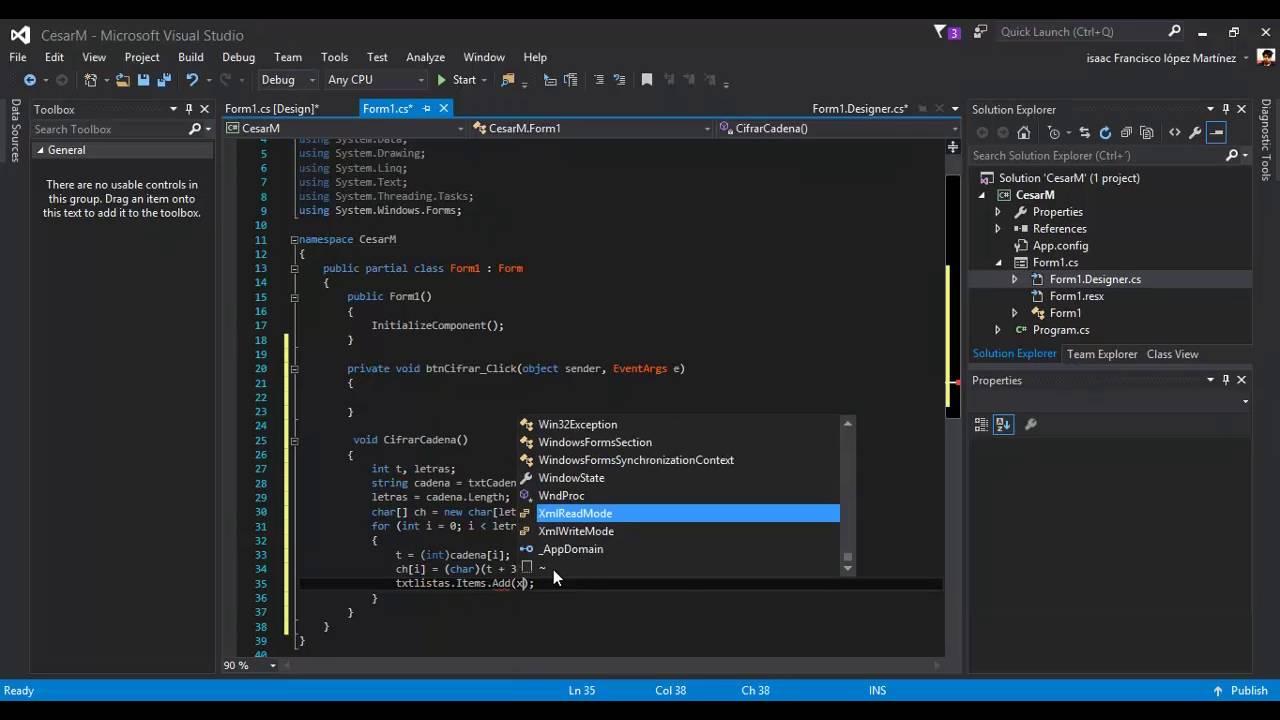
The usual trick is to convert a letter to its numeric code , manipulate that number with addition, subtraction, and modulo operations, and then convert it back to a character. In Python, this is done with the functions ord() and chr() ; in C, these functions don't exist, but the char type itself can be treated as an integer , and character constants like 'A' or 'a' act as numeric values.
For example, to shift the letter 'A' three positions forward in C, you can think like this: 'A' has code 65, add 3 and you get 68, which corresponds to 'D' . When working with uppercase letters, you first subtract 'A' to normalize the range to 0-25, apply the shift modulo 26, and then add 'A' back to recover the correct code.
General design of a C program for Caesar cipher
A C program that implements Caesar encryption and decryption usually follows a very similar structure , although the details may change depending on the author's style:
- Request for text from the user: a string is requested which will be the message to be encrypted or decrypted.
- Reading the numeric key: the user enters the offset, usually an integer between 1 and 26.
- Mode selection: encrypt, decrypt, or even brute force if you want to add that extra.
- Main translation function: receives the message, the key and the mode, traverses the string and generates the processed result.
- Screen outputThe recovered cryptogram or plaintext is printed.
The core of the algorithm is always the same: iterate through the string character by character , check if each symbol is a letter, and if so, apply the appropriate transformation, respecting uppercase and lowercase letters. Anything that is not a letter (spaces, punctuation marks, numbers, etc.) is usually left as is.
Using standard C functions to work with characters
To make the code cleaner and more robust, it is highly recommended to use the <ctype.h> header , which offers several very useful functions for classifying characters.
Key functions :
Specifically, for the Caesar cipher, you'll be particularly interested in:
- isalpha(c): returns a non-zero value if c is a letter (uppercase or lowercase), and zero otherwise.
- isupper(c): checks if c is a capital letter.
- islower(c): checks if c is a lowercase letter.
With these functions you can easily filter which characters will be processed . If isalpha(c) is false, you simply copy the symbol to the result and move on to the next one. If it's a letter, you decide the appropriate range (AZ or az) according to isupper or islower and apply the shift without fear of going outside the corresponding alphabet.
In parallel, you'll need the <string.h> header for functions like strlen() , which lets you know the length of the string and use it in a for or while loop when iterating over the message.
Example of a basic Caesar cipher implementation in C
A very common version of the program in C defines a function, which we could call for example cesar() , responsible for transforming the received string in-place or generating an encrypted copy from an input buffer.
Typical flow :
- En Main()The user is asked for the text to be processed.
- The displacement key is requested and it is validated to ensure it is within the allowed range.
- The encryption function is called by passing the text and the key.
- The result is displayed on the screen.
Internal structure :
- Calculate the length of the text using strlen() to set the loop limits.
- Traverse the string character by character using an integer index.
- Check if each character is an uppercase letter, a lowercase letter, or not alphabetic.
- Apply the displacement with the appropriate formula and the % operator 26.
- Leave non-alphabetic characters unchanged.
The use of the %26 operator is essential to keep the result within the alphabet . This way, if you shift the z with key 3, you get c instead of some strange ASCII symbol.
String manipulation in C: scanf, fgets and buffers
One of the trickiest aspects of writing these programs in C is not the encryption itself, but how to read the string from standard input . Although `scanf` with `%s` seems tempting, it has several problems: it cuts off the read at the first space, doesn't handle buffer size well, and can easily cause overflows if you're not careful.
Therefore, many modern examples opt to use `fgets()` to read entire lines. This function receives the buffer, its maximum size, and the input source (usually `stdin`) and ensures that the buffer does not exceed the limits. The drawback is that it often leaves the newline character at the end of the string , so it's usually a good idea to clean it up manually by traversing the string and replacing the `\n` with `\0` when it appears.
In any case, the encryption algorithm is independent of how you obtained the string: you can encapsulate Caesar logic in a function that receives a pre-prepared char[] and then decide in main whether to fill that array with fgets, scanf, or any other method according to your needs.
Structure of a complete interactive program
Beyond the basic encryption function, a fairly complete interactive program can be built that allows the user to choose whether to encrypt, decrypt, or even try all possible keys (brute force mode).
A very clear organization consists of separating the logic into several functions:
- getMode(): asks the user if they want to encrypt, decrypt, or use brute force and returns a character or short string representing the chosen mode.
- getMessage(): is responsible for requesting the text to be processed and returning it.
- getKey(): requests a key from the user, forces the user to enter a value between 1 and a maximum (for example 26) and returns that integer.
- getTranslatedMessage(mode, message, key): applies the encryption or decryption logic according to the mode, returning the transformed text.
In decryption mode, it's very convenient to work with the same function as for encryption , but changing the sign of the key. That is, if the user chooses to decrypt, the key is multiplied by -1 and the same algorithm used for encryption is applied. This way, you avoid duplicating code.
The brute-force mode adds a noteworthy feature: it automates the process of trying all possible keys . The program loops from 1 up to the maximum key size, calling the translation function in decryption mode at each iteration and displaying each result along with the key used. The user simply needs to observe which lines make sense in Spanish to deduce the original shift used.
#include // For printf and scanf #include // For strlen // Function that applies the Caesar cipher void caesar_cipher(char *text, int shift) { for (int i = 0; i < strlen(text); i++) { char c = text[i]; // current character // If it's an uppercase letter if (c >= 'A' && c <= 'Z') { text[i] = ((c - 'A' + shift) % 26) + 'A'; } // If it's a lowercase letter else if (c >= 'a' && c <= 'z') { text[i] = ((c - 'a' + shift) % 26) + 'a'; } // If it's not a letter, leave it as is } } int main() { char message[100]; // buffer for the text int shift; // value of the shift printf("Enter the message to encrypt: "); scanf("%99[^\n]", message); // Reads up to 99 characters including spaces printf("Enter the offset (e.g., 3): "); scanf("%d", &offset); // Apply the encryption caesar_cipher(message, offset); printf("Encrypted message: %s\n", message); return 0; }
Handling uppercase letters, lowercase letters, and special characters
Something that is often overlooked at the beginning is the importance of respecting the shape of the letters and not corrupting the text . A good Caesar cipher program should treat uppercase and lowercase letters separately and leave symbols that do not belong to the alphabet intact.
The typical logic is:
- If the symbol does not pass the check isalpha()It is copied directly to the result without any changes.
- If it is a capital letter, it normalizes the value by subtracting 'A'The displacement is applied in modulo 26 and then 'A' is added again.
- If it is a lowercase letter, the same is done but with the range based on 'a'.
- If when adding the key you go above the range (beyond 'Z' or 'z'), subtract 26; if you go below when subtracting, add 26.
This way you can make texts like "Goodbye" with key 3 become "Dglrv" respecting the initial capital and the rest in lowercase , and that when decrypting you return exactly to the original.
It is also important to be aware that the Caesar cipher does not alter spaces or punctuation marks , which allows the visual structure of sentences and paragraphs to be maintained but makes the message length and relative position of words still visible to an attacker.


Passionate writer about the world of bytes and technology in general. I love sharing my knowledge through writing, and that's what I'll do on this blog, show you all the most interesting things about gadgets, software, hardware, tech trends, and more. My goal is to help you navigate the digital world in a simple and entertaining way.