- Shein centralizes its customer service through a chatbot and an online help center with extended hours.
- The phone call is only offered after going through the chatbot and during reduced working hours.
- Social media can be helpful, but it is usually slower than official channels.
- Refunds are managed from the user's account with several methods and clear deadlines.
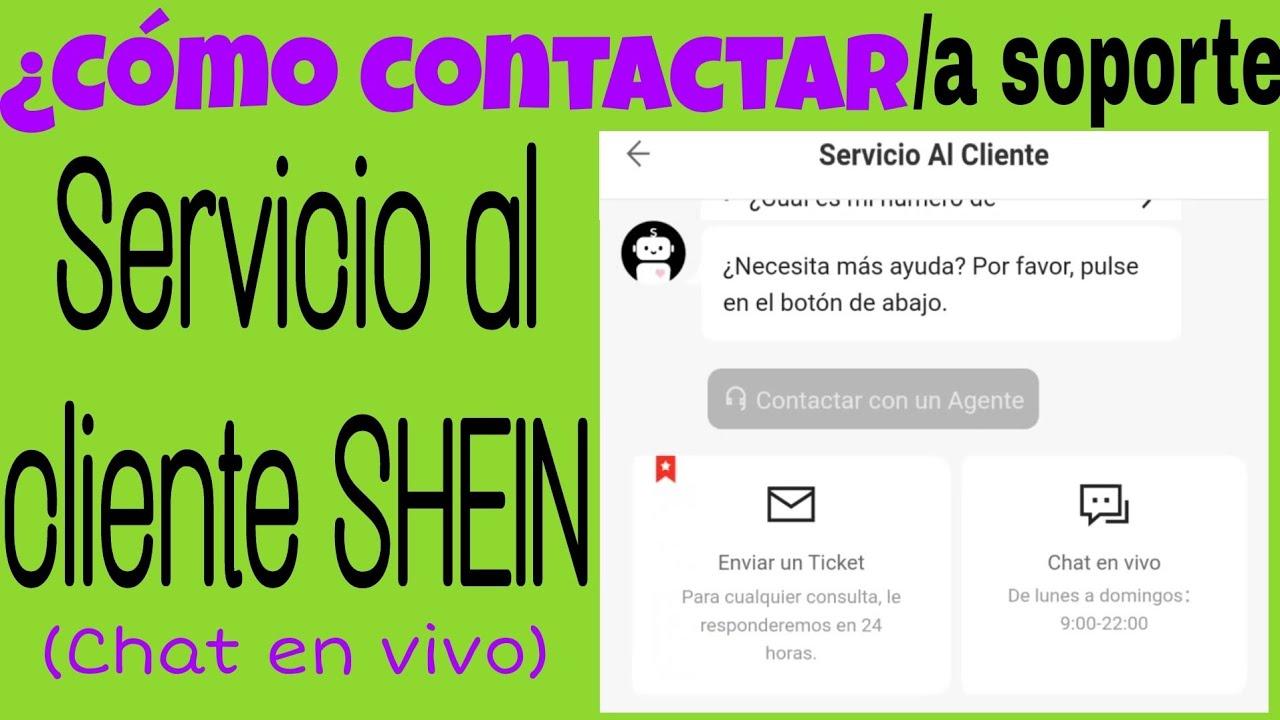
If you shop at Shein frequently, sooner or later you're going to need contact Shein customer service to resolve any questions or issues with your orders, payments, or returns. Although the platform is designed to be almost entirely automated, there are times when it's helpful to have someone lend a hand on the other side of the screen.
The problem is that it's not always clear. What's the best way to contact Shein?Find out what their hours are, if there's a real phone number, or if you can contact them through social media in Spanish. Here you'll find, neatly organized, all the official ways to contact the brand, how their chatbot works, when they might call you, what options you have within the app, and how to manage returns without waiting for an agent.
Ways to contact Shein customer service
Before we delve into each channel in detail, it's important to understand that Shein centralizes almost all of its support in their own online help center. From there you can access the chatbot, review orders, manage returns, and, if necessary, end up talking to a person via chat or even by phone.
According to the company's own support page, the general customer service hours Online service (chat and web support) is available from 9:00 AM to 22:00 PM, Monday through Sunday. For phone calls, the hours are more limited and only cover [specific hours]. Monday to Friday from 09:00 a.m. to 17:00 p.m.excluding public holidays.
In addition to the help center, Shein also encourages users to use the frequently asked questions sectionsThese channels are quite comprehensive and cover everything from order and delivery issues to payment matters, promotions, stock levels, and account management. And, as an added bonus, there are social media channels like Facebook, Instagram, and TikTok that can provide support if you're having trouble with the main system.
However, the company makes it clear that, with the number of clients it has (it is said to be tens of millions of users worldwide(with figures close to 89 million according to Statista data), social networks tend to be slower. Therefore, they always recommend starting with the help center and chatbot before launching into writing private messages.
In the following sections you will see, step by step, how to get the most out of all these channels: Shein's chatbot, possible telephone contact, social media, the app, frequently asked questions and how to process returns without complicating your life.
Shein's chatbot: the main support channel
The brand's flagship support channel is a Automated chatbot available 24/7It's designed to instantly answer most common user questions. This is the tool Shein prioritizes for handling everything related to orders, shipping, returns, and account issues.
To access the chatbot from the web you need to Log in with your Shein account Look in the top right corner for the "Customer Care" icon or link. From there, you'll enter the help center and see the option to open a chat to start a conversation with the virtual assistant.
Once inside, the chatbot allows you to manage a wide variety of queriesOrder cancellations that are still being processed, questions about the status of a shipment, inquiries about returns, refunds, coupons, payment problems, or even issues with specific products. It usually guides you through a series of predefined options to better understand what you need.
As the conversation progresses, it's possible that the system itself It offers to refer the case to a human agent.This may happen within the chat itself or by suggesting a phone call. It doesn't always occur, but it does when the issue is unusual or the bot detects that it hasn't been able to resolve your problem automatically.
The reality is that Shein is trying to resolve everything possible through a 100% automated systemand reserves human intervention for more specific or complex cases. This reduces waiting times, but also requires some patience at first and following the options suggested by the bot, even if they seem somewhat repetitive.
Regarding the schedule, the chatbot is available continuously, although Shein's official information indicates a specific timeframe. Customer service hours: 9:00 to 22:00 For their standard service, you can usually start a chat at any time, but if you need to speak to a live agent, you're more likely to get one within that window.
Shein customer service by phone
One of the biggest questions many users have is whether it exists a direct Shein phone number to call when there's a serious problem or when we're having trouble with the chatbot. The company does offer phone support, but manages it in a fairly controlled way to avoid being overwhelmed with calls.
According to the company itself, you won't find no phone publicly visible in the customer service section of the website. In other words, even if you search through the help center options, you won't see a link like "Call us at…". Instead, the call option is only offered after you've tried to resolve the issue through the chatbot.
Therefore, if you want to be assisted by phone, you will have to First, start a conversation with the botExplain the problem in some detail and follow the instructions provided. If the system detects that the issue is complex or cannot be resolved automatically, it may give you the option to request a call back or display the number for you to call.
This way of working makes sense from Shein's point of view: filter all cases through the chatbotThey ensure that only inquiries that truly need it reach the phone, preventing the service from collapsing with basic questions that could be resolved automatically in seconds.
Regarding the schedule, the company itself indicates that telephone support is only available. Monday to Friday, between 09:00 and 17:00excluding public holidays. This means that if the chatbot offers you the option of a callback, you'll need to check that your request falls within that timeframe; otherwise, the callback option won't be available.
Taking this into account, the most practical thing to do is Try to contact them by phone first thing in the morning or early afternoon within that time frame. During peak hours there is usually a higher volume of inquiries and, although an estimated waiting time is not published, it is reasonable to expect that it may take longer than desired.
Contact Shein through social media
In addition to the help center and chatbot, Shein offers the possibility of Contact customer service through their social media channelsIt's not the main channel (and the brand itself asks for patience if you choose this route), but it can be helpful if you've already tried the official options and still haven't solved your problem.
The most used social network for these topics is FacebookTo use it, you need an account on the platform and to find the corresponding official Shein page. The support page is usually in English, and according to the brand's own information, there isn't a specific Spanish-language profile dedicated exclusively to customer service.
When you go to Shein's Facebook page, you usually A chat window opens automatically in the bottom right corner. From there you can explain what's happening and, if agents are available, someone from the support team will respond. The conversation might be slower than with the chatbot, but in return, the support tends to be more personalized.
If language is a problem and you're not comfortable with English, you can always rely on tools like Google Translate to write your messages or understand the replies you receive. It's not the most convenient thing in the world, but it can get you out of a bind if you prefer to talk to a human, even if it's in another language.
Shein also has active profiles on Instagram and TikTokwhere you can send direct messages. On Instagram, there are Spanish-language profiles you can try to contact, and on TikTok, they usually allow you to send up to three messages while your request is pending. Links to these accounts appear at the bottom of the official website, and Facebook and Instagram are especially useful as first options.
In contrast, on X (formerly Twitter) the situation is different: the brand's main profile is usually dedicated to News, press releases and corporate contentand not so much to support. From that account they indicate that any questions should be directed through Shein's help page, so it's not the most recommended way to resolve specific issues.
In any case, the company itself warns that, if you choose social media, it is essential Be prepared to be patient due to the high volume of messages that they receive every day. There is no guaranteed response time, and in many cases, you'll get a faster solution by using the support center and chatbot directly on the website or app.
How to contact Shein from the mobile app
If you usually shop from your mobile phone, you'll probably find it more convenient. Contact customer service from the Shein app than from the browser. The application replicates almost all the options of the website, but groups them into slightly different menus that are worth knowing.
To access support from the app, the first thing to do is Log in to your user profileOnce inside, you'll need to locate the section called "Support" or something similar, which is usually found in the "More services" or "Other services" block. Clicking on that option will open the mobile-specific help center.
In this help center, Shein lets you Search by category for frequently asked questionsIssues with orders, shipping status, returns, refunds, payments, promotions, products, stock, or information related to your account. It's virtually the same as on the website, but adapted for faster navigation via taps.
If after reviewing the categories you still can't find what you're looking for, the app itself shows you the option below to contact customer service directlySelecting this option reopens the famous chatbot we've discussed, but integrated into the application so you don't have to switch devices or open a browser.
From this chat in the app you can follow the same steps as in the web version: State your problem, review the automatic responses and, if necessary, try to ensure that the inquiry ends up in the hands of a human agent or leads to a telephone call within the established hours.
Shein FAQs: Get your questions answered instantly
One of the resources that can save you the most time is the Shein FAQ sectionIt is available both on the web and in the app. The company has organized it into thematic blocks that compile the main problems users typically encounter throughout the purchasing process.
In these FAQs you will find sections for orders, deliveries, returns and refundsThis section covers topics such as payments and promotions, product and stock issues, and questions related to your account (login, password change, personal data modification, etc.). Each section includes subcategories and specific articles.
Thanks to this system, it's quite easy to locate answers to very specific questions such as: how to change the shipping address, what to do if you haven't received the order confirmation email, how to apply a discount coupon, what the different package statuses mean, or how long it takes to receive a refund after returning an item.
In addition to browsing the categories, you can use the search engine that appears at the top of the help centerYou just have to type a keyword related to your problem (for example, "late return" or "undelivered order") and the page will show you the most relevant answers for that term.
Each help article is typically presented with dropdown menus or very clear blocks of textThese explain the steps to follow or the company's terms and conditions for that specific issue. This often allows you to resolve your question in less than a minute without having to open a chat or wait for someone to assist you.
An important detail is that, at the end of many of these responses, Shein adds a link like this: "Contact customer service"If you feel that the explanation does not resolve your particular situation, you can use that link to jump directly to the chatbot and explain your case in more detail.
How to manage returns on Shein without complications
One of the most common reasons for wanting to speak to customer service is Process a return for a Shein orderHowever, the platform has greatly simplified this process, so in most cases there is no need to contact anyone and everything can be managed from your user area.
To initiate a return, you must Log in to your account and access your order historyFind the order from which you want to return one or more items and, within the order details, click on the "Make a return" option or the equivalent in your language. From there, the system will guide you step by step.
According to Shein's Return Policy, Orders can be returned within 30 days after the date of receipt. This deadline is key: after 30 days, it is very likely that the system will not allow you to process the return automatically and you will have to try to resolve it through support.
Once you confirm that you want to return one or more products, the platform offers you four main return methodswhich may vary slightly depending on the country but, in general, are the following:
Parcel shopShein will send you a return label to print, attach to the package, and take to an InPost pickup point or similar. It's a convenient option if you have one nearby and don't mind traveling.
Post OfficeYou also receive a return label that you can print at home or, in many cases, ask them to print it for you at the post office itself At no extra cost. Then you just have to deliver the package there with the label clearly visible.
GLSSimilar to the previous ones, but using GLS courier company collection pointsAgain, you can print the label yourself or request that it be printed for free at the relevant collection point, according to the instructions you receive.
AutoshipIn this case, you are responsible for arranging the return shipment. Note the return address provided by Shein Place the package in the box and take it to your preferred post office. Then, enter the tracking number and proof of postage in the "Returns Log" section within "My Orders" so they can track the package and process the refund.
One important point to keep in mind is that, for each order, The label for the first return is usually free.If you return some items and later decide to send back more products from the same order in a second shipment, that new label incurs a cost (for example, €4,50 in many cases). Therefore, it's advisable to carefully check everything you want to return and send it all in one package whenever possible.
If you correctly follow the steps indicated on the website or in the app, you will rarely have to contact customer service for a simple return, unless The system fails, the label is not generated or if you have any questions about the deadlines or methods available in your specific area.
When and how is it best to contact customer service
Although Shein offers several communication channels, not all of them are equally fast or work equally well at all times of day. That's why it's worth exploring them. choose the right time slot and the channel before you start asking for help, especially if your issue is urgent.
In general, it is recommended Contact us first thing in the morning or late in the afternoonDuring official business hours. During peak hours (especially at midday) the workload is usually higher, agents are more overwhelmed, and waiting times are likely to increase significantly, both in chat and telephone support.
If your goal is to get a call, you must remember that the The phone line is only operational from Monday to Friday, from 09:00 to 17:00.Trying to force a call outside of that window is pointless, because the system won't show you that option and you won't be able to schedule an appointment with an agent.
Furthermore, it's advisable that, before opening a chat or starting to write on social media, Take a few minutes to review the frequently asked questions. from the help center. It's surprising how many problems are solved with a simple article on the website itself, avoiding unnecessary waiting and back-and-forth messages with support.
If you still have doubts after reading the FAQs, then it makes sense. escalate to the chatbot, request an agent, or use social media like Facebook or Instagram. On X or TikTok, responses tend to be slower or less support-oriented, making them less suitable for urgent issues.
Ultimately, the key is to combine the options well: First, the FAQs and the chatbotThen, if necessary, a human agent or a call within the permitted hours and, as support, social media if everything else doesn't convince you or you've had a problem with the official channel.
With everything we've seen, it's clear that Shein has set up a support system very focused on the chatbot and online help centerReserving telephone support and social media contact for more specific cases or when the user doesn't find the answer in the FAQs. Being familiar with these channels, their hours, and return policies will allow you to resolve almost any issue without too much trouble and make the most of the tools the platform itself provides.

Passionate writer about the world of bytes and technology in general. I love sharing my knowledge through writing, and that's what I'll do on this blog, show you all the most interesting things about gadgets, software, hardware, tech trends, and more. My goal is to help you navigate the digital world in a simple and entertaining way.