- Gemini: Live allows you to use the camera and share screen with real-time analysis through Artificial Intelligence.
- Features are based on Project Astra and require a subscription to Google One AI Premium.
- They are progressively available on devices Android from version 10 onwards.
- Debates are emerging about its impact on privacy and device performance.

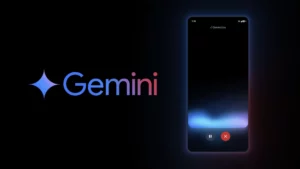
Gemini Live, Google's conversational AI platform, takes a significant leap forward with the activation of new visual features that transform how users interact with their mobile devices. Through integration with Project Astra, it's now possible to use the camera and screen sharing to generate more contextual and accurate responses from the assistant. If you're interested in learning more about this project, you can visit Google Project Astra.
These new features have already begun rolling out gradually and are available to users with an active Google One AI Premium subscription, which grants access to Gemini Advanced. This advanced version of the assistant adds real-time analysis of what the camera captures or what's displayed on the screen, greatly expanding its usability beyond what the company has offered previously.
Gemini Live Visual Features: How They Work and What They Offer

One of the most notable features is visual analysis using the device's camera . By activating Gemini Live, the user can focus their phone's camera on any object, place, or situation and ask questions directly to the assistant. In real time, Gemini processes what it sees and responds accordingly, whether by identifying an object, suggesting an action, or providing contextual information.
The second major built-in feature is the ability to read your screen in real time . If you're viewing a document, image, or website, Gemini can analyze what's on screen and help you understand, translate, or summarize it without you having to copy and paste anything . It all stems from directly viewing your screen and the questions you ask, either by voice or text. To explore more detailed features, visit Gemini Features on Android.
These tools are designed to facilitate natural interactions with technology , making the assistant a more intuitive and effective ally for everyday tasks, from interpreting graphics to explaining complex content or helping you choose the appropriate color for an object you are focusing on with the camera.

Compatibility, requirements and deployment details

The new features aren't limited to Pixel or Galaxy devices , despite initial assumptions that they would be exclusive to those models. Google has confirmed that any Android device with Gemini Advanced support can access these capabilities, provided it has the correct software version installed and meets the minimum system requirements.
As long as the device runs Android 10 or higher, it should theoretically be compatible . Furthermore, foldable models and tablets are supported, significantly expanding the user base with access.
The rollout is gradual , so not all users will see it immediately. Google has stated that it will continue expanding availability in the coming weeks, and that any changes or updates will be announced through the company's official channels, such as its Twitter account @GeminiApp.
Gemini and Project Astra: The Technology Behind the Change

All this progress has been made possible by the technology developed in Project Astra . This project equips the assistant with a visual understanding that simulates human perception . By being able to "see" what is happening on the camera or screen, the assistant generates more contextual, precise, and useful responses. It's not just about predetermined automated actions, but about real-time analysis with sophisticated interpretation capabilities.
Furthermore, Astra enhances features like multimodal interaction and voice , allowing for a seamless conversation while analyzing visual content. This means you can talk to Gemini while showing it an image or exploring a file, and the assistant will respond based on what it sees , combining audio, text, and image as references.
This approach radically changes the way we interact with artificial intelligence , making the experience feel closer and more practically useful, especially in contexts such as education, design, shopping, or personal organization.

Advantages of the Google One AI Premium plan

To access all these features, you need an active Google One AI Premium subscription . This plan, which costs approximately €21,99 per month, offers not only access to Gemini Advanced with all its full tools, but also 2 TB of cloud storage , advanced integration with apps like Gmail and Docs, and enhanced support for writing, planning, and organizing.
The package focuses on users looking to fully leverage the potential of artificial intelligence within the Google ecosystem , and this expansion of Gemini Live reinforces that focus. However, the subscription requirement excludes those who don't want to or can't afford it, which could limit the widespread adoption of these features, at least for now.

Questions about privacy and performance

The fact that Gemini can access the camera or screen in real time has also raised some privacy concerns . Although Google has assured users that what the assistant sees is neither stored nor shared, and that everything happens in real time, doubts remain about how the information is handled and what the actual limits of data analysis are.
Another factor under discussion is the impact on the device's overall performance . Keeping the camera or screen recording active for extended periods can lead to increased battery and processor usage , which would be particularly noticeable on mid-range or low-end devices.
Furthermore, the proper functioning of these tools depends on a stable internet connection . In areas with poor connectivity, responses may be delayed or not function correctly at all, limiting their use in certain regions.

Despite this, the experience shared by early adopters suggests that the features are practical and well-integrated . Examples such as analyzing a plant to determine if it needs more light, or requesting advice on the ideal color for a handcrafted item, are just some of the ways users have begun to use this technology on a daily basis.
With the arrival of these new features, Gemini Live is solidifying its position as a powerful Google initiative to integrate artificial intelligence into daily life. From visual interpretation to fully automated contextual search, these tools usher in a new era in the relationship between users and devices, while also prompting careful consideration of their scope, privacy, and technical sustainability.

Passionate writer about the world of bytes and technology in general. I love sharing my knowledge through writing, and that's what I'll do on this blog, show you all the most interesting things about gadgets, software, hardware, tech trends, and more. My goal is to help you navigate the digital world in a simple and entertaining way.