
Viber includes a "block" feature that lets you prevent annoying contacts or unknown numbers from messaging or calling you. Here are the steps to block Viber contacts on both Android and iPhone.
If you see that someone is very annoying or you receive unwanted messages from an unknown person, you can simply block their phone number on Viber.
Before we get into the specific steps to block contacts on Viber, here's what happens when you block someone on Viber.
- The blocked person will not be able to send you messages or mention your number.
- The blocked person will not be able to add you to a Viber group
- The blocked person will not be able to see your online status or any changes you have made to your profile.
Although Viber doesn't send any notifications when you block people on Viber, the blocked person is more likely to think you've blocked them if they can't give you a name or message.
How to Block Viber Contacts on an Android Phone
Follow the steps below to block Viber contacts with your Android phone
1. Open Viber and click on the Cats button (if you're not already there).
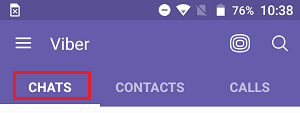
2. Then, open the chat with the person you want to block.
3. On the contact's chat screen, click the Contact Title button , which will open the Block this contact option . Choose from the drop-down menu that appears (see image below).
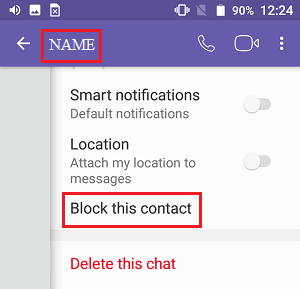
It's that easy! – That contact will no longer be able to bother you with unwanted calls or messages.
Instead of the Chat screen, you can also use the Contacts screen to block Viber contacts. This can be useful if you can't find the conversation of the person you want to block on Viber.
1. Open Viber and click on the Contacts tab button
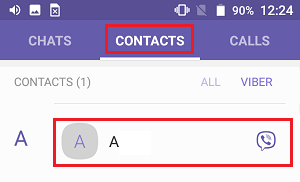
2. On the contacts screen, you will find the "Contact" option. If you want to block the page, click on it.
3. On the contact information display screen, tap the 3-dot icon button located in the upper right corner of your screen
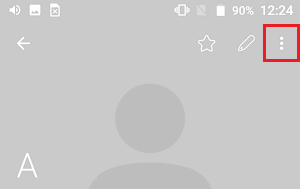
4. In the next drop-down menu, click on Block
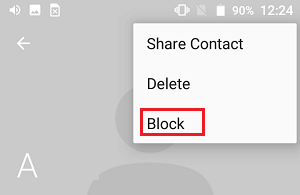
Block Viber Contacts on iPhone
The process to block Viber contacts on iPhone is a little different from blocking Viber contacts on an Android phone.
1. Open Viber and click on the Cats tab button (if you're not already there)

2. Then, open the chat with the person you want to block.
3. On the contact's chat screen, click the Contact Title button , which will open the Cat Data and Parameters tap in the drop-down menu that appears.
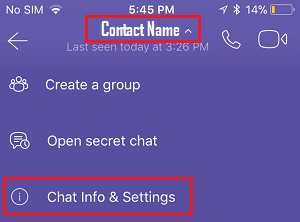
4. On the chat information screen, scroll down and click on Block this contact.
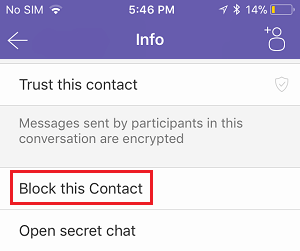
The selected contact is now blocked on Viber and can no longer call or message you on your iPhone.
Unblock Viber Contacts on Android Phone
If you change your mind and block someone by mistake, you can follow the steps below to unblock Viber contacts on an Android phone.
1. Open Viber on your Android phone and click on the 3-line app icon located in the top left corner of your screen.
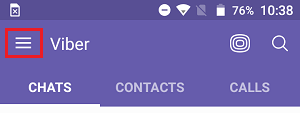
2. In the next drop-down menu, click on Settings
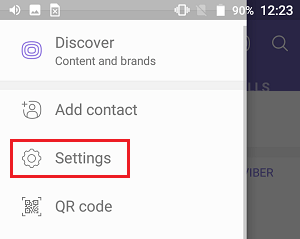
3. Then tap Privacy and on the privacy screen tap Block Management List (See image below)
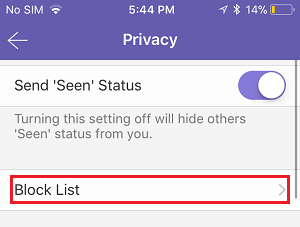
4. On the blocked list screen, you can see the list of people you have blocked on Viber. In this list, find the contact you want to unblock and click the Unblock button located after the contact's title.
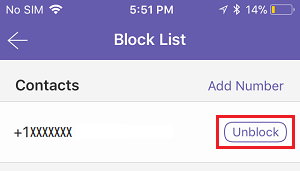
The selected contact is now unblocked and can now name and send you messages on Viber.
Unlock Viber Contacts on iPhone
The interface for unblocking Viber contacts on your iPhone is a little different from unblocking Viber contacts on Android.
1. Open the Viber application, click on the 3-dot icon button in the rear right corner of your screen, and then click on Settings in the menu that appears.
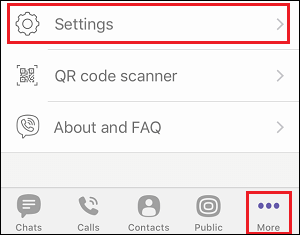
2. On the next screen, click on Privacy , then click on Block List
3. On the Block List screen, click the Unblock button next to the contact you want to unblock in Viber.
- Easy Ways to Change Viber Phone Number
- Easy Ways to Hide Viber Online Location on Android and iPhone

My name is Javier Chirinos and I am passionate about technology. Ever since I can remember, I have been interested in computers and video games, and that passion has turned into a job.
I have been publishing about technology and gadgets on the Internet for over 15 years, especially in mundobytes.com
I am also an expert in online marketing and communication and have knowledge in WordPress development.