- Configuring shooting, passing, and defense assists allows you to adapt the controller to your style and increase accuracy in every action.
- The Competitive Master Switch disables many assists to prioritize manual skill in online modes.
- Adjusting analog sprint, stick sensitivity, and vibration improves player responsiveness and the feeling of control.
- Testing the setup in Career, Ultimate Team, and VOLTA helps fine-tune it until you find the ideal balance.
Mastering the control settings in EA Sports FC is one of those things that makes the difference between playing "fairly well" and truly competing at the highest level. Whether you're just playing the occasional match or you're a hardcore Ultimate Team player, fine-tuning every parameter of the controller makes your passes, shots, and movements much more precise.
In this guide, you'll find a detailed explanation of all the control options , how to access them, what each setting does, and which combinations are best suited to your skill level and play style. The goal is to ensure you don't miss a thing and can tailor the game to your own style, from shooting and passing to defending and goalkeeper behavior.
How to access the control settings in EA Sports FC

Before you touch anything, you need to know exactly where to adjust the controller settings. Luckily, accessing them is quite simple, and in a few seconds you'll be reviewing all the options to improve the precision of your EA Sports FC controls.
From the game's main screen, go to the Settings menu . This menu is usually visible at the bottom or as a tab in the options carousel, depending on the platform you're playing on.
Within that menu, select the Game Settings or Controller Settings section . This is where you'll find the options that directly affect how your controller responds in both attack and defense, including assists, sensitivity, and button mapping.
Once inside, take some time to explore all the sections, because you can modify everything from passing and shooting assists to the player switching system, defense, controller vibration, and analog sprint behavior. Don't rush: the more details you adjust, the finer your play style will become.
Summary of all the important controller options
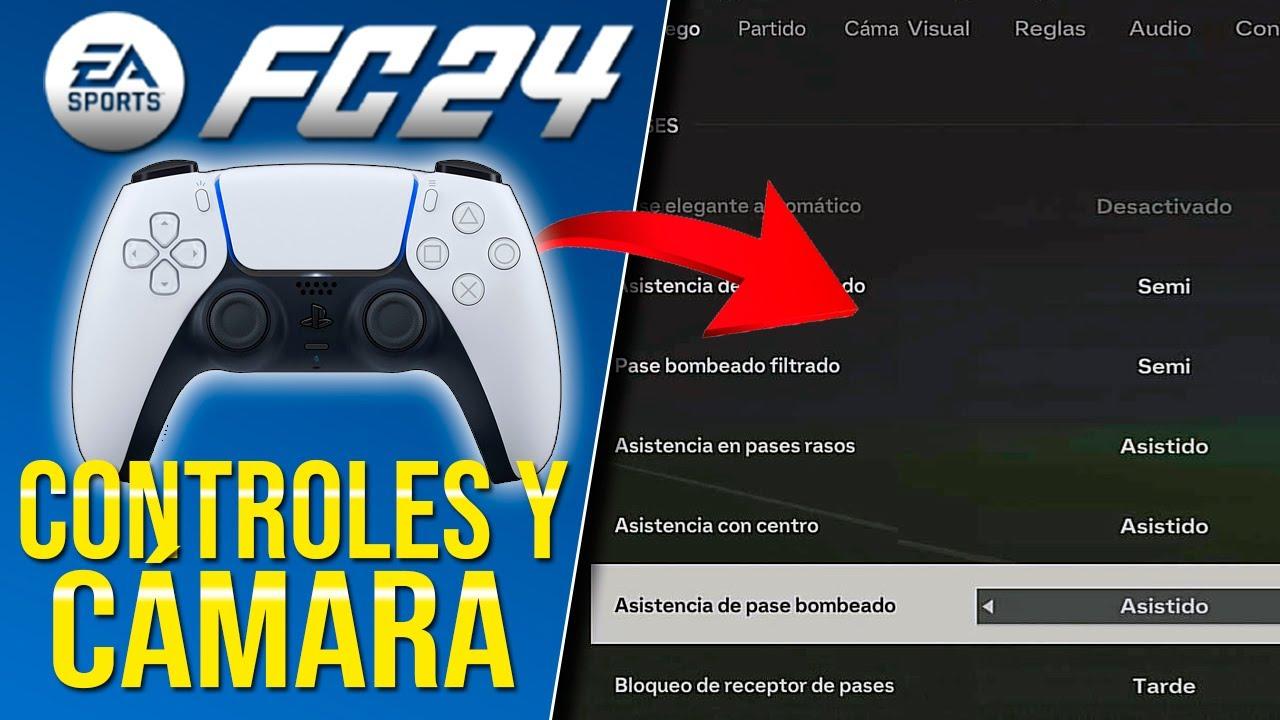
In EA Sports FC 25 and 26, you'll find a whole host of settings designed to fully customize the controller's behavior . Some are very obvious aids (like assisted passes), while others modify advanced details such as the sensitivity of the right joystick.
Among the most relevant options you can find are parameters such as analog sprint, assisted headers, automatic clearances and different types of passing and shooting assistance, along with the way the game decides which player you control at any given time.
You also have specific settings for defense and jockey, the Competitive Master Switch , the FC Coach, and various assists for crosses, shots, saves, and player switches using the right stick. All of this is combined with receiver blocking, player blocking, and reaction systems.
In addition, the game allows you to fine-tune the sensitivity of certain controls , such as the precision pass, the right joystick reference for changing players, the sensitivity of that change, and the reaction time modifier, which influences the speed at which the game responds to your inputs.
- Analog Sprint
- Assisted headers
- Automatic clearances
- Automatic passes
- Automatic shots
- Auto switch
- Automatic transmission assistance
- Clearance assistance
- Competitive Master Switch
- Center assistance
- Defense and jockey
- FC Coach
- Ground pass assist
- Pumped pass assist
- Lobbed pass
- Switch to next player indicator
- Pass block assist
- Pass receiver block
- Player Block
- Reaction time modifier
- Sensitivity of the reaction time modifier
- Right Stick Switching
- Goalkeeper save assist
- Shooting assist
- Deep pass assist
- Timed Finishing
- Trigger resistance
- Vibration and haptic feedback
- Contextual dribble
- Precision pass sensitivity
- Right joystick shift reference
- Right joystick shift sensitivity
All these parameters may seem confusing at first, but once you understand what each one does, they become tools to fine-tune your accuracy to the maximum in both attack and defense and goalkeeping.
Competitive master switch and online mode configuration
The so-called Competitive Master Switch is a key option if you frequently play online. When enabled, the game forces a set of settings designed to ensure a level playing field for all players.
Activating this feature disables various assists and automatic behaviors. The goal is for on-field actions to rely primarily on your manual skill and precision with the controller , essential in Ultimate Team Champions, Rivals, Clubs, and online seasons.
Activating the Competitive Master Switch typically imposes parameters such as manual jockey control , semi-automatic through ball assist, and the deactivation of contextual dribbling assists, automatic clearances, automatic shooting, and assisted headers. In other words, it minimizes the game's "magic" and prioritizes your input.
If you mostly play offline or in casual friendlies, you can leave it disabled to have complete freedom over the other options and adjust the assists to your liking, especially if you are still learning the controls or returning to the game after a while without playing.
Shot assist, timed shot, and automatic shots
The shooting settings are vital for improving your goal percentage and the feeling of control you have when finishing. This is where shot assist, automatic shots , and the timed shooting system come into play.
Shooting assist controls how much the game helps you aim. In Assisted mode, the ball "turns on the radar" towards the goal and corrects the trajectory considerably. In Semi mode, you decide part of the aiming, and the game helps you. In Manual mode, the trajectory depends entirely on where you point the joystick.
On the other hand, auto-shooting allows the game to execute contextual shots in certain situations, for example, when the ball drops perfectly for a quick finish. If it's disabled, you'll always have to press the button yourself, which increases control but demands better reflexes.
Timed Finishing is a mechanic that adds a second press to the shoot button. If you press the shoot button and then press it again at the exact moment, you can achieve a much more powerful and accurate shot. However, if you mistime the shot, it becomes erratic and easy to send it flying into the stands.
Many competitive players use Timed Finishing because, when mastered, it allows you to take seemingly impossible shots and make the most of open spaces . If you're still getting the hang of it, you can disable it while practicing in the training ground or offline matches to get the hang of it.
Pass assists: low, lobbed, and through balls
Another critical set of adjustments relates to passing. This is where you decide how much assistance the game provides in directing and calculating the power of your passes , whether ground, lobbed, or into space.
The ground pass assist setting determines how basic passes behave. In Assisted mode, the game directs the ball to the most logical teammate and avoids opponents whenever possible. In Semi mode, it assists with power and some with direction. In Manual mode, success depends almost entirely on your joystick and button press strength.
In the case of assisted lobbing and crosses , you have three similar levels: Assisted (no power bar, very guided), Semi (you control the power, the game corrects the direction somewhat) and Manual (total control of direction and force, ideal for those who want to cross to a very specific point in the area).
Through balls work the same way: Assisted lets the game calculate the teammate's run and avoid defenders, Semi offers a balance between assistance and control, and Manual lets you design the run and trajectory of the ball yourself. This last option is preferred by many expert players because it allows for very precise through balls.
If you're just starting out or returning to the game, it makes sense to use Assisted or Semi-Assisted for basic and through passes, gradually reducing the assistance as you become more comfortable. The important thing is that you notice the ball going more and more precisely where you want it , without any unexpected AI surprises.
Headers, clearances and blocks: accuracy in 50/50 balls
You can also adjust various assists in aerial play and clearance situations. Assisted heading makes things much easier in both attack and defense: with it enabled, the game corrects the direction and improves accuracy on both headers and crosses.
In competitive modes, however, these assisted headers are usually disabled by default, forcing you to aim precisely with the joystick. This increases the challenge, but also allows you to place much more accurate headers if you master the timing and direction.
Automatic clearances and clearance assistance define how your defense reacts when the ball is loose or in dangerous areas. With these features enabled, the game will attempt to clear the ball from the danger zone without requiring precise timing. With these features disabled, you'll need to manually decide the direction and force of the clearance.
Furthermore, settings like pass blocking assist, receiver blocking, and player blocking significantly influence how your players position themselves. Proper use of these parameters helps you block key passing lanes and pin a specific player so you don't lose control just before intercepting the ball.
In defense, combining these adjustments with a correct choice of player change (automatic, manual or via right joystick) can make the difference between a solid defensive system and total chaos every time you are attacked.
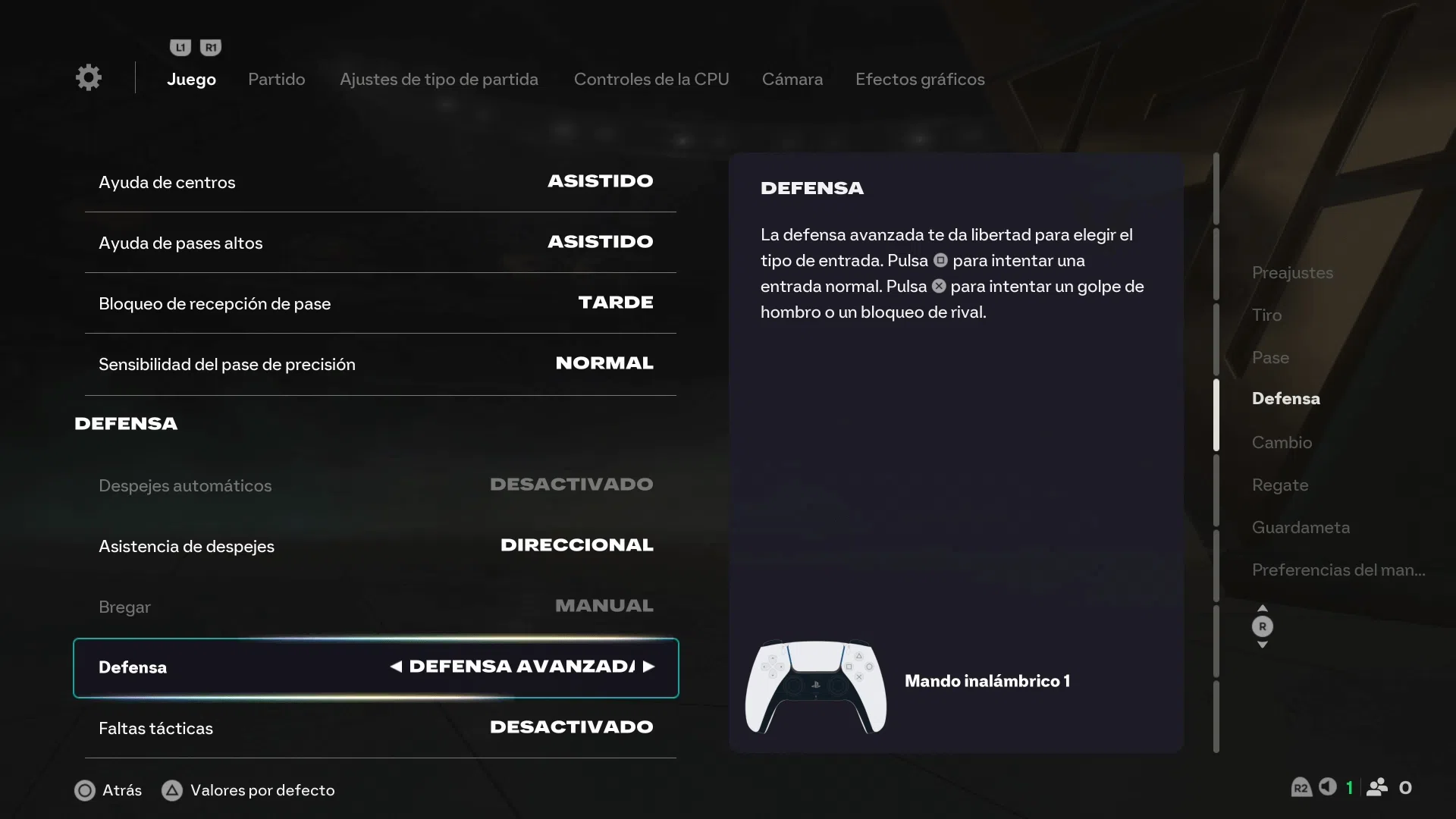
Defense, jockey and player change
The way you switch players and defend against opponents is one of the aspects where a good controller setup is most noticeable. This is where automatic switching, the jockey button , and using the right stick to select players all come into play.
Automatic switching can be configured to let the game take control on aerial and loose balls in any situation, or to be entirely manual. The "Aerial and Loose Balls" option is a good middle ground, as it helps in chaotic plays while still allowing you to control most actions.
The right joystick switching system lets you directly select the player you want to control by pointing in their direction. The reference point (player closest to the ball, teammate closest to the goal, etc.) and the sensitivity of this switching are adjustable, so you can make it faster or more precise according to your preferences.
As for the jockey , you can leave it on Assisted or Manual. In Assisted mode, the game helps you maintain your position against the attacker and slightly adjusts the speed, while in Manual mode you have complete freedom, requiring more precision but allowing you to defend much more aggressively or conservatively depending on the situation.
In most competitive modes, manual jockeying is mandatory, as it's considered a key skill. Developing this skill will allow you to close down shooting angles, force errors from your opponents, and win back possession more often without resorting to risky tackles that could result in a foul or penalty.
Analog sprint, sensitivity, and reaction time
To fine-tune the feel of moving your players, you have several settings related to sprint speed, sensitivity, and reaction time . These parameters make the game feel smoother or more abrupt, depending on what you're looking for.
The analog sprint control determines whether running speed depends on how hard you press the sprint trigger. When activated, you can modulate acceleration, useful for taking on defenders, braking, and starting more smoothly. When deactivated, sprinting is binary: either full speed or nothing.
The reaction time modifier and its sensitivity adjust how quickly the game responds to your inputs in certain situations. Increasing the sensitivity can make actions feel more "lively," but it also increases the risk of making mistakes if your inputs are too abrupt.
On the other hand, the sensitivity of the precision pass affects how advanced passes that require greater accuracy behave. Higher sensitivity means that small joystick movements result in large changes in direction, while lower sensitivity requires larger movements but is more stable.
Spending some time adjusting these settings is key if you want the controller to respond consistently to your hands. Once you find the sweet spot, you'll notice your players move and react exactly as you expect in every situation.
Advanced settings: buttons, right joystick and vibration
In addition to the assists, EA Sports FC offers a good range of advanced control settings: button remapping, joystick sensitivity , and vibration or haptic feedback options, especially on controllers like the PS5 's DualSense.
In the controls customization section , you can change which button performs which action: pass, shoot, dribble, switch players, sprint, etc. This is very useful if you're coming from other sports games or series and are used to a different button layout than the default.
Advanced button configuration lets you go further, adjusting specific combinations or modifiers for technical moves, special passes, or defensive gestures. This allows you to tailor the controls to your style, for example, prioritizing easy dribbles or quick access to tackles and pressure.
Joystick sensitivity settings influence how much you need to move the stick for the player to turn or change direction. Higher sensitivity means the player reacts with small touches, ideal for those with precise hands. Lower sensitivity results in smoother, more progressive movements.
Finally, the vibration and trigger resistance add tactile feedback: feeling impacts, powerful shots, or fatigue while sprinting can help you better understand what's happening on screen. If you find it bothersome, you can reduce or turn it off completely; if you like the immersion, leave it on for more real-time feedback.
Goalkeeper assistance and control
When you control the goalkeeper manually, the save assist options come into play . Here you can choose between Assisted, Semi, and Manual, just like with shots and passes.
In Assisted mode , the goalkeeper will automatically block many shots coming close to his body, so you only need to worry about overall positioning. It's ideal for those who aren't used to actively controlling the goalkeeper.
In Semi-Assisted mode , the game helps you with close-range shots, but for longer shots you'll need to position yourself and react with greater precision. It's a good balance for players who want to start taking more control without it becoming impossible.
In Manual mode , the goalkeeper essentially only makes basic reflex saves; everything else depends on your positioning and timing of dives perfectly. It's the option that most rewards individual skill between the posts but is also the most demanding.
If you enjoy playing as a goalkeeper in Clubs or see yourself as the last resort in Ultimate Team, experimenting with these modes will help you become much more decisive in one-on-one situations and shots from outside the box.
Game modes where you can test and adjust your controls
Once you have a general idea of your ideal settings, it's time to test them in different contexts. Playing a friendly match is not the same as playing an important Champions League match in Ultimate Team, so it's a good idea to test the controls in various game modes.
In Career Mode you can see how your team performs throughout a season with the same settings, checking if your playing style fits with the passing, shooting and defense assists you have chosen or if you need to fine-tune any parameters.
Ultimate Team will be your real test, as opponents are usually demanding and the game is played at a faster pace. Here you'll truly see if your through ball assists, your manual shots, or your player switching skills can hold up under pressure.
In VOLTA Football , the pace is faster and the space is smaller, so it's a good idea to adjust the joystick sensitivity, analog sprint, and contextual dribbling to move around with ease. You'll find that a good setup helps you string together dribbles and short passes with great fluidity.
In addition to these modes, the game usually offers a practice or training mode where you can repeat shots, passes, and specific situations without the pressure of the scoreboard. It's the perfect place to fine-tune timed finishing, manual crosses, or manual jockey defending.
Extra tips to improve gameplay and accuracy
Beyond the menu options, there are a number of recommendations that help you get the most out of any configuration, especially if you want to take your game to the next level without going crazy in the process.
The first thing is to practice regularly, always using the same settings for a while. Changing parameters every two matches only prevents you from getting used to anything; it's better to decide on some basic settings and give them several days or weeks until they become a habit.
Take advantage of the interactive tutorials and guides within the game itself , which explain many of these mechanics with practical examples. They are usually quite clear in explaining what each type of pass, shot, and dribble does and how to combine them in real match situations.
It's also important to give your brain and hands room to adapt . Although reduced assists might seem like a step backward at first, over time you'll gain much more control and prevent the game from making decisions for you in key moments, such as a one-on-one or a through ball.
Finally, details like using headphones to better hear the sounds of the match, adjusting the camera (dynamic or tactical view to see more of the field), or configuring the vibration to your liking have more impact than you might think. A good view of the pitch facilitates long passes and switches of play, while vibration gives you quick cues of collisions and contested balls.
Best controllers and platforms to enjoy EA Sports FC
The accuracy of your controls depends not only on the game settings, but also on the type of controller and platform you're using. While the game is very well optimized across all platforms, there are differences to consider.
On PlayStation consoles , the PS5's DualSense and the PS4's DualShock 4 offer vibration and responsive triggers, with the added benefit of advanced haptic feedback on the PS5. Many players appreciate the ergonomics of these controllers for long sessions of Ultimate Team or Career Mode.
In the Xbox ecosystem , the Xbox Series X|S and Xbox One controller is another very solid option, with precise sticks and a very comfortable trigger for controlling analog sprint and shot power. It's a very popular controller in the competitive scene.
There are also third-party options, such as wireless controllers compatible with PCs or models like the Level Up Cobra X for PS4, which may be interesting if you are looking for a cheaper alternative or one with a different grip.
As for platforms, EA Sports FC is available on PS5, PS4, Xbox Series X|S, Xbox One, Nintendo Switch , and PC (via the EA App, Steam , and the Epic Games Store ). You can apply the basic settings we've discussed on all of them, although the experience will vary slightly depending on the controller and the latency of each system.
With this combination of control options, assists, sensitivity settings, and hardware , you have everything you need to make every pass, shot, and movement much more accurate. Once you find the settings that work best for you and practice a bit, you'll notice your matches are smoother, more precise, and, above all, much more fun.
If you want to delve deeper into advanced guides, tips , and news about EA Sports FC, it's worth visiting specialized resources like https://supercoinsy.com/es/articulo/guias-de-ea-sports-fc-25-1 , where you'll find more information to further refine your playing style and keep your controls at the highest level.

Passionate writer about the world of bytes and technology in general. I love sharing my knowledge through writing, and that's what I'll do on this blog, show you all the most interesting things about gadgets, software, hardware, tech trends, and more. My goal is to help you navigate the digital world in a simple and entertaining way.