- The Raspberry Pi 5 requires active cooling systems due to its high power and heat generation.
- The official Active Cooler and ventilated cases are the most effective options to avoid thermal throttling.
- It is essential to use the official 5A power supply to ensure that the fan and peripherals function correctly.
- Fan speed control can be customized using the config.txt file to balance noise and temperature.
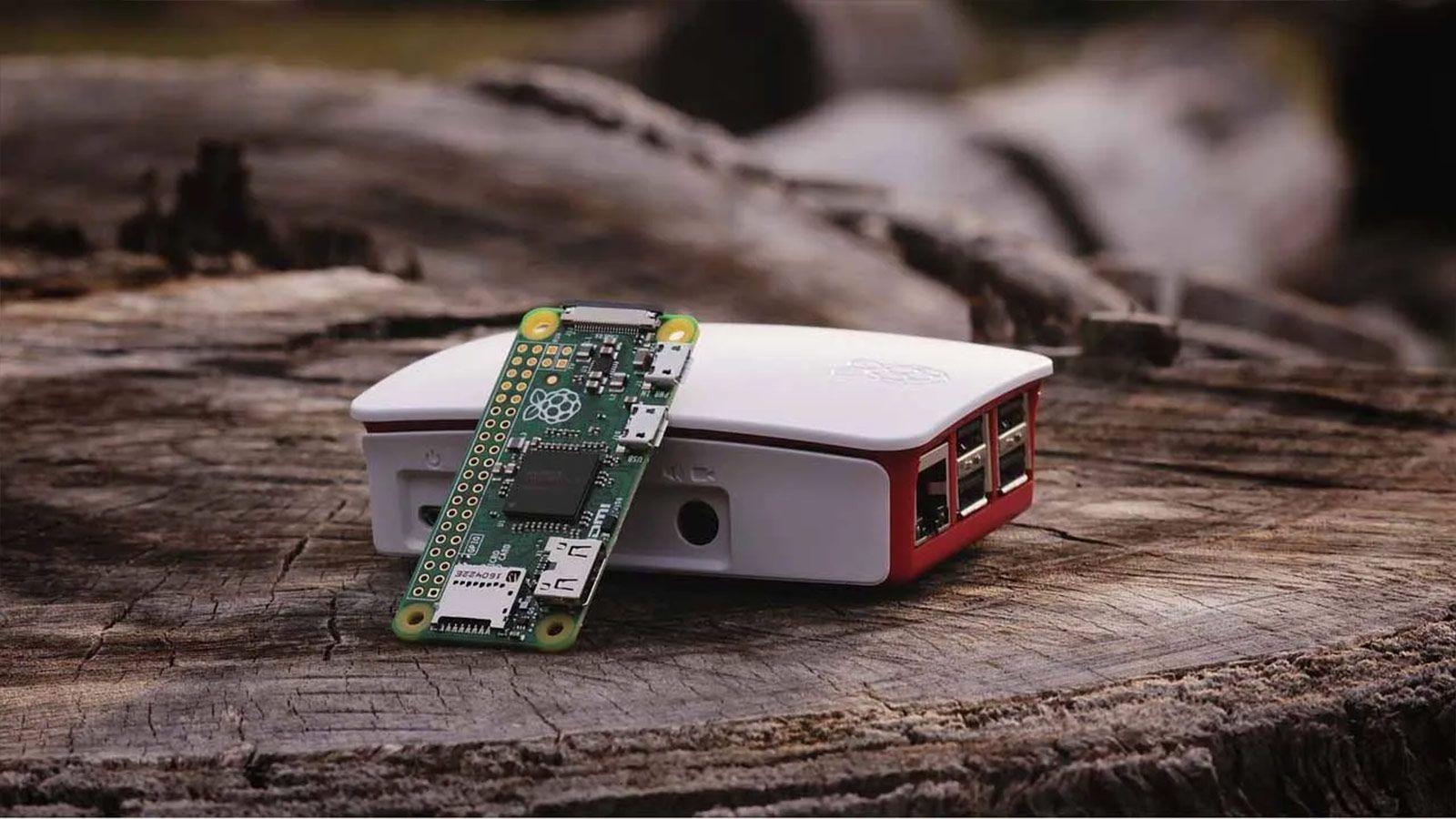
If you've just gotten your hands on a Raspberry Pi 5, the first thing you'll notice is its incredible performance, reaching up to three times the speed of its predecessor. But of course, all that power comes at a price: this board gets incredibly hot , even when you're barely putting any strain on it. If you're not careful, the system will activate throttling , reducing the processor speed to prevent overheating, and you'll notice everything becoming laggy.
Keeping your SoC at a healthy temperature isn't just a recommendation; it's essential if you want to get the most out of every hertz of your investment. From using official active heatsinks to fine-tuning the software to keep the fan from driving you crazy with noise, there are various strategies to prevent your Pi 5 from overheating. Let's break down all the options so your system can run smoothly without the risk of melting.
Hardware solutions: Which cooler to choose?
The most straightforward and recommended option is the official Active Cooler . This is a combination of an aluminum heatsink and fan that attaches with elastic pins and connects to a specific port on the motherboard. This system is extremely efficient because the Pi's firmware itself controls its speed based on the actual temperature, preventing the fan from spinning at full speed unnecessarily.
If you prefer something more enclosed, the official Raspberry Pi 5 case is the best option. It's not just a plastic box; it includes a redesigned, quieter fan and side ventilation grilles. It's important to note that you can't reuse Pi 4 cases , as the USB and Ethernet ports have been repositioned, so you'll need to buy the specific version for the Pi 5.
For the more adventurous or those who already have components from previous models, there are options like the Pimoroni Fan SHIM . Although designed for the Pi 4, it can be adapted to the Pi 5 by connecting it to the GPIO pins. While it doesn't sit directly on the Broadcom chip, it's capable of keeping temperatures below 60°C in intensive tests, although it has the drawback of blocking the PCIe port , which would prevent you from installing an NVMe SSD.
The critical importance of nutrition
Sometimes the problem isn't the fan, but the power. The Raspberry Pi 5 is very particular about power. If you use a mobile phone or laptop charger that doesn't supply the necessary 5 amps , you'll likely see a warning when you start the system indicating that power to peripherals is restricted. This can indirectly affect fan performance or cause general instability.
Many users mistakenly believe that any 20V or high-wattage power supply will suffice, but the Raspberry Pi requires a specific 5V/5A profile. Using the official power supply is the only way to ensure the system doesn't throttle power due to insufficient amperage, thus preventing erratic behavior in thermal management and processor performance.
Heat Monitoring and Control
To know if you really have a problem, you need to take measurements. The quickest way to do this from the terminal is to run the command vcgencmd measure_tempIf you see that your temperature exceeds 80°C, the firmware will start to lower the frequency; at 85°C, the thermal throttling is totalTo check if this has happened in the past, use vcgencmd get_throttledAny value other than 0x0 indicates that heat or voltage has limited your machine.
If you prefer a visual and professional interface, you can install Cockpit . It's a free web tool that lets you manage your Raspberry Pi from another PC's browser. Its metrics panel lets you view temperature history and CPU usage in real time. For those using the official desktop environment, it's much simpler: just right-click on the top bar, go to Add/Remove Plugins, and enable CPU Temp to keep the temperature displayed.
Adjusting the fan curve in the software
The Pi 5's fan comes with a factory setting that starts at 50°C and reaches its maximum at 75°C. However, if you live in a very hot climate or if the noise bothers you, you can modify the thresholds in the config.txt file. Accessing /boot/firmware/config.txtYou can add lines like dtparam=fan_temp0=55000 so that the fan takes longer to turn on and is quieter.
Conversely, if you're aggressively overclocking your motherboard or keeping it enclosed in a cabinet, it's best to advance the cooling curve . By lowering the thresholds (for example, setting it to start at 45°C), you ensure the chip never reaches critical temperatures. Remember that the system applies a 5°C hysteresis to prevent the fan from constantly turning on and off every second.
Special cases: SSD drives and manual assembly
If you've decided to install a Raspberry Pi M.2 HAT+ to use an NVMe SSD, cooling becomes even more crucial. The SSD generates its own heat, and the HAT can obstruct airflow. In these cases, using an Active Cooler is essential to prevent heat from the drive being transferred to the processor and vice versa.
For users of older models like the Pi 4, control is manual. Since there's no dedicated fan header, an NPN transistor (like the 2N2222) and a freewheeling diode are typically used to control a 2-wire fan from a GPIO pin. This allows you to create an electronic switch that activates only when the temperature rises above a limit set by a Python script or an overlay in the system settings.
To keep your Raspberry Pi 5 running at peak performance, the best approach is to pair the official Active Cooler with the 5A power supply . If you notice excessive noise or persistent heat, adjusting the fan curve in the configuration file or monitoring the system with Cockpit will allow you to find the perfect balance between quiet operation and performance, always ensuring the processor doesn't exceed 85°C to prevent performance degradation.
