- Implementation of advanced debugging strategies and breakpoints using integrated development environments.
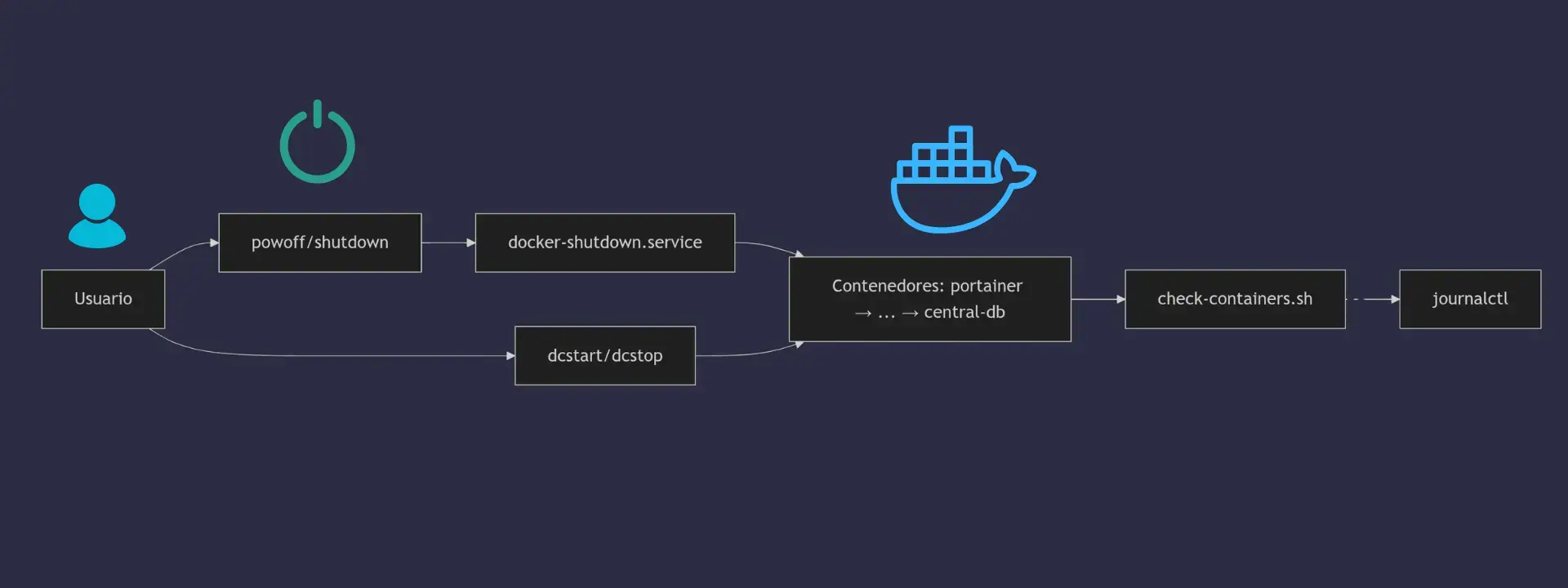
- Automating the container lifecycle using systemd to ensure orderly startups and shutdowns.
- Optimization of the production deployment architecture through the use of isolated networks, healthchecks, and multi-stage builds.
When deploying services in real-world environments, it's normal to encounter the occasional headache. There's nothing more frustrating than a container that closes on its own at startup or that doesn't respond to requests despite appearing as active in the control panel. Getting everything to run smoothly requires not only knowing how to issue a command, but also understanding how the software interacts with the infrastructure.
To prevent the server from descending into chaos, it's essential to master both diagnostic tools and lightweight orchestration strategies . From using powerful IDEs to catch errors before uploading code, to having complete control over the operating system to manage reboots, there are multiple layers of security we can implement to ensure peace of mind while our services run smoothly.
Advanced debugging with development tools
For those working within the Microsoft ecosystem, Visual Studio offers a seamless experience for validating applications locally before deployment. The ability to run Linux or Windows containers directly on the desktop allows for code changes without constant container restarts, significantly speeding up the iteration process.
If we're developing a web application in ASP.NET Core, we can enable Razor runtime compilation using specific NuGet packages. This allows us to see changes in the browser almost instantly. Furthermore, setting breakpoints is key for inspecting variables and the execution flow in real time, preventing errors from reaching production.
For console applications based on the .NET Framework, the process is somewhat different since they don't include native Docker support out of the box. The solution is to add orchestration support through Docker Compose, which automatically generates the necessary files to enable debugging.

A critical point is authentication with cloud services, such as Azure. Thanks to Visual Studio's token proxy , we can use Microsoft Entra credentials without manually configuring secrets within the container. For this to work in Azure Functions, it's vital to copy the .NET runtime environment to the debug layer of the Dockerfile so the proxy can operate correctly.
Lifecycle automation with systemd
Sometimes, Docker's native reboot policies, such as --restart alwaysThey fall short. When we need a granular control over dependenciesIntegration with systemd is the best option. This allows a container to start only after the network is ready or a database has started successfully.
We can create files .service en /etc/systemd/system/ that map Docker commands. When defining the property After=docker.serviceWe ensure the container engine is operational before attempting to start the service. Furthermore, this unifies the logs, allowing us to query errors using [method/method]. journalctl in a centralized manner.

For more sophisticated deployments, startup and shutdown sequence scripts are available. The idea is to stop services in the reverse order of their dependencies to prevent data corruption. For example, the user interface would be shut down first, and the database engine last, ensuring that no orphaned transactions are left.
If we're looking for a more modern alternative, Podman is a brilliant option thanks to Quadlet . This tool automatically generates systemd unit files from simple declarative definitions, allowing you to run containers without root privileges , which significantly improves host security.
Configuration patterns for production environments
There's a common belief that Kubernetes is necessary for production, but for the vast majority of projects, a well-configured Docker Compose is more than sufficient. The key lies in system resilience . It's not enough for the container to simply be in an "Up" state; it's imperative to implement native health checks that verify whether the application is actually responding to HTTP requests.
In terms of security, isolation is the golden rule. Database ports should not be exposed to the outside world. Ideally, separate networks should be created : one for the frontend (where the reverse proxy, such as Traefik or Nginx, resides) and another for the backend, where internal services communicate without being visible from the internet.

Image management should also be optimized. Using multi-stage builds allows you to compile the code into a heavyweight image and then move only the final binary to a lightweight image based on Alpine or Distroless. This reduces the image size and minimizes the attack surface , as the final container doesn't contain unnecessary compilers or networking tools.
For data persistence, it's recommended to use named volumes for databases, as Docker handles performance better. However, the volume is local, so it's essential to have external backup scripts that upload data dumps to remote storage like Amazon S3.
Intelligent resource and demand management
In some scenarios, keeping containers running 24/7 is a waste of resources. Tools like Sablier allow you to automatically stop and resume containers based on demand. When a request arrives through a reverse proxy, Sablier instantly starts the container and shuts it down after a period of inactivity.
While it's an attractive solution for tools used sporadically, such as a personal VSCode server, it requires precise proxy configuration. In Traefik, for example, dynamic file configuration must be used , because when a container stops, automatic discovery ceases and the proxy loses its service route.

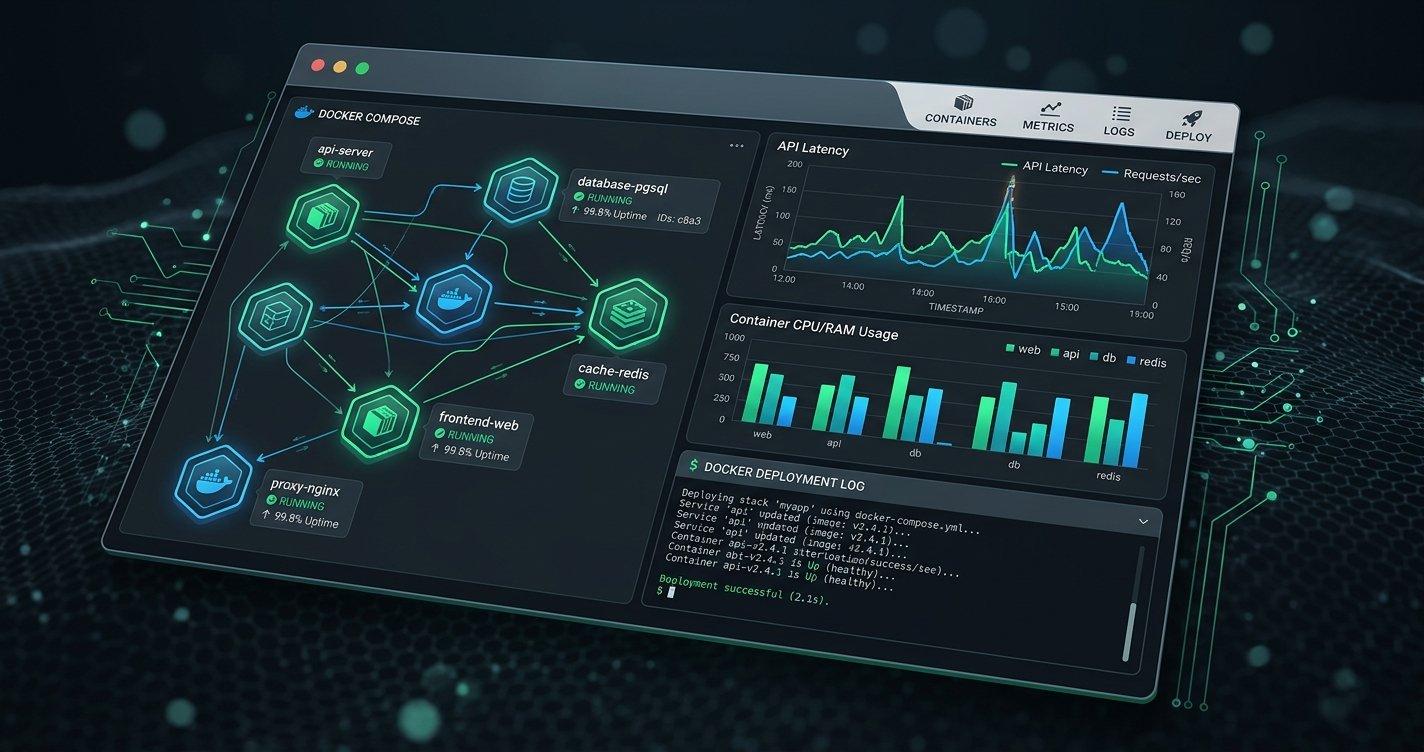
A more controlled alternative is the use of management dashboards like Portainer. These allow you to monitor stack status, review logs, and open terminals without needing to remember complex container IDs. Combining this with monitoring tools like Loki and Grafana allows you to visualize errors in real time and react before the user notices the outage.
The stability of a Docker infrastructure depends on disciplined configuration and system observability . From fine-tuning log drivers to prevent disk space from filling up, to implementing Blue-Green deployments to avoid crashes during updates, every detail counts in transforming a fragile environment into a robust and professional platform.


Passionate writer about the world of bytes and technology in general. I love sharing my knowledge through writing, and that's what I'll do on this blog, show you all the most interesting things about gadgets, software, hardware, tech trends, and more. My goal is to help you navigate the digital world in a simple and entertaining way.