- Integration of Copilot and multimodal agents for the management of complex tasks using voice.
- Implementation of the Model Context Protocol (MCP) to securely connect AI with files and apps.
- Open source tools like OpenClaw that allow you to create custom agent gateways.
- Accessibility configuration and full control of the operating system through local voice recognition.
Microsoft hasn't stopped for a second in its race to integrate artificial intelligence into every corner of its operating system. Although some are calling for the stability issues to be fixed first, the company has decided to forge ahead with a multimodal interaction system that promises to change how we navigate our PCs, allowing us to talk to the system and manage agents that work on our behalf.
From the arrival of Copilot to the ability to install more powerful external tools, the Windows 11 ecosystem is becoming a playground for advanced users looking to automate everything. It's not just about asking questions in a chat, but about giving the computer real commands to execute complex processes without us having to move the mouse.
The Copilot revolution and agents in the taskbar
One of the most powerful new features is the ability to activate Copilot simply by saying "Hey Copilot" or pressing Win+C. This brings up a quick interface where you can dictate ideas or compose emails in real time, taking advantage of the AI's ability to read data from both the internet and your own work documents.

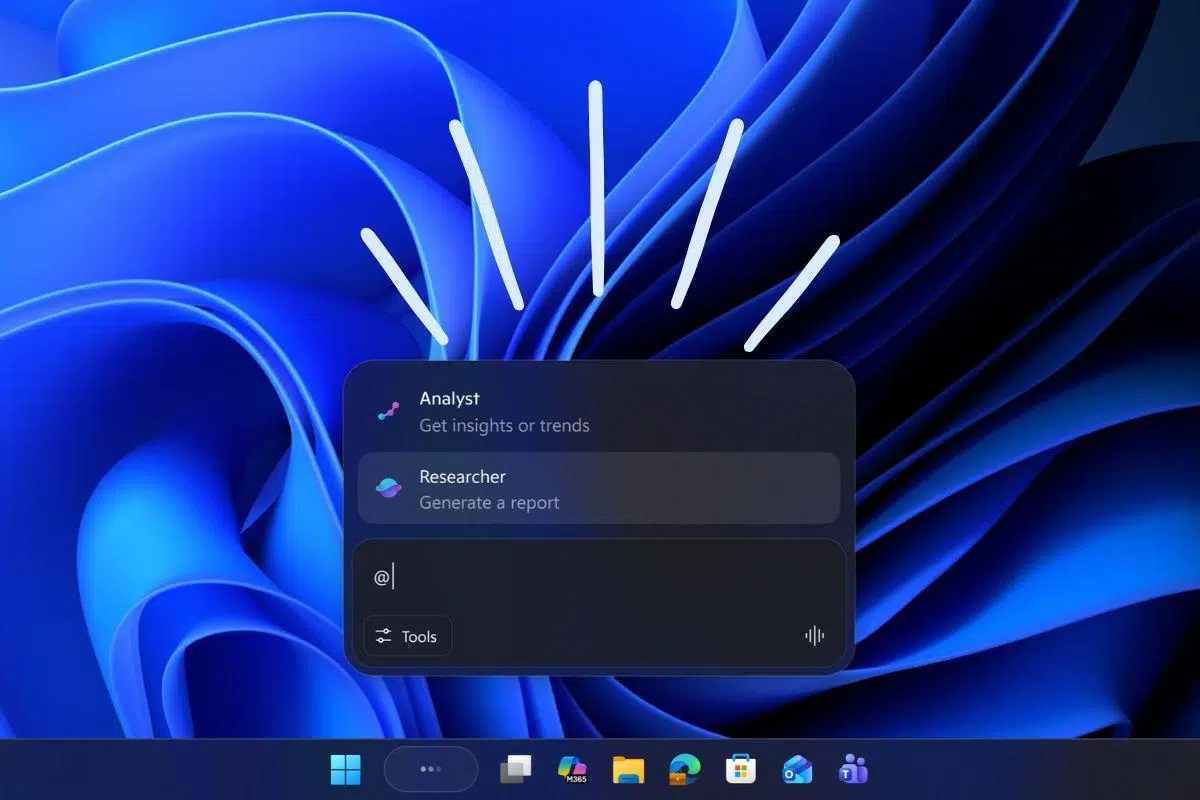
But what truly sets it apart is the ability to manage agents directly from the taskbar. When we ask the AI to perform a time-consuming task, such as in-depth research, the system displays the agent's thought process and progress. To prevent desktop clutter, this takes place in an Agent Workspace —an isolated and secure environment.
To invoke specific agents, simply type the "@" symbol in the tools menu. Furthermore, File Explorer has become smarter, allowing us to obtain details about a document simply by hovering the cursor over it. All of this is technically supported by the Model Context Protocol (MCP) , an open standard that serves as a bridge for AI to interact with applications and files under auditable security protocols.

Copilot Vision and Actions: The next level of autonomy
If Cortana fell short, Copilot aims to fill that gap with features like Copilot Vision , which can analyze everything on your screen to offer advice on a text or summarize an Excel spreadsheet in the blink of an eye. In addition, Copilot Actions act as specialized agents capable of organizing files or booking tickets autonomously, allowing you to leverage Click to Do and Recall to boost your daily productivity .
Of course, this doesn't come without risks. Microsoft has warned about cross-prompt injection (XPIA) , where malicious content in a document could trick the agent into stealing data or installing malware. Therefore, privacy and permissions are central to these local implementations.

Full system control via Voice Access
For those seeking more granular control, Windows 11 has integrated a Voice Access feature (available in Accessibility settings) that allows hands-free PC operation. Best of all, the processing is done via edge computing , meaning it happens within the device itself, eliminating reliance on the cloud and enhancing privacy.
To activate this mode, you can use Alt + Shift + C or say "Unmute". Once active, the system responds to direct commands: "Open" to open programs, "Close" to close them, or "Click" to interact with menus. It's an incredible tool for both productivity and people with motor disabilities.
OpenClaw: The open-source alternative for experts
If we offer a more technical profile, OpenClaw is a fascinating option. It's not a conventional application, but rather a gateway between AI models and communication channels like WhatsApp, Telegram, or Discord. Essentially, it allows us to set up our own control center where AI can execute commands on our computer.
To install it on Windows, you need PowerShell running as administrator and Node.js. The process is simple using a quick install command, but it requires configuring the model provider (such as OpenAI Codex or Anthropic) and linking the account via a QR code in the case of WhatsApp.

The most powerful feature of OpenClaw is its agentive capability . It doesn't just answer questions; if we grant it the appropriate accessibility permissions on the system, it can open the browser, create notes in Google Keep, or even send messages to specific Telegram contacts. However, it's still unstable software and can be dangerous if we grant it excessive permissions or expose the web panel to the internet without protection.
Setting up professional voice agents (IVR)
In enterprise environments, such as Dynamics 365 Contact Center, voice agent configuration is more technical. Here, a distinction is made between text-based and voice/DTMF (telephone tones) modes. These agents use system themes to manage silence detection and unidentified word recognition.
To improve accuracy, you can activate custom automatic speech recognition , ideal for medical or financial jargon. Additionally, SSML can be used to change the pitch, speed, or volume of the agent's voice, making it sound much more natural and less robotic.
Other advanced features include barge-in , which allows the user to cut off the agent's phrase if they already know the menu options, and answering machine detection to leave personalized messages when there is no one on the other end of the line.
The integration of artificial intelligence in Windows 11 has evolved from a simple chat feature to an ecosystem of agents capable of reading our screen, executing voice commands, and connecting external services through open protocols or open-source tools. While security and stability remain challenges, the ability to automate workflows using natural language commands and autonomous agents redefines the relationship between users and their hardware.

Passionate writer about the world of bytes and technology in general. I love sharing my knowledge through writing, and that's what I'll do on this blog, show you all the most interesting things about gadgets, software, hardware, tech trends, and more. My goal is to help you navigate the digital world in a simple and entertaining way.