- Gboard stands out for its performance, strict spell checking, and integrated features such as a search engine and translator.
- SwiftKey stands out for its prediction engine, high customization, statistics, and advanced clipboard manager.
- Both offer gesture typing, multilingual mode, predictive emojis, and frequent feature updates.
- There is no absolute winner: the choice depends on whether you prioritize lightness and smart extras (Gboard) or prediction and adaptation to the user (SwiftKey).
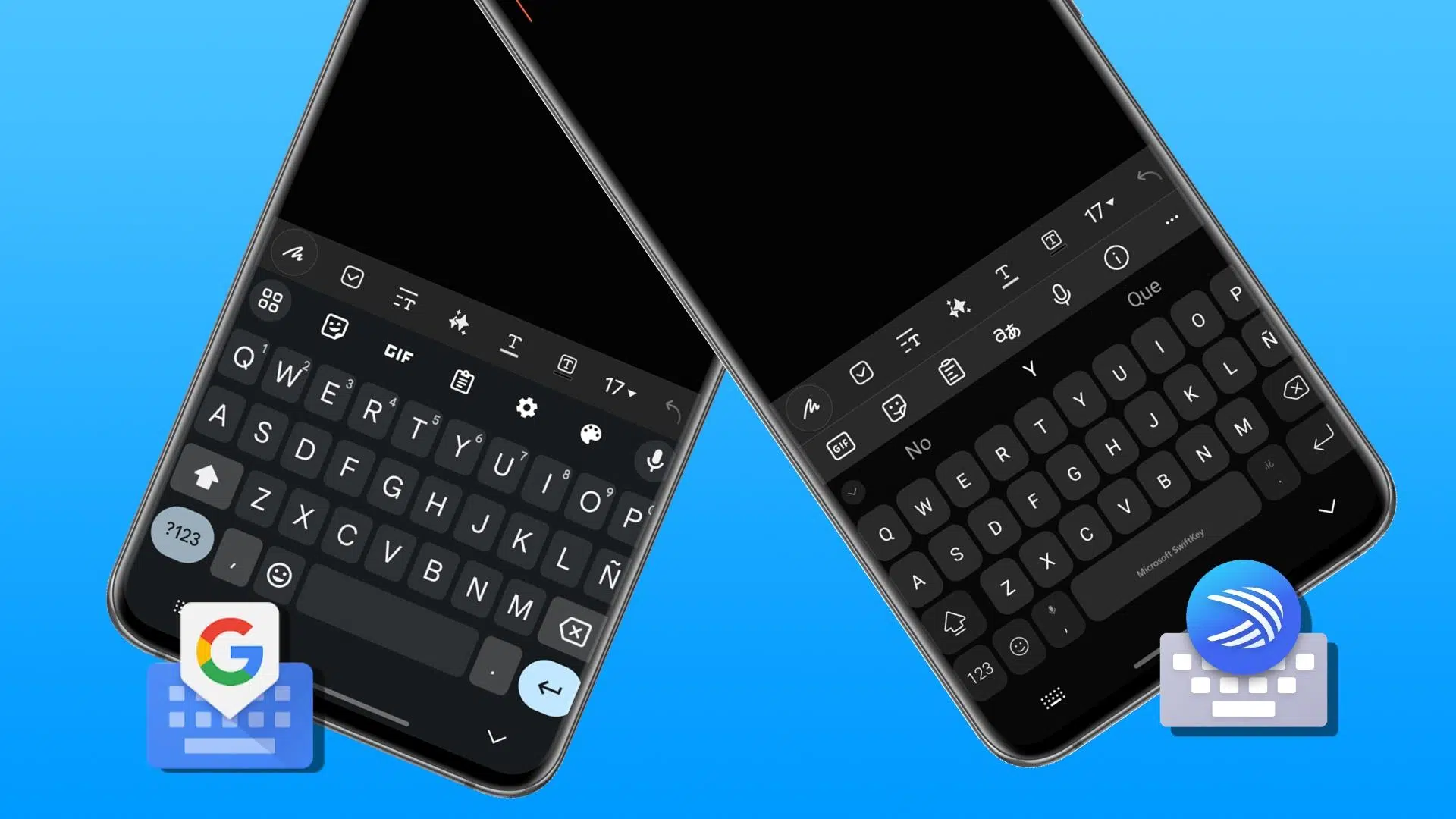
Choosing between Gboard and SwiftKey isn't just a matter of personal preference; it affects how you type every day on WhatsApp, social media, or email. When you spend hours typing on your phone, a good keyboard makes all the difference between typing clumsily and typing at lightning speed without even looking at the screen.
Many users, like you, have switched from using SwiftKey for years to trying Gboard for its emojis, stickers, or stricter grammar checking; and, of course, when comparing, doubts arise: better autocorrect in Gboard, but an interface that some find awkward, small details like that automatic space after the period that SwiftKey does and Gboard doesn't… Let's break all that down so you're clear on which one to choose and why.
Gboard vs SwiftKey: the two heavyweights of mobile keyboards

In the Android world (and also on iOS), Google's Gboard and Microsoft's SwiftKey have become the two leading keyboard apps, surpassing other options like Swype, Chrooma, Fleksy, and more niche keyboards, including Braille keyboards . They are, quite literally, the most installed keyboards and set the standard for what a good keyboard app should offer.
On one hand there is Gboard, Google's official keyboard , heir to the old "Google Keyboard", which has been inflated with features: integrated search engine, real-time translator, sticker creation, GIF search, deep integration with the company's ecosystem, very smooth performance and very polished spell checking.
In the other corner, we have SwiftKey, now owned by Microsoft and famous for its predictive engine . It's no coincidence that it was the keyboard Stephen Hawking used to communicate: its ability to anticipate what you're going to type, learn your writing style, and even display statistics about your typing style makes it a very powerful tool for anyone who types a lot.
Many writers and advanced users have used SwiftKey as their main keyboard for years , and when they make the switch to trying Gboard they find mixed feelings: better performance and correction in Gboard, but a writing and customization experience where SwiftKey still has a lot to offer.
Strengths of each keyboard: where does each one shine?
In short, Gboard stands out for its performance and extra features , while SwiftKey excels in text prediction, customization, and how it adapts to your writing style. But it's worth looking at the details because there are many important nuances to consider when choosing.
The first big difference you'll notice coming from SwiftKey is its tolerance for inaccurate keystrokes . Thanks to its famous "heat map" of keys, you don't need to be precise with every key: the keyboard "understands" where you usually press and corrects accordingly, allowing you to type very quickly even with one hand.
With Gboard, on the other hand, the feeling is that you have to be a bit more precise when typing . Its correction is very good and its prediction system has improved a lot, but the experience of "forgiving your mistakes" and adjusting the keyboard to your typing style still feels more natural on SwiftKey, especially once the keyboard has learned your typing style over time.
However, when you compare the sheer speed of opening the keyboard and navigating through apps, Gboard feels lighter and faster . On many phones, it appears almost instantly, while SwiftKey, especially on some models or with less powerful hardware, can take a fraction of a second longer to appear. For some, this isn't a deal-breaker; for others, that sense of immediacy with Gboard is key.
Another point to consider is that Gboard has always been completely free from the beginning , while SwiftKey started as a paid app and gradually transitioned to a free model over time. Today, both are free and offer all their main features, but this initial approach explains part of their respective philosophies.
Prediction and autocorrect engine: writing almost without thinking
The heart of a modern keyboard is its prediction and autocorrect engine . This is where it's decided whether you'll type like lightning or be struggling with misplaced letters and absurd corrections.
SwiftKey stands out for its predictive system that, once it gets to know you, saves you a lot of keystrokes . Common phrases, expressions you often repeat, unusual names you use daily—it learns everything and suggests them before you finish typing. In fact, Microsoft bought it precisely because of this highly refined technology.
Furthermore, SwiftKey lets you sync your writing style with accounts from other services (like email and social networks), so the keyboard learns from everything you usually type outside of your phone. This means that from day one, its predictions are more closely aligned with your actual writing style.
Gboard, for its part, boasts a highly competent prediction engine , and in independent comparative studies, it has even surpassed SwiftKey in overall scores for error correction, next-word prediction, and sentence completion. In other words, it detects mistakes very well and usually guesses what you mean even when you mistype.
Many users feel that Gboard is stricter with spelling , while SwiftKey can be more lenient and flexible, especially if it has been learning from you for a while. As for emojis, both support emoji prediction integrated into the suggestions: when you type a related word, the keyboard suggests the most appropriate emoji to insert on the fly.
Performance and resource consumption
If your phone isn't exactly a high-end model or is a few years old, keyboard performance becomes a crucial factor. A sluggish keyboard can cause typing to be choppy or the keyboard to take too long to appear.
At this point, virtually everyone agrees: Gboard wins in terms of lightness and speed . The keyboard opens very quickly, feels smooth when scrolling, moving the cursor, changing languages or modes, and consumes less CPU and memory than many third-party alternatives. It is especially recommended for older devices or those with more limited hardware.
SwiftKey, on the other hand, tends to be more demanding on the processor and RAM . On mid-range or low-end phones, it can be a bit more resource-intensive, with slight delays noticeable when opening or switching between text fields. On high-end phones, the experience is very good, but it's still not as instantaneous as Gboard in most cases.
This doesn't mean SwiftKey is bad; in fact, on powerful phones the experience is excellent. But if your absolute priority is that the keyboard always performs flawlessly under any circumstances , Gboard has a slight advantage.
Design, interface and customization
In terms of design, Gboard follows Google's minimalist approach and Material Design . It's a clean keyboard with simple lines, well-integrated with the system, and easy to understand from the first use. For a long time, it was considered somewhat bland and lacking in customization options, although it has improved considerably with the latest versions.
SwiftKey, for its part, has been committed to a carefully crafted visual language for years . Details such as the animation when changing the keyboard size, the shape of the keys, and the ability to split the keyboard for use on tablets or large mobile phones demonstrate a focus on adapting to different usage patterns.
In terms of pure customization, SwiftKey is ahead: it offers dozens of free themes , all unlocked, with very different styles, special modes for tablets, the option to detach the keyboard and move it freely around the screen, and a lot of settings to change height, layout, key borders and more.
Gboard lets you customize its appearance with pre-designed colors and backgrounds , as well as add a background image (including your own photo) and choose whether or not to show the key borders. While it doesn't offer the same level of variety as SwiftKey, it can no longer be considered a keyboard "without themes."
In terms of user interface, many people find Gboard's default design easier to use right out of the box, while SwiftKey shines once you take a moment to customize it to your liking. If you like to personalize your keyboard, SwiftKey remains more flexible.
Access to symbols, accents, and special characters
One of those small details that makes a big difference in everyday life is quick access to punctuation marks and special characters . If you spend your day typing periods, question marks, exclamation points, or symbols, every shortcut matters.
In SwiftKey, pressing and holding the period key brings up a small selection of the six most frequently used punctuation marks (such as question marks, exclamation points, and semicolons). It's a very natural and quick gesture that many people miss when they switch to other keyboards.
Gboard also offers quick access to symbols, but pressing and holding the period displays a longer row with many more symbols , providing greater variety, although it requires a bit more precision to select the one you want. Over time, it has improved considerably compared to its earlier versions, where this access was more clunky.
Regarding accents, SwiftKey allows you to activate a specific "accented characters" option , so that when you hold down a letter, accented variations and other related symbols appear. Gboard also displays special characters when you hold down a key, and its period menu can offer many more symbols than SwiftKey.
Some users find SwiftKey's approach more convenient because it prioritizes speed with the most frequently used characters , while others prefer the wider range of symbols offered by Gboard. The choice is largely a matter of personal preference.
Text selection and cursor control
When you write long texts, answer emails, or edit documents on your mobile phone, the way you move the cursor and select text is crucial to avoid getting frustrated every time you want to correct a word in the middle of a sentence.
SwiftKey offers the option to activate an arrow key panel at the bottom of the keyboard. With these arrows, you can navigate through text horizontally, vertically, and even select sections with considerable precision. The drawback is that this panel takes up screen space, making the keyboard slightly taller.
Gboard takes a more gesture-based approach: it allows you to slide your finger across the space bar to move the cursor left or right, which many find very natural once they get used to it. It also features a dedicated editing mode with arrows and selection tools when activated in its settings.
Both approaches are valid: SwiftKey's is more "classic" and visual, while Gboard's is more focused on quick keyboard gestures . If you're coming from SwiftKey and switching to Gboard, you'll initially miss the arrow keys, but the gesture on the space bar will eventually become part of your typing style.
Emojis, GIFs and stickers
In the more informal realm, where emojis, GIFs and stickers reign supreme , the two keyboards are very evenly matched, although Gboard usually has a slight advantage in integration with Google services and creative tools.
Both Gboard and SwiftKey offer a dedicated key to open the emoji panel , display emoticons in the prediction bar when you type related words, and allow you to quickly insert faces, gestures, flags, and more without having to navigate through all the categories.
The big difference is that Gboard includes a built-in emoji search engine : you type a word (for example, "laugh," "party," or "heart") and it shows you the most related icons. This greatly speeds up the search when you have thousands of emojis available.
SwiftKey, for its part, leverages its powerful prediction engine to guess the emoji you want from the context of the sentence, without you having to search for it manually. As you use it, it feels like it almost "reads your mind" in many situations, suggesting exactly the icon you wanted to send.
As for GIFs and stickers, Gboard integrates seamlessly with the Google ecosystem, allowing you to search for GIFs directly from the keyboard and, on some platforms, even create custom stickers or minis based on your face. SwiftKey also offers support for GIFs and stickers, although their focus is somewhat less central to the app than in Gboard.
Multilingual, one-handed mode and gesture writing
If you constantly switch between languages, you need a keyboard that recognizes and automatically changes them without forcing you to fiddle with settings every few minutes. For quite some time, SwiftKey had the advantage here, but Google has stepped up its game.
Today, both Gboard and SwiftKey allow you to activate multiple languages simultaneously and type by mixing words without having to manually switch dictionaries. The keyboard detects the language from the context and corrects accordingly, which is crucial for those who chat in Spanish and English, for example.
Regarding one-handed mode , both keyboards include it. Gboard offers very easy access to minimize the keyboard to one side or the other (right-handed or left-handed) and return to full mode with a quick gesture. SwiftKey also has one-handed mode, with the added benefit of allowing you to further adjust the key size , which can be crucial for those with small hands or large screens.
In gesture typing (swiping instead of tapping), both Gboard and SwiftKey are at a similar level. This typing method was popularized by Swype, and both have adopted it with good results. There's no clear winner here: both perform well and offer a solid experience , although some users aren't entirely convinced by either in this mode.
Both keyboards also include voice dictation , with Gboard leveraging Google's voice recognition technology and SwiftKey utilizing its integration with the Microsoft and Android ecosystem. Both are perfectly adequate for dictating long messages.
Incognito mode, privacy, and advanced extras
Another important aspect is how they handle privacy, incognito mode, and advanced features geared towards power users. Here, too, there are some interesting differences.
Both keyboards offer an incognito mode that prevents your typing from being used to train the prediction engine. Gboard activates it automatically when it detects you're using private browsing mode in your browser, but currently doesn't allow you to activate it manually in such a direct way.
SwiftKey, on the other hand, lets you activate incognito mode whenever you want , regardless of the app you're using. This is great for specific conversations where you don't want certain words, names, or expressions saved in your personal dictionary.
As for extras, Gboard plays the Google integration card: a search engine integrated into the keyboard itself to share links, addresses or information without leaving the app where you are typing; Google translator with simultaneous real-time translation within the text field; and search for GIFs and emojis from the same panel.
SwiftKey, on the other hand, focuses more on productivity tools: it offers a clipboard manager that saves the text you copy for a while (usually an hour), with the option to pin fragments to have them always available, something extremely practical for frequent replies, signatures, contact information or long texts.
In addition, SwiftKey offers some very interesting usage statistics : it shows you how much text you've saved while typing thanks to its predictions, your keystroke heat map, the emojis you use most, and even the topics you discuss most in your chats. It's not essential, but it's a unique feature that many people love.
Also noteworthy is the ability to detach the keyboard in SwiftKey, floating it anywhere on the screen, which is especially useful on tablets or very large mobiles where you don't always want the keyboard to occupy the entire bottom part.
Quick comparison of key features
If we compare the most important features of both keyboards side by side, a clear pattern emerges: Gboard dominates in performance and Google's "smart" features , while SwiftKey excels in customization, statistics, and how it adapts to your writing style over time.
In terms of pure performance, Gboard behaves like an incredibly fast and highly optimized keyboard , ideal even for older devices. SwiftKey also performs well, but benefits from more powerful hardware for a truly seamless experience.
In terms of prediction engine, both offer word and emoji prediction ; many consider SwiftKey to still have the most "human and natural" word prediction, while Gboard, supported by massive data and studies such as Kebbie's, has demonstrated outstanding accuracy in error correction and sentence completion.
In terms of emojis and GIFs, both have a dedicated key, icon prediction, and a full panel , but Gboard adds the emoji and GIF search engine within the keyboard itself, giving it an extra touch for those who live by visual reactions.
In terms of updates, both Google and Microsoft keep their keyboards constantly evolving , releasing improvements and new features relatively frequently. For years, SwiftKey was the most visibly innovative, but Gboard has been closing the gap, and today, both are at a very similar level of support.
So, which one should I choose: Gboard or SwiftKey?
After reviewing all these aspects, what's clear is that there's no absolute winner . Rather, we're talking about two excellent keyboards that cater to slightly different needs and, in many cases, are equally good in their core features.
If what you value most is typing incredibly fast with the help of a predictive engine that seems to read your mind , having a highly customizable keyboard with usage statistics, an advanced clipboard, manual incognito mode, and the feeling that the keyboard adapts to you over time, SwiftKey is a fantastic option. For someone who has been using it for years, switching to Gboard just "for the emojis" can feel underwhelming when you notice you're losing that familiarity and the fine-tuning that adapts to your typing style.
If, on the other hand, you prioritize a lightweight, lightning-fast keyboard with rigorous spell checking , deep integration with Google (search engine, translator, GIFs, stickers, etc.), and that works well even on modest phones, then Gboard is a perfect fit. For many users, it's the ideal combination of performance, accuracy, and smart features.
Ultimately, it's a decision similar to choosing between two top brands: some people feel more comfortable with the smoothness and lightness of Gboard, while others prefer the extreme customization and predictive text of SwiftKey. The good news is that, in this case, it doesn't matter which one you choose: either one will give you a top-notch keyboard, and you can always switch back to the other if you miss features like automatic spaces after the period, the keystroke heatmap, or the integrated Google search.
Table of Contents
- 1 Gboard vs SwiftKey: the two heavyweights of mobile keyboards
- 2 Strengths of each keyboard: where does each one shine?
- 3 Prediction and autocorrect engine: writing almost without thinking
- 4 Performance and resource consumption
- 5 Design, interface and customization
- 6 Access to symbols, accents, and special characters
- 7 Text selection and cursor control
- 8 Emojis, GIFs and stickers
- 9 Multilingual, one-handed mode and gesture writing
- 10 Incognito mode, privacy, and advanced extras
- 11 Quick comparison of key features
- 12 So, which one should I choose: Gboard or SwiftKey?
