- The cylinders in some cables are ferrite cores that filter electromagnetic and radio frequency interference.
- They are made of ceramic magnetic material that blocks high-frequency noise without affecting the useful signal.
- Not all cables need them, but their absence can cause noise, flickering, or intermittent failures in devices.
- If they are damaged or removed, it is recommended to replace them with replacement ferrite filters to maintain system stability.
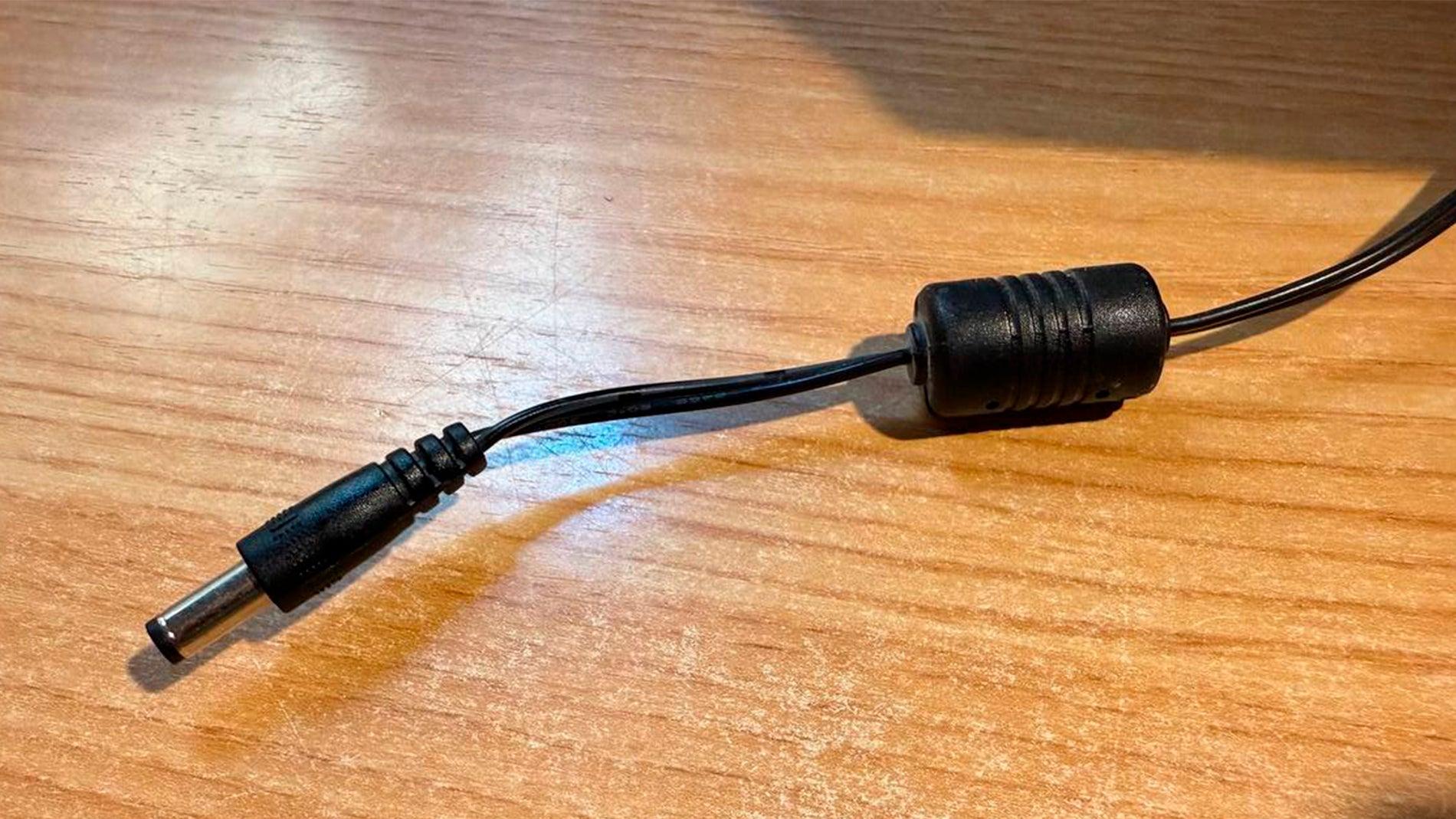
If you look closely at the cables of your devices, you'll notice a small plastic cylinder near one end . It's commonly found on laptop chargers, monitor cables, printer cables, power adapters, and sometimes even USB or HDMI cables. At first glance, it seems like an insignificant bump, but it actually serves a much more important purpose than it appears.
Many people think that cylinder serves as reinforcement to prevent the cable from bending or breaking near the connector , or that it's simply an aesthetic element. Nothing could be further from the truth: it's a key component for reducing interference, improving signal quality, and preventing invisible problems that can affect the operation of your electronic devices, from noise in the sound to annoying flickering on a screen.
What exactly is the cylinder you see on some cables?
That cylinder is called a ferrite core, ferrite filter, ferrite bead, or EMI filter , and it's a passive component designed to combat high-frequency electrical noise. Its purpose is to act as a kind of "barrier" that prevents certain unwanted signals from traveling through the cable or radiating into the environment and causing interference in other devices.
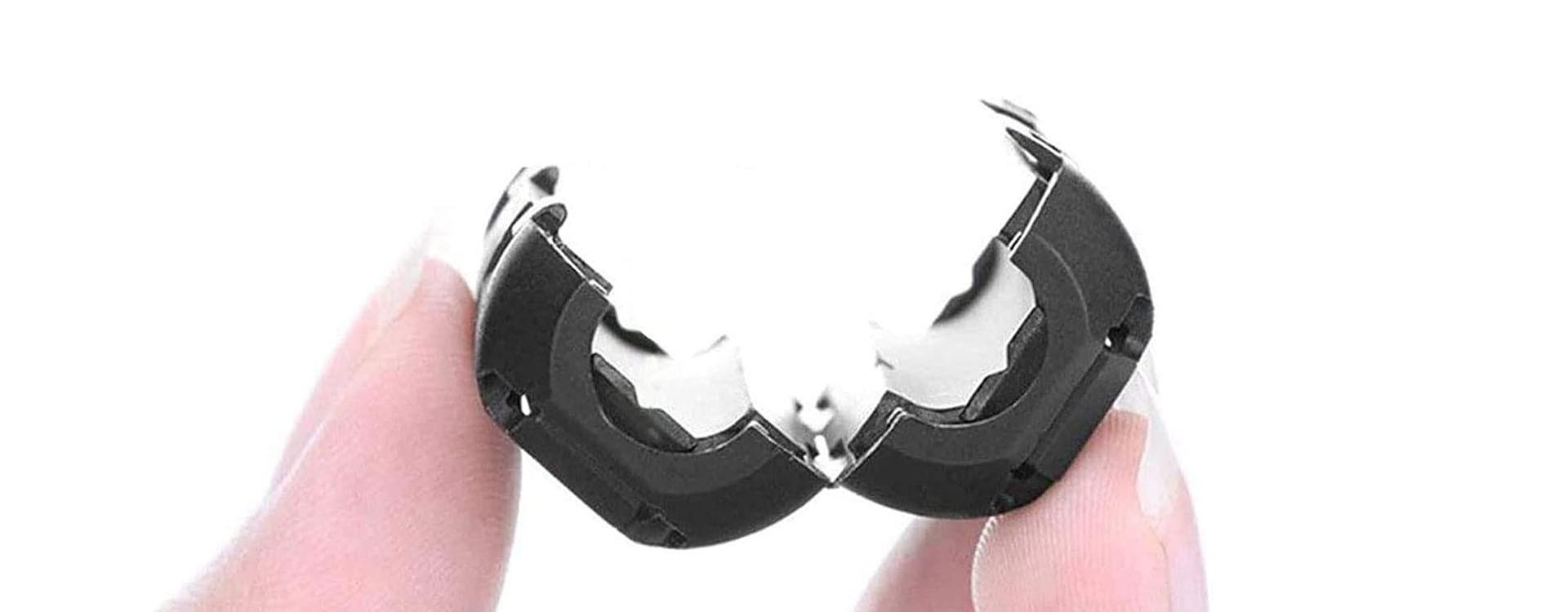
Inside, the cylinder isn't simply hollow: it contains one or two blocks of ferrite material shaped like a ring or half-round , which enclose the cable and are sealed by the plastic casing. The cable passes through the interior of this magnetic material, and as current flows, the ferrite filters out unwanted high-frequency components, allowing useful energy to pass through with minimal alteration.
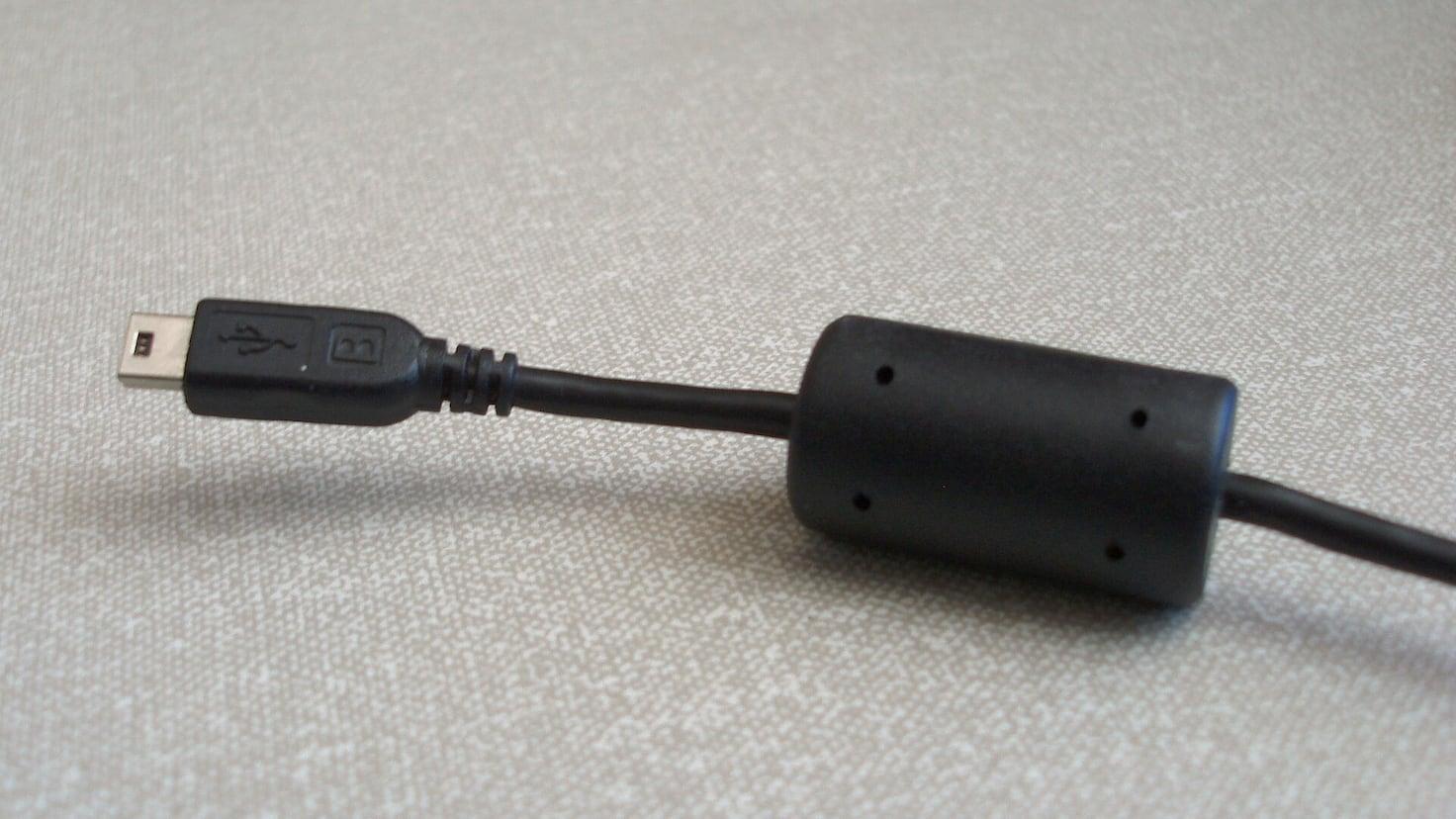
On many power and data cables (for example, cables for monitors, printers, set-top boxes, or laptops), you'll find this cylinder near a connector. It's usually placed near the end because this improves filtering efficiency and reduces noise entering or leaving the device at that critical point.
In the world of electronics, these cores are considered one of the simplest, most effective, and cheapest elements for controlling electromagnetic interference. They require no power supply, have no moving parts, and despite their small size, can make a significant difference in signal stability and the overall performance of the equipment.
What it's made of: ferrite and its properties
The core of the cylinder is made of ferrite, a ceramic material with magnetic properties . Ferrite is obtained from iron oxides combined with other metals, such as manganese, nickel, or zinc, adjusting the composition to achieve specific magnetic properties depending on the application.
Unlike traditional metal magnets, ferrite is a semimagnetic and ferromagnetic material with controlled losses , making it ideal for high-frequency applications. It is precisely this ability to absorb energy from unwanted signals and dissipate it (usually as heat) that allows it to act as a filter for noise and interference.
Inside the cylinder, the ferrite is usually in two halves that close around the cable . Depending on the design, it can be more elongated or more compact, but the operating principle is the same: to increase the cable's impedance for certain noise frequencies, while the useful signal (such as direct current or low operating frequencies) passes through virtually unaffected.
This behavior is used to block high-frequency parasitic currents , whether generated by the device itself or picked up from the environment. In practice, the ferrite core acts as a noise choke: it allows the cable to do its usual job (charging a battery, sending data, powering a monitor, etc.) but suppresses the high-frequency components that only cause problems.
When unwanted high-frequency signals travel through the cable, the ferrite converts this electromagnetic and radio frequency interference into heat , in very small quantities—just enough to neutralize the noise without the component overheating. That's why, from the outside, it seems like it's not doing anything… but in reality, it's "switching off" a good portion of the electrical noise.
How the ferrite filter works in the cable
All electrical circuits, from the most basic to the most complex, generate some type of electromagnetic interference (EMI) and radio frequency interference (RFI) when they operate. This interference can propagate both through the air (radiated) and through the conductors themselves (conducted), and that's where the ferrite core comes in.
When a cable carries current, especially if it's from switched-mode power supplies, digital electronics, or high-speed signals , pulses and harmonics are generated at high frequencies. These components can turn the cable into a kind of unintentional antenna, emitting noise into the environment or picking up disturbances from other nearby equipment.
The ferrite core is placed around the cable so that, when passing through this magnetic material, high-frequency currents encounter significant resistance . Technically, the core increases the conductor's impedance at those specific frequencies, causing much of the noise to be attenuated or dissipated within the ferrite.
The result is that the cable no longer acts as such an efficient antenna for unwanted frequencies. This prevents problems such as buzzing in speakers, flickering on monitors, sporadic dropouts in USB devices, interference with nearby radios, or even communication failures in sensitive equipment.
Furthermore, by reducing radiation and noise, the overall energy efficiency is improved . Some of the energy that could be lost as electromagnetic radiation is better utilized for charging batteries or powering the device, without interference that could negatively impact performance or unnecessarily lengthen charging times.
Why are they placed near the ends of the cable?
If you look closely, you'll see that these ferrite cores are usually located very close to one of the connectors , either on the device side (laptop, monitor, printer) or on the power adapter side. This position isn't arbitrary, but rather a carefully considered design decision.
The ends of the cable are especially critical points because that's where the signal enters or leaves the electronic equipment . Placing the core in that area helps suppress noise just before it reaches the device or before it propagates outwards. This improves the isolation between the device and the rest of the environment.
In some cases you'll see a single cylinder, and in others there may be ferrite filters at both ends , especially in cables that carry both power and data, or in electromagnetically noisy environments. The closer the filter is to the main source of interference, the more effective it will be at attenuating those annoying frequencies.
This component acts as an additional reinforcement to the internal protection measures of the equipment . Many devices already have filters and shielding on their circuit boards, but adding an external ferrite core to the cable helps comply with electromagnetic compatibility regulations and ensures that the assembly does not interfere with other nearby devices.
From a manufacturing standpoint, incorporating a ferrite cylinder is relatively inexpensive and straightforward , and it significantly improves product performance in laboratory tests and real-world use. This is why it remains a very common solution in high-quality cables and professional applications.
What type of interference does the ferrite core prevent?
The main purpose of the ferrite core is to reduce electromagnetic interference (EMI) and radio frequency interference (RFI) transmitted through cables. This interference can originate from the device itself, the power grid, or other nearby electronic equipment.
Among the most common problems it helps to avoid are strange noises in speakers or headphones , buzzing sounds that appear when certain cables are brought close together, clicking sounds in audio equipment when another device is turned on or off, or slight but annoying distortions in sensitive sound systems.
It's also common for some monitors or screens, without proper filtering, to exhibit flickering, lines, or minor image instabilities when placed in environments with equipment that generates significant electromagnetic noise. The ferrite cylinder helps to ensure a cleaner signal reaching the monitor, minimizing the likelihood of such interference affecting the display.
In the case of devices that exchange data, such as keyboards, mice, printers, or external hard drives, EMI and RFI can cause data loss, intermittent disconnections, or communication failures that are difficult to diagnose. A properly installed ferrite filter reduces these types of errors and provides greater stability to the connections.
Besides the visible inconveniences, the cylinder helps the device comply with official electromagnetic compatibility regulations , which limit how much noise an appliance can emit and how much it must withstand without failing. Although it may go unnoticed by the user, it is a key component that allows many products to be sold legally in different markets.
Why don't all cables have this cylinder?
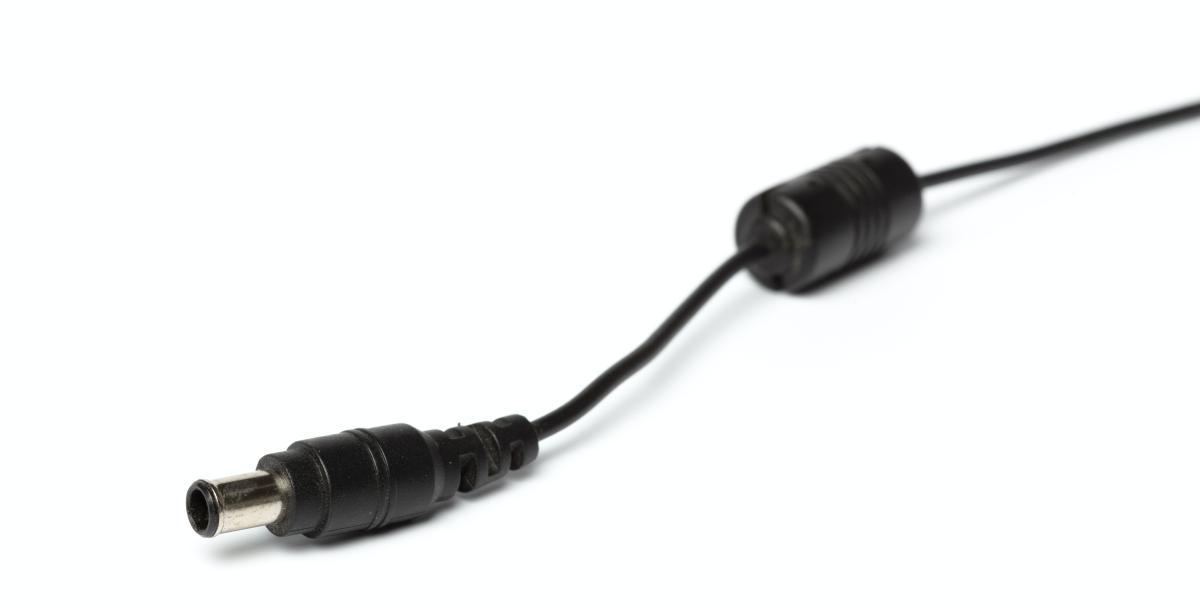
If you look at all the cables you have at home, you'll notice that not all of them have this famous ferrite cylinder . This doesn't mean the cable is bad or missing something essential; it simply means that it's not always necessary to add it visibly.
In many modern products, especially high-end equipment, much of the filtering and interference protection is integrated within the device itself or the charger . In other words, the power adapter or internal electronics already incorporate sufficient measures to keep high-frequency noise under control.
Furthermore, modern power supplies, especially the latest generation of efficient switched-mode power supplies , are increasingly optimized to generate less electrical noise. Thanks to this, in some cases the external cylinder can be omitted because, even without it, the interference level remains within acceptable limits.
In other scenarios, certain cables don't require as much protection because they carry less sensitive signals or operate in low-noise environments . A cable powering a small USB charger is not the same as one connecting medical equipment, a professional monitor, or an audio system where interference can be much more critical.
Finally, cost and design decisions must also be considered: some manufacturers, especially in lower-end cables, may choose not to include ferrite cores to reduce costs , trusting that typical product use won't significantly expose the filtering limitations. However, in sectors where reliability is key, they are much more common.
A ferrite core can be added later.
Just because your cable doesn't have the stock ferrite core doesn't mean you can't install a ferrite filter later . There are numerous models of clip-on ferrite cores on the market that open up and fit around the cable without needing to cut or modify anything.
These replacement cores are inexpensive and readily available , coming in various sizes to suit different cable thicknesses. Simply choose the correct size, open the cylinder, position it where needed, and close it until it clicks into place. No special tools or advanced electronics knowledge are required.
The most common practice is to place them near the ends of the cable or near the main source of interference . For example, next to the connector that plugs into the laptop, near the power adapter, or in the section closest to a particularly noisy piece of equipment from an electromagnetic point of view.
In environments with many devices operating simultaneously, such as offices full of equipment, recording studios, or industrial settings , adding extra ferrite cores can help reduce overall electromagnetic chaos, improve connection stability, and minimize annoying noise in audio or video.
While not a magic bullet for every problem, in many cases installing a ferrite cylinder can alleviate minor interference without requiring rewiring or device modifications. It's a simple option worth trying when you experience typical electrical noise.
What happens if the ferrite cylinder breaks or is removed
From an immediate operational standpoint, if the cylinder breaks or is removed, the device will most likely continue to function seemingly normally . The cable will continue to transmit power or data, so at first glance it might appear that nothing is wrong.
However, over time, interference-related side effects may begin to appear . Among the most frequent symptoms, you might notice that the monitor image flickers slightly, sporadic lines appear, the USB mouse briefly disconnects, or you hear buzzing and noises in wired speakers.
All these problems are usually signs that the cable is letting through or emitting more high-frequency noise than desired . The ferrite core, although discreet, was helping to keep the signal cleaner and more stable. By losing that filtering, the system becomes more exposed to the electromagnetic chaos of the environment.
It's worth remembering that, although it might not seem like it, this component also helps reduce electrical risks associated with very high interference spikes . It's not a critical safety protection element (like a fuse), but it helps to lessen the impact of certain high-frequency transients on the rest of the electronics.
Therefore, the general recommendation is not to remove these cylinders for purely aesthetic or convenience reasons . If the core is damaged, breaks, or no longer fits securely, it is best to replace it with another of similar characteristics, either original or aftermarket, to maintain the level of filtration intended by the manufacturer.
Real advantages of using ferrite cores in cables
Beyond the technical aspects, the presence of a ferrite core offers very clear practical advantages in the daily use of electronic devices. One of the most obvious is the reduction of buzzing and crackling in audio systems when other nearby devices are switched on or off.
On screens and monitors, these cylinders help to make the image more stable, without flickering or small visual interferences that, although they do not render the equipment useless, can be quite annoying if you work for many hours in front of the screen.
For equipment that exchanges data, such as keyboards, printers, webcams, or external hard drives, the additional filtering provided by ferrite reduces the likelihood of transmission errors , random connection drops, or strange behaviors that are difficult to trace back to their origin.
Another less discussed benefit is that by preventing the cable from radiating noise to the outside , it better protects other sensitive devices that may be nearby, such as radios, measuring equipment, communication systems, or medical devices. In other words, it not only safeguards the equipment it's connected to, but also the environment in which it operates.
Furthermore, all of this is achieved with a component that is robust, inexpensive, passive, and virtually invisible during daily use . It requires no maintenance, no adjustments, and as long as it's in good condition, it simply does its job without you having to worry about a thing.
In short, that small cylinder that often goes unnoticed is a silent ally in keeping your cables and devices under control in an environment increasingly saturated with electronic devices and signals of all kinds. Knowing what it is and what it's for helps you appreciate it and not just remove it carelessly when you find it on your cables.


Passionate writer about the world of bytes and technology in general. I love sharing my knowledge through writing, and that's what I'll do on this blog, show you all the most interesting things about gadgets, software, hardware, tech trends, and more. My goal is to help you navigate the digital world in a simple and entertaining way.