- ALSA acts as a base layer in the kernel and needs a higher-level server to manage mixes and multiple applications.
- PulseAudio dominated the desktop for years, but it has limitations when faced with modern and professional needs.
- PipeWire unifies the roles of PulseAudio and JACK, maintaining compatibility and offering low latency.
- The most recommended combination today is ALSA + PipeWire, adjusting its configuration in the user directory if required.
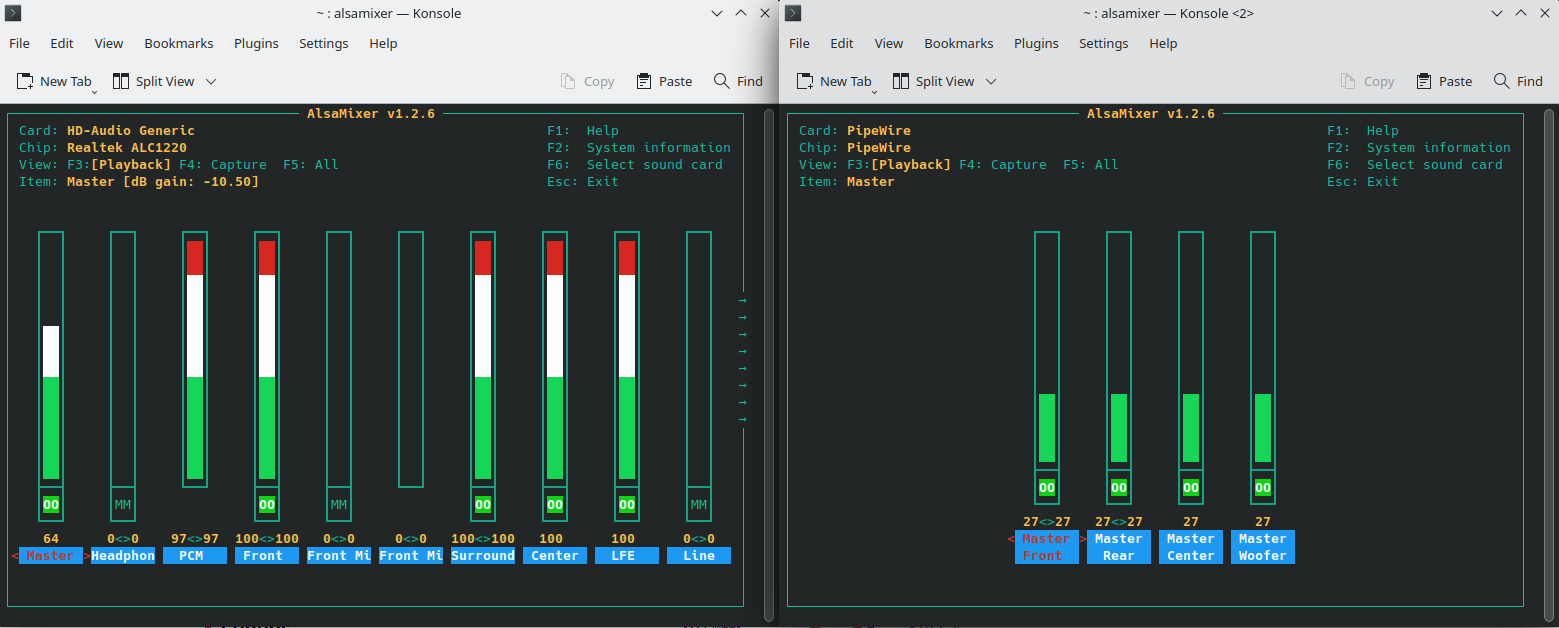
Audio on Linux has a reputation for being a bit chaotic : outdated guides, overlapping technologies, and names repeated across countless forums. If you've ever searched for "alsa vs pulseaudio vs pipewire," you've probably ended up with more questions than answers. The good news is that, by understanding a few key concepts, everything fits together much better than it seems.
Think of audio as a multi-layered highway : at the base is the system that communicates directly with the hardware, above that are layers that distribute traffic between applications, and finally, there are the programs you use daily (players, browsers, DAWs, etc.). ALSA, PulseAudio, and PipeWire play different roles in this structure, and knowing what each one does saves you a lot of headaches when something stops working or you want to optimize your equipment.
ALSA, the foundation of audio in Linux
ALSA (Advanced Linux Sound Architecture) is the kernel's main audio driver , the one that communicates directly with your sound card. In many older forums, you'll see that "configuring audio" is synonymous with "configuring ALSA," because for years it was practically the only way to output sound in Linux.
ALSA operates at a very low level : it manages physical devices, basic volume controls, inputs and outputs, and everything that involves direct communication with the hardware. It's robust and well-integrated into the system, but on its own, it's not particularly convenient for everyday use if you want to run multiple applications simultaneously without issues.
A long-standing problem with ALSA is that it wasn't designed as a modern mixer . In many classic setups, a single application could "hijack" the sound card, leaving the rest without access. This made playing simultaneous audio from multiple sources challenging, or required very manual configurations.
That's why today ALSA is often used as the base layer upon which other, more flexible systems are built. In other words, it remains essential, but the end user typically doesn't "talk" directly to ALSA all the time, but rather through a higher layer that acts as an intermediary.
In modern distributions, ALSA is almost always installed and operational by default, and what you really choose is which layer to put on top of it: PulseAudio, PipeWire, or specialized solutions like JACK. Therefore, the practical decision isn't "ALSA or something else," but rather what you combine it with.
PulseAudio: the desktop standard for years
PulseAudio was created to address the shortcomings of using ALSA directly on Linux desktops: mixing multiple sources, per-application volume control, dynamic switching between headphones, speakers, HDMI, etc. For a long time, it was "the norm" on almost any distribution geared towards the average user.
The idea behind PulseAudio is simple : ALSA connects to PulseAudio, and PulseAudio handles distributing the audio across all your applications. If you opened YouTube, Spotify, and a game simultaneously, PulseAudio would take care of mixing everything without you having to deal with complicated settings.
However, PulseAudio has gained a bad reputation in certain environments: resource consumption, somewhat high latency for professional audio, occasional crashes, and more or less recurring problems with some devices. For normal desktop use, it's usually fine, but if you push it a bit further (serious recording, low latency, complex routing), it falls short or becomes cumbersome.
Furthermore, PulseAudio didn't play well with other audio systems . If you wanted to use JACK for professional audio, you often had to "bridge" PulseAudio with ALSA or with JACK itself, or even disable one to use the other. This resulted in fragile configurations, extra scripts, and quite a few headaches.
In many distributions you will still see PulseAudio as an option or even as the default installation , but the clear trend in the Linux ecosystem is that it will gradually lose ground to PipeWire, which is designed precisely to replace it without breaking compatibility with older applications.
JACK: the world of traditional professional audio
JACK (the sound server for professional audio) is another classic player in Linux , but geared towards a very specific profile: musicians, producers, people who need very low latency and extremely fine control over what goes where.
JACK's philosophy is diametrically opposed to that of PulseAudio . PulseAudio strives for simplicity and transparency; JACK, on the other hand, lets you manage input and output connections with almost millimeter precision: you can send audio from one application to another, route tracks within a DAW, connect external hardware, and so on, all with a focus on latency and accuracy.
The problem is that JACK is also much more complex to set up and use . On "normal" desktops, it doesn't make much sense to make it your main sound system, because everyday applications like browsers or video call clients don't always work well with it without additional layers.
For years, the typical workflow for people making music on Linux was something like this : use PulseAudio for everyday tasks (browsing, videos, games) and switch to JACK when it was time to record or produce. This meant stopping one audio server, starting the other, or finding workarounds between the two. To put it mildly, the experience wasn't exactly seamless.
Applications like qjackctl were created to simplify JACK management (starting, stopping, connections), but it was still a fairly specialized environment. Those coming from PulseAudio encountered a much more technical interface, while those familiar with JACK saw PulseAudio as a necessary evil for the rest of the system's programs.
PipeWire: the attempt to unify the mess
PipeWire emerged precisely to solve this fragmentation . Its goal is to be a modern media server capable of replacing both PulseAudio and JACK, and also offering video management (for screencasts, for example) within the same framework.
The key to PipeWire is that it disguises itself as both PulseAudio and JACK . For ALSA, PipeWire is simply the server that receives the audio. And for applications, PipeWire can present itself as either PulseAudio or JACK, depending on their needs. This allows older programs to continue working without modification.
In practice, that means you can have applications that think they're talking to PulseAudio (for example, your browser or your music player) at the same time as others that think they're using JACK (like a professional DAW), and they're all actually connecting to PipeWire under the hood.
This ability to blend "worlds" has a huge advantage : you no longer have to choose between a comfortable desktop and a serious production environment. You can have your YouTube tabs open while recording audio at your workstation, without stopping services, without fragile bridges, and without switching audio servers depending on what you're doing.
Another important difference is that PipeWire is designed with low latency in mind , aligning more closely with JACK than PulseAudio in this regard, while maintaining ease of use for common tasks. This is why more and more distributions are adopting it as a standard for everything.
In many cases, PipeWire is installed along with compatibility components (for example, a “pipewire-pulse” to act as a PulseAudio-like server or a “pipewire-jack” to provide the JACK API). This allows your programs to continue seeing “PulseAudio” or “JACK” even though they are actually working with PipeWire.
How are ALSA, PulseAudio, JACK, and PipeWire related?
A simple way to visualize this is to think in layers . At the base, there's always ALSA, which communicates directly with the sound card. On top of that, you choose a server that mixes and routes: it used to be PulseAudio or JACK; now, PipeWire can do the work of both without the applications even noticing.
Historically, ALSA could only connect to one of those servers at a time . In other words, you were either using PulseAudio or JACK, but not both servers natively and simultaneously using the same hardware without additional workarounds. If you wanted to switch between environments, you had to turn one off and the other on, or resort to complicated configurations.
With PipeWire, the situation improves precisely because it centralizes that server role . ALSA always ends up sending the audio to PipeWire, which handles all the routing. Applications don't need to know if there's PulseAudio, JACK, or something new underneath; they only see a compatible API.
On some systems, you can have PulseAudio, JACK, and PipeWire installed simultaneously . PipeWire is designed to take control when the system starts in compatibility mode, so even if the other packages are present, PipeWire is the one that actually manages the audio when applications launch.
That doesn't mean you should accumulate unnecessary layers . If your distribution already uses PipeWire as the main server, it often makes sense to uninstall PulseAudio and forgo starting JACK as a separate server, sticking with ALSA + PipeWire as the basic combination for almost everything.
What to choose today: ALSA or PulseAudio?
If you're building a modern Linux desktop, the most sensible recommendation for 2025 is to use ALSA as your base and PipeWire as your main server. This combination offers a balance between simplicity, compatibility, and the ability to handle more advanced tasks. If you're unsure, learn how to check if you're using PipeWire.
PulseAudio remains a viable option for simple environments , and in some distributions you'll still see it as the default or as an alternative if PipeWire gives you occasional problems. However, except in very specific cases, it's a technology clearly declining compared to PipeWire, which is designed precisely as its direct replacement.
JACK, on the other hand, is no longer essential as a separate server if you're using PipeWire, because many "pro" applications can connect to the PipeWire backend as if it were JACK. Classic tools like qjackctl can still function, but they're actually communicating with PipeWire through the compatibility layer.
In typical desktop environments (KDE Plasma, GNOME, etc.) , you usually won't have to do much at all: you install the distro, PipeWire comes pre-configured and ready to use, and ALSA works in the background. The choice becomes almost transparent to the average user.
If you've used ALSA directly in older distributions (like early Slackware) , you'll notice a radical improvement in ease of use when you switch to the ALSA + PipeWire combination. You'll no longer struggle with devices that freeze or with manual mixing, but instead enjoy a system much closer to the user experience offered by Windows or macOS.
The practical case: Void Linux, KDE Plasma and sound
A very illustrative example is that of those who try Void Linux on their desktop , using an environment like KDE Plasma and wanting to leave everything "clean and polished." After configuring the base system, audio is usually one of the last pieces of the puzzle.
In such a scenario, you'll encounter three main options : ALSA (inevitable as a kernel layer), PulseAudio, and PipeWire. The typical question is, "Which do I choose?" if I want something stable, simple, and that won't complicate things when using the computer for all kinds of tasks.
Following current trends and widespread recommendations , the most logical approach is to use PipeWire as your audio server, letting ALSA continue its work in the kernel. This way, you don't need to set up PulseAudio separately, unless you have a very specific dependency.
In Void or other minimalist distributions, it's a good idea to carefully review which packages you modify . Someone who, for example, "deletes PipeWire from the graphical package manager" might find that they've removed libraries and dependencies used by other applications, unintentionally breaking features like sound or microphone functionality.
The general recommendation is to always check the list of packages that will be removed when uninstalling anything audio-related. In environments with PipeWire, more components may depend on it than initially appears, and removing them carelessly can leave the system inoperable.
Configure PipeWire without going crazy
One of the advantages of PipeWire is that, in many cases, you don't need to change anything : the default settings are usually reasonable for most users. But if you want to fine-tune parameters (latency, profiles, device behavior, etc.), you have the flexibility to do so at the user level.
The recommended way to customize PipeWire is to copy its configuration files from the system directories to your home folder and modify them there as needed. This way, if something goes wrong, you can simply delete or rename those files in your home directory to revert to the default behavior.
Depending on the distribution, the base configuration files are usually located in paths such as /etc/pipewire/ o /usr/share/pipewire/In those directories you will see several files with relatively descriptive names (for example, session, client, JACK or PulseAudio compatibility, etc.).
To override the general user-level settings, these files are copied to your personal directory, usually in ~/.config/pipewire/ (note that .config (It's a hidden directory in your home directory). Once copied, any changes you make to those files will take precedence over system values.
PipeWire also allows you to create subdirectories and use custom filenames , as long as you adhere to the structure and conventions outlined in its documentation. This gives you considerable flexibility to organize specific settings without having to strictly follow the original system filenames.
When editing these files, you should remember how comments work.: any line that begins with the character # It will be ignored by PipeWire, so the actual value will remain the default. If you want to enable or modify an option, you must remove the # at the beginning of that line so that the parameter is taken into account.
The official documentation and community guides for PipeWire JACK usually provide quite good configuration examples. You can start with these, copy them to your user directory, and adjust the minimum necessary settings—sample rates, buffers, priorities, etc.—according to your needs, and then use FFmpeg to work with the sound files.
PipeWire, PulseAudio and JACK compatibility
One of PipeWire's strengths is that it bridges the gap with the existing ecosystem . Thanks to its compatibility modules, applications that only understand PulseAudio or JACK can continue to function as usual, even though the underlying server is actually PipeWire.
The “PipeWire-Pulse” mode allows any program searching for a PulseAudio server to connect without PipeWire being aware of it. From the software's perspective, a “PulseAudio” server is still available, but requests are translated and handled by the PipeWire backend.
Similarly, the “PipeWire-JACK” component provides a JACK-compatible API , so your professional audio applications think they are communicating with a classic JACK server, even though PipeWire is the primary interface. This includes management tools like qjackctl, which can be used to visualize and manipulate connections.
In systems where PulseAudio, JACK, and PipeWire are installed , it is quite common for PipeWire to take control if booted in compatibility mode, allowing the other packages to remain installed but not actually active as main sound servers.
This makes transitions much easier : you can move from a PulseAudio-based system to PipeWire without your usual applications ceasing to function, and then add "JACK-like" support for your production tools without needing to change their internal configuration.
The practical consequence is that PipeWire ends up being the central "hub" through which all audio (and even video) traffic is organized, making the Linux experience more homogeneous and ensuring that years of work invested in applications written with PulseAudio or JACK in mind are not lost.
With all this in mind, the overall picture of audio in Linux becomes much clearer : ALSA as an essential kernel base, PulseAudio as a solution that has dominated the desktop but is falling behind, JACK as a specialized tool that no longer needs to be a separate server in many cases, and PipeWire as the modern piece that tries to bring everything under one roof without sacrificing compatibility.


Passionate writer about the world of bytes and technology in general. I love sharing my knowledge through writing, and that's what I'll do on this blog, show you all the most interesting things about gadgets, software, hardware, tech trends, and more. My goal is to help you navigate the digital world in a simple and entertaining way.