- WDDM moves GPU management to Dxgkrnl and miniports, away from Win32k.
- ReactOS is now starting drivers WDDM display and negotiates modes via VidPn and CDD.
- A solid XDDM stack remains a must for moving forward in WDDM and DWM.
- ReactOS 0.4.15 improves drivers, LiveUSB, performance and moves towards amd64.
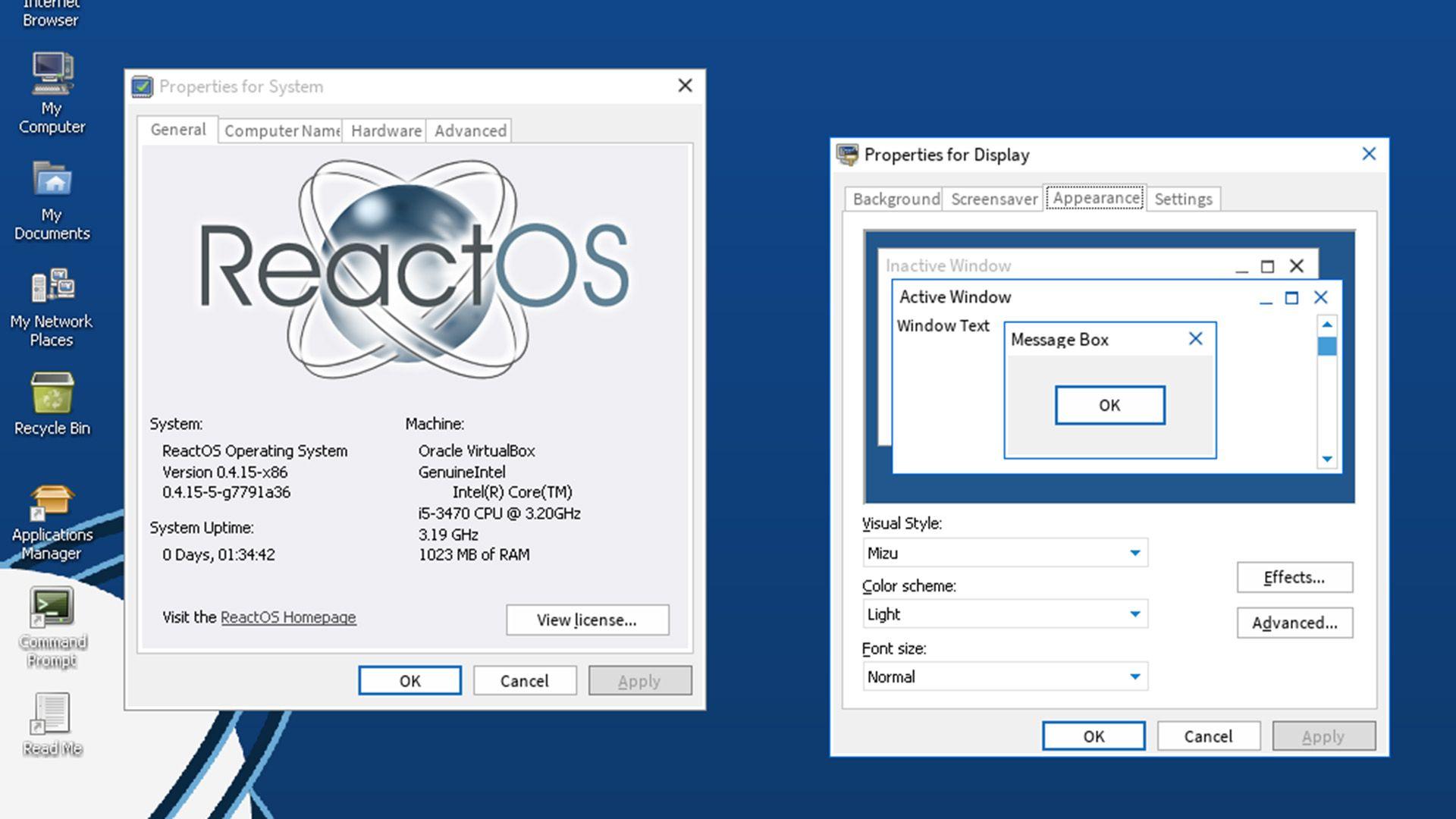
ReactOS has been in development for so long that many of its current contributors weren't even born when it began, but its goal remains unchanged: to offer a Windows -compatible ABI experience capable of running software and drivers designed for Microsoft's operating system. In recent years, one of the project's most ambitious fronts has been catching up with hardware support.
This process has led to a key goal: aligning with the modern Windows graphics driver architecture. We're talking about WDDM, the model that replaced XDDM in the Vista era. Within the ReactOS ecosystem, exploring WDDM means understanding how GPU management changed , which system components were restructured, and why simply "activating" a driver isn't enough to make everything work like it does in Windows.
What is WDDM and why it makes a difference

WDDM, the Windows Display Driver Model, introduced a profound overhaul of the graphics stack: it moved GPU control from components like Win32k to a specialized kernel (Dxgkrnl.sys) that communicates with the manufacturer's miniports. Each revision (1.0, 1.1, 1.2, and subsequent versions) defines which interfaces the system offers and how they are implemented, a concept distinct from the Direct3D feature levels seen in DxDiag.
This more modular and demanding architecture goes beyond what XDDM offered. In WDDM, Dxgkrnl acts as the orchestrator , and the vendor driver provides clear entry points and contracts. This separation allows for improvements such as virtualized video memory, a GPU scheduler, and, in general, greater stability by moving some of the logic to user mode.
For years, practical documentation for delving deeper into video drivers was scarce for both architectures, hindering progress. With the maturity of open-source GPU drivers, the community has gained real-world references for understanding how OpenGL ICDs behave, Vulkan support, and transitions between models.
What happened to XDDM? Compatibility, leftovers, and the breaking point
Since Windows 8, the system requires the GPU driver to be WDDM; however, XDDM didn't disappear entirely . Windows Vista and 7 allowed loading XDDM drivers without issue, and some legacy mechanisms still coexist with WDDM. The module that loads OpenGL ICDs, for example, barely changed between versions.
Communication in WDDM to the miniport is more direct. Win32k retains a syscall jump that Dxgkrnl fills with the appropriate interface , reducing the involvement of the old subsystem in the GPU logic. In fact, when the system boots, specific routines are observed for linking WDDM with the old Win32k world without mixing architectures.
There are two display drivers worth understanding in detail: TSDDD.dll and CDD.dll. The first, TSDDD, is loaded manually in session 0 and is a very basic XDDM driver that barely writes to blank memory. In the NT5.x family (like the ReactOS base), a failed video initialization usually results in a bug check for video failure; in Vista and later versions, this "real" situation no longer occurs thanks to the second component.
CDD.dll is the interesting one. While acting as an XDDM driver, it also issues IOCTLs to communicate with WDDM. This is the only way Dxgkrnl and Win32k can meaningfully communicate during modern graphics operation. During initialization, Win32k queries adapters, but the response is overwritten by cdd.dll, ensuring the bridge to WDDM. A critical point: once WDDM is active, it's not possible to run an XDDM driver in parallel.
OpenGL ICD, Vulkan and the relationship with the system
OpenGL ICDs are loaded via the traditional module, and their flow doesn't vary significantly between Vista, 7, 8, and later versions, which facilitated cross-testing using ICDs from different generations. Vulkan behaves similarly: the system delegates GPU interaction to these layers, but in WDDM, the miniport and Dxgkrnl establish the actual hardware "contract."
This hybrid structure explains why we still see remnants of XDDM coexisting with WDDM in system components. The CDD.dll bridge allows Win32k to continue fulfilling its classic role without blocking the modern path, while Dxgkrnl and the miniport handle the critical task of managing the GPU.
Compiling WDDM drivers for testing on ReactOS
To start a WDDM driver, an auxiliary piece is needed: the WDK's displib.lib, which exposes the entry point for initializing the driver and "waking up" Dxgkrnl without binding to it. The flow is specific: the initialization API is invoked, data structures are passed to Dxgkrnl, and then Dxgkrnl returns control by calling the vendor's miniport startup callback.
This callback provides the interfaces for the rest of the communication with Dxgkrnl. At this point, Win32k has no role in the initial stages of the miniport, which is a fundamental difference compared to the XDDM world. This adaptation was straightforward to implement in ReactOS, opening the door to importing and compiling WDDM drivers that also continue to work on Windows.
WDDM in ReactOS: Screen-first focus
The D3DKMT APIs are used for DirectX and OpenGL acceleration, so for the first experiment on ReactOS, the focus was on the basics: achieving video output . This is where the VidPn (Video Presentation Network) universe and its associated hardware support within Dxgkrnl come into play.
Since Windows 8, there have been KMDODs, a variant of WDDM miniports that do away with 3D acceleration . They are easier to understand and get started with: they allow you to manage video modes, monitors, and paths without relying on the scheduler and other complex Dxgkrnl subsystems.
For ReactOS, the experiment involved building a minimal Dxgkrnl that queried available modes via VidPn, passed them to CDD, and activated CDD when Dxgkrnl was ready. The result: the system began communicating with its first WDDM driver and displaying an image under real-world conditions.
First successes: BasicDisplay.sys and vendor drivers
Loading BasicDisplay.sys on ReactOS yielded unexpectedly positive results: WDDM proved to be more forgiving than anticipated . It was even possible to launch vendor drivers solely for the display component, without requesting 3D acceleration.
In subsequent tests, video outputs with more drivers appeared, including an Nvidia driver from the Windows 7 era , which allowed ReactOS to run modern monitors at their native resolution and refresh rate . The bottleneck wasn't Win32k, but rather the still-expanding compatibility with the actual hardware.
Why XDDM is still crucial on the road to WDDM
Although the ultimate goal is WDDM, ReactOS needs its XDDM stack to be in excellent condition. This is because components like CDD.dll and DWM itself rely on the old system performing well to bridge the gap to the new one. In fact, DWM introduces demands that the current Win32k implementation in ReactOS cannot yet fully meet, although progress is being made.
Support for AMD GPUs under XDDM has also been accelerated, an important step in stabilizing the landscape before opening the floodgates to more complex WDDM drivers . The chosen approach is incremental: first display and modes, then more pieces of the puzzle.
Key differences between XDDM and WDDM
One of the most notable changes when moving from XDDM to WDDM is fault management. With WDDM, much of the driver logic is moved to user mode, meaning that a driver crash doesn't necessarily bring down the entire system. Furthermore, the GPU scheduler and virtualized memory allow for finer resource allocation.
In XDDM, Win32k carried much more weight, and communication with the hardware was more rigid. In WDDM, Dxgkrnl imposes a clear contract on the miniports , and Win32k acts as a bridge for the windowing subsystem. This enables new capabilities such as DWM, compositing, and more reliable presentations.
- Planning and isolation of GPU work versus XDDM's monolithic approach.
- Virtual video memory and better management of shared resources.
- Increased stability when migrating driver logic to user mode.
- Integration with DWM and modern presentation routes.
Current limitations and work in progress
While booting WDDM display drivers in ReactOS is already a reality in testing, hardware compatibility continues to be a major obstacle. Real-world devices require very specific support , and each step forward necessitates expanding subsystems: from plug and play to memory management and watchdog timers.
At startup, communication is also observed between watchdog, Win32k and Dxgkrnl to prepare the dispatch of the D3DKMT APIs within Dxgkrnl; this is a specific initialization moment, but it adds requirements when it comes to faithfully reproducing the behavior of Windows.
Project status, community and call for collaboration
The recent push towards WDDM has been accompanied by increased activity surrounding the hardware. There are technical articles detailing the process and inviting contributions via donations, GitHub, or outreach . It's a large and long-term project: each miniport and each release path adds nuance.
It's worth remembering, by the way, the nature of the project: ReactOS is neither Linux nor Unix . For comparative analysis , it's written from scratch to be binary-compatible with Windows, allowing it to run Windows software and drivers natively, without resorting to compatibility layers like Wine/Proton, although the project also collaborates with that FOSS ecosystem to improve performance.
Practical news: ReactOS 0.4.15 and system improvements
Beyond WDDM, version 0.4.15 has brought a good number of changes: new storage drivers that improve stability and compatibility with USB drives , as well as updated network drivers. Fonts, the desktop shell, Windows APIs, themes, and dialog boxes have also been tweaked.
Improvements have been made to caching and memory management, resulting in enhanced performance. Additionally, LiveUSB support was added following significant modifications to the kernel's Plug and Play manager, opening the door to more third-party drivers. The graphical interface received minor adjustments to make it easier to use compared to the text-based USETUP installer.
In terms of audio, it's now possible to start with the Windows sound stack, although some rough edges remain . It's also worth noting that version 0.4.15 is the first version with support for the 64-bit architecture (amd64) up to the desktop, although there's no official 64-bit image yet because work is still underway on WOW64.
The bug fixes have been extensive: incorrectly assigned desktop icons have been resolved, taskbar icons have been resized, and native ZIP file support has been added. All of this aims to improve the basic user experience while addressing hardware compatibility.
Download, installation and minimum requirements
ReactOS 0.4.15 images are available on SourceForge. You can try it in a virtual machine (recommended for beginners) or install it on physical hardware using a USB drive created with utilities like Rufus, just as you would with a standard Windows installation.
The requirements are modest: an x86 CPU (Pentium or later), 64 MB of RAM, at least 450 MB of disk space partitioned as FAT16/FAT32, and an additional 2 GB if you plan to install software or games. With these minimum requirements, computers from the last decade or even earlier can run the system in test scenarios.
Recommendations for use and realistic expectations
Currently, ReactOS is an experimental project. It's not recommended as your primary operating system if you need modern features and full compatibility with recent applications. For running newer software, Wine/Proton on Linux remains a very stable option with a large support ecosystem.
Even so, ReactOS's unique nature makes it the only open system that runs Windows binaries without emulator-style intermediate layers. This approach makes it interesting for labs, backward compatibility, analysis, and controlled environments where the behavior of applications and drivers needs to be studied.
Community context and common messages
In forums and social media, it's common to see reminders like: ReactOS is a PC operating system that can run Windows programs and drivers . Sometimes, counters of members and online users are also displayed—simple indicators of community activity that, while lacking technical value, point to the growing interest in the project.
Recent media narratives have even pointed out the temporal coincidence between the end of support for some versions of Windows and ReactOS's progress toward WDDM . More than an irony, this is a sign that the community is aligning priorities to remain relevant with current hardware and drivers.
Ultimately, all this effort converges on a single point: building a solid foundation where WDDM can take root without abandoning the XDDM legacy that still serves as the glue between worlds. With CDD.dll as the bridge, Dxgkrnl as the brain, and miniports better understood thanks to open-source drivers, the path is laid out, even though there's still ground to cover.
Looking at all of the above, WDDM support in ReactOS is moving beyond a vague promise and becoming a set of tangible milestones: display drivers that start, modes that negotiate well, and monitors that work at full resolution . There's still work to be done to scale hardware compatibility, complete components like WOW64, and further refine Win32k and DWM, but the direction is clear, and the community is already pushing in that direction.

Passionate writer about the world of bytes and technology in general. I love sharing my knowledge through writing, and that's what I'll do on this blog, show you all the most interesting things about gadgets, software, hardware, tech trends, and more. My goal is to help you navigate the digital world in a simple and entertaining way.