- Spotify does not allow to export music as MP3 directly from your app.
- There are programs like TunePat, Sidify or TuneCable that allow you to convert music to MP3.
- There are also online options like SpotifyDown or Soundloaders that don't require any software installation.
- Some tools allow you to preserve audio quality, ID3 tags and downloads batch.
Spotify is undoubtedly one of the most popular streaming platforms on the planet. With millions of songs and playlists available, both free users and paid subscribers enjoy a seamless and personalized music experience every day. But what happens when you want to convert those songs to MP3 format to listen to them on any player without a constant connection to the official app? This is where the need for a Spotify to MP3 converter comes in —a tool that might seem difficult to find, but actually offers multiple options at your fingertips.
If you're one of those people who wants to store music outside of Spotify, without relying on its app or an internet connection, this article is for you. We've gathered and analyzed dozens of real tools and alternatives that will allow you to save your favorite songs in MP3 format, legally and easily. Let's take a detailed look at all the options.
Is it possible to download music from Spotify as MP3?
Although Spotify offers a download option for Premium users, the songs downloaded from its app are not in MP3 format and cannot be played outside the platform. They are stored in an encrypted and protected format (OGG) that prevents their free use. Therefore, if you want to convert Spotify music to MP3 , you need to use applications or services that act as converters.
There are two main groups of tools to achieve this:
- Desktop applications that perform conversion with quality options, ID3 tags, playlist support, etc.
- Online services that work from the browser and allow you to copy the Spotify link and directly obtain the MP3 file.
However, the effectiveness of these solutions varies greatly depending on the tool you use. Some limit quality, others only extract one song at a time, and sometimes they present restrictions or errors. Below, we review the best options currently available.
Best programs to convert Spotify to MP3 from your computer
TuneCable Spotify Downloader
TuneCable Spotify Downloader is one of the most comprehensive and highly recommended converters . It works with both free and Premium accounts, removes ads, maintains quality up to 320 kbps, and allows you to download playlists or albums in bulk. It supports multiple formats: MP3, WAV, AAC, FLAC, AIFF, and ALAC. You can also find more information about MP3 music download programs to compare options.
In addition, it includes advanced features such as:
- Preservation of ID3 tags and album covers.
- Up to 10 times faster conversion speed.
- Options to burn CDs, edit metadata, or transfer songs to iTunes.
The interface is clean and intuitive, and you can select the source from either the official Spotify app or its web player . This offers greater flexibility depending on your device.
TuneCable BeatOne
A more powerful version of the previous tool is TuneCable BeatOne , which adds compatibility with other streaming platforms such as YouTube Music, Tidal, Amazon Music, Deezer, Apple Music, etc. It's ideal if you want an all-in-one solution for different services.
With BeatOne you can:
- Download and convert songs, playlists, albums, podcasts, and audiobooks.
- Customize format, speed, frequency, file name and more.
- Sync with iTunes or burn directly to CD.
Sidify Music Converter
Sidify is another popular solution on the market. It works without needing to install Spotify, as you can log in from its own interface. It supports formats like MP3, AAC, FLAC, AIFF, and WAV, and preserves the original audio quality. Furthermore, it removes ads even if you're using Spotify Free.
The steps to use it are simple:
- Install Sidify, log in, and choose MP3 as the format.
- Copy the link of the song, playlist, or album from Spotify.
- Paste the link into Sidify or drag it directly.
- Click on Convert and wait for the process to finish.
The free version has some limitations on speed and the number of simultaneous songs, but is still fully functional.
TunePat Spotify Converter
With TunePat you can convert Spotify songs to MP3 without compromising quality. It supports conversion both from the app and from a web browser , and allows you to choose from multiple bitrates and formats.
In addition, TunePat also offers a built-in recorder called TunePat Music One for users who want to store music from various platforms. You can edit tags, save by artist or playlist, and have complete control over audio quality.
Download Spotify to MP3 from your browser: the best online converters
If you prefer to avoid installations, several websites offer the option to convert Spotify songs to MP3 directly from your browser . While many have limitations or ads, they can be useful for occasional downloads.
SpotifyDown
SpotifyDown is one of the simplest online options. Just paste the song link into its search bar and download the MP3 file. It's free and works on any device with a modern browser.
Highlights:
- Allows download one song at a time.
- includes some pop-up ads.
- No need to log in or install anything.
Soundloaders
Soundloaders also lets you convert individual tracks to MP3 at 320 kbps. Simply copy the song's URL, paste it, and click "Search Track."
Advantages:
- No account or software download required.
- High quality (320 kbps) in MP3.
Disadvantages:
- Does not support batch downloads.
- Metadata is not always preserved.
SpotiSongDownloader
This site lets you convert Spotify songs, entire albums, and playlists, with the option to choose the audio quality (from 64 to 320 kbps). It also generates ZIP files for complete playlists.
Useful features:
- Does not require registration.
- No annoying ads.
- Preserves metadata such as artist, title, or year.
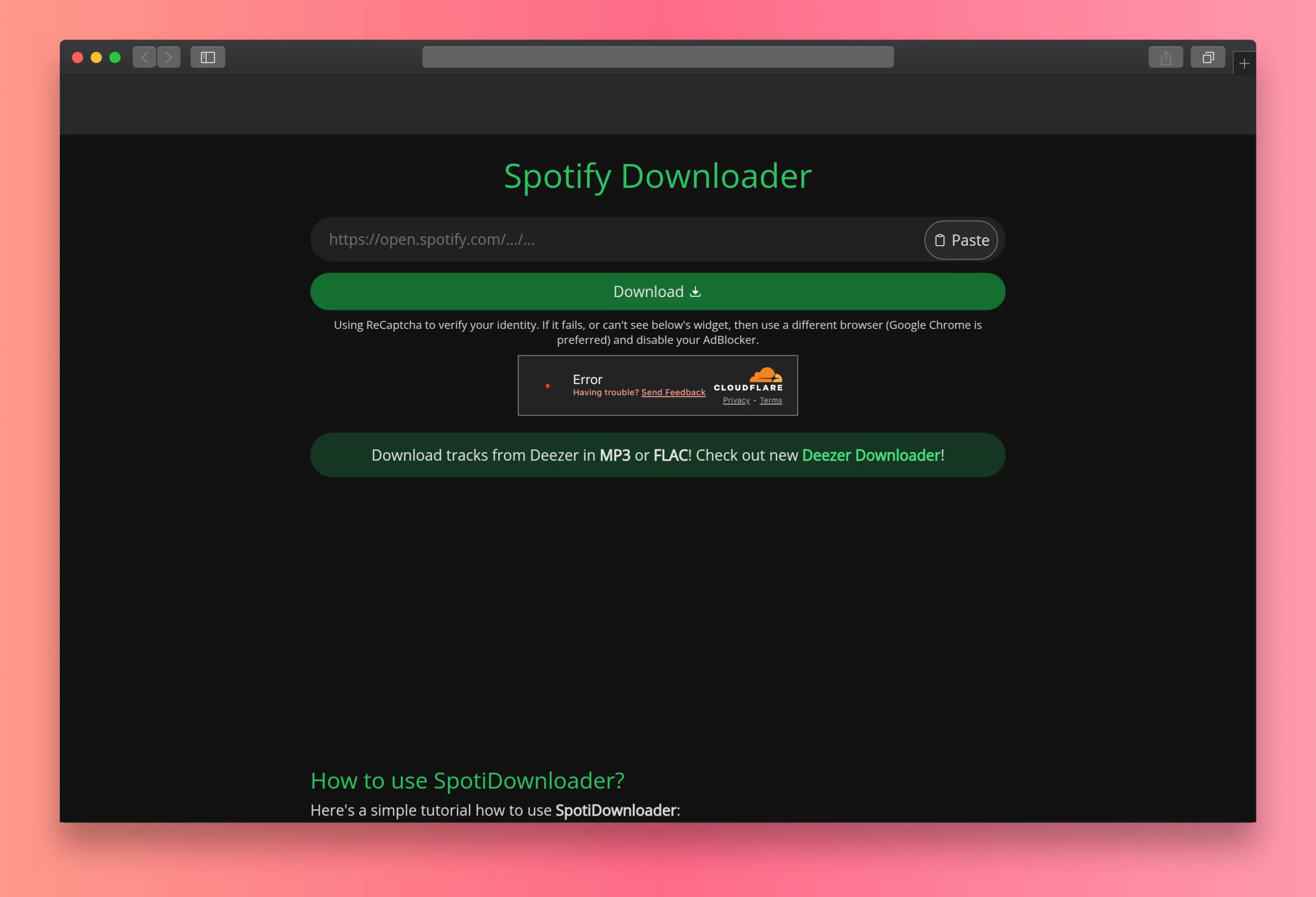
Spotify Downloader (spotidownloader.com)
It offers an online solution without the need for downloading. Simply paste the link and click "Download." It's compatible with multiple formats such as MP3, FLAC, WAV, and AIFF, and supports batch downloads . It provides high quality and speed, although it does include ads.
Mobile apps and bots to convert Spotify to MP3
Telegram: SpotifySaveBot
Telegram allows you to convert songs using bots like @SpotifySaveBot by simply sending the Spotify link. The bot finds the version on YouTube and delivers it in MP3 format.
Pros:
Cons:
- The audio source comes from YouTube.
- The quality depends on the recording on that platform.
SpotiFlyer
SpotiFlyer is an Android app that lets you download songs from Spotify at 320 kbps . Its interface is simple; you just paste the link. It preserves ID3 tags and is completely free.
However, it doesn't always support all songs or allow for bulk downloads, and can sometimes cause connection errors.
Audio recorders: a more technical alternative
Audacity
Audacity is a veteran open-source audio editor that lets you record what's playing on your computer. You can use it to record Spotify songs in real time and then export them to MP3.
Basic steps:
- Open Audacity and select the recording source.
- Play the song on Spotify.
- Record and save to MP3 file.
This method is more manual, but useful if you don't want to rely on specific apps. However, errors or system sounds will also be recorded, so a clean environment is recommended.
ApowerSoft Audio Recorder
ApowerSoft offers a free online tool for recording music from various platforms, including Spotify. No installation is required if you're working from the web version, although a desktop client is also available.
Ideal for:
- Capture specific segments of songs.
- Record a complete musical session.
The result can be exported in MP3 and other formats.
Extensions and other alternative methods
There are also browser extensions like Spotiload or KeepVid that allow you to download songs directly from the Spotify web player. However, many of these plugins have been deactivated due to changes in the terms of service or no longer function correctly.
Another tool that was widely used is AllToMP3 , a free and open-source desktop program. It no longer works properly, but at the time it was an excellent option for converting entire playlists from Spotify to MP3.
Finally, apps like MuConvert have gained popularity by offering a clear interface, multiple formats, and download speeds up to 35 times faster. It also allows you to retain metadata and convert offline to Spotify or YouTube.
More and more users are demanding practical, legal, and effective solutions for storing their favorite music. Although Spotify natively limits these options, the tools we've reviewed make it possible to achieve this goal reliably and with quality. From professional desktop software to messaging bots and online platforms, there are alternatives for all tastes and needs.


Passionate writer about the world of bytes and technology in general. I love sharing my knowledge through writing, and that's what I'll do on this blog, show you all the most interesting things about gadgets, software, hardware, tech trends, and more. My goal is to help you navigate the digital world in a simple and entertaining way.