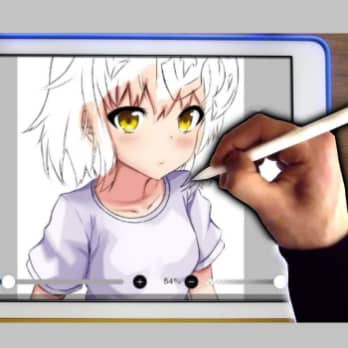
Everyone has talents, some just haven't discovered them yet. You may have heard the phrase before, but you've always thought that you have no creative talent.
We can even assure you that you can develop certain skills and talents , even if you weren't aware of them at first. For example, drawing: many artists say that you can only become a good illustrator or painter with practice and patience.
To develop your drawing skills, you can use modern technology . There are many apps that not only let you draw whatever you want, but also teach you how to do it.
Some apps will help you draw digitally, such as the 9 best graph paper and digital drawing apps for Android and iOS.
You can also read: 10 Best Programs to Transform Photos into Drawings
What are the main advantages of drawing in an app?
Being able to draw with a mobile app has some advantages over drawing on paper with a pencil and eraser. Since this activity can be done with a smartphone or iPad , it's more convenient and, above all, can be done easily and quickly anywhere.
These are the main advantages of this feature on these devices.
1. More tools available
When you use a drawing app, you have the advantage of having countless high-quality tools to create the best possible drawing. You also have the ability to create three-dimensional graphics, apply the right colors, use tools for shadows, transparency, darkness, and much more.
In other words, all these programs are specially designed to provide a wide range of tools that allow users to create attractive and professional designs.
2. Ecological
Reducing paper consumption worldwide would be one of the most important environmental measures. It's something we strive to achieve step by step with every design program we launch. As we know, paper production has a significant impact on the environment through pollution related to production processes and the paper's life cycle.
The main resource affected by paper production is trees, and the ecosystem is seriously threatened. Therefore, paper consumption can be considered an indicator of the bleak future that awaits the world. For this reason, it is recommended to use less paper for drawing and more mobile applications, which yield better results and are more convenient.
3. Better drawing quality
As we've already mentioned, these apps help improve the quality of your drawings . This is because they offer reliable tools that allow you to create professional-looking drawings. You can also choose the image size, pixels, resolution, colors, and many other features to create the image you want.
4. Easier to work with
Eliminating the need for paper, pencils, erasers, and paint makes your work much easier and more convenient. You can do it anywhere , with ease. Plus, you have all sorts of options at your disposal to make your work even easier.
5. Reduction of working hours
Working with technological devices increases your productivity. Thus, with project management tools, you can share information instantly and achieve great results.
9 Best Apps to Learn How to Draw (Android and iOS)
If you have some prior knowledge and skills, you can learn the fundamentals of human figures, shading, or new drawing techniques. These are the 9 best apps for learning to draw on Android and iOS.
1. Sketch a Day
As we mentioned before, the most important thing for learning to draw is consistent practice . But sometimes you have no idea what you can draw on paper. In this case, we recommend installing Sketch a Day.
Not only will it tell you what to draw, but it will also allow you to track your progress, see the work of other students and artists, and develop the habit of drawing every day, even if it's just a small sketch.
Other details
Sketch a Day offers users a new drawing idea each day . They complete the task, take a photo of the resulting sketch, and upload it to the app. All members of the community can view and rate it, allowing users to share their experience and talent with others.
Sketch a Day also has a special “Tutorials” section with various step-by-step instructions and tutorials on how to draw. Here you will find watercolor drawings, great photos of people, and much more to help you develop.
2. How to Draw
All the steps are taught step by step. First, you learn the basics and fundamentals, then the task becomes more complex and you begin to develop your skills. With the "How to Draw" app, you can learn the fundamentals of drawing , or you can encourage your child to learn it.
Here are some pretty simple yet creative drawings that aren't as hard to do as you might think. How to Draw explores shapes, proportions, colors, and more.
Of course, the app has a separate category for step-by-step drawings. All the drawings are divided into categories by theme or difficulty level, for example, sweets, eyes, animals, etc. In each of these categories, you learn something new by following the instructions.
Since drawing doesn't give you a personal teacher, you learn to draw on your own. You can always follow what is shown on the screen and move from one drawing step to the next. Learning to draw is easy, as long as you have the desire and time.
3. Easy drawing
You can learn to draw at any age, but it's best to start developing your talent at a young age. Easy Drawing is aimed at children , but really anyone who wants to learn to draw can benefit from this program.
You will learn how to create your first drawings, the basics of animation and geometry, and how to use templates and ready-made drawings. The simplicity of drawing makes it a very popular activity among children.
Other details
The app includes a wide variety of drawings , all of them quite simple, of course. For example, they might be animals, cartoon characters, or storybook characters. You choose what you want to draw, and the app guides you through it step by step.
When you're done, Easy Drawing will prompt you to watch a video to see how you did it. The video shows you step by step how you created the drawing, how you divided it into different parts, and how you went from a simple sketch to a finished drawing.
4. How to draw anime
Anime is a very popular genre these days. This style is used to create games, draw and write manga , comics, cartoons, and much more. If you like these drawings, it's time to learn how to make them yourself.
The How to Draw Anime app explains step by step how to create anime-style drawings, what are the main features of these drawings and what features of the genre should be imitated.
How to draw anime teaches you how to draw cute characters, pretty girls, and all the basics of the genre. When drawing full-figured characters, for example, you need to pay attention to certain proportions and know the basic facial features of these characters.
In anime, these techniques are very different from realistic drawing, and How to Draw Anime explains everything. The step-by-step instructions will guide you through the drawing process , and you can start a new drawing at any time—you don't have to finish it right away. Plus, How to Draw Anime is available offline.
5. Drawy
Want to learn the fundamentals of fine arts? Looking for a simple app to learn to draw? Drawy will help you develop your drawing skills , giving you a few minutes of free time.
With Drawy, you can draw step by step to get a beautiful, life-size drawing. You can start at any level of difficulty, even the simplest drawings, which are specially designed for children.
Drawy contains over 40 step-by-step instructions that you can follow as you learn. Over time , you'll progress from simple sketches to more complex ones and eventually be able to draw on your own without any training.
Millions of people are learning to draw with these tutorials , and Drawy lets you access them from your smartphone. You can even rate your drawings: Drawy has a built-in automatic rating algorithm that tells you whether you can continue or if you need to practice at a certain level.
6. Learn Drawing by Learn For All
The desire to learn to draw doesn't arise by chance. You see a cartoon or movie character, a beautiful landscape, or an object, and you know you want to draw it. With Learn Drawing by Learn For All, you can fulfill this desire and draw your favorite characters on paper.
With each update, more and more new characters are added to the app, and there may be some that interest you. In addition to step-by-step tutorials, you can find many other interesting things in the app.
Other details
At Learn Drawing by Learn For All, for example, there are special tutorials that teach you how to draw a pencil sketch . And, of course, there are plenty of anime, cartoon, and movie characters that you can draw yourself.
Learn to draw tells you what the next step should be in your sketch and what you need to do to make your drawing look exactly like your character. The app helps all beginners learn the fundamentals of drawing, but it's also suitable for those who just want to experiment with their creativity.
7. Learn Drawing by Rstream Labs
Learn to Draw is a colorful and handy app to teach drawing even to beginners and children. With special video tutorials, you can draw, sketch, get inspired, etc.
With consistent practice , you'll develop the habit of drawing at least something every day : sketches, drawings, interesting details, etc. There are different categories in Learn to Draw with Step-by-Step Tutorials: you can choose the one that suits you best.
The video tutorials not only show you the steps and give you tips, but also provide information on different drawing and character creation techniques. The drawing exercises in each category will teach you how to draw and visualize what your drawing will look like on paper.
If you want to learn a new skill quickly and easily, we recommend learning how to draw. Videos always help you understand the information better and you'll see how to accurately place lines and details on paper.
8. How to Draw Kawaii Drawings by Sweefit Studios
Every day, beautiful designs are created by different people who have nothing to do with the art world. In fact, people decorate the pages of their planners , notebooks, and other writing books with these little drawings.
With How to Draw Kawaii Drawings by Sweefit Studios, you'll learn to create these cute drawings to decorate every page of your notebook. Plus, each drawing doesn't take much time and is easy to do.
How to Draw Kawaii Drawings by Sweefit Studios is not just about the easiest drawings. There are also higher difficulty levels that you will have to master after some time.
You'll see how, step by step, your sketch becomes a final, finished drawing . You can also color them, add details, and even share the cute resulting creatures on social media in 'How to Draw Kawaii Drawings'.
9. How to draw animals
Drawing in a realistic style is probably the most difficult direction. In fact, in drawing and manga, it is easy to make mistakes that are not very obvious, such as eyes that are too small or hands that are too small.
In the genre of realism, every detail is important. With How to Draw Animals, you'll learn to draw animals like the real thing , but it takes patience and time.
The app suggests you start with the simplest vector drawings, which have little to do with real animals. Gradually, in How to Draw Animals, you'll progress to more complex images by following the instructions and acquiring new skills.
In no time, you will understand how to draw animals believably and will be able to draw whatever you want. It is worth noting that children can be taught to draw animals - the learning process will be much faster and will reveal more talent.
Conclusion
A true artist is always practicing and searching for their own style. Perhaps you enjoy sketching, landscapes, or drawings with a touch of abstraction. As you learn, you may discover your own style and talent: for example, you might enjoy 2D drawing or sketching.
Since the apps teach you to draw step by step, you'll eventually overcome this stage and be able to create your own drawings from scratch without using any pointers. The most important thing to discover your talent is to practice and never give up.
With these apps, even a child can learn to draw! We hope that the apps we have prepared for you will help you become an artist.
You can also read: 7 Best Programs to Create Cartoons

My name is Javier Chirinos and I am passionate about technology. Ever since I can remember, I have been interested in computers and video games, and that passion has turned into a job.
I have been publishing about technology and gadgets on the Internet for over 15 years, especially in mundobytes.com
I am also an expert in online marketing and communication and have knowledge in WordPress development.