- What is DNS, how does it work, and what makes it fast, secure, and reliable?
- Comprehensive DNS list with IPs, profiles, and privacy focus.
- Tools and criteria to choose the best one for your connection.
- Configuration on all DoH/DoT/DoQ devices and protocols.

If you notice your browsing is choppy or certain websites are slow to load, it might not be your Wi-Fi or internet provider's fault: often, simply changing your DNS servers will make everything run more smoothly. This guide provides a curated list of fast and secure DNS servers in Spain , explained in clear language and covering all the important details (privacy, filtering, compatibility, and configuration).
In addition to the list, we explain exactly what a DNS server is, how it works, what to look for when choosing one, and how to configure it on Windows , macOS, Linux , iOS , Android , routers, and consoles . We also review modern protocols (DoH/DoT/DoQ), performance measurement tools, and solutions like DNSCrypt for adding an extra layer of security.
What is a DNS and why it matters
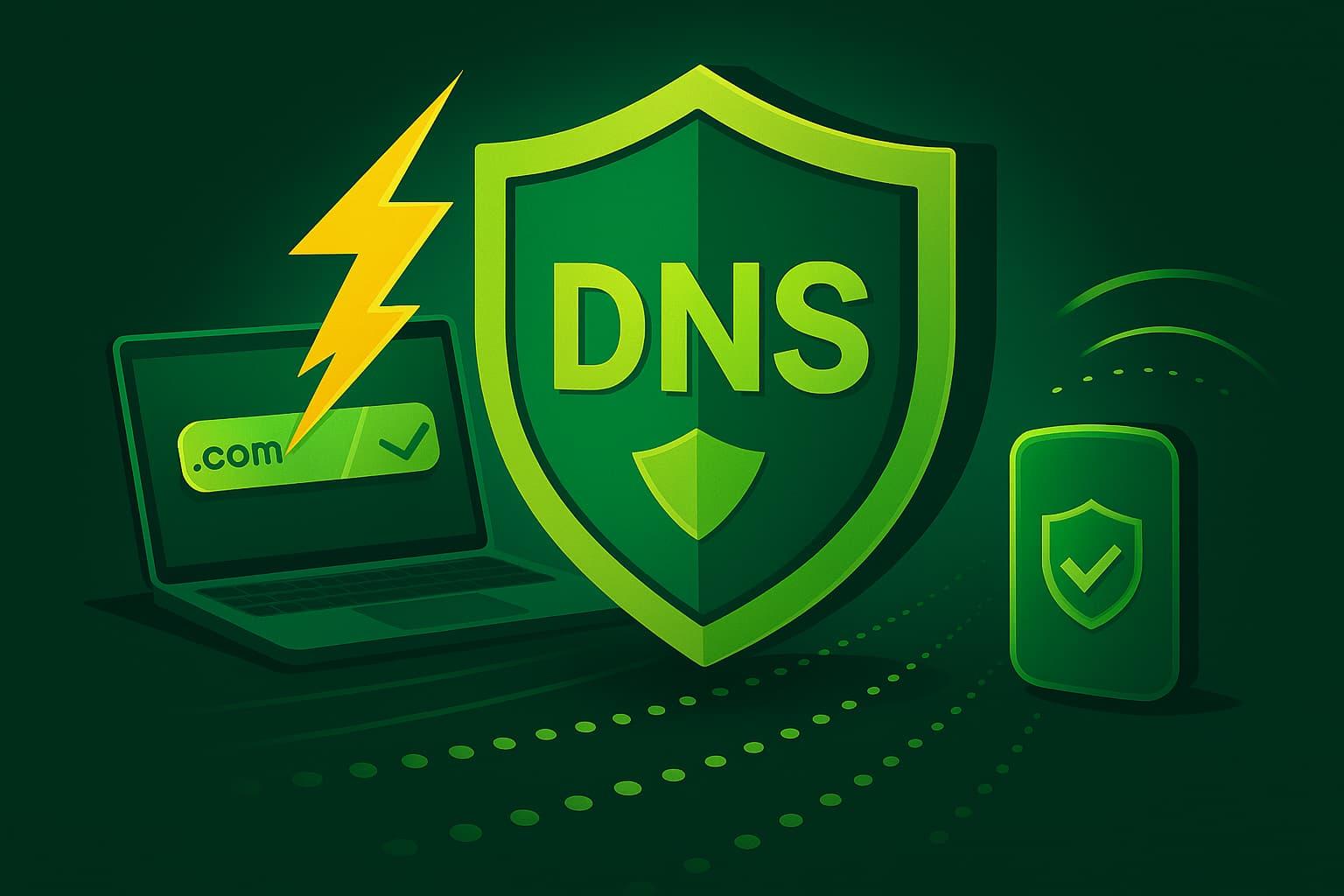
A DNS (Domain Name System) server acts as the "address book" of the Internet: it translates human-readable domains into numerical IP addresses so that your device knows which server to connect to when you type a URL.
Behind it all is a distributed and hierarchical database that not only links domains to IP addresses, but also stores service records such as email (MX) or additional information (TXT, CNAME, etc.).
The naming structure is an inverted tree with labels separated by periods; each label can have up to 63 characters and the complete domain, up to 255 characters . This allows for orderly resolution from the "root" to each subdomain.
In practice, your computer maintains a local cache to speed up responses; if the data isn't there, it queries the configured resolver (by default, your ISP's). That's where choosing an alternative DNS comes in, to improve speed, security, or privacy.
This system offers clear advantages (transparent IP changes, the ability to use nearby CDNs, great stability thanks to automatic propagation), but it also has risks if the resolver is vulnerable: a DNS attack can redirect you to malicious websites if modern measures are not applied.
What makes a DNS secure and reliable?

A good resolver protects the confidentiality of your queries from third parties. Many modern providers implement DNS over HTTPS (DoH) or DNS over TLS (DoT) , and some already support DoQ, to encrypt the channel and prevent prying eyes.
Speed is key: the faster a name is translated to an IP address, the faster websites will load. Typically, optimized public DNS servers (Google, Cloudflare, Quad9, etc.) outperform those of many ISPs due to their infrastructure and caching capabilities.
Some resolvers add an active security layer by blocking malware , phishing, or botnet domains . If you share your network with children or want to fine-tune your controls, some also include parental filters and blacklists/whitelists.
Privacy, latency, global availability, DNSSEC support, logging policies, and audited transparency are factors that separate a "correct" DNS from one that is truly reliable for everyday use.
Alternative DNS vs. operator; free vs. payment; public vs. private
The carrier's own DNS servers are fine, but alternatives often stand out for their faster response times , better availability, and added security/privacy features. Furthermore, some help bypass DNS blocks that ISPs may apply to certain domains.
Public vs. private: A public DNS is open to anyone (Google, Cloudflare, Quad9, etc.). Private DNS servers are designed for businesses or users who want customized resolution and filtering , usually after registration.
In all cases, it is advisable to review the logging policies, DoH/DoT/DoQ support , and whether they implement DNSSEC validation to prevent cache poisoning.
Complete list of recommended DNS
These are the most popular and reputable services, along with those worth trying in Spain for their performance, security, and coverage . Where applicable, we include specific addresses.
Google Public DNS – 8.8.8.8 and 8.8.4.4
Very fast, stable, and ubiquitous, it removes IP addresses after 24-48 hours and maintains aggregated data for performance analysis. It requires no registration and works well for gaming and streaming.
Cloudflare – 1.1.1.1 and 1.0.0.1
Focused on privacy and speed , it deletes logs in 24 hours, offers apps , DoH/DoT support, and a huge Anycast network with over 200 global locations; it usually delivers low pings.
IBM Quad9 – 9.9.9.9 and 149.112.112.112
Focused on security and privacy , it filters threats using IBM X-Force intelligence and 18 additional sources. It also includes version 9.9.9.11 with ECS for improved geolocation on CDNs. It does not keep logs of your requests.
OpenDNS (Cisco) – 208.67.222.222 and 208.67.220.220
Known for its robustness and filtering , it allows family profiles (FamilyShield: 208.67.222.123 and 208.67.220.123) and free advanced options with registration; it blocks phishing by default.
Verisign – 64.6.64.6 and 64.6.65.6
Reliability and privacy without ads as its hallmark; it's not the fastest on the market, but it offers high availability and prudent data policies.
FreeDNS – 37.235.1.174 and 37.235.1.177
No registration or logging, with servers in Austria, Germany, the USA, and Singapore; note that security filtering is not applied by default. Other IPs: 172.104.237.57 (Frankfurt), 172.104.49.100 (Singapore), 45.33.97.5 (Atlanta).
NextDNS – 45.90.28.0 (IPv4) and 2a07:a8c0:: (IPv6)
Highly configurable cloud-based solution ; allows you to block trackers, malware, and content by category. Requires an account and creates a profile with customized policies.
AdGuard DNS
Ideal for those who want network-level ad and tracker blocking . Basic addresses: 94.140.14.14 and 94.140.15.15. Additional versions: no filtering (94.140.14.140 / 94.140.14.141) and family protection (94.140.14.15 / 94.140.15.16).
SafeServe (Namecheap) – 198.54.117.10 and 198.54.117.11
Privacy and security -oriented proposal , with infrastructure in Europe and the US and high levels of availability, mitigating Man-in-the-Middle attacks.
Comodo Secure DNS – 8.26.56.26 and 8.20.247.20
Cybersecurity company with a resolver that blocks phishing and malware ; free version sufficient for basic use and premium plans with more control and analysis.
CyberGhost DNS – 38.132.106.139 and 194.187.251.67
Focused on privacy and simplicity , useful as a free alternative; combined with your VPN, it strengthens online security.
UncensoredDNS – 91.239.100.100 and 89.233.43.71
An independent project from Denmark, it supports DoH/DoT and has removed port 53 UDP/TCP; it prioritizes secure protocols and net neutrality. Recommended for advanced users.
Clean Browsing
Excellent for families and schools; profiles ready: family 185.228.168.168 / 185.228.169.168; adults 185.228.168.10 / 185.228.168.11; security 185.228.168.9 / 185.228.168.9 with forced safe search on some engines.
Other DNS to consider
- Level3: 209.244.0.3 and 209.244.0.4
- DNS.WATCH: 84.200.69.80 and 84.200.70.40
- GreenTeamDNS: 81.218.119.11 and 209.88.198.133
- SafeDNS: 195.46.39.39 and 195.46.39.40
- OpenNIC: 96.90.175.167 and 193.183.98.154
- SmartViper: 208.76.50.50 and 208.76.51.51
- Man: 216.146.35.35 and 216.146.36.36
- Alternate DNS: 198.101.242.72 and 23.253.163.53
- Yandex DNS: 77.88.8.8 and 77.88.8.1
- Hurricane Electric: 74.82.42.42
- puntCAT: 109.69.8.51
- Neustar: 156.154.70.1 and 156.154.71.1
- FourthEstate: 45.77.165.194
- UltraDNS: 156.154.70.1 and 156.154.71.1
- UltraDNS Family: 156.154.70.3 and 156.154.71.3
According to DNSPerf, in addition to Cloudflare and Google, CloudDNS (managed service) has greatly improved its performance, making it a solid alternative if the first two don't convince you due to latency.
Performance Analysis (DNSPerf)
DNSPerf evaluates query times on a global scale. In its measurements, Cloudflare has historically led in average latency thanks to its massive Anycast network, with low variability between regions.
Google Public DNS maintains very good response time and outstanding stability , supported by dozens of data centers and finely tuned caches.
ClouDNS has grown in points of presence and optimization, positioning it as the third major recommendation worldwide for those who want to diversify resolvers.
Tools to choose the best DNS for you
Measuring on your actual connection is the best way to get it right. Recommended tools: DNS Jumper, DNS Benchmark, NameBench, and DNSPerf (web). They allow you to compare times, losses, and consistency.
Before choosing, consider compatibility with your operating system , ease of use, resource consumption, whether you prefer a web or installable version, and whether you need paid features such as reports and categorized lists.
For mobile devices, there are useful apps: DNS Changer (Android) changes DNS without root and helps on public WiFi; Blokada adds ad blocking, tracker blocking and uses WireGuard; Nebulo implements DoH/DoH3/DoT to send encrypted queries.
If you want to automate the switch in Windows with modern protocols, utilities like YogaDNS allow you to route DoH/DoQ with rules per application or network.
How to change DNS on each device
- Windows: Go to Settings > Network & Internet > your network > Edit DNS settings, activate mode Manual and enter IPv4/IPv6. In Control Panel: Network and Internet > Network Center > Change adapter settings > Your adapter properties > IPv4/IPv6 > "Use the following addresses."
- macOS: System Preferences > Network > select your connection > Advanced > DNS tab > "+" button to add servers. Apply and that's it.
- Linux (graphical environment): System > Preferences > Network Connections > your interface > gear > IPv4 (or IPv6) tab and switch to manual DNS. In the CLI, you can check resolv.conf depending on your distro and network manager.
- iOS (iPhone/iPad): Settings > Wi-Fi > your network's "i" > DNS Settings > Manual > Add Server; enter the primary and secondary and save. In corporate profiles, it can be configured via MDM.
- Android: Settings > Network & Internet > Wi-Fi > your network > Edit > Advanced > Static IP if your layer asks for it, or use Private DNS (for DoT) by entering the hostname of the supported provider.
- Router: Enter 192.168.0.1 / 192.168.1.1 (or another gateway IP) via browser, log in (often "admin/admin" if you haven't changed it) and edit the fields WAN DNS on the Internet or equivalent. This way, you affect all devices.
- Consoles: in PS5 Settings > Network > Configure Internet Connection > Advanced > Manual DNS. In Nintendo Switch: System Settings > Internet > Internet Settings > your network > Change Settings > Manual DNS. In Xbox: Guide > Profile & system > Settings > General > Network settings > Advanced options > Manual DNS. Validate that the chosen server improves latency and stability.
What to do after changing DNS: extra security and verification
If you're concerned about the integrity of the responses, add DNSCrypt : it authenticates the channel between client and resolver using cryptographic signatures, mitigating spoofing and tampering.
Clients such as dnscrypt-proxy, Simple DNSCrypt or OSXClient also offer useful features: caching to lower latency , local blocking by lists, preventing leaks of local zones, forcing TCP (useful with Tor or tunnels) or local query telemetry.
During the first few days, monitor your experience: check loading heavy websites, playing high-resolution video, downloads , and online games. If you notice your connection is slowing down, don't hesitate to try another option from the recommended list.
Modern encrypted DNS protocols (DoH, DoT, DoQ)
Traditional DNS uses plain text on port 53 , leaving your queries exposed. To address this, DoH (DNS over HTTPS) , DoT (DNS over TLS) , and the more recent DoQ (DNS over QUIC) emerged , which improves latency and loss tolerance thanks to QUIC/UDP (port 8853).
DoQ allows multiple streams over a single link, reduces the impact of packet loss , and offers modern encryption with reasonable CPU costs for current clients. It is increasingly supported by more resolvers.
Services with DoQ/DoH/DoT support: AdGuard (unfiltered.adguard-dns.com / dns.adguard-dns.com / family.adguard-dns.com), ControlD (p0.freedns.controld.com / p1.freedns.controld.com / family.freedns.controld.com), DNS0.eu (open.dns0.eu / dns0.eu / kids.dns0.eu), DNSForge (blank.dnsforge.de / dnsforge.de / clean.dnsforge.de) and NextDNS (dns.nextdns.io).
Compatibility: Android supports DoT as a private DNS ; modern browsers integrate DoH ("secure DNS"); Windows 11 already includes DoH and with tools like YogaDNS you can orchestrate DoQ/DoH on Windows 10/11 without complications.


Passionate writer about the world of bytes and technology in general. I love sharing my knowledge through writing, and that's what I'll do on this blog, show you all the most interesting things about gadgets, software, hardware, tech trends, and more. My goal is to help you navigate the digital world in a simple and entertaining way.