- A well-isolated VM reduces risk, but it is not infallible: it controls networking, snapshots, and bridges to the host.
- Choose hypervisor and tools based on your goal: VirtualBox/VMware/Hyper-V/KVM, Cuckoo, REMnux, Volatility, and FakeNet‑NG.
- Configure your network carefully (NAT/Host-only) and disable host-guest integrations to prevent leaks.
- If there is anti-VM evasion or you need maximum fidelity, use hardware physical with image restoration.
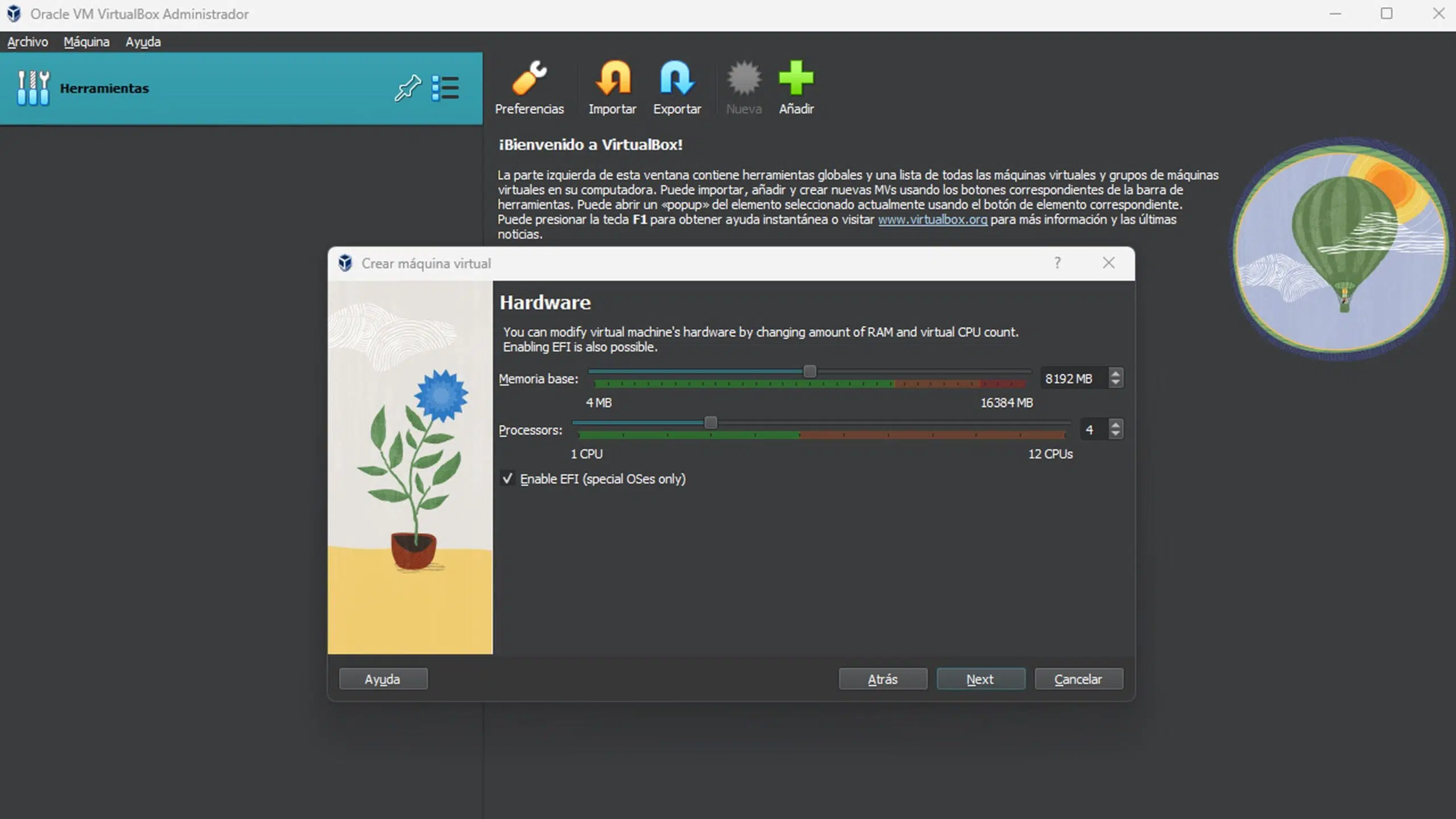
Testing malware inside a virtual machine sounds like a brilliant idea: an isolated environment, with a backspace button and no consequences… or is it? The short answer is yes, it can be safe, but only if you understand the limits of isolation and configure the lab carefully . If you do it carelessly, the risk of a leak to your host or the corporate network is real.
This article compiles and reorganizes, in clear language, information from various reference sources on virtualization, security, and sample analysis. You'll find criteria for deciding how to set it up, networking tips to avoid mistakes, recommended tools, and, very importantly, when a single VM isn't enough . The goal is for you to end up with a realistic and prudent plan, free from myths.
What exactly is a virtual machine and why does it help with malware?
A virtual machine (VM) is essentially a "computer within your computer," run by a hypervisor that distributes the host machine's CPU, memory, disk, and network resources. From within, the VM behaves like a complete PC with its own operating system, applications, and virtual hardware . This logical separation provides the first level of containment for testing questionable software.
There are two virtualization approaches worth distinguishing: process virtual machines (like the JVM), which provide an environment for running specific applications, and system virtual machines, which emulate an entire operating system. For malware testing, we're interested in system VMs, with their own guest OS, disk, and network stack.
A hypervisor (VMM) acts as an intermediary between the physical host and the VMs. VirtualBox , VMware Workstation/Fusion, Hyper-V, and KVM are popular examples that allow you to run multiple VMs simultaneously and manage resources on demand . In practical terms, you start the VM in a window and work with it as if it were another computer.
Why is this useful when analyzing malware? Because the damage, ideally, remains "locked" within the guest. If a sample encrypts files, manipulates the registry, or attempts to persist, the changes affect that environment, not the host . Furthermore, thanks to snapshots, you can revert to the previous state in seconds after a failed experiment.
Is it really safe? Limits of isolation and best practices
Virtualization helps a lot, but it's not an impenetrable shield. There are samples that detect they're in a VM, change their behavior, or try to escape by exploiting hypervisor vulnerabilities or host/guest integration flaws . It's not the norm, but the possibility exists, and you have to act as if it could happen.
To minimize risks, strict lab preparation is recommended. First, create the VM, install the operating system and your utilities, and take a clean reference snapshot . This gives you an immediate return point should anything be altered or corrupted.
Be careful with features that connect the guest to the host. Disable shared folders, bidirectional clipboard , drag and drop, and automatic USB connection . All these "bridges" are vectors for data leaks or unintentional execution on the host.
Regarding the internet, apply the principle of least privilege. If you don't need network access, block it; if you need it to monitor traffic, do so with clear rules and controls . Intercepting connections in a very "quiet" environment saves you from noise and reduces your exposure.
Keep your virtualization software up to date. Hypervisor patches fix vulnerabilities that could be exploited by malicious code to break isolation . And remember: don't run live samples on your main machine or with accounts that have unnecessary privileges.
Network modes in the VM: how not to over-open
Network configuration makes the difference between a discreet lab and an open door to your LAN. Common modes are NAT, Bridged, and Host-only, and each has implications for visibility and exposure.
- Bridged Mode: The VM “comes out” to your network as if it were another computer, with its own IP/MAC. Allows you to receive incoming connections and talk directly to other hosts on the LANIt's convenient for reproducing real-life scenarios, but it's also the most risky if you're working with malware capable of spreading itself.
- NAT Mode: The VM uses the host IP to access the Internet via address translation. It does not receive incoming connections by default (except for redirects), which reduces the attack surface from outside.. This is usually the balanced option for capturing outbound traffic with less exposure.
- Host‑only mode: Creates a private network between host and guest with no external access. This is the most isolated option; useful for analyses that don't require the Internet or when simulating local services with tools like FakeNet-NG.
Whichever method you choose, apply additional rules: filter DNS, limit ports, control resolutions, and log all traffic you're interested in with a sniffer . And if you connect multiple VMs, do so on a virtual segment isolated from the physical LAN.
Snapshots, recovery, and appliances
Snapshots are your lifeline. They capture the state of the VM at a specific moment; if something goes wrong, you simply restore it . Use them at the start of your analysis and before every significant change. They prevent reinstallation and allow you to quickly repeat tests.
Another practical advantage is packaging your VM as an appliance (OVA/OVF). Once configured with tools and settings, you can clone that package and reuse it on another machine or share it with colleagues . It's a quick way to standardize labs.
If the situation requires maximum cleanliness, consider ephemeral environments: create, test, collect artifacts, and destroy them; this minimizes the persistence of residues . This is especially useful when dealing with families with aggressive survival mechanisms.
Tools and platforms: hypervisors and analytics suites
To run VMs, you have several options. VirtualBox is free and cross-platform; VMware Workstation/Fusion is very stable and powerful; Hyper-V comes integrated with Windows ; you can also use Windows Sandbox for quick testing; and KVM offers near-native performance on Linux . Choose according to your system, budget, and need for advanced features (graphics, complex networking, etc.).
Important details to note: In the VMware ecosystem, Workstation Pro (Windows/Linux) and Fusion Pro (macOS) are the current editions; the Player/Fusion Player lines were discontinued with the migration to Pro . If you choose Linux, KVM stands out for its kernel integration and security, although it requires familiarity with the command line , libvirt, QEMU, and network bridges.
For automating analysis and orchestrating VMs, Cuckoo Sandbox is a classic. It allows you to run samples, instrument the system (Agent/Monitor), obtain traces and signatures, and deliver results via API or web interface . Ideal for repeatable dynamic analysis.
If you prefer a distro already geared towards remediation/malware, REMnux offers a curated set of utilities. From memory forensics tools like Volatility to reverse engineering tools like Radare2 or simulated networks with FakeNet-NG , it provides a powerful foundation on Linux.
Cloud sandbox? Interactive services like ANY.RUN make it easy to instantly launch a "lab" VM to observe real-time behavior. You can move the mouse, type, restart, open files, and see how the sample reacts, all from your browser . Useful for a quick first look without setting up local infrastructure.
Environment Setup: What to Touch and What Not to Touch
In addition to network and snapshot settings, there are fine-tuning options that improve the signal strength in your captures and reduce noise. In the guest environment used for dynamic analysis, it might make sense to disable the firewall and automatic updates so that you only see the relevant traffic. Do this exclusively within the lab VM and never on your physical machine.
Disable unnecessary hypervisor integrations with the guest. Keep the guest clean, without enhancement tools that might reveal the virtualization if you're studying evasion, and without any communication channels with the host . Remember that many malware programs scan VM artifacts and alter their behavior accordingly.
At an operational level, keep a logbook. Document what you run, when you take the snapshot, what hashes and routes you handle, and what traffic appears . This discipline speeds up repeating conditions and comparing results.
Of course, keep your hypervisor and base VMs up to date. Patches minimize escape vectors and ensure that your virtual APIs and drivers behave as expected . You don't want a vulnerability in your own environment to ruin an analysis or, worse, compromise your security.
Common use cases and real benefits
The beauty of VMs is that, with a single physical machine, you multiply your options: you can run software from another system, test builds on different operating systems, and isolate risky operations . All without buying more hardware.
For developers and analysts, isolation is key. You open suspicious attachments, run dubious installers, and observe persistence or C2 communication without touching your host . If something goes wrong, you simply revert to the snapshot and move on.
There's also a slight privacy benefit to segmenting tasks across VMs. Some fingerprinting techniques can identify your environment; using a separate VM for certain activities reduces correlations . Note: this isn't magic anonymity, it's operational hygiene.
Resource management is flexible: CPU, RAM, and disk are allocated according to the load. You can set up a "lightweight" VM for quick triage or a powerful one for simulations or heavier build environments . The hypervisor lets you adjust on the fly.
Disadvantages and common misunderstandings
Important: A VM is not an invincible shield. There is a performance penalty, instabilities can occur when running multiple VMs, and rare but real escape vectors exist . You must plan with this reality in mind.
Nor does it replace other security layers. Effective defense is about depth: network segmentation, antivirus/EDR, least privilege policies, verified backups, and inventory . The VM is just one piece, not the entire plan.
Another common myth is "always have the internet open to see traffic." This isn't always necessary; many dynamics can be observed by simulating DNS/HTTP responses with tools like FakeNet-NG . Less exposure, more control.
Finally, don't confuse containers with VMs. Containers share the kernel with the host and isolate processes; they are lighter, but they don't offer the same system isolation as a VM . For malware, except in very controlled cases, a full VM is better.
Which hypervisor to choose?
- VirtualBox: free, mature and cross-platform. It allows multiple snapshots, shared folders, and a seamless mode, although some users notice slow startups and a somewhat outdated interface.. Good entrance door.
- VMware Workstation Pro (Windows/Linux) and Fusion Pro (macOS): Solid performance, advanced virtual networking, good 3D graphics support, and a broad ecosystem. Requires a license for commercial use; the Player branch has been discontinued with the transition to Pro.
- Hyper‑V: integrated into Windows. Simple for Windows host scenarios with enhanced session and checkpoint capabilitiesIdeal if you already work in Microsoft environments.
- KVM on Linux: Kernel Integration and Hardware Acceleration. It performs at near-native speeds and benefits from the Linux security model; it supports encrypted snapshots and pass-through. TPMThe learning curve is steeper if you're not familiar with networking and libvirt.
Support tools for analysis
If you're looking to automate and centralize, Cuckoo Sandbox is a must-have. It orchestrates VMs, injects an agent to monitor events, generates signature-based reports, and allows API integration . It's perfect for triage pipelines.
In the area of memory forensics and enterprise resource analysis (ER), Volatility and Radare2 are essential. Volatility allows you to extract processes, modules, and artifacts from a dump; Radare2 lets you inspect binaries with great control . FakeNet-NG, on the other hand, simulates network services to see how the sample "feeds off" without ever going online.
REMnux packages many of these utilities into a ready-to-use distribution. Simple installation and a curated set of utilities to get you right to the point, ideal as an additional VM in your lab.
If you choose the cloud for speed, ANY.RUN provides the interactive layer. It allows you to interact with the VM in real time (mouse, keyboard, reboots) and observe its behavior on the fly . This is very useful for quickly gathering information without setting up local infrastructure.
When is a VM not enough? Alternatives and reinforcements
Some malware detects virtualization and either goes into sleep mode or self-destructs. In these cases, you'll need to use VM artifact evasion techniques or, if necessary, resort to physical hardware . Have a backup plan.
If you build a test environment with real hardware, incorporate an imaging system to restore clean states (for example, FOG-style solutions and guides for cloning hard drives with multiple partitions ). This avoids having to reinstall from scratch after each test and reduces downtime . Keep this hardware isolated from your production network.
It combines controls: strong network segmentation, DNS whitelisting, traffic capture, centralized logging, and, if appropriate, an EDR for external telemetry viewing. The VM provides the theater of operations; the other layers provide the emergency exits.
Types of virtualization beyond the typical VM
Virtualization isn't limited to the guest operating system. There are hardware/server virtualization methods, software/application virtualization methods, storage virtualization methods, desktop virtualization methods, and network virtualization methods . In a lab, combining several of these methods provides flexibility and resilience.
In desktop virtualization, for example, you maintain environments accessible remotely from any device. Network virtualization allows you to subdivide and adjust bandwidth, creating custom subnets and policies . Use it to further isolate your analysis VMs.
Virtual storage, on the other hand, facilitates redundancy and reduces downtime in the event of an incident. If an attack compromises a VM, you restore the storage layer without affecting the rest of the environment . Less friction, faster recovery.
Operational privacy and traceability
A less discussed point: the digital footprint. Web services profile devices based on their configuration; separating activities into VMs with specific network profiles reduces correlations . It's not a layer of anonymity in the strictest sense, but it does improve hygiene.
However, if you mix everything in the same VM (work, leisure, testing), you negate the benefit. Define uses per VM, restrict identities, and apply consistent policies for cookies, trackers, and traffic . Compartmentalization makes sense if you adhere to it.
Remember that corporate networks have privacy policies and third-party consent banners. Respect these policies and limit your testing to authorized environments . Technical security goes hand in hand with legal and organizational security.
Yes, a well-configured VM offers a reasonably secure environment for malware research, but that doesn't make it a risk-free game. With snapshots, an isolated network, no bridges to the host, and the right tools, you'll gain visibility with control; if the adversary raises the bar, you'll have to raise it too . Your best bet is a defense-in-depth mindset and consistent operational discipline.


Passionate writer about the world of bytes and technology in general. I love sharing my knowledge through writing, and that's what I'll do on this blog, show you all the most interesting things about gadgets, software, hardware, tech trends, and more. My goal is to help you navigate the digital world in a simple and entertaining way.
Table of Contents
- 1 What exactly is a virtual machine and why does it help with malware?
- 2 Is it really safe? Limits of isolation and best practices
- 3 Network modes in the VM: how not to over-open
- 4 Snapshots, recovery, and appliances
- 5 Tools and platforms: hypervisors and analytics suites
- 6 Environment Setup: What to Touch and What Not to Touch
- 7 Common use cases and real benefits
- 8 Disadvantages and common misunderstandings
- 9 Which hypervisor to choose?
- 10 Support tools for analysis
- 11 When is a VM not enough? Alternatives and reinforcements
- 12 Types of virtualization beyond the typical VM
- 13 Operational privacy and traceability