- Firmware is the low-level software recorded on the device itself that directly controls the hardware.
- Drivers are operating system programs that act as intermediaries between the operating system and each physical component.
- Firmware and drivers are updated differently, and a firmware failure is usually more critical than a driver failure.
- All firmware and drivers are software, but they fulfill specific roles within the architecture of any device.
In the world of technology, there are terms we hear all the time, but when we stop to think about them, we don't fully understand them. Firmware, drivers, controllers, software… they all sound very similar, and yet each concept has a very specific function within a computer, a mobile phone, or even a washing machine.
If you've ever seen a notification to update your router's firmware or had to install drivers for a new graphics card, you've probably wondered what each one is and why they're so important. In the following lines, we'll delve into the differences between firmware and drivers , how they relate to other software, and real-world examples that clearly illustrate the role of each.
What exactly is firmware?

When we talk about firmware, we're referring to a very basic, small program that lives within the device itself and is responsible for bringing the hardware to life. It's not an application you install or something you see on your desktop; it's the code that tells the electronic circuits how to start up, what to do, and how to react to the commands they receive.
Simply put, firmware is the lowest-level logic that governs an electronic device . It defines the minimum instructions the hardware needs to function properly: how to power it on, how to initialize its internal components, how to manage power, and how to communicate with the outside world. Without this program, the device wouldn't even know where to begin.
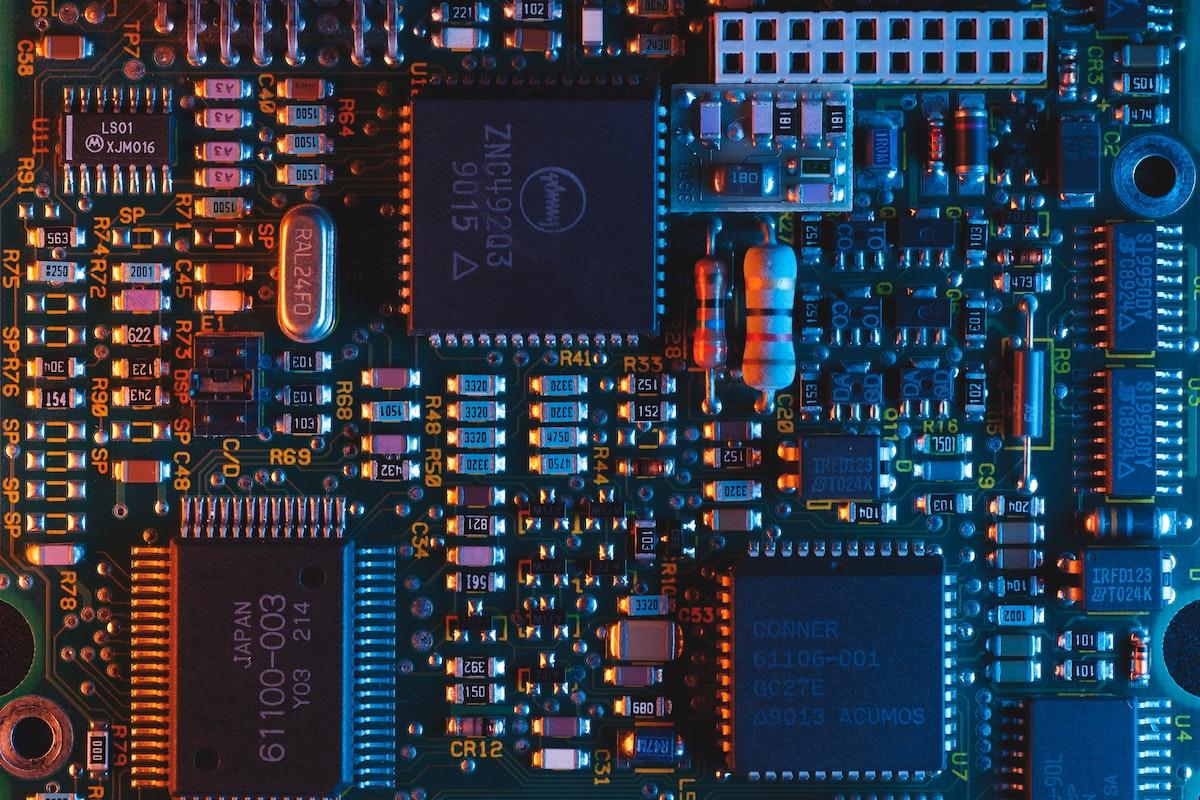
This code is typically stored in non-volatile memory chips (ROM, EEPROM, flash, etc.) that are integrated into the device's circuit board. From a USB mouse to a television or a modern car, all include some form of firmware recorded in a small memory separate from the main memory where data or applications are stored.
From a theoretical standpoint, firmware is considered both hardware and software . It's hardware because it's soldered onto the device's electronics and closely linked to them, but it's also software because, essentially, it's executable code. That's why it's often said to be one of the main points of connection between the physical world (hardware) and the logical world (software).
The term firmware first appeared in 1967 in the magazine Datamation. Computer scientist Ascher Opler coined the word as "firm or fixed software," initially referring to a small area of specialized memory where a set of basic computer instructions was defined. Over time, the concept expanded to encompass almost any type of microcode or program embedded in ROM or similar memory.
A classic example of firmware on a PC is the motherboard's BIOS or UEFI . It's the first thing that runs when you turn on the computer and is responsible for checking that the hardware is working properly (RAM, hard drives, graphics card, etc.), initializing it, and preparing it for the operating system to boot. That small blue or graphical interface that appears before Windows or Linux loads is precisely part of the firmware.
Beyond PCs, almost every modern electronic device incorporates firmware . We find it in remote controls, televisions, routers, washing machines, cameras, car multimedia systems, MP3 players… In all these cases, the firmware coordinates the buttons, sensors, motors, or communication circuits so that they respond correctly to the user's actions.
Where we find firmware on a daily basis
To make it clearer that firmware isn't exclusive to advanced computers, it's worth reviewing some everyday devices where it's present . In fact, you probably have one right in front of you without realizing it as you read this.
One of the clearest examples is the television remote control . Although it seems like a very simple device, inside it contains a small microcontroller with firmware that interprets button presses, generates the correct infrared signals, and manages aspects such as energy saving when not in use.
Computer peripherals, such as keyboards, mice, printers, and wireless headphones, are also essentially small, purpose-built computers with their own firmware . This firmware allows the keyboard to know which key has been pressed and how to send that information to the PC, and the printer to understand print commands and control its internal motors.
On a smartphone, firmware appears in several layers. First, there's the phone's own firmware (for example, the motherboard or modem firmware), which ensures that the hardware and operating system can communicate smoothly . Then, many internal components (like the camera or Wi-Fi chip) have their own firmware, independent of the Android or iOS you see on the screen.
Routers are another example where firmware is critical. The embedded software they contain manages the internet connection, Wi-Fi, network rules, and security . If the firmware fails or is poorly designed, it's common for the network to go down, experience stability issues, or even leave the device vulnerable to external attacks.
In the less obvious domestic sphere, washing machines, dishwashers, and ovens include firmware that translates the user's program selection into a series of specific actions on motors, valves, heating elements, and temperature sensors. Similarly, modern traffic lights and many electronic signs use firmware to coordinate timing, detect vehicles or pedestrians, and maintain the flow of traffic.
Firmware updates: why they matter and how they are managed
Just like any other piece of software, firmware can also contain bugs, vulnerabilities, or limitations that should be fixed over time. That's why manufacturers occasionally release new firmware versions that address errors, patch security holes, or add minor extra features.
Updating the firmware, however, is not usually as automatic or convenient as updating an application . On many devices, the process requires downloading a specific file from the manufacturer's website, copying it to a USB drive or similar, and following a specific procedure from a hidden menu. In other cases, such as with some routers or connected devices, the device itself notifies you and guides you through the update.
In the PC environment, tools like AIDA64 or utilities from the motherboard manufacturer help check for available BIOS or UEFI versions . Even so, it's not uncommon for many people to use the original factory firmware for years without updating it, because they're hesitant to modify something so fundamental.
It's important to be careful because a poorly executed firmware update can have serious consequences. When the process is interrupted or an incorrect file is loaded, the device can become unusable, turning into what is commonly called a "brick ." That's why many manufacturers recommend not updating unless there's a clear reason, or only using official tools that minimize risk.
The other side of the coin is that keeping the firmware up to date can lead to significant improvements in performance, compatibility, and security . For example, a router can gain new networking features, a game console can fix random crashes, or a music player can learn to recognize more modern audio formats.
What is a driver or controller?
Moving on to the other major player, drivers are also software programs, but they operate on a different level than firmware . Their purpose is to act as a translator between the operating system and a specific hardware device, allowing the system to use it without knowing beforehand how it works internally.
We can think of a driver as the "common language" between Windows, Linux, or macOS and the graphics card, printer, network adapter, or any other component . The operating system makes generic requests (for example, "print this document" or "display this image on the screen"), and the driver is responsible for converting those commands into very specific instructions that the hardware understands.
Unlike firmware, drivers are not stored on memory chips integrated into the device , but are instead installed within the operating system itself, typically on the hard drive or drive where the OS is located. If you format the disk and reinstall Windows from scratch, you will lose all installed drivers , but the hardware firmware will remain intact because it resides elsewhere.
This means that virtually all devices that rely on a modern operating system need one or more drivers to function correctly and take full advantage of their capabilities . Without the appropriate driver, a powerful graphics card might be limited to a basic video mode, or a multifunction printer might be restricted to printing without the ability to scan or fax.
Operating systems typically include a number of generic drivers designed to provide basic support for a wide variety of devices. These drivers allow a basic USB mouse or keyboard to function immediately upon plugging it in. However, to take advantage of advanced features, manufacturers release specific drivers optimized for their hardware , which should be installed from their official websites.
Key differences between firmware and drivers
Although both firmware and drivers are software that interacts with hardware, they don't fulfill the same role or occupy the same level within a system's architecture. Understanding these differences helps you know exactly what you're doing when you update something.
First, firmware is the lowest level of software that communicates directly with the electronics . It runs on the device itself and is closely tied to its circuitry. In contrast, drivers operate at a higher level, integrated into the operating system and communicating with the firmware or other intermediate layers to control the hardware.
Another key difference is where each is stored. Firmware resides in its own memory module within the device , separate from the main storage drive of the computer or mobile phone. Drivers, on the other hand, are stored on the same disk or storage device where the operating system is installed, forming part of its internal files.
This makes the behavior after formatting or reinstalling very different. If you erase and reinstall the system, you lose the drivers but not the firmware . The hardware will still have its embedded program, but the system will no longer know how to communicate with it until you reinstall the appropriate drivers.
The way they are updated also varies considerably. Drivers are usually updated easily and even automatically through operating system tools or utilities from the manufacturer. In contrast, firmware updates tend to be more delicate and manual, requiring more controlled processes and, in some cases, specific technical knowledge.
Regarding the impact of a failure, faulty drivers can cause a device to stop functioning correctly within the operating system (crashes, strange behavior, blue screens), but the device usually still powers on and remains recognizable. If the firmware is faulty, it is much more likely that the device will not even boot or will become completely unusable.
Firmware, drivers and the rest of the software
A common source of confusion is that firmware, drivers, and software in general are often lumped together, when in reality they are subsets with distinct functions . All drivers and all firmware are, broadly speaking, software, but not all software is firmware or a driver.
When we talk simply about software, we usually refer to programs that the user sees and uses directly , such as a word processor, a web browser, a photo editor, or even the operating system itself. These are applications and systems designed to perform specific tasks and offer a user-friendly interface.
The operating system (Windows, Linux, Android, iOS…) is also a type of software, responsible for providing a working environment for other programs , managing resources, memory, users, permissions, etc. Within this ecosystem, drivers are integrated as special components that expand the system's ability to communicate with new types of hardware.
Firmware, on the other hand, operates below all of that, at a level where there are no windows, icons, or visual elements . It simply implements the device's internal logic and provides very basic interfaces (like the BIOS screen) or interfaces that are even invisible to the user. Despite this discretion, without firmware, the operating system would have nothing to work with.
This large software suite also includes potentially harmful components, such as malware: viruses, Trojans, worms, and other threats that exploit vulnerabilities in drivers, firmware, or applications . In fact, in recent years, malware has emerged that specializes in attacking BIOS firmware, routers, and even hard drives, precisely because these systems offer much greater isolation of the attack and are difficult to detect and remove.
Can the firmware be hacked or modified?
Because firmware is often "hidden" within the electronics, some people think it's untouchable. The reality is that, ultimately, it's still code and can be modified if you have the necessary knowledge, tools, and access. However, the process is usually much more complex than installing or uninstalling a regular application.
Specialized forums are full of examples of custom firmware for routers, game consoles, cameras, and media players that add advanced features, remove manufacturer limitations, or breathe new life into devices that had fallen short. In the world of connected cars and home automation, we also see interesting modifications to unlock hidden features.
Now, the important question is whether we should do it. In most cases, tinkering with the firmware without solid knowledge is not a good idea . Besides the fact that bypassing certain protections can be illegal in many countries, the practical risks are high: rendering the device unusable, opening doors to attacks, voiding the warranty, or violating network usage regulations, among others.
Malicious firmware attacks are especially concerning because they target a very low level in the software stack . Malware embedded in the BIOS firmware, for example, can survive full disk formats, operating system reinstalls, and other common cleanup measures, making it a very difficult guest to eradicate.
For all these reasons, the usual and recommended practice for the vast majority of users is to stick to official firmware versions provided by manufacturers and only apply clearly documented updates. Experimental modifications should be left to experts who know exactly what they're doing.
Is what I'm programming firmware or a driver? A practical example
To further clarify the difference, it's helpful to look at a very specific case that often generates doubts: imagine you have a stepper motor controller, such as the TMC5130 , and you want to write in C the code that manages the reading and writing of its registers, as well as the SPI or UART communication protocol it uses.
If that code is going to be directly programmed into a microcontroller that controls the motor and is part of the program residing within the device itself , then we would be talking about firmware. In other words, the final binary file that is flashed onto the MCU, which defines how the motor moves, under what conditions, with what acceleration ramps, etc., is clearly firmware.
On the other hand, if what you are developing is a reusable library that allows any microcontroller to communicate with that TMC5130 controller in a standard way, it could be considered more of a driver in the broad sense: an intermediate layer that abstracts the details of the registers and the protocol, exposing a more convenient API for other parts of the system.
In operating systems like Linux or Windows, the term "driver" is used quite precisely to refer to the modules that the system itself loads to support a device . In the world of embedded systems, however, the line becomes blurred, and the term "drivers" is often used to designate these abstraction layers even though they end up being integrated within the device's firmware.
The important thing, beyond the name, is to understand that firmware is the overall set of code that governs the device , and that within it there may be modules or logical drivers that implement communication with specific components. In a printer microcontroller, for example, the complete firmware includes the motor driver, the printhead driver, the paper sensor driver, and so on.
Ultimately, both firmware and drivers are part of the same chain: the firmware directly controls the hardware , and the drivers (especially in general-purpose operating systems) act as interpreters between that hardware and the higher-level software that the user uses on a daily basis.
This entire network of firmware, drivers, and general software works in the background so that when we turn on a device, press a button, or open a program, everything responds instantly without us even thinking about it. Understanding how tasks are distributed and how they differ helps us make better decisions when updating, diagnosing faults, or considering how far it's worth tinkering with the inside of our devices.

Passionate writer about the world of bytes and technology in general. I love sharing my knowledge through writing, and that's what I'll do on this blog, show you all the most interesting things about gadgets, software, hardware, tech trends, and more. My goal is to help you navigate the digital world in a simple and entertaining way.