- The USB-C connector is common, but capabilities vary depending on the cable, charger, and device.
- For high speed and video, choose USB 3.x, USB4 or Thunderbolt; for portable, 100W cables.
- Apple uses PD; Android It combines PD, Quick Charge and proprietary protocols, with effects on fast charging.
- Expensive cables integrate advanced controllers; buy according to your needs and certifications.
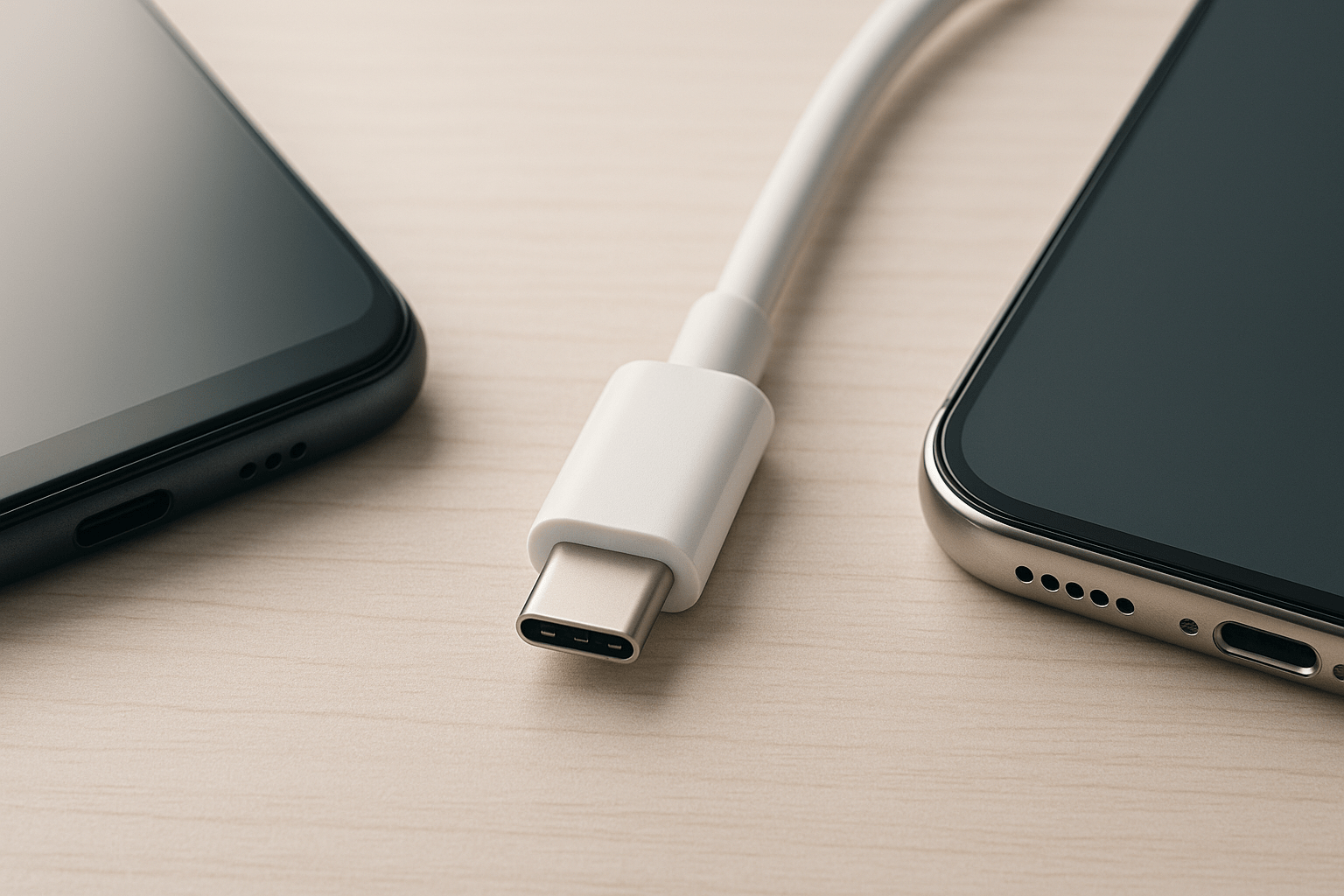
Since the arrival of iPhone With a 15-inch device featuring a USB-C port, the big question is inevitable: can I use Apple and Android cables interchangeably? At first glance, all the connectors seem to fit, but What really matters is inside the cable: its electronics, the conductors, the power it supports, and the protocols it understands.
The short answer is yes, they can be mixed without fear of breaking anything, although performance and functions will change. In practice, charging speed, data transfer, and fast charging compatibility They depend on the charger-cable-device trio. If any of the three falls short, you'll notice the bottleneck.
Apple and Android USB-C cables: real compatibility and nuances
First: the USB-C connector is universal in shape, so A USB-C cable fits into any USB-C port of mobile phones, tablets, and laptops. That doesn't guarantee they'll all perform the same. If you connect a simple cable to a high-end phone, it will charge, yes, but perhaps at standard speed; if it's USB 2.0, the Data transfer will remain at 480 Mbps.
With a better cable and a compatible charger, the results change completely: USB 3.x, USB4 or Thunderbolt cables They reach speeds from 5 Gbps to 40 GbpsAnd in the case of USB4, even more so in specific scenarios. This makes a difference when moving 4K videos, using a dock, or connect a SSD external.
In terms of power, most decent cables handle 60W without breaking a sweat, enough for phones and tablets. For a demanding laptop, consider... cables and chargers of 100W or higherUsing one underneath won't damage the device, but it will slow down charging.
In addition, each brand's own technologies come into play. Manufacturers such as Huawei (SuperCharge), Xiaomi (HyperCharge) or Vivo/iQOO (FlashCharge) They reach 120W, 210W or moreBut only if you use its compatible charger and cable; a standard cable will work, although at lower power.
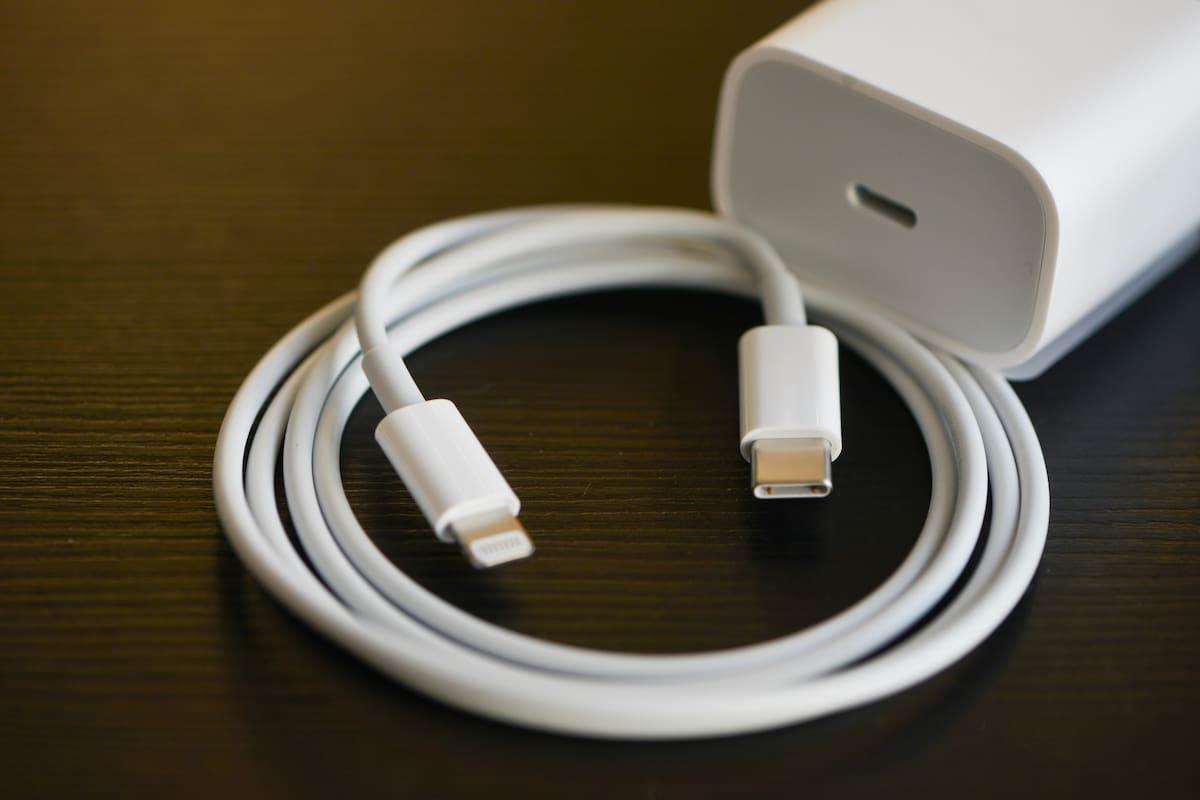
USB-C: same connector, very different capabilities
All USB-C cables look similar, but internally they can be worlds apart. Many cables included with mobile phones, both Apple and Android, are USB 2.0 (480 Mbps)They're only good for loading and transferring small files. If you're going to record ProRes, transfer entire libraries, or use external monitors, choose USB 3.x, USB4 or Thunderbolt.
To give you an idea of the USB generations: USB 1.0/1.1 reached 12 Mbit/s; USB 2.0, 480 Mbit/s; USB 3.0, 4,8 Gbit/s; USB 3.1, 10 Gbit/s; and USB 3.2, 20 Gbit/s. Specifications were published for USB 4 that allow... peak speeds of up to 80 Gbps in advanced configurations. All of this coexists with Thunderbolt (3, 4 and the recent 5), which uses the same USB-C connector and adds high-rate video (DisplayPort HBR3), data and power in a single cable.
A historical note helps to understand this: before USB-C there were USB-B (square, typical of printers), mini USB, and micro USB. USB-C, launched in 2014, resolved the orientation issue and made the leap to more power and more bandwidth in a unique reversible format.
Charging power: USB Power Delivery and watts that actually matter
USB Power Delivery (PD) is the company's standard for dynamically negotiating voltage and amperage. Thanks to it, a PD charger can deliver 20 W to an iPhone or 100 W to a laptopAccording to the device's requirements. Safety is managed through negotiation, preventing overheating and maintaining a stable charge.
If you have a phone, a 60W cable is more than enough; if you're carrying a laptop in your backpack, you should look at cables and power supplies that... 100W or higher (EPR on USB PD)The equipment will never "push" beyond its limits, but an undersized cable will make you wait longer than necessary.
Fast charging protocols: PD, Quick Charge and proprietary systems
Several charging systems coexist on Android. Qualcomm Quick Charge was very popular and increases the voltage to reduce charging times, but it is not universalMany manufacturers have migrated to PD to combine compatibility with laptops and accessories, while maintaining their own technologies to reach record figures within its ecosystem.
Apple uses PD-based fast charging. That means a certified USB‑C PD charger It offers optimal performance on iPhone and iPad Modern chargers. A Quick Charge-oriented charger without PD can charge, but at slower rates. The same is true in reverse: some Android phones get more out of their own proprietary protocol than a generic PD charger.
Therefore, although USB-C allows "plug and play", protocol compatibility It affects charging time and efficiency. With third-party chargers and cables, if they are not certified or properly specified, the result may not be as expected.
What does an Apple USB-C cable offer?
Apple's USB-C cables meet international standards, with high-quality materials and assembly. They can be used safely with Android phones and devices from other brands. They will load and move dataThe difference lies in the features of each specific cable (USB 2.0 versus 3.x, power, etc.).
On the iPhone 15 and 15 Plus, the port is USB 2.0, so the Transfer speed is limited to 480 MbpsOn the iPhone 15 Pro and Pro Max, the port is USB 3 (up to 10 Gbps theoretically), but the charging speed on the iPhone is around 20-27 W. If you add a basic cable to this, you'll see design limitations.
Apple includes a 1-meter USB-C 2.0 cable in the box, rated for approximately 30W, and sells higher-speed cables separately. In any case, It is not essential to buy the one from the brandThere are perfectly valid and certified third-party cables available, often at a better price.
Practical examples and common myths
Typical scenario: You connect any USB-C cable between an Android and an iPhone 15, and you don't see the fast charging you expected. The cable is probably faulty. USB 2.0 without high-power supportOr the charger isn't negotiating PD at the correct power. Switch to a 20W or higher PD charger with a quality cable, and things improve.
Another common scenario: a third-party charger that promises "fast charging" but doesn't specify PD. On many iPhones, the speed will be normal, since The iPhone prioritizes PDOn Android, if the phone relies on its proprietary protocol, you'll get better performance with its official charger/cable.
A rumor also circulated that "Android" USB-C cables had a different number of pins than those used with the iPhone 15 and could damage them. This is false. A USB-C connector has 24 contacts (12 per side) This allows for reversibility and various functions. A cable using fewer internal lines limits speed or power, but it doesn't damage the phone.
Apple's own support documentation states that you can charge an iPhone with a USB-C cable and a compatible adapter, including USB Power DeliveryIn other words, if the charger and cable are of adequate quality, the system will function correctly. For those who are curious, there are USB-C testers that measure voltage and amperage in real time and help diagnose bottlenecks.
How to choose the right cable: three key points and some extras

First, think about what you're going to do with it. If you're just going to charge your phone on your nightstand, a decent USB-C 2.0 port is sufficient. If you're going to transfer large photos and videos, or connect a monitor or an SSD, look for USB 3.x, USB4 or Thunderbolt expressly indicated on the packaging.
Second, look at the power. For phones, 60W is fine; for laptops, cables and chargers of [power] are better. 100W or moreYou'll avoid endless charging and problems when powering energy-intensive equipment.
Third, confirm compatibility with your brand's fast charging technology if you want to take full advantage of it. If your Android boasts HyperCharge, SuperCharge, or similar features, you'll need a certified cable and charger to reach those figures. Otherwise, it will continue loading, but more slowly.
Useful purchase bonus: materials and certifications. Good nylon braiding, reinforced strain reliefs, and well-finished connectors. increase durabilityThe USB-IF certification is a plus. In the Lightning world, it made sense to look for MFi; in USB-C, focus primarily on USB-IF and that... the specifications are clear (power, USB version, video compatibility).
Length also matters. A short cable is tidier, but it can be limiting. Well-known brands offer lengths from 0,2 m for backpacks or power banks to 2-3 m for the living room. Remember that Very long cables can attenuate the power or signal integrity if they are not well designed.
Price and internal electronics: why some cables are so expensive
There are USB-C cables that cost a fortune, and it's not just a marketing ploy. Under X-rays, some high-end models show boards with complex microcontrollers in each connector, capable of accurately managing USB4, Thunderbolt 4, DisplayPort HBR3 and up to 100W charging.
These controllers negotiate protocols, correct errors, and ensure optimal conditions between devices. At the other end, basic cables, such as some input cables, show much simpler constructionsWith fewer wires and no advanced electronics, they're useful for basic charging and data, and little else.
Does that mean you should pay for the most expensive cable? Not necessarily. The sensible thing to do is tailor your purchase to your needs: if you want 4K/60 video, fast data transfer, and high power through a single cable, Thunderbolt usually includes PD and DisplayPort. included. If you're only charging your phone, a good USB 2.0 cable from a reliable brand is sufficient.
iPhone 15, 15 Plus, 15 Pro and the role of the cable
The iPhone 15 and 15 Plus feature USB-C 2.0, so the Data transfer is limited to 480 MbpsThey will charge at around 20-27W with the appropriate charger. The 15 Pro and Pro Max models do include a USB 3 port, with speeds up to 10Gbps for transferring large videos or using professional accessories.
In terms of charging, Apple doesn't compete with brands that exceed 100W or even reach 300W. A recent iPhone prioritizes stability and battery care. It reaches up to about 27 W real power at most. Samsung limits itself to 45W in several models; other manufacturers go higher with their protocols.
In the box of recent iPhones you'll find a 1m USB-C 2.0 cable. If you want faster data speeds, you'll need a USB 3 or Thunderbolt cable Aside from that, as always, it doesn't have to be an Apple product: any good brand with clear specifications will do.
Everyday compatibility: home, car and work
In homes with a mix of Android, iPhone, iPad, and laptops, the ideal solution is to centralize charging on PD chargers with enough ports and use cables labeled by power and version To avoid confusion. This way you avoid juggling and get the best out of each piece of equipment.
In the car, many vehicles still offer USB-A ports. A good car adapter with PD and a quality USB-C cable are all you need. solve the problemFor laptops or monitors, a USB-C/Thunderbolt docking station with power and video outputs simplifies the desktop and reduces cable clutter.
Everything wireless and we can forget about it? Qi charging is incredibly convenient, but for now It remains slower and less efficient than a cable in most scenarios. The practical solution is to combine them: wireless for the bedside table and USB-C with PD when you're in a hurry.
European regulation and the future of the connector
The European Union promoted the standardization of the USB-C connector in small and medium-sized devices, with an adoption schedule until the end of 2024. This pursues several objectives: reduce electronic wasteto make life easier for the consumer and improve interoperability between brands.
USB-C is here to stay because it's reversible, robust, and scalable: it allows you to charge everything from headphones to powerful laptops, transfer data at high speed, and extract high-resolution video on the same link. This balance has made it the "wild card connector" of today's consumer electronics.
Quick tips for buying without making a mistake
– If you're only charging your phone, prioritize a well-made cable, with 60W support and solid connectors.
– If you are going to transfer video/photos or use docks, ask clearly USB 3.x/USB4/Thunderbolt in the box.
– For laptops, look for 100W or more and make sure the cable indicates E-marker and USB PD EPR.
– Be wary of extra-cheap cables without specifications. A couple of euros more will get you better value. security and reliability.
For reference, some manufacturers report durability using flexural strength tests (10.000, 20.000, 40.000 bends). It's not an exact science, but combined with good materials and certifications (USB-IF, CE, FCC, RoHS) is a useful clue for choosing better.
If you take away one key idea, let it be this: you can mix Apple and Android cables without fear, but the result depends on the combination. When the protocol (PD, Quick Charge, or proprietary), the charger's power, and the actual capabilities of the cableEverything is going great; if not, it will work, albeit at a leisurely pace.

Passionate writer about the world of bytes and technology in general. I love sharing my knowledge through writing, and that's what I'll do on this blog, show you all the most interesting things about gadgets, software, hardware, tech trends, and more. My goal is to help you navigate the digital world in a simple and entertaining way.